
Seedance 2.0 Text-to-Video
Seedance 2.0 Text-to-Video offers the highest image quality. It generates 4-15 second videos with text prompts and supports various aspect ratios, audio generation, and enhanced web search capabilities.
Related Models
Seedance 2.0
Seedance 2.0 offers the highest image quality. It generates 4-15 second videos with text prompts and supports various aspect ratios, audio generation, and enhanced web search capabilities.
Seedance 2.0 Fast
Seedance 2.0-fast offers rapid video generation. It generates 4-15 second videos with text prompts, supports various aspect ratios, audio generation, and enhanced web search capabilities.
Seedance 2.0 Fast Image-to-Video
Seedance 2.0 Fast Image-to-Video offers the highest image quality. It generates 4-15 second videos with text prompts and supports various aspect ratios, audio generation, and enhanced web search capabilities.
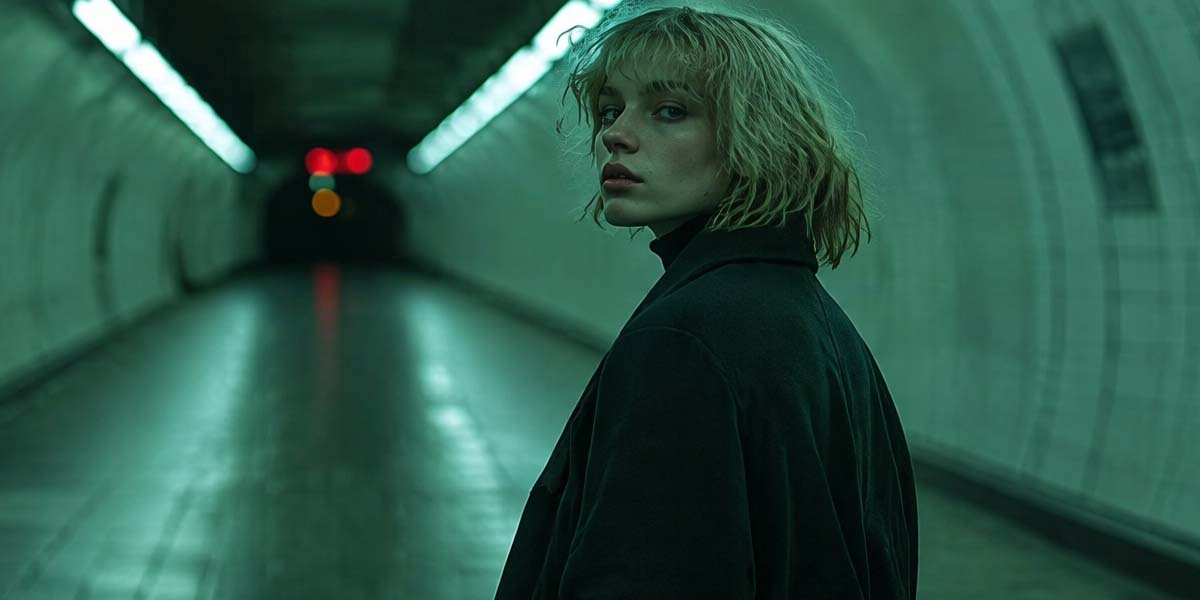
Seedance 2.0 Fast Text-to-Video
Seedance 2.0 Fast Text-to-Video offers the highest image quality. It generates 4-15 second videos with text prompts and supports various aspect ratios, audio generation, and enhanced web search capabilities.
Read Me
Seedance 2.0 Text-to-Video API
Overview
Seedance 2.0 Text-to-Video turns a written scene brief into a complete 4–15 second video, creating the subjects, environment, physical action, camera movement, shot progression, and optional synchronized audio from text alone.
Use this endpoint when no starting image or reference pack should define the result. Unlike Image-to-Video, the model must establish the full composition and visual direction itself. Unlike Reference-to-Video, it does not rely on uploaded assets to lock a character, product, movement pattern, or soundtrack.
The iCreat endpoint supports 480P, 720P, 1080P, and 4K output. Duration can be fixed from 4 to 15 seconds or set to automatic selection. Aspect ratio can also be chosen directly or left to the model with adaptive.
Use the model through:
bytedance/seedance-2-0/text-to-videoKey Features
Full-scene creation from text. Seedance 2.0 can build the composition, subjects, environment, lighting, action, and visual progression without a source image. This makes the endpoint useful when the creative direction begins as a script, treatment, storyboard note, or scene description.
Complex motion and physical interaction. Prompts can direct sports, dance, combat, object movement, cloth motion, and interaction between several subjects. Clear priorities still matter: one dominant action and a readable spatial relationship are easier to control than many unrelated movements at once.
Prompt-led multi-shot direction. A written brief can divide the clip into connected shots, assign camera positions, and describe transitions and pacing. Labels such as Shot 1 and Shot 2, with optional time ranges, make the intended sequence easier to interpret.
Optional synchronized audio. Set generate_audio to true to generate dialogue, ambience, sound effects, or music with the visual sequence. Audio directions should be written beside the action or shot where they belong.
Automatic framing and timing. Use adaptive when the model should select the frame shape from the scene description. Set duration to -1 when the model should choose the clip length. Fixed settings remain more suitable when delivery dimensions or shot timing are already known.
Output from draft resolution to 4K. Use 480P or 720P for lower-cost scene exploration. Use 1080P or 4K for selected outputs where greater visible detail and a larger delivery format justify the higher rate.
Optional web-assisted context. The iCreat web_search tool can provide additional context during generation. It may help with places, objects, or current visual references, but it does not guarantee factual or visual accuracy.
Model Comparison
Seedance 2.0 Text-to-Video vs Image-to-Video vs Reference-to-Video
| Route | Primary Input | Best Fit |
|---|---|---|
| Text-to-Video | Text Prompt | Full scene from text |
| Image-to-Video | Prompt + Starting Image | Animate an existing visual |
| Reference-to-Video | Prompt + Reference Assets | Reference-guided generation |
Seedance 2.0 Text-to-Video vs Seedance 2.0 Fast Text-to-Video
| Metric | Seedance 2.0 T2V | Seedance 2.0 Fast T2V |
|---|---|---|
| Latency | Higher | Lower |
| Cost | Higher | Lower |
| Input Mode | Text-to-Video | Text-to-Video |
| Output Resolution | 480P, 720P, 1080P, 4K | 480P, 720P |
| Best Fit | Final output + complex motion | Testing + variations |
Inputs
For this endpoint, the required content array should contain one text item. The Prompt can describe the visible scene, action, camera, cuts, dialogue, ambience, sound effects, and music.
| Input | Count | Format | Notes |
|---|---|---|---|
| Text Prompt | 1 | — | Required |
| Images | Not supported | — | Not used in this Text-to-Video workflow |
| Videos | Not supported | — | No video input |
| Audio | Not supported | — | No audio input; generated audio is optional |
A useful Prompt usually establishes the subjects and setting first, then gives the main action, camera direction, shot order, and sound cues. Chinese prompts can contain up to 2,000 characters, and English prompts can contain up to 2,000 words. Excessive detail can dilute priorities and cause later instructions to be ignored.
Parameters
| Parameter | Supported Values | What It Controls |
|---|---|---|
generate_audio |
true, false |
Generated audio |
ratio |
16:9, 4:3, 1:1, 3:4, 9:16, 21:9, adaptive |
Output aspect ratio |
resolution |
480p, 720p, 1080p, 4k |
Output detail and unit price |
duration |
4–15, -1 |
Output duration and total cost |
watermark |
true, false |
Output watermark |
tools |
web_search |
Web-assisted context |
Pricing
| Resolution | Unit Price | 5 Seconds | 10 Seconds | 15 Seconds |
|---|---|---|---|---|
| 480P | $0.077/sec | $0.385 | $0.770 | $1.155 |
| 720P | $0.164/sec | $0.820 | $1.640 | $2.460 |
| 1080P | $0.409/sec | $2.045 | $4.090 | $6.135 |
| 4K | $0.830/sec | $4.150 | $8.300 | $12.450 |
Total Cost = Unit Price × Output Video DurationQuick Start
This example asks the model to construct two connected shots, maintain one character across the sequence, and generate the dialogue and environmental sound with the video.
curl --fail-with-body --connect-timeout 10 --max-time 60 \
  -X POST https://api.icreat.ai/v1/task/submit/bytedance/seedance-2-0/text-to-video \
  -H "Authorization: Bearer ${ICREAT_API_KEY}" \
  -H "Content-Type: application/json" \
  -d '{
    "content": [
      {
        "type": "text",
        "text": "Create a cinematic two-shot sequence at a rain-soaked train station at night. Shot 1 [0-4s]: a courier in a yellow jacket runs beside a slowly departing train while the camera tracks at waist height; rain hits the platform, shoes splash through puddles, and metal wheels echo under the station roof. Shot 2 [4-10s]: keep the courier’s face and clothing consistent as they jump onto a luggage cart, duck under a hanging sign, and reach the open train door; the camera cranes upward as the courier shouts, \"Hold it!\" End on the train moving into the dark tunnel. Use realistic momentum, continuous movement, tense orchestral music, rain ambience, wheel noise, and clear dialogue."
      }
    ],
    "generate_audio": true,
    "ratio": "16:9",
    "resolution": "1080p",
    "duration": 10,
    "watermark": false
  }'
The request returns a task_id.
Submit request → Receive task_id → Poll status → Retrieve resultQuery the task status until it reaches SUCCEEDED, then use the same task_id to retrieve the result.
Output
Seedance 2.0 Text-to-Video uses an asynchronous task flow.
The submission request returns a task_id. Task status is checked through the query-status endpoint, and the completed result is retrieved through the get-result endpoint after the task succeeds.
Detailed result fields are not listed until they are confirmed from an actual iCreat response.
Use Cases
Action and choreography previsualization. Turn a written description of sports, dance, pursuit, combat, or coordinated interaction into a short sequence before footage, performers, or reference assets exist.
Script-to-scene concepts. Convert a short scene into planned visuals, camera movement, dialogue, ambience, and sound effects for pitching, story development, or production planning.
Multi-shot campaign concepts from copy. Generate a short sequence of original lifestyle, brand, or product-context shots from written creative direction when no exact reference asset must be preserved.
Dialogue and sound-led scenes. Direct a spoken line, reaction timing, environmental sound, music, and camera movement inside one Prompt so that the audio and visual progression are developed together.
Original world and atmosphere exploration. Create an environment, lighting design, character type, motion language, and emotional tone entirely from a written concept.
Limitations
Text-to-Video does not use an uploaded image to lock a specific face, product design, costume, or composition. The model must infer these details, so identity, clothing, and small visual features may drift across complex shots.
Prompts with too many subjects, actions, camera moves, transitions, and sound instructions can create competing priorities. Complex scenes are easier to control when each shot has one dominant action and a clear spatial relationship.
Fine-detail stability, hyper-realism, dynamic vitality, and multi-subject consistency can still weaken in demanding scenes. Occasional audio distortion, unclear dialogue, or mismatched sound timing may also occur.
Readable text inside the video is not guaranteed. Logos, signs, interface text, and long written phrases may be distorted or inconsistent.
Output is limited to 4–15 seconds unless automatic duration is used within the same supported range. The provided iCreat schema does not expose a seed, so exact repeatability should not be promised.
The optional web_search tool can add context, but it does not guarantee that generated facts, locations, objects, or visual details are accurate.
FAQ
How should a Seedance 2.0 multi-shot Prompt be structured?
Begin with one sentence describing the complete scene, then divide the sequence into labeled shots. Give each shot its subject, action, camera position, sound, and approximate time range. Keep the transition explicit and avoid assigning several camera moves to the same shot.
How can the same character remain consistent without a reference image?
Repeat only the identity-defining details that must remain stable, such as age range, hairstyle, clothing, and one distinctive feature. Keep the character name and description identical across shots, limit major angle changes, and avoid introducing new clothing or facial details later in the Prompt.
How should dialogue, ambience, sound effects, and music be written in one Prompt?
Place each sound instruction beside the relevant shot or action. Put spoken dialogue in quotation marks, distinguish foreground sound from background ambience, and state when music begins, changes, or ends. Too many simultaneous sound instructions can reduce clarity.
When should duration: -1 be used instead of a fixed duration?
Use -1 during exploration when the scene can be shortened or expanded by the model. Use a fixed duration when the clip must fit an edit, advertisement, platform limit, voice line, or planned shot structure.
When should the adaptive aspect ratio be used?
Use adaptive when the model can choose the frame shape from the scene and composition. Use a fixed ratio when the output is already intended for landscape, vertical, square, portrait, or ultrawide delivery.
How can a complex action scene avoid becoming chaotic?
Set one dominant action per shot, define where the subjects are located, and state the direction of movement. Separate simultaneous events into ordered beats, keep one primary camera instruction, and remove decorative details that do not affect the action.
When is 4K worth the additional cost?
Use 4K for selected final shots that need more visible detail, larger delivery dimensions, or additional room for cropping. Use 480P or 720P while testing scene structure, and move to 1080P or 4K only after the Prompt is stable.
What does web_search change in a Text-to-Video request?
It allows iCreat to retrieve additional web context for the generation. It may help describe a place, object, or current visual reference, but the resulting video can still contain factual or visual errors.
Should Text-to-Video or Reference-to-Video be used for a recurring character?
Use Text-to-Video when the character can be defined through language and exact visual continuity is not essential. Use Reference-to-Video when a recurring face, costume, product, or visual identity must follow supplied assets.
Can the same Prompt reproduce the same video?
No exact match should be expected. Video generation is probabilistic, and the provided endpoint does not expose a seed. Keep the Prompt and parameters unchanged when comparing variations, but expect differences in motion, framing, timing, and detail.