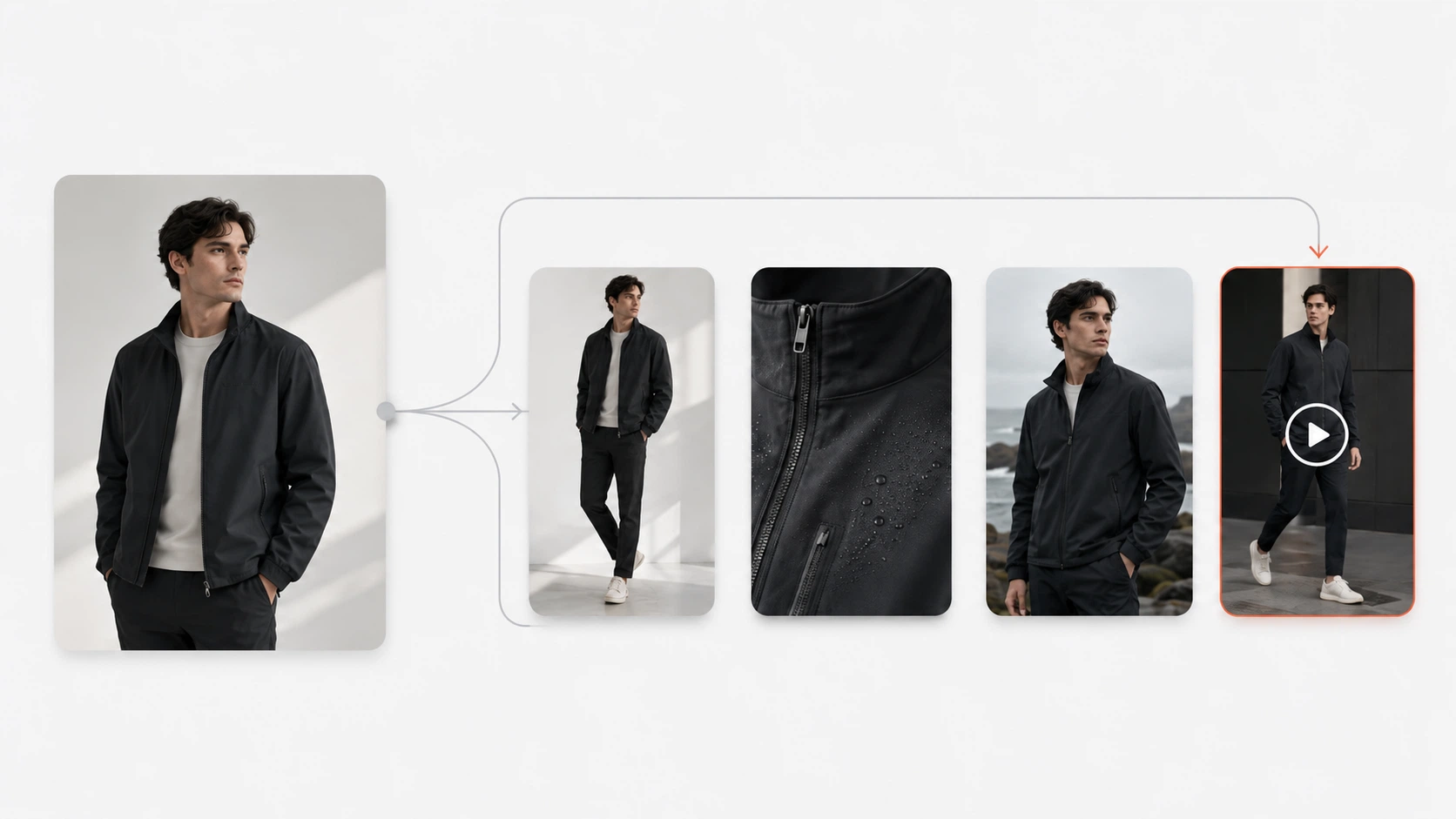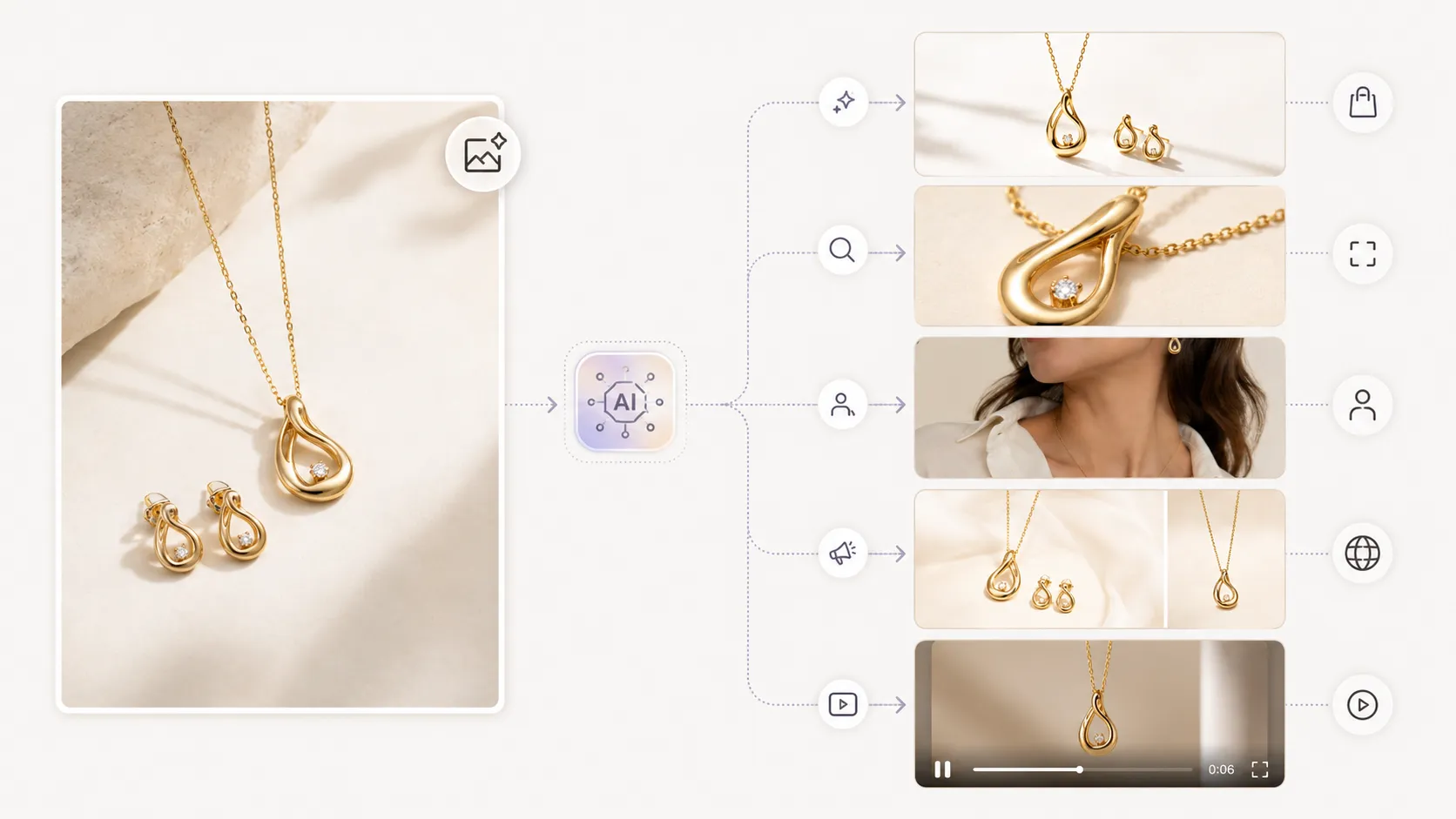



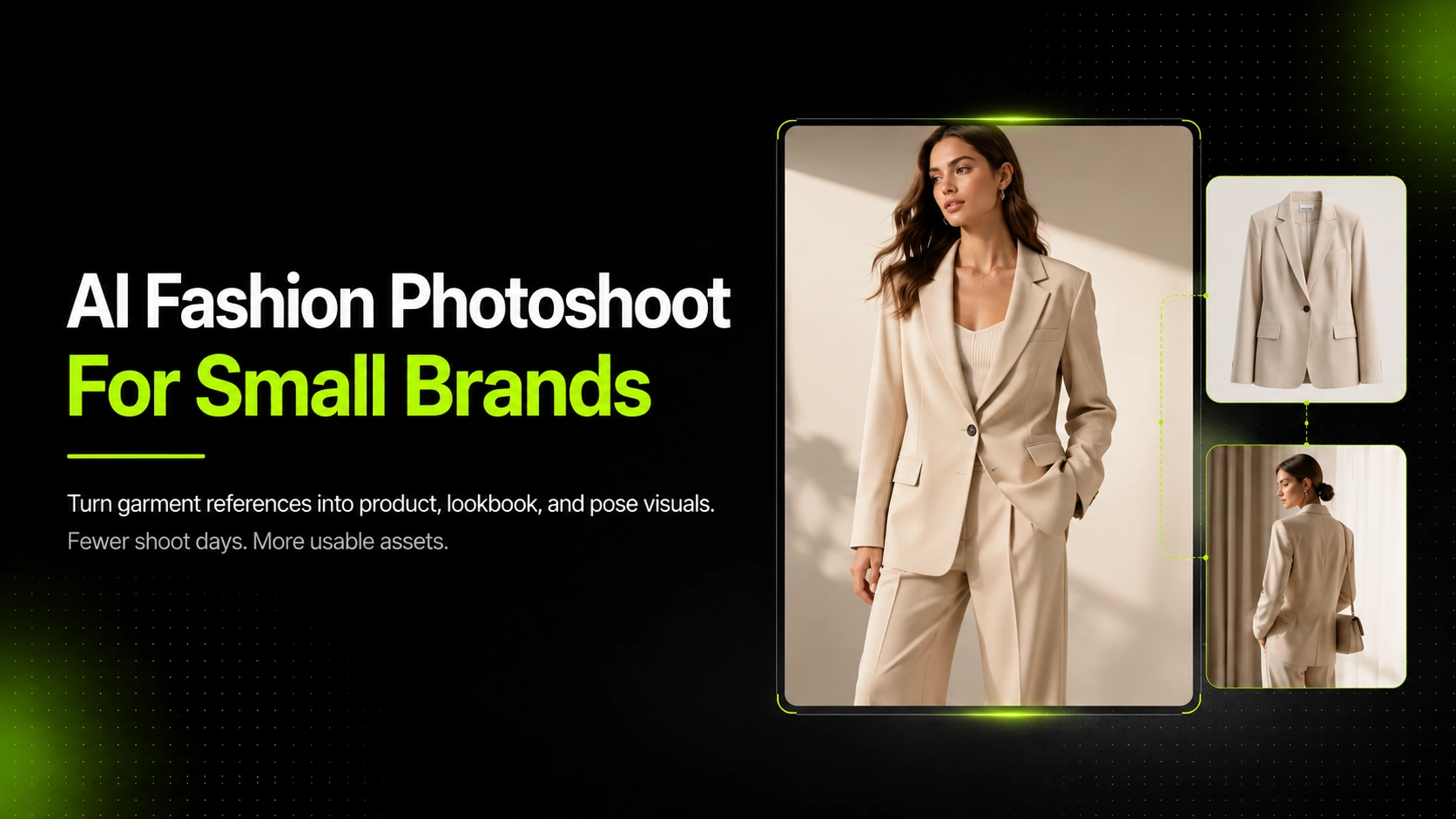
An AI fashion photoshoot for small clothing brands turns real garment references into product photos, on-model visuals, lookbook images, pose variations, and campaign assets without booking a full studio shoot for every new image. It works best when the brand starts with clean product inputs, defines the channel for each output, and reviews garment accuracy before publishing.
That last part matters. A small clothing brand doesn't just need images that look polished. It needs visuals that help shoppers understand the item: fit, fabric, color, cut, print, logo placement, and how the garment might appear in use. This guide breaks down where AI fits, what to create first, and when a hybrid workflow is stronger than trying to replace every traditional shoot.
Key Takeaways
- AI fashion photoshoots help small clothing brands create more ecommerce and campaign visuals from fewer garment references.
- Product accuracy matters more than expensive-looking styling, especially for product detail pages.
- Start with a practical shot list: hero image, front/back views, detail shots, pose variations, lookbook visuals, and social assets.
- AI works best for speed, variation, and campaign expansion; traditional shoots still make sense for high-control hero campaigns.
What Is an AI Fashion Photoshoot?
An AI fashion photoshoot uses garment photos, reference images, and prompts to generate new fashion visuals. Instead of coordinating a photographer, model, stylist, studio, lighting setup, and retouching cycle for every asset, a small brand can use existing product images as the starting point.
For example, a Shopify apparel seller might upload a clean hoodie image, a close-up of the embroidery, and a back-view reference. From that set, the team could create a product-page hero, a few model pose variations, a lookbook-style campaign image, and a detail visual for the fabric.
The workflow is not only about replacing a camera. It is about expanding the asset set around a real product.
Traditional fashion photography still gives teams full creative control. AI is more useful when the brand already has garment references and needs more visual options quickly. That might mean testing social ad angles, filling product page gaps, preparing seasonal email graphics, or building a richer lookbook from a small drop.
If you already have clean garment images and want to create more ecommerce visuals from them, start with the AI Product Photography tool. It is the core iCreat AI workflow for turning product references into product photos, campaign visuals, and fashion ecommerce assets.
When AI Fashion Photoshoots Make Sense for Small Clothing Brands
AI is strongest when a small brand has more visual needs than production capacity. That is common in apparel, where every product may need a hero image, detail views, model context, campaign images, and short-form creative for social channels.
New Drops With Limited Visual Assets
Small brands often launch with a tight set of samples. A traditional shoot may cover the first lookbook or catalog, but it may not cover every background, pose, format, or campaign angle needed after launch.
AI can help extend the shoot. A brand could use the strongest real product references to generate additional visuals for collection pages, paid social tests, email banners, and seasonal merchandising.
Product Page Image Gaps
Shopify's product photography guidance notes that strong product photos help show customers what they will receive and can build trust in the store. It also recommends showing multiple angles so shoppers can see the product from different perspectives.
That is the exact gap small teams feel. One flat lay may not answer enough shopper questions. AI can help create front, side, back, detail, and styling variations, as long as each output is reviewed against the real garment.
Seasonal Campaigns and Lookbooks
A seasonal campaign can demand more images than a small brand can easily shoot. The product may be the same, but the visual needs change: spring colors, holiday backgrounds, a warmer editorial mood, or a more neutral product-page set.
This is where the AI Fashion Lookbook Generator fits naturally. It helps turn fashion product inputs into lookbook-style visuals that support collection storytelling, not just catalog presentation.
Paid Social Creative Testing
Ad creative burns out quickly. A small clothing brand may need the same product shown in different crops, poses, backgrounds, and moods across Instagram, TikTok, Pinterest, or Meta ads.
AI makes variation easier. A team can test visual directions before committing to a larger production plan. The goal is not to publish every generated image. The goal is to create enough options to choose from.
What Images Should a Small Clothing Brand Create First?
Before generating anything, decide what each image needs to do. A product-page image has a different job from a campaign image. An ad creative has a different job from a fabric close-up.
| Image Type | Best Use | Review Standard |
|---|---|---|
| Hero product image | Product pages and collection grids | High accuracy for color, shape, and silhouette |
| Front and back views | PDP support and marketplace listings | High accuracy for construction and cut |
| Detail shots | Fabric, stitching, trim, logo, print | Very high accuracy for close-up product evidence |
| Pose variations | Product page richness and ad testing | Strong accuracy with natural body and garment logic |
| Lookbook visuals | Seasonal campaigns and brand storytelling | Good accuracy, with more creative styling freedom |
| Short videos | Social ads, Reels, launch teasers | Strong first-frame image before adding motion |
Clean Hero Image for Product Pages
Start with the product image that shoppers will see first. It should make the item clear at a glance. For Shopify stores, this might be a clean on-model or product-first image. For marketplaces, the requirements may be stricter.
Amazon's apparel image style guide, for example, requires clean main images, high resolution, a clear product view, and pure white backgrounds for main clothing images in many cases. Etsy's image guidance also pays close attention to thumbnail cropping, orientation, and how the first listing photo shapes the browsing experience.
Front, Side, Back, and Pose Variations
Clothing shoppers want to understand shape and fit. One image rarely does that alone. A small brand should plan at least a front view, back view, and one or two pose variations when the item depends on drape or styling.
The AI Pose Generator is useful when a product needs more model pose variety for product pages, ad testing, or campaign images.
Detail Shots for Fabric, Print, Logo, and Construction
Product detail images carry trust. If the fabric is ribbed, embroidered, sheer, brushed, or textured, the close-up may matter as much as the hero image.
For ecommerce product detail pages, use the AI Fashion Detail Image Generator when you need supporting assets such as fabric close-ups, white-background visuals, mockup-style images, or apparel detail shots.
Lookbook Images for Collection Storytelling
Lookbook visuals do a different job. They help shoppers understand mood, styling, and collection direction. They can be more editorial than a product-page image, but they should still respect the garment.
For a small summer collection, a brand might create one clean PDP set for each product, then use lookbook-style AI visuals to show how pieces belong together.
Step-By-Step AI Fashion Photoshoot Workflow
A strong AI fashion photoshoot starts before you click generate. The quality of the reference set and the clarity of the goal shape everything that follows.
Step 1: Prepare Clean Garment References
Start with the clearest product images you have. Use a well-lit front view, a back view when construction matters, and detail images for fabric, trims, prints, labels, zippers, buttons, or embroidery.
Avoid references where the garment is folded, hidden, heavily shadowed, or color-shifted. If the model has to guess the product, the output can drift away from the real item.
Step 2: Choose the Visual Goal
Do not ask for a vague "better fashion photo." Choose a specific output:
- A clean product-page hero image
- A model pose variation
- A lookbook image for a seasonal drop
- A fabric or construction close-up
- A social ad creative
- A short-form product video starting frame
The more specific the goal, the easier it is to review the result.
Step 3: Generate Product-First Variations
Keep the product at the center. A beautiful background is not useful if the garment changes shape, texture, or color.
Use prompts that describe the channel and the product constraints. For example, a prompt for a hoodie should protect the hood shape, cuff ribbing, logo position, drawstring placement, and fabric weight before describing the model pose or background.
Step 4: Review Garment Accuracy
Review the output like an ecommerce asset, not like a moodboard. Compare it against the real product.
Check:
- Color and tone
- Logo placement
- Print or pattern behavior
- Fabric texture
- Silhouette and fit cues
- Sleeve, collar, hem, and waist shape
- Back-view logic
- Body proportions and pose realism
If the image looks good but changes the product, it may be useful for internal concepting, but not for a product page.
Step 5: Resize, Upscale, and Organize Final Assets
Once you choose final outputs, prepare them for their channel. Product pages, ads, email banners, and social posts may need different crops and aspect ratios.
Shopify warns that large images can slow page loading and recommends optimizing product images for the web. Etsy also recommends checking thumbnails so the product remains clear across different cropped views.
For final polish, supporting tools like Image Upscaler and Background Remover can help prepare high-resolution images or cleaner product cutouts.
How iCreat AI Supports the Workflow
iCreat AI is strongest when the article's workflow maps to a real production need: create more usable fashion visuals from a limited set of product references.
AI Product Photography for Ecommerce and Campaign Visuals
Use AI Product Photography as the main workflow when you need product photos, fashion ecommerce visuals, social creatives, or campaign images from reference inputs.
This is the best starting point for small clothing brands because it keeps the work tied to product visuals rather than general AI image experimentation.
AI Fashion Lookbook Generator for Collection Visuals
Use AI Fashion Lookbook Generator when the goal is storytelling. A collection needs more than isolated product shots. It needs a visual world: model styling, composition, mood, and a sense of how pieces fit together.
This is useful for drops, seasonal edits, campaign pages, and email visuals.
AI Pose Generator for Model Pose Variety
Use AI Pose Generator when a product needs more body context. A dress, jacket, pant, or oversized hoodie can look different depending on pose, stance, crop, and movement.
Pose variation helps product pages feel richer and gives ad teams more creative options without planning another shoot for each pose.
AI Fashion Detail Image Generator for PDP Support Assets
Use AI Fashion Detail Image Generator when the product page needs more evidence. Fabric, stitching, collars, buttons, prints, embroidery, and back-view details help shoppers judge quality and construction.
These images should be reviewed carefully because they carry product claims visually.
AI Image Replacer for Seasonal and Creative Variations
Use AI Image Replacer when a strong creative concept needs adaptation. A brand might keep the same product composition but change the background, campaign mood, or supporting element for a new audience or season.
This is useful after you already have a strong image direction and want more versions from it.
Mistakes That Make AI Fashion Photos Look Unusable
AI fashion photos usually fail because the workflow asks the model to invent too much or because the team reviews the image only for style.
Starting From Weak or Inaccurate References
A blurry supplier image, a folded garment, or a heavily filtered photo can create output problems. The model may change the color, soften the logo, misunderstand the cut, or invent construction details.
Use the strongest references you can. If the source image isn't clear enough for a person to inspect the garment, it probably isn't clear enough for an AI workflow either.
Overstyling the Scene Before Checking the Product
It is tempting to start with the most dramatic scene. That can work for campaign exploration, but it is risky for product pages.
Start with a product-first image. Once you know the garment is staying accurate, build more creative visuals around it.
Ignoring Fabric Texture, Print, Color, or Silhouette Drift
Fashion visuals are sensitive. A slightly wrong knit texture, warped logo, changed neckline, or altered hem can make the product feel misleading.
The image may still look attractive. That doesn't mean it is ready to publish.
Using Campaign Images as Product-Detail Evidence
A campaign image can show mood and styling. It should not be the only evidence a shopper gets about the garment.
Use creative visuals to inspire interest, then support them with product-detail images that show what the buyer is actually getting.
AI Photoshoot vs. Traditional Photoshoot: Which Should You Use?
The best answer for small clothing brands is often a hybrid workflow. Use traditional photography where exact control matters most, then use AI to expand variations, fill asset gaps, and create campaign options faster.
| Need | Better Fit | Why |
|---|---|---|
| Exact hero campaign with full creative direction | Traditional shoot | More control over model, styling, lighting, and legal usage |
| Extra PDP views from existing garment references | AI or hybrid | Faster way to generate front, back, pose, and detail options |
| Seasonal campaign variations | AI | Useful for background, mood, and lookbook expansion |
| Marketplace main image compliance | Traditional or tightly reviewed AI | Platform rules may be strict and product accuracy is high stakes |
| Paid social creative testing | AI | Fast variation helps teams test more visual angles |
| Complex garment fit representation | Traditional shoot | Real fit, drape, and movement may need stronger evidence |
According to McKinsey's State of Fashion 2026, AI is moving from competitive edge to business necessity across fashion, with more than 35% of executives reporting use of generative AI in areas that include image creation, copywriting, customer service, search, or product discovery. That doesn't mean every image should be AI-generated. It means brands need a clear production strategy for where AI adds speed and where traditional production still earns its place.
Research into virtual fashion photo-shoots also points to a shift from clean catalog generation toward editorial visuals with poses, locations, and storytelling. For small clothing brands, that is the opportunity: use AI not only to make another product image, but to create a fuller visual system around each garment.
There is also a trust side to this. Reporting from AP has highlighted both the promise and concerns around AI-generated models in fashion, including representation, transparency, and worker impact. Small brands should treat AI model imagery as a production tool that needs judgment, not as a shortcut around ethics or accuracy.
FAQ
Campaign images can be more creative. Product detail images need stricter review.
The better the reference set, the less the model has to invent.
Flat lays work best when the garment is fully visible and not distorted by folds or shadows.
Some products need fewer. Complex apparel may need more.
The fix is not only a better prompt. It is a better workflow: stronger references, product-first generation, and stricter review.
Conclusion
An AI fashion photoshoot is most useful when it helps a small clothing brand create more usable visuals from the product references it already has. Start with a clear shot list, protect garment accuracy, and decide which images belong on product pages, which belong in campaigns, and which are only useful for creative testing.
For many small brands, the strongest workflow is hybrid. Use traditional photography where exact control matters, then use AI to create extra product visuals, lookbook images, pose variations, and campaign assets faster.
If you're ready to turn garment references into ecommerce and campaign visuals, start with iCreat AI's AI Product Photography. From there, use AI Fashion Lookbook Generator for collection storytelling, AI Pose Generator for pose variety, AI Fashion Detail Image Generator for PDP assets, and AI Image Replacer when you need seasonal or creative variations.
Log in to iCreat AI when you're ready to create product photos, lookbook visuals, and fashion campaign assets from your own clothing images.