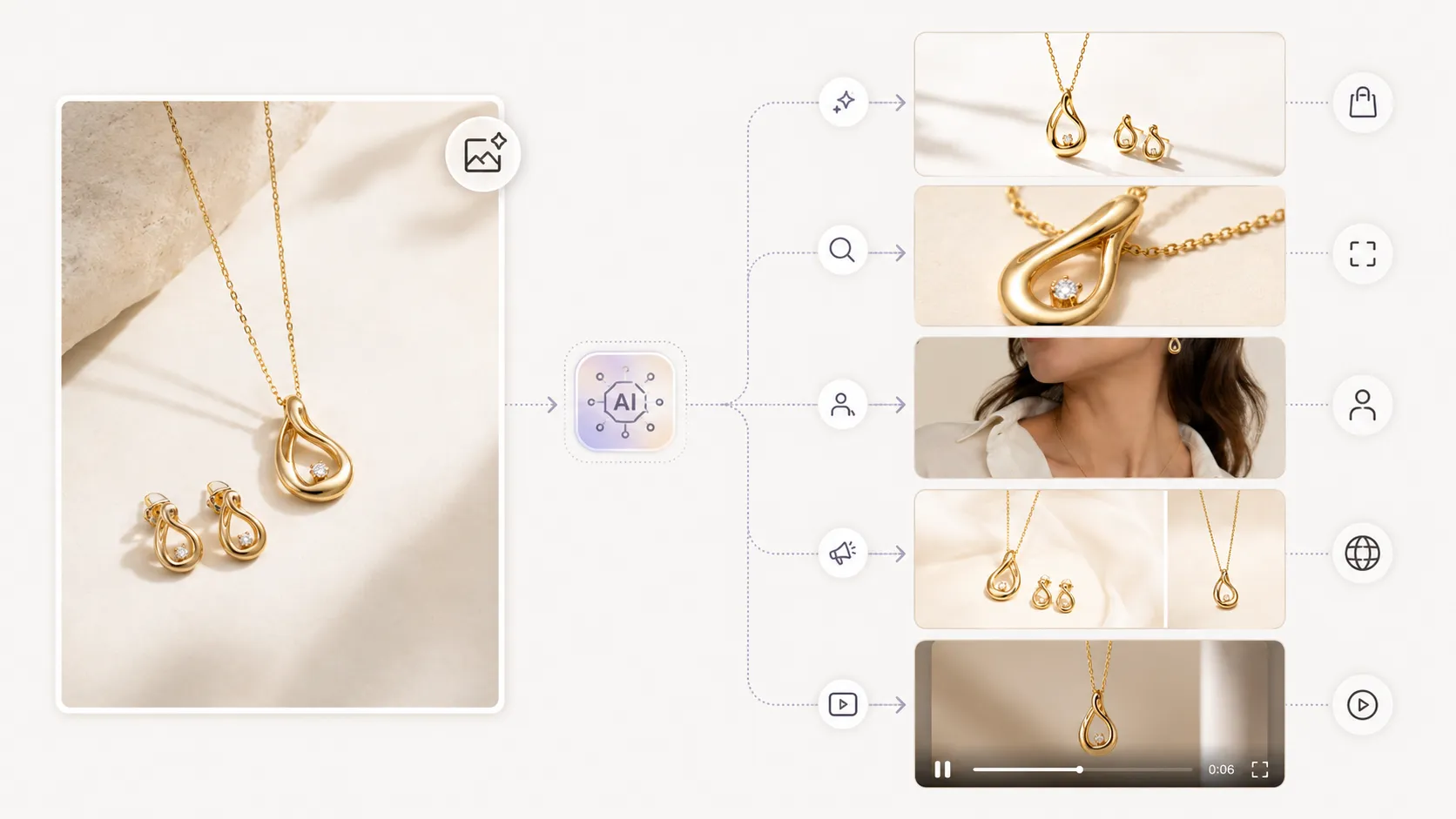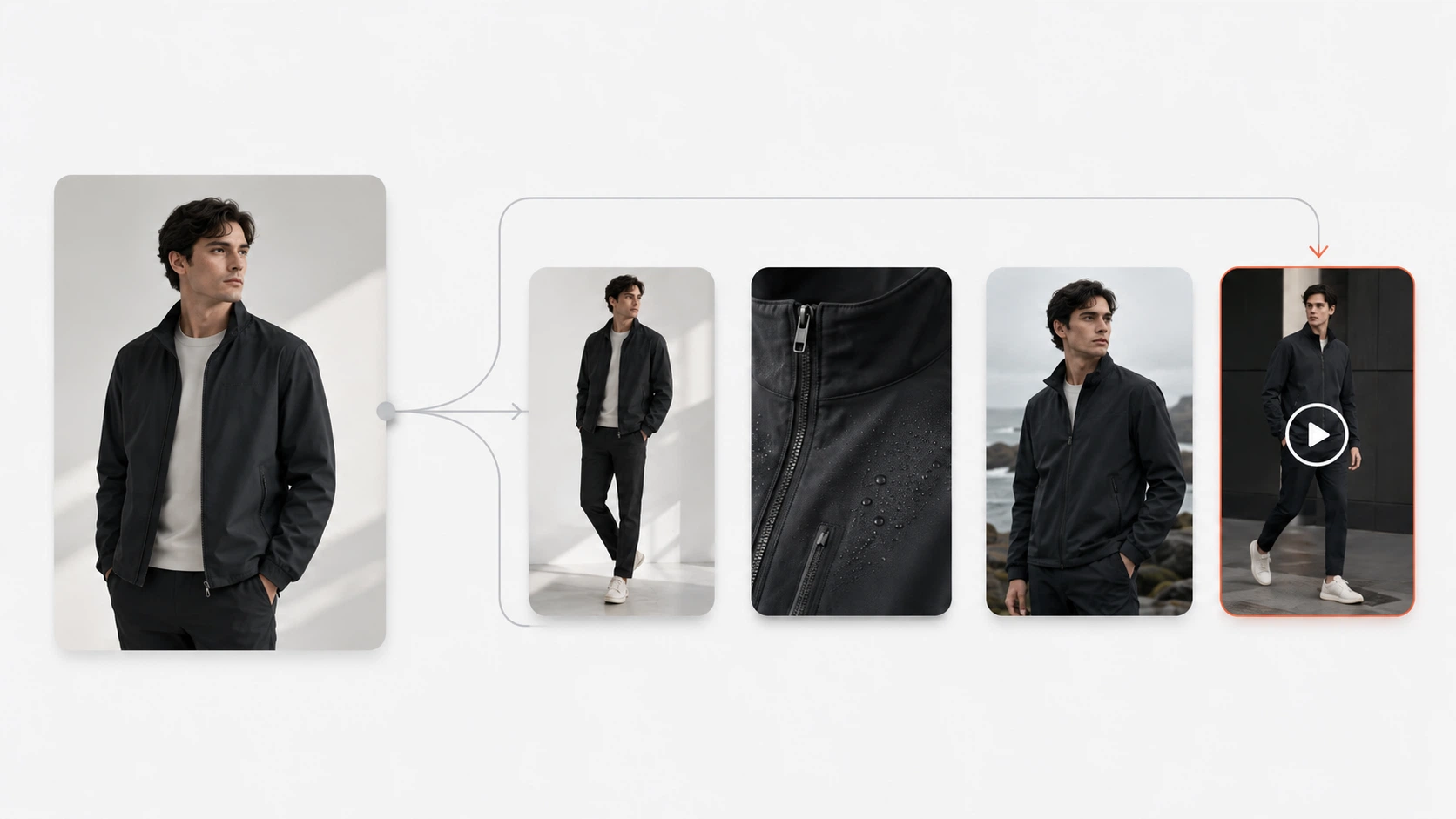




The best AI product photography tool for your small business depends on where you are right now, not where you hope to be in two years. A tool that fits a solo seller with 20 SKUs and zero budget will frustrate a growing brand with 200 SKUs and a dedicated marketing person. This guide matches tools to business stages instead of ranking them by feature count, includes honest free-tier assessments, and accounts for the time cost that most comparisons ignore.
Key Takeaways
- Small businesses should match tools to their current stage (solo, startup, or scaling), not to aspirational enterprise features they will not use for months
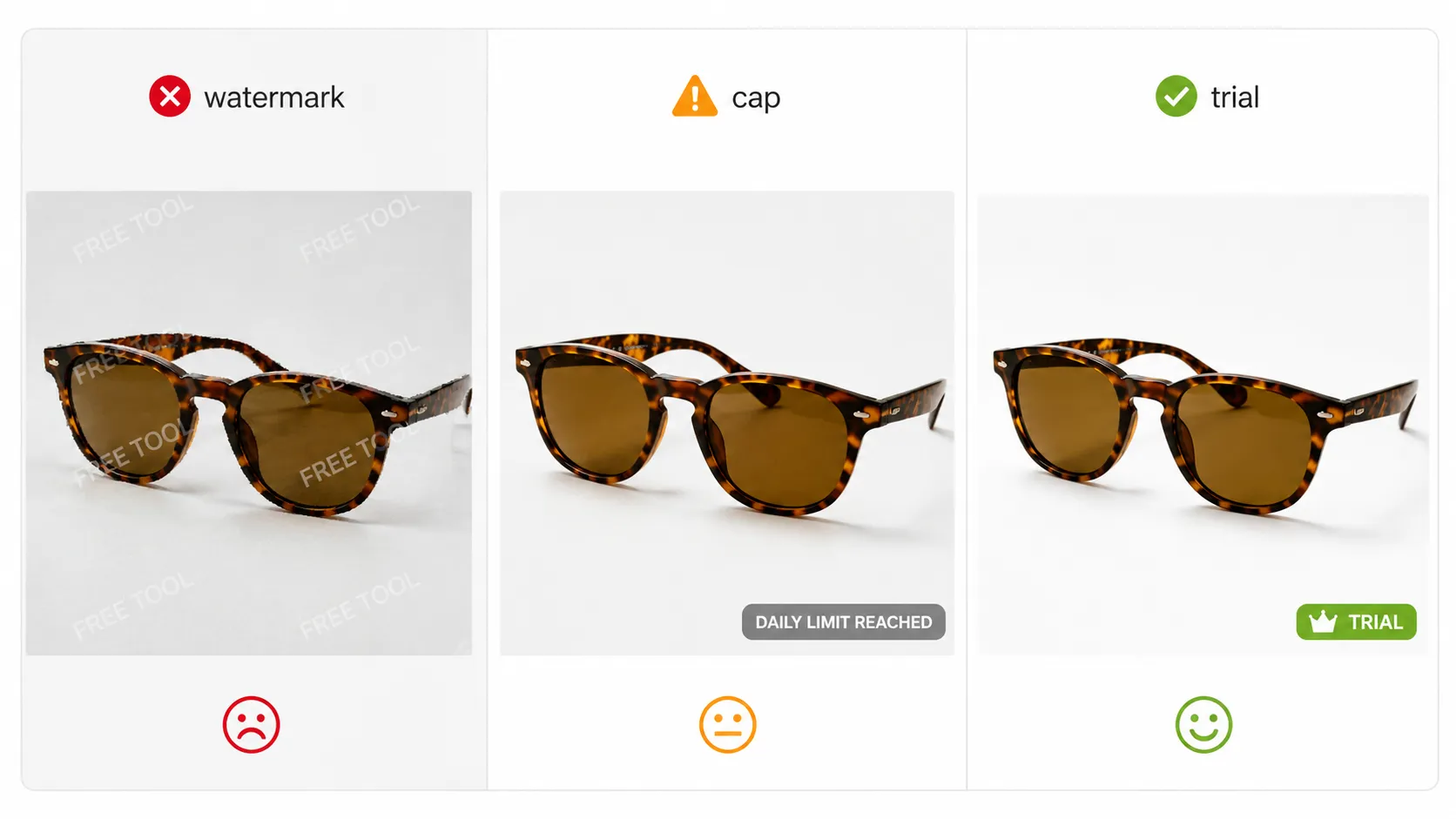
- "Free" tiers almost always have hidden limits — watermarks, resolution caps, volume restrictions, or feature gates — that can make them more expensive than cheap paid plans once you factor in time spent working around limitations
- Total cost means monthly fee plus the hours you spend learning, generating, and fixing outputs; a $5/month tool that eats 10 hours per month may cost more than a $40/month tool that takes 30 minutes
- The fastest path from zero to first usable image matters more than theoretical feature breadth when you are just starting out
- Pick a tool that grows with you — switching platforms later means relearning a new workflow and potentially re-generating assets
Why "Best Tool" Lists Mislead Small Business Owners
If you have read three "best AI product photography tools" articles, you have seen three different tools ranked number one. Each list used different criteria. None of them asked how many SKUs you have, what you sell, whether you have a budget, or how much time you can afford to spend learning new software.
For small business owners, those questions matter more than feature count. A tool with 50 features that costs $80/month and takes 8 hours to learn is a bad fit for a solo seller who needs 10 images this week and has $0 allocated for tools. A simpler tool with 5 features that produces acceptable output in 20 minutes is the better choice — at least for now.
The framework below organizes tools by business stage. Find your stage. Start there.
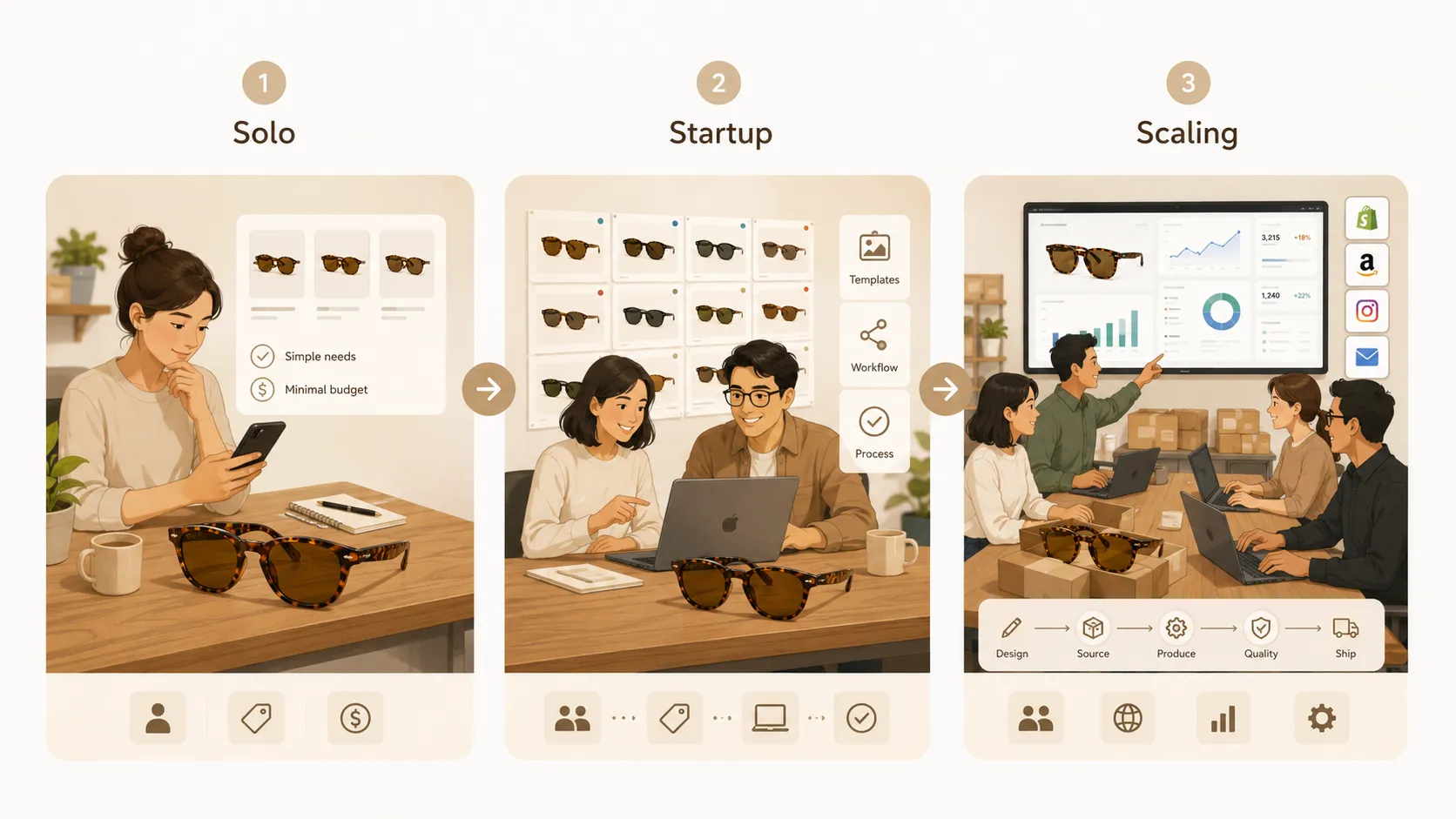
The Three Stages: Which Tool Fits Your Business Right Now?
Stage 1: Solo / Pre-Revenue (0-20 SKUs, minimal or no budget)
You are just starting. You might still have a day job. Your product photos are currently phone shots against a bedroom wall. You need something that works immediately, costs nothing (or close to it), and does not require watching a 2-hour tutorial.
What to look for: Generous free tier, mobile-friendly interface, minimal setup, decent output for simple products (solid colors, clean shapes).
Tools to start with:
- Photoroom free tier: Upload, remove background, pick a template, download. Works acceptably for solid-color basics. Watermark appears on some free outputs.
- Pebblely free tier: Similar workflow, slightly fewer template options but clean output for straightforward products.
What to avoid: Enterprise tools (Claid), complex platforms with steep learning curves, any tool that requires API access or developer setup.
Path forward: Test 2-3 free tiers with your actual product photo. Pick the one where your specific product looks best. Use it until you hit the free limits consistently, then evaluate paid options.
Stage 2: Startup / Growing (20-100 SKUs, some budget, $20-80/month feasible)
You are making sales. Your product range is expanding. You need more than background removal — maybe lifestyle scenes, detail shots, or consistent catalog imagery across 50+ SKUs. You have some budget but every dollar counts, and your time is now worth money too.
What to look for: Credit-based or affordable subscription pricing, template system to reduce per-image time, ability to handle your specific product types (if you sell clothing with prints or detailed textures, this filters your options significantly), and ideally a path to more advanced workflows as you grow.
Tools to consider:
- iCreat AI (credit-based, free trial available): Offers reference-image-driven generation with 5,000+ templates covering multiple product categories. Produces white-background shots, lifestyle scenes, and can extend into detail images, lookbook layouts, and short video clips as your needs grow. Requires 30-60 minutes of initial learning to match templates to your products, but after that each generation is fast. Good fit if you sell clothing, accessories, or visually detailed products where generic background replacement falls short.
- Photoroom Pro (~$15-20/month): Step up from the free tier if Photoroom's output worked for your products and you just need higher volume and no watermarks. Still limited to basic background replacement and simple templates.
- Pebblely paid plans (~$10-20/month): Middle ground if you found Pebblely's free tier effective and need more volume.
What to avoid: Tools that charge per-image at rates that scale painfully with SKU count. Enterprise contracts with minimum commitments.
Stage 3: Scaling (100+ SKUs, dedicated visual production need)
You have a real catalog now. You might have a person (or a role) dedicated to visuals. You need consistency across hundreds of SKUs, multiple asset types per product, and possibly integration into broader workflows (seasonal campaigns, social content, ad variations).
What to look for: Workflow connectivity (one platform for multiple asset types), batch processing, team features, API access if you have technical resources, and pricing that scales predictably with volume.
Tools to consider:
- iCreat AI (credit-based at scale): The same platform from Stage 2 now becomes more valuable because you can use it for product photos, detail images, lookbook generation, pose variation, image replacement for seasonal updates, and even product video — all from one set of references. Credits scale with usage; heavy months cost more, light months cost less.
- Claid.ai (enterprise/custom pricing): If your primary need is high-volume background generation at scale with API access and you have developer resources. Less suitable if you need fashion-specific workflows or multi-asset-type production.
Key insight at this stage: The cost of switching platforms (relearning, re-generating assets, re-establishing workflows) usually exceeds the price difference between tools. Pick a Stage 2 tool with growth room and stick with it unless it genuinely cannot meet your needs.
Free Tier Reality Check: What "Free" Actually Means
Every free tier is designed to convert you to paid. That is not a criticism — it is how SaaS works. But small business owners should understand what they are signing up for before investing time in a tool's free tier. Here is what "free" typically means across major AI product photography tools:
| Free Tier Feature | Photoroom | Pebblely | iCreat AI | Claid.ai |
|---|---|---|---|---|
| Watermark on output? | Yes (some images) | Yes (some images) | No (trial) | No public free tier |
| Resolution cap? | Often 1024px or lower | Often 1024px | Full resolution (trial) | N/A |
| Monthly image limit? | 5-25 images/day | 5-15 images/day | Trial credits only | N/A |
| Template/library access? | Basic templates only | Basic templates only | Full library (trial) | N/A |
| Batch processing? | Usually no | Usually no | Limited | No |
| Commercial use allowed? | Check terms | Check terms | Yes (trial) | N/A |
The trap: You spend 3 weeks learning a free tool, generating 50 images, building your workflow around it — then discover that removing watermarks requires a $20/month upgrade and the resolution is too low for Amazon listings. Now you face an unanticipated expense or a restart with a different tool.
Recommendation: Treat free tiers as compatibility testing, not as a production solution. Upload your hardest product (most detailed, most textured, or most complex shape) to each free tier. If the output quality on THAT product passes your standards, the tool is worth considering for paid use. If not, move on before investing more time.
Total Cost of Ownership: Price + Time + Learning Curve
Small business owners often compare tools by monthly price alone. That misses half the equation. Here is a more complete picture:
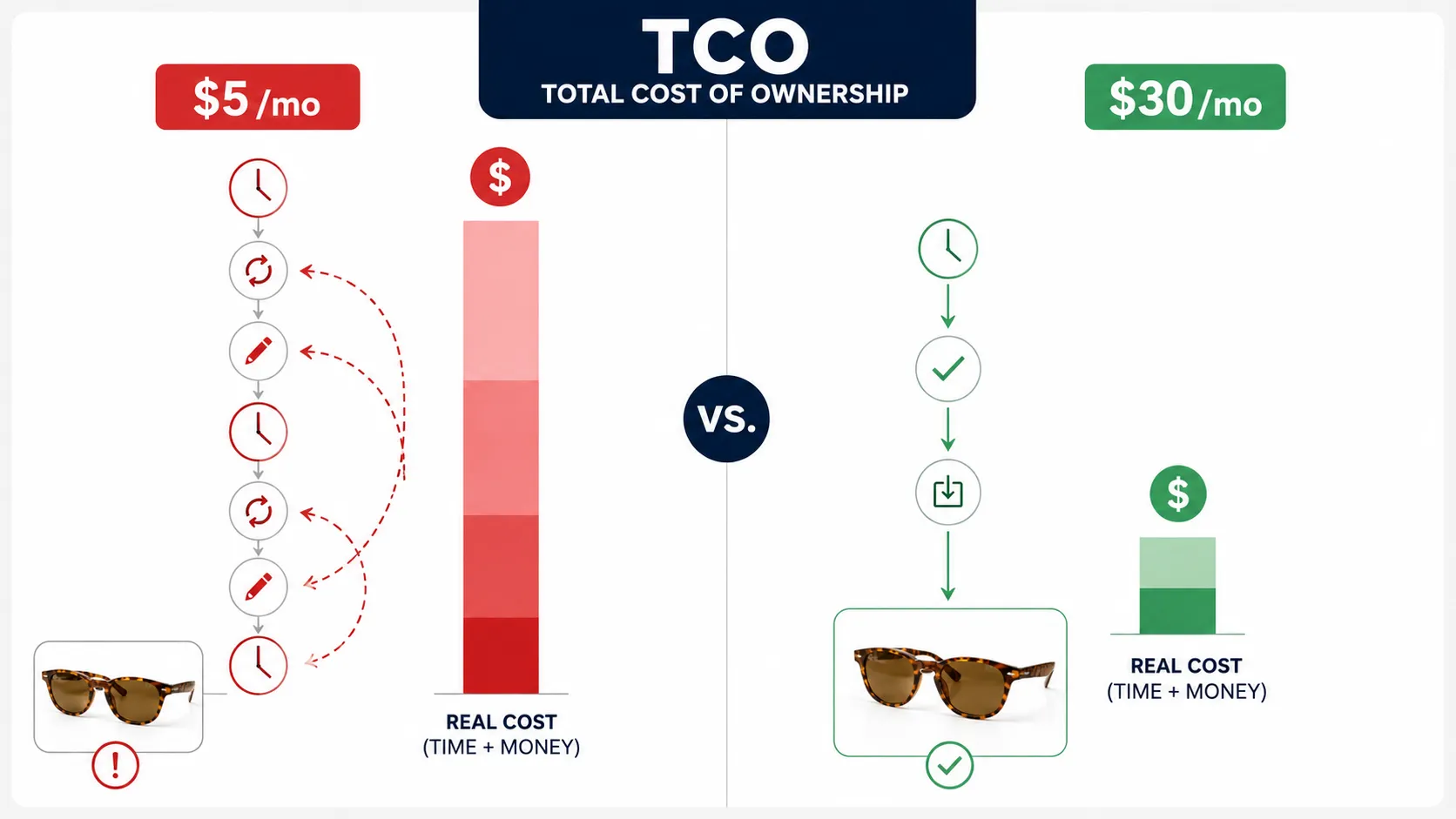
| Factor | Cheap Simple Tool ($5-20/mo) | Mid-Tier Platform ($20-50/mo) | Enterprise Tool ($100+/mo) |
|---|---|---|---|
| Monthly cost | Low | Medium | High |
| Time per image (after learning) | 2-5 minutes | 1-3 minutes | 1-2 minutes (with API/batch) |
| Learning curve | 30-60 minutes | 1-3 hours | 5-20 hours (or dev resources) |
| Output quality (complex products) | Variable | Good to very good | Very good to excellent |
| Asset type diversity | Single type (bg replace) | Multiple types | Multiple types + integrations |
| Monthly time at 50 images | ~2-4 hours | ~1-1.5 hours | ~1 hour (after setup) |
The math that matters: If your time is worth $25-50/hour (a conservative estimate for any business owner wearing multiple hats), a tool that saves you 2 hours per month is worth $50-100/month in your own time. That $40/month platform that takes 30 minutes instead of 3 hours may actually be the cheapest option once you account for time savings.
Templates amplify this effect. A template system encodes professional prompting knowledge into pre-built options. Instead of spending 10 minutes writing and refining a prompt for each image, you select a category-matched template, upload your product, adjust 2-3 parameters, and generate. Over 50 images a month, that difference adds up to 5-8 hours saved.
Tool Evaluation: Small-Business-Focused
Photoroom [Best Free Starting Point]
Why it works for small businesses: Mobile app + web interface, close to zero learning curve, generous free tier for testing, fast output for simple products.
Honest limitations: Output quality drops sharply on complex products (prints, textures, structured items). Free tier includes watermarks. No workflow beyond single-image background replacement. Scaling past 50 SKUs with consistent quality usually requires upgrading.
Best stage: Stage 1 (solo/start). Also viable for Stage 2 if your products are simple solids and you only need background swaps.
Pebblely [Good Middle Ground]
Why it works: Clean interface, straightforward batch background generation, affordable pricing, lower friction than full-featured platforms.
Honest limitations: Less sophisticated detail preservation than preserve-mode leaders. Template library smaller than specialized platforms. Not designed for fashion-specific or complex product needs.
Best stage: Stage 1-2. Good transition from free tier to paid plan for sellers with straightforward products.
iCreat AI [Best for Growing Into a Full Workflow]
Why it works for small businesses: Credit-based pricing means you pay for what you use — no monthly commitment waste during slow months. Free trial lets you test before buying. Template system (5,000+ options) dramatically reduces the time and skill needed per image. As your business grows, the same platform handles detail images, lookbooks, pose variations, seasonal adaptations, and video without switching tools.
Honest limitations: Requires 30-60 minutes of initial experimentation to match templates to your products. Not the absolute cheapest option if you only need 5 background swaps per month. Overkill for a seller who only wants one thing: put product on white background.
Best stage: Stage 2-3. Especially strong for businesses selling clothing, accessories, or visually detailed products where generic background replacement produces mediocre results.
Try it: Generate product photos with AI using the free trial with a few of your product images.
Claid.ai [When You Are Ready for Enterprise]
Why it might work: Strong at scale, API access for automated pipelines, good batch processing.
Honest limitations: Priced for mid-market and above. No free tier. API-first approach creates barriers for non-technical users. Less suitable for small businesses unless you have 500+ SKUs and developer resources.
Best stage: Stage 3 only, and only if your primary need is high-volume background generation at scale.
What to Avoid as a Small Business
- Create-mode generators (Midjourney, DALL-E) for any production product image. They do not lock your product layer. Use them for mood boards and concept exploration only.
- Enterprise tools with minimum commitments before you have consistent revenue to cover them.
- Any tool where you cannot test the output quality on YOUR specific product before paying.
From Zero to First Image: Fastest Path
Here is the shortest route from "I have a product photo on my phone" to "I have a usable product image I can upload to my store":
.webp)
- Take or find your best existing product photo (well-lit, in focus, plain background preferred)
- Go to your chosen tool's website or open the mobile app
- Upload the photo
- Select a background or template that matches your brand aesthetic
- Generate
- Review at 100% zoom: Is your product recognizable? Are colors accurate? Is there a watermark?
- If good: download. If not: adjust parameters or try a different template and regenerate
- Upload to your store
Total time for first image: 5-15 minutes depending on tool and product complexity. Total cost: $0 if using a free tier.
The tools with the shortest path for beginners are Photoroom (mobile app, minimal clicks) and Pebblely (simple web interface). iCreat AI adds about 10-15 minutes of initial template browsing but produces higher-quality output for complex products, which saves revision time later.
When to Upgrade: Signs You Have Outgrown Your Current Tool
You do not need to upgrade until you actually feel the constraint. Watch for these signals:
- You are hitting volume limits regularly (daily/monthly image caps on your current plan)
- Your product photos look worse than competitors' and your current tool cannot produce the quality you need (especially common if you added printed or textured products to your catalog)
- You need more than one asset type (you want detail shots, lifestyle images, or social content but your tool only does background replacement)
- Someone else on your team needs to use the tool and your current plan does not support multiple seats or shared workflows
- You are manually doing the same edit operations across 50+ images and wish for batch processing
When you see 2+ of these signals simultaneously, it is time to evaluate whether a more capable platform would save enough time and produce enough quality improvement to justify the cost difference.
Decision Summary
| Your Situation | Start With | Upgrade To When... | Avoid |
|---|---|---|---|
| Solo, 0-20 SKUs, $0 budget, simple products | Photoroom or Pebblely free tier | Hitting free limits regularly | Paid plans until you verify output quality |
| Solo, 0-20 SKUs, complex products (prints/textures) | iCreat AI free trial | Consistent sales justify credit purchase | Generic background-only tools |
| Startup, 20-100 SKUs, some budget | iCreat AI (credits) or Photoroom Pro | Needing multiple asset types or better quality | Enterprise tools |
| Growing, 100+ SKUs, visual production is bottleneck | iCreat AI (credits at scale) | Needing API/enterprise integration | Switching platforms — grow with one tool instead |
FAQ
Conclusion
The right tool for your small business is the one that matches your current stage, budget, and time constraints — not the tool with the most features or the highest review score. Start free, test with your actual products, and upgrade when you feel the constraints, not when a blog post tells you to.
If you are ready to test a tool that grows with your business — from first product image through detail shots, lookbook visuals, and beyond — try generating product photos with AI using the free trial. When you are ready to explore the full workspace and see how product photos connect to the rest of your visual production pipeline, explore iCreat AI.