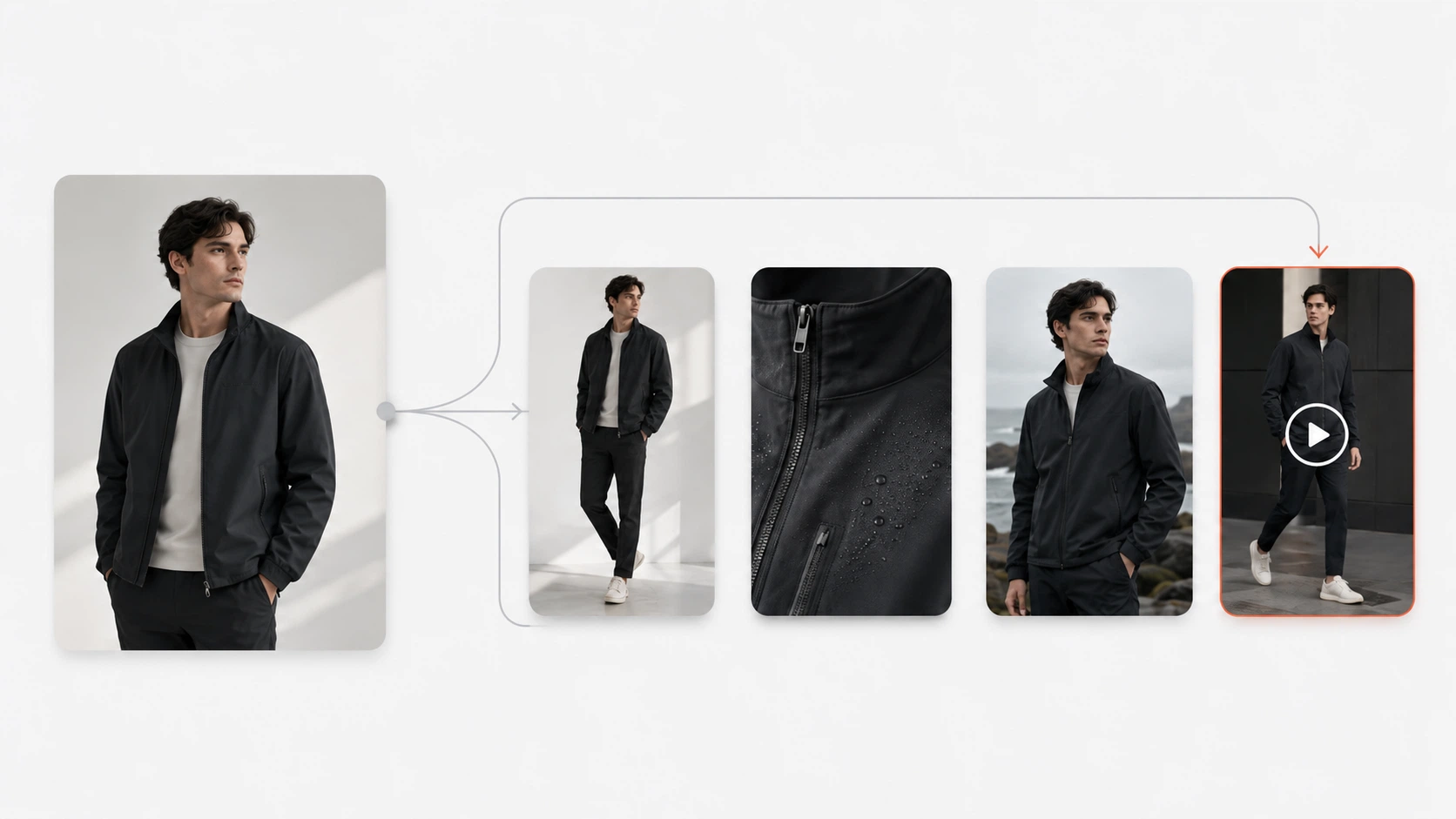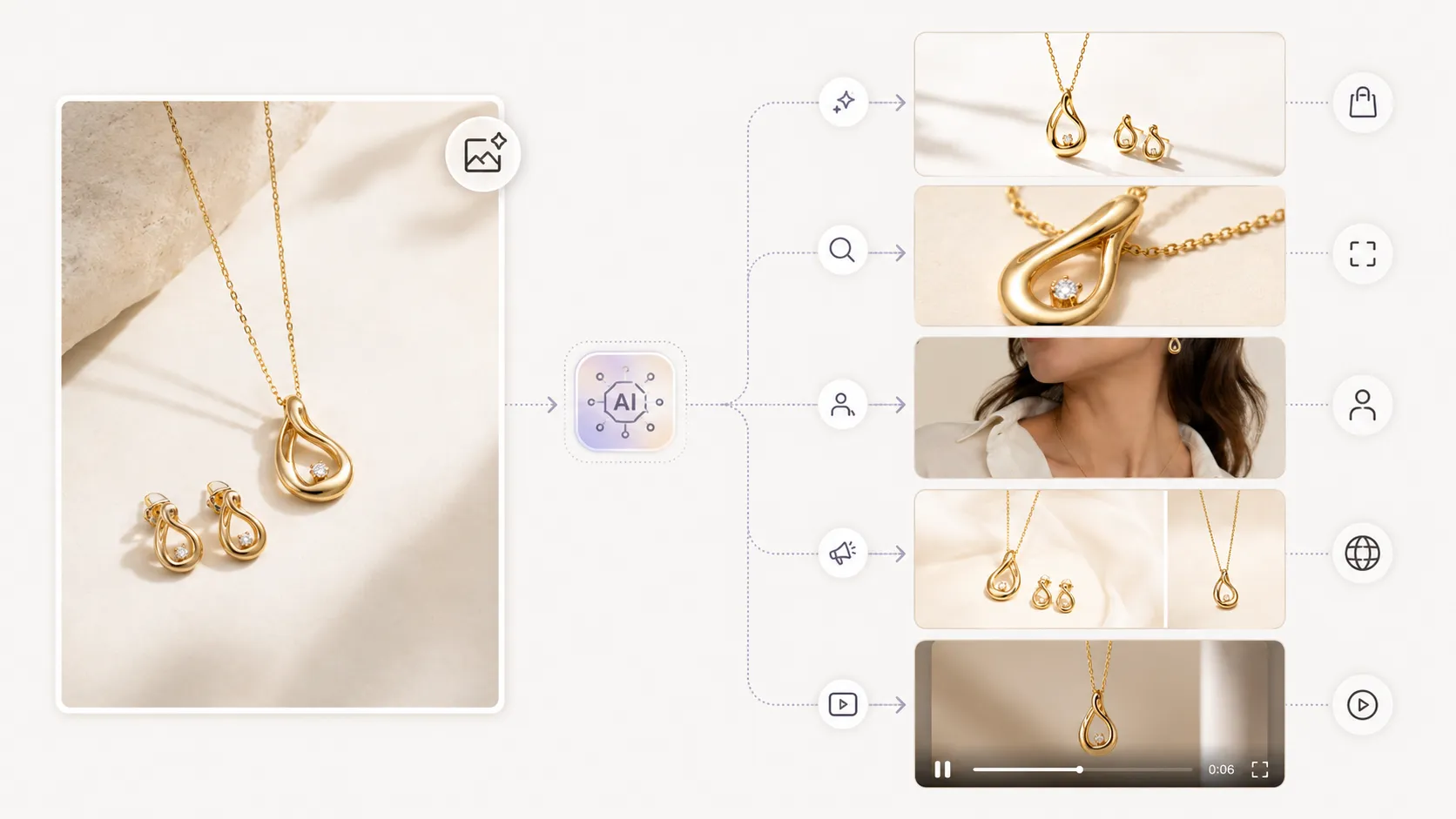



Amazon has stricter image requirements than most ecommerce platforms, and not every AI product photography tool produces output that meets those standards. Resolution minimums, background color rules, detail expectations, and marketplace policies about AI-generated or manipulated content all affect which tools can actually deliver usable Amazon listing images. This guide covers what Amazon requires, which AI tools handle it well, and how to pick a platform that keeps your listings compliant.
Key Takeaways
- Amazon requires main listing images to be at least 2000 pixels on the longest side, in RGB color space, with a pure white or valid lifestyle context — many free AI tools cap resolution below this threshold
- The biggest reason AI-generated images get rejected from Amazon listings is not "it looks like AI" — it is impossible physical details (wrong shadows, floating products, inconsistent lighting) that trigger quality flags
- Main images (white background or clean cutout) and lifestyle/infographic images serve different purposes on Amazon and may require different tools or settings
- Preserve-mode tools that lock your product layer produce more reliable Amazon-ready outputs than create-mode generators that reinterpret your product
- QA-checking every AI-generated image at 100% zoom before uploading to Seller Central is non-negotiable — even the best tool occasionally produces anomalies
Amazon's Image Requirements: What Sellers Must Meet
Before evaluating any tool, you need to know the target. Amazon's official image guidelines specify:
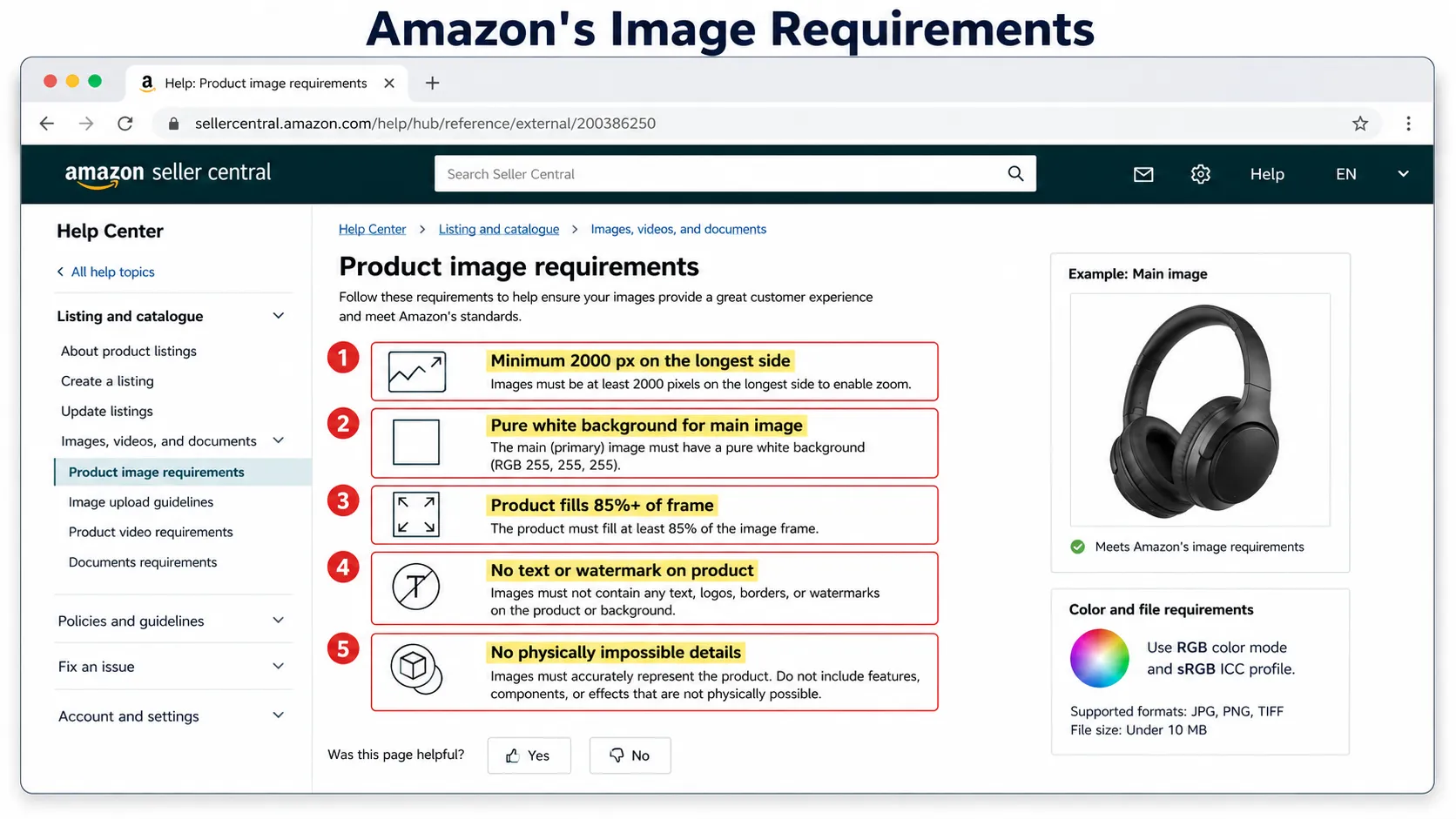
Main image requirements:
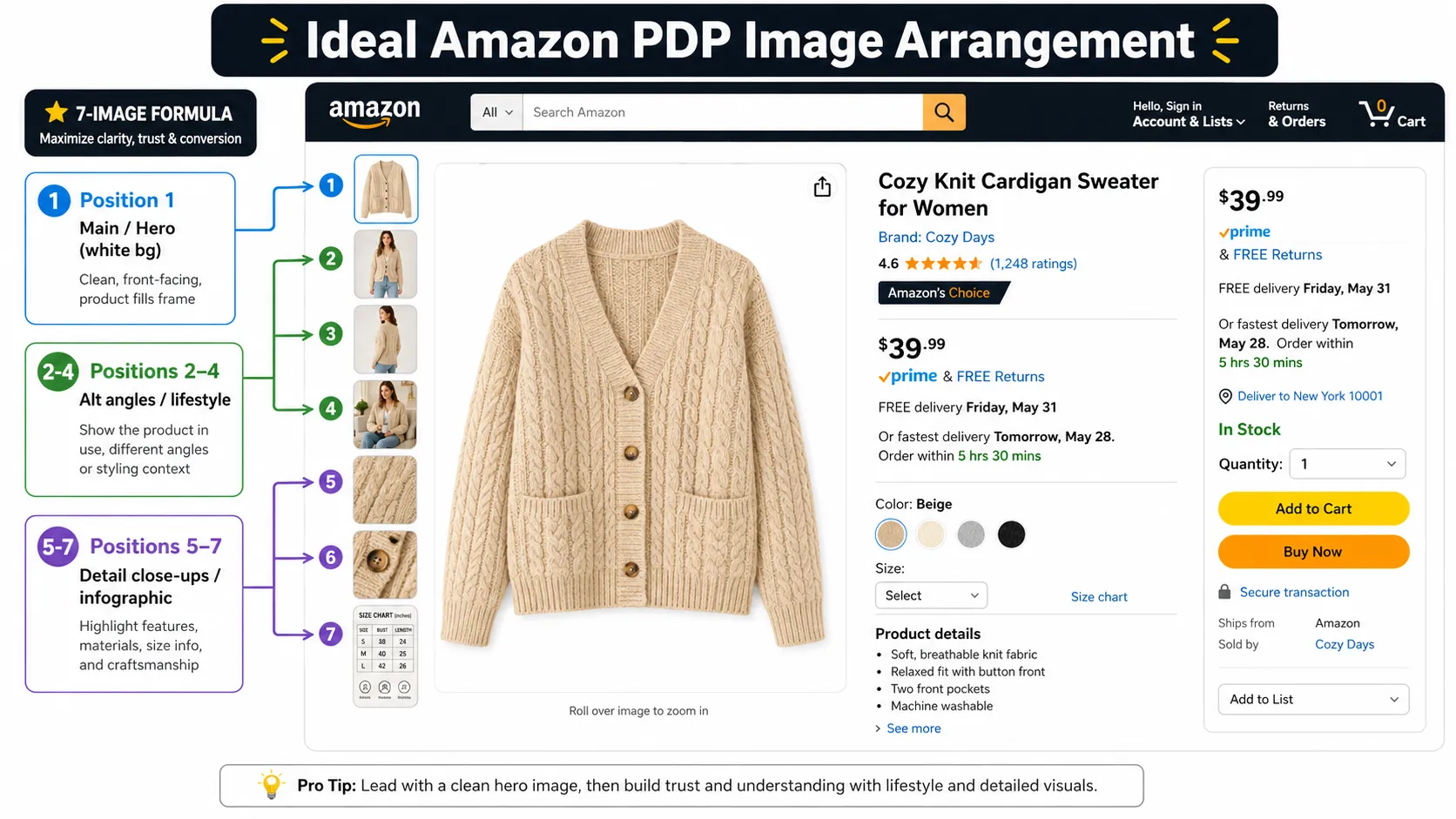
- Minimum 2000 pixels on longest side (recommended 2000x2000 or larger)
- RGB color mode
- JPEG, TIFF, PNG, or GIF format
- Product should fill at least 85% of the image frame
- Pure white background OR professional lifestyle/infographic context
- No text, watermark, or logo overlaid on the product itself
- No physically impossible details (floating objects, inconsistent shadows, unnatural proportions)
- sRGB color profile recommended
Lifestyle and infographic images:
- Same resolution and quality standards apply
- Should show product in use context without obscuring key details
- Must still represent the actual product accurately (not a reimagined version)
What gets flagged or rejected:
- Blurry or low-resolution images below 2000px
- Images with visible watermarks or overlays on the product
- Products that do not match the listed item (material, color, features)
- Obvious AI generation artifacts (distorted geometry, impossible physics, inconsistent lighting between product and scene)
- Stolen or misappropriated imagery from other brands
The practical implication: an AI tool that produces 1024px outputs with watermarks is useless for your Amazon main image regardless of how pretty it looks on Instagram. Resolution and compliance come first.
Main Image vs Lifestyle vs Infographic: Different Tools for Different Needs
Amazon listings benefit from multiple image types, and each type has different demands:
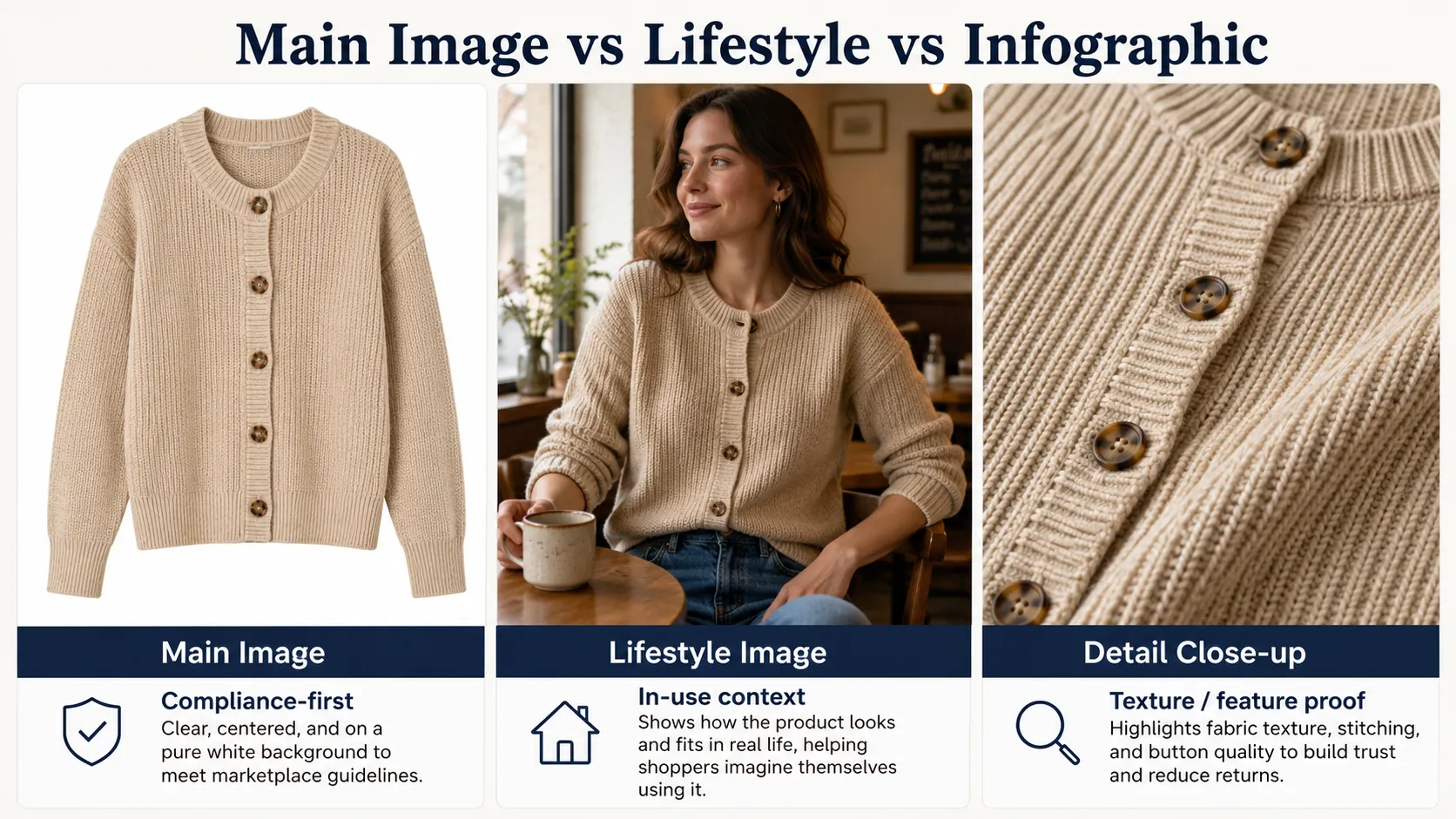
Main images (the primary white-background or cutout photo): These require the highest fidelity to your actual product. Your customer must be able to see exactly what they are buying. Preserve-mode tools that lock your product layer are essential here. Any tool that reinterprets your product shape or details creates return-risk and policy-violation risk.
Lifestyle images (product in context): These show your item in use — coffee maker on a kitchen counter, blanket on a sofa, running shoes on a trail. AI tools that generate lifestyle scenes around a locked product layer work well here. Create-mode generators are risky because they may alter the product while placing it in context.
Infographic images (size charts, feature highlights, comparison graphics): These often combine product photography with graphic design elements. Some AI platforms include basic infographic templates; others require separate design work after generating the base product image.
For most sellers, the priority order is: get main images right first (this drives conversion), then add lifestyle or infographic content as supplementary assets if time and budget allow.
The "Impossible Details" Problem: Why AI Tools Get Amazon Listings Rejected
Amazon's moderation systems and customer reports catch AI-generated images that contain physically implausible elements. These are the most common failure modes:
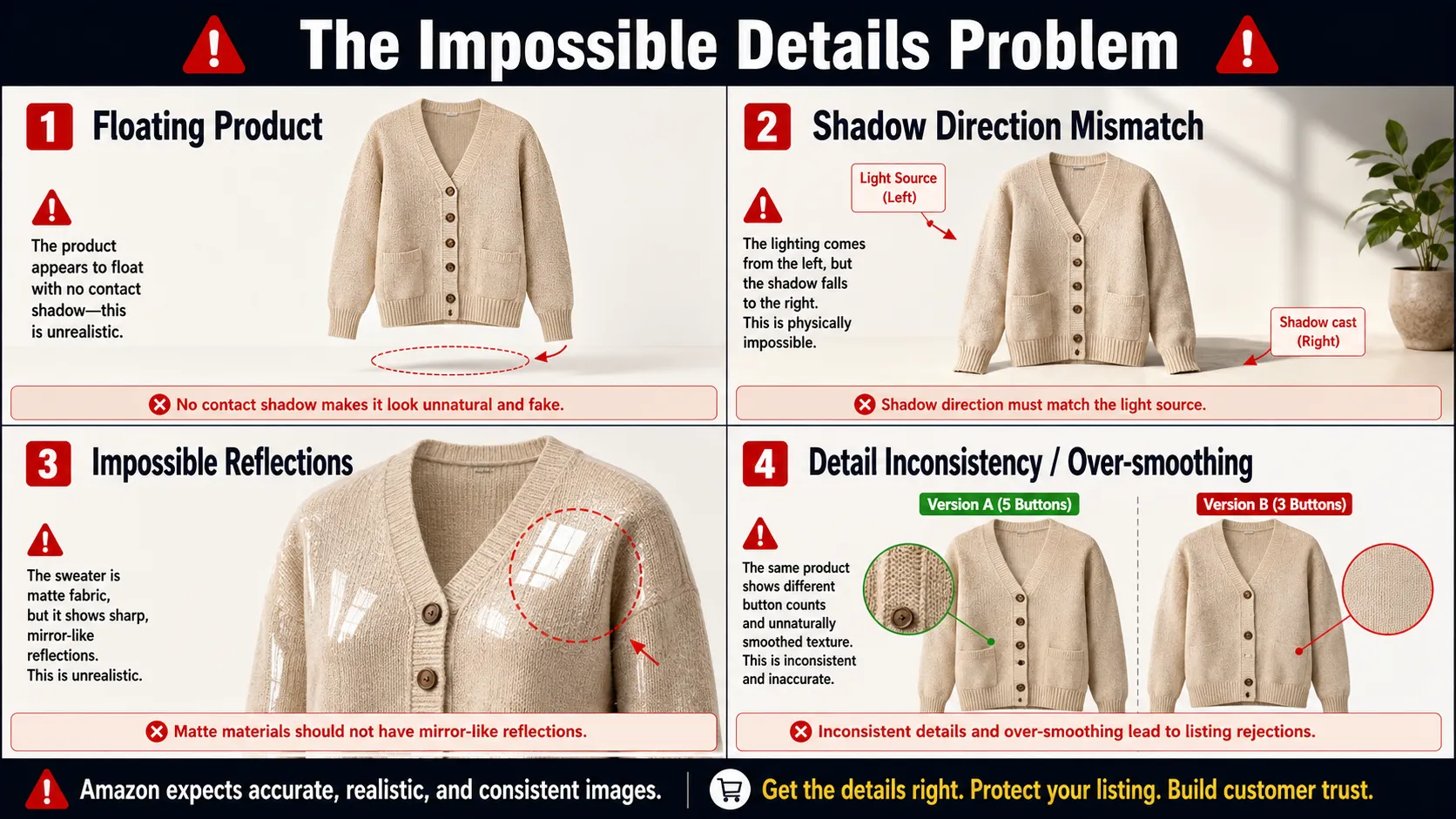
Floating product: The product appears to hover slightly above the surface it supposedly rests on. This happens when the AI generates the surface and the product layer separately without proper contact-point logic.
Shadow direction mismatch: The product casts a shadow in one direction while the scene's apparent light source comes from another direction. Customers and algorithms both notice this inconsistency.
Impossible reflections: A matte product shows mirror-like reflections, or a non-metallic object has specular highlights that do not match its material properties.
Detail inconsistency: The main image shows a product with 5 buttons; the lifestyle image shows the same product with 3; a customer notices and loses trust.
Over-smoothing: The AI "cleans up" the product so aggressively that fabric texture, print pattern, or surface material identity disappears, making the product look generic or fake.
Preserve-mode tools minimize these risks by keeping your actual product pixels intact and generating only the surrounding context. Create-mode tools generate everything fresh — product and scene together — which maximizes the chance of physical impossibilities slipping through.
This is why, for Amazon sellers specifically, preserve-mode is not a nice-to-have feature. It is a baseline requirement for production use.
Tool Comparison: Amazon-Evaluated
iCreat AI [Best for Amazon-Ready Output]
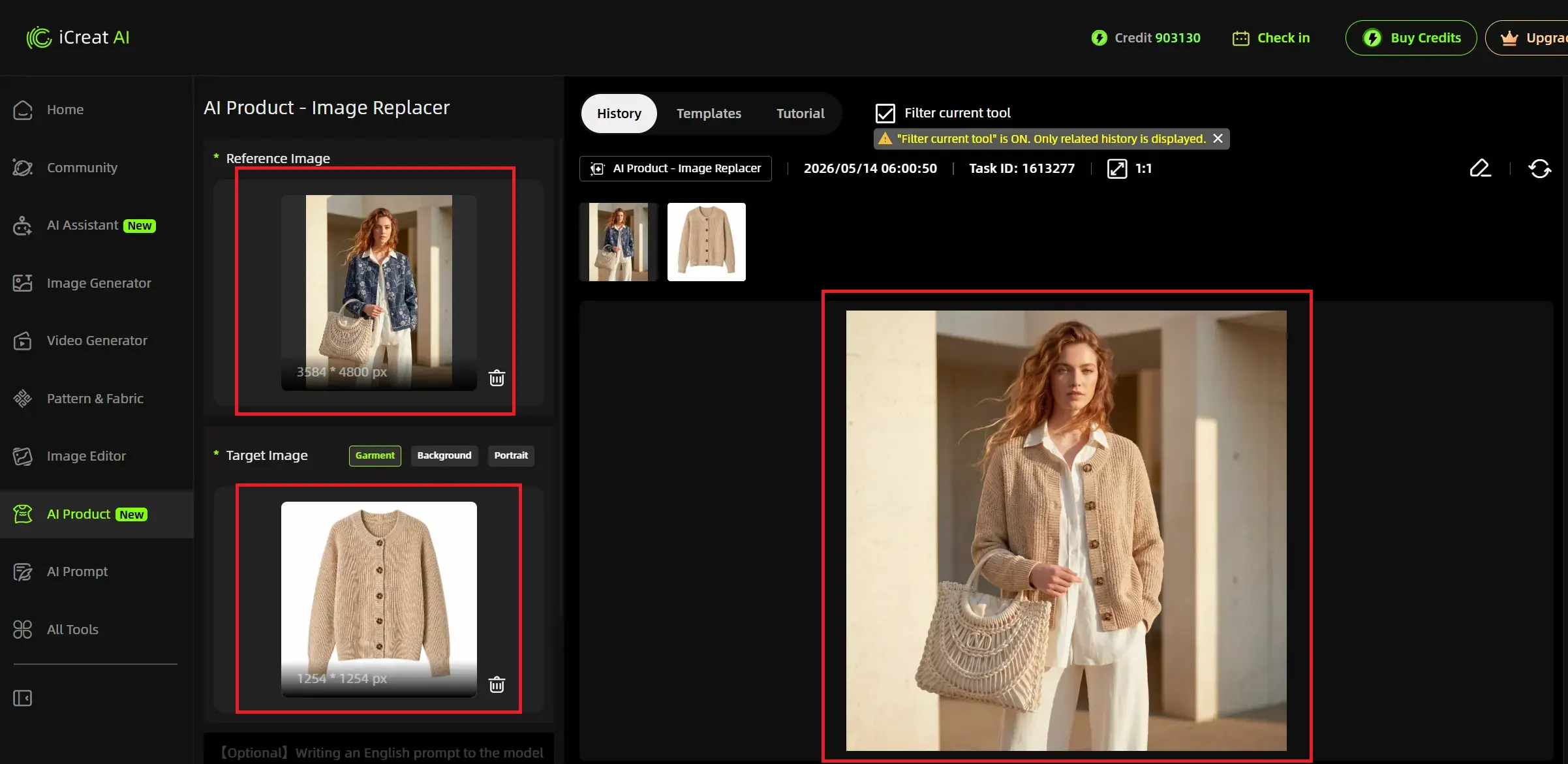
Overview: AI creative production platform with reference-image-driven preserve-mode generation, 4K output support, transparent PNG option, and template system covering multiple product categories.
Strengths for Amazon:
- Resolution: Supports up to 4K output — well above Amazon's 2000px minimum
- Format: JPEG and transparent PNG available; PNG useful for composite work before converting to JPEG for upload
- Preserve-mode: Locks product layer during generation, reducing impossible-detail risk
- Template system: 5,000+ templates help produce consistent, professional-looking main images and lifestyle scenes
- Connected workflow: Generate main image → detail close-up → lifestyle variation from same references
- No per-image pricing: Credit-based; predictable cost at scale
Limitations:
- Requires 30-60 minutes initial learning to match templates to products
- Not the absolute cheapest option if you only need 5-10 simple background swaps
- Output should always be QA-checked before Amazon upload (same as any tool)
Best for: Amazon sellers across categories who need reliable main image generation, lifestyle imagery, and multi-SKU visual production with compliance-friendly output.
Try it: Generate Amazon-compliant product photos using references from your actual product catalog.
Claid.ai [Enterprise / Scale]
Overview: Enterprise-grade AI visual platform used by large retailers and marketplace brands for batch image processing at scale.
Strengths for Amazon:
- Handles high SKU volumes efficiently — relevant for sellers with 500+ active listings
- API access enables automated pipelines that can feed directly into inventory management systems
- Strong background generation quality at scale
- Good documentation for teams integrating Claid into their workflow
Limitations for Amazon:
- Enterprise pricing may be overkill for individual sellers or small brands under 100 SKUs
- Less fashion/apparel depth than specialized platforms
- API-first approach creates barriers for non-technical sellers
- No native lifestyle or infographic generation beyond basic backgrounds
Best for: Large marketplace sellers (500+ SKUs), enterprise brands with developer resources, and agencies managing Amazon visuals for multiple clients.
Photoroom [Basic Amazon-OK]
Overview: Mobile-first AI photo editing tool with background removal and basic template options.
Strengths for Amazon:
- Easy entry point for sellers new to AI-assisted product photography
- Acceptable results for simple products with solid colors and clean outlines
- Free tier allows testing before committing
Limitations for Amazon specifically:
- Resolution caps on free tier may fall below Amazon's 2000px requirement
- Watermarks on some free outputs make images unusable for main listings
- Detail preservation weaker on complex products — printed garments, textured items, structured goods may not pass 100% zoom QA
- No batch processing on free plan — one image at a time becomes bottleneck at scale
- No connected workflow for lifestyle or detail image generation
Best for: Small Amazon sellers (<50 SKUs) with simple products who need basic white-background replacements and have minimal compliance concerns. Test with your hardest product before relying on it.
General-Purpose AI Generators (Midjourney, DALL-E, etc.)
These tools dominate general AI image search results, and Amazon sellers sometimes try them for product photography before discovering ecommerce-specialized alternatives.
The reality for Amazon use: They operate in create mode. They do not lock your product layer. When you generate a product image, these tools produce something "inspired by" your original — not matching it. For Amazon main images where accuracy matters and where policy prohibits misleading representations, this creates compliance risk.
Verdict: Use these for concept exploration, mood boards, and creative brainstorming for your Amazon brand or A+ content. Switch to a preserve-mode tool before producing any image that will appear as a main listing photo or ad creative.
Decision Framework by Product Category
Different Amazon product categories have different image challenges:
| Category | Primary Challenge | Recommended Tool Type | Tool Recommendation |
|---|---|---|---|
| Apparel / Fashion | Detail preservation (prints, textures, construction) + lifestyle needs | Preserve-mode with fashion templates | iCreat AI (connected workflow); Botika/Mokker for model-in-context |
| Electronics | Clean cutout + technical spec accuracy | Reliable preserve-mode BG remover + white BG generator | iCreat AI or Photoroom (for simple items) |
| Home & Kitchen | Lifestyle context importance + size variation | Tool with strong lifestyle template library | iCreat AI (lifestyle templates); Flair.ai (branded aesthetic) |
| Beauty / Personal Care | Packaging detail + texture representation + skin tone accuracy | High-resolution preserve-mode tool | iCreat AI (detail image focus) |
| Toys & Games | Accurate representation + age-appropriate context | Standard preserve-mode tool | Photoroom (simple toys); iCreat AI (complex items) |
| Accessories (bags, jewelry, watches) | Fine edge detection + transparency handling | Preserve-mode with PNG export | iCreat AI (transparent PNG); test jewelry carefully |
FAQ
Conclusion
The best AI tool for Amazon product photos is one that meets Seller Central's resolution and quality guidelines, preserves your product's actual appearance through preserve-mode generation, and fits your volume and category needs without forcing you into enterprise pricing or overcomplicated workflows.
For most Amazon sellers — from individual entrepreneurs to growing private label brands — a preserve-mode platform with 4K output, template-driven consistency, and connected multi-asset workflow delivers the strongest combination of compliance safety and production efficiency.
Upload your product references. Generate your main image. Review it at 100% zoom against Amazon's checklist: 2000px+ resolution? Product recognizable and accurate? No impossible shadows or floating artifacts? If it passes, upload with confidence. If not, adjust and regenerate.
Generate Amazon-compliant product photos using your actual product images and see how they translate to listing-ready visuals. For teams managing Amazon catalogs at scale, explore the iCreat AI workspace.