


Shopify stores live or die by their visuals. A visitor decides within 2-3 seconds whether your store looks trustworthy or amateurish, and that judgment is based largely on your product images — their quality, consistency, and how well they represent what you actually sell. This guide covers which AI tools produce Shopify-ready imagery, how Shopify's requirements differ from other platforms, and what to prioritize when picking a tool for your DTC brand.
Key Takeaways
- Shopify stores need more than background-free product photos — they need imagery that fits their theme dimensions, looks professional on mobile, stays consistent across collections, and supports brand storytelling beyond basic product display
- Shopify is more flexible than Amazon about image rules but stricter about visual coherence: mismatched styles across collection pages hurt conversion more than almost anything else
- Mobile traffic typically represents 60-80% of Shopify store visitors — if your AI tool produces desktop-only quality, you are losing most of your audience
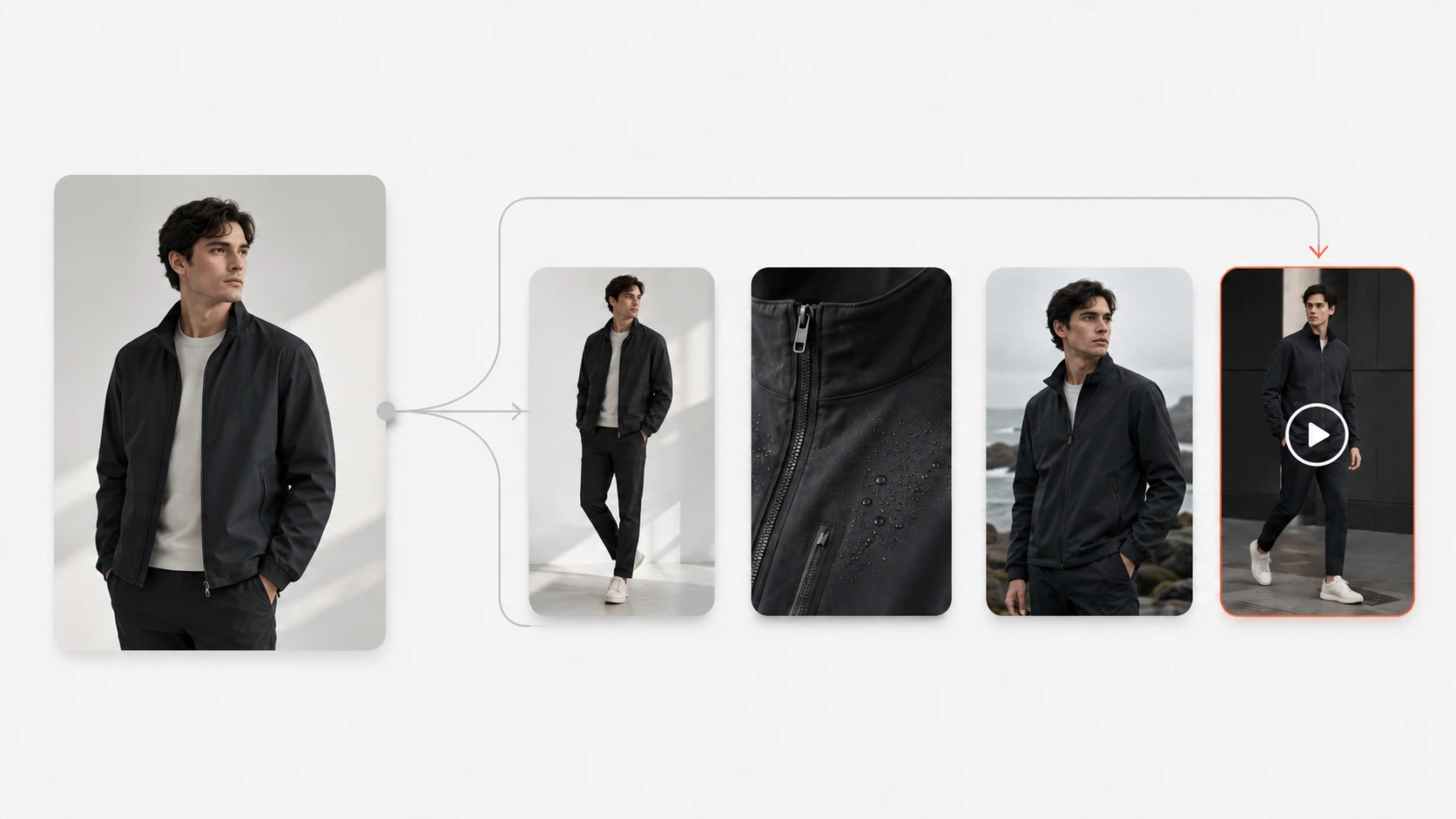
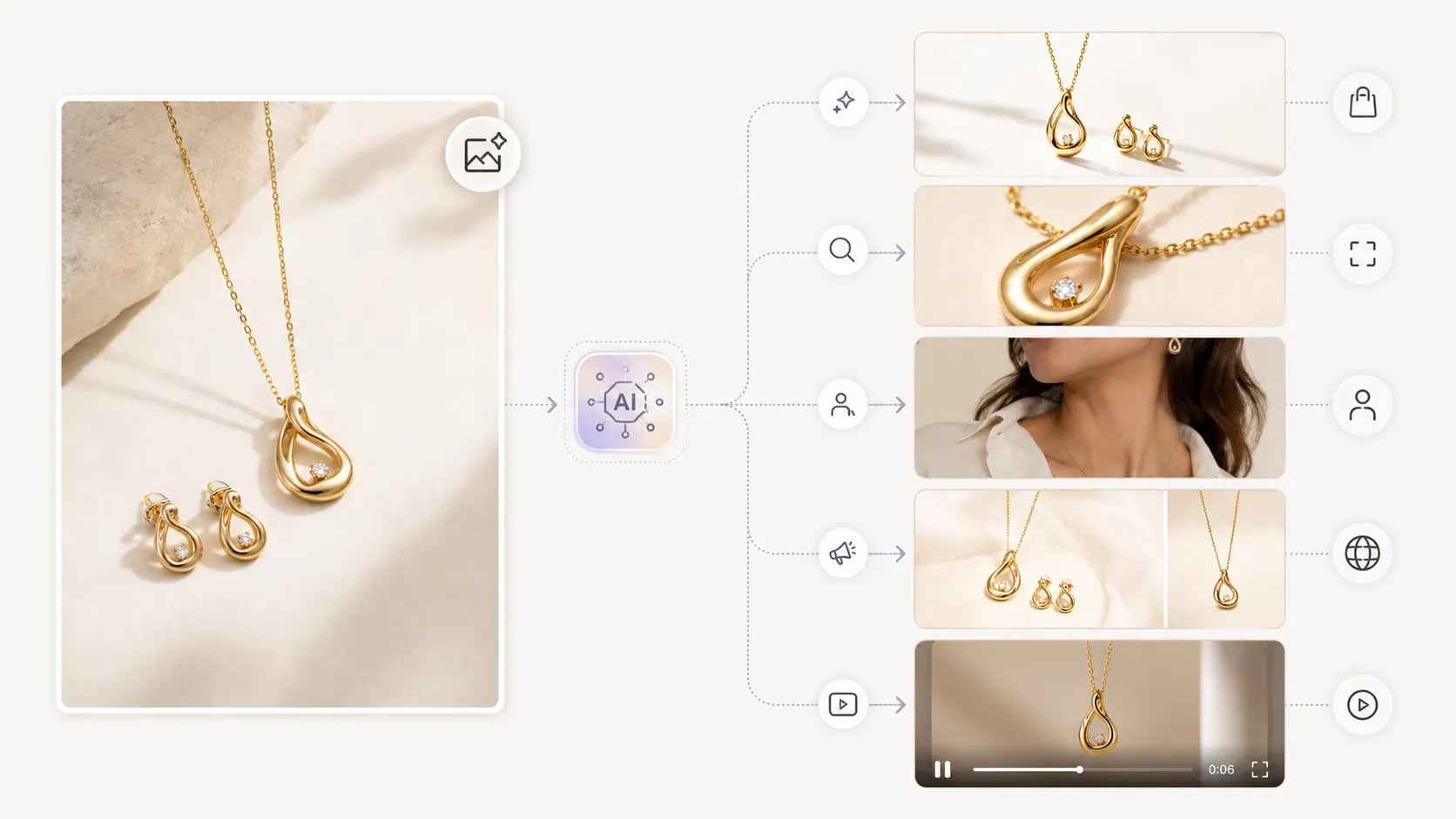
- The strongest ROI comes from tools that generate multiple asset types (product photos, lifestyle, detail shots, lookbook variations) from one workflow, keeping visual style consistent across all of them
- Many Shopify sellers start with Photoroom or Canva because they are accessible, then outgrow them when they need catalog-scale consistency and multi-asset production
Why Shopify Sellers Need More Than Basic Background Removal
Background removal — taking your product photo and cutting out the background so it sits on white or transparent — is table stakes. Every serious ecommerce platform offers this in some form. But Shopify stores that stop at background removal are leaving conversion on the table.
Here is what background removal alone does not solve:
Theme fit: Your Shopify theme displays product images in specific aspect ratios and sizes. A square theme expects square (1:1) images; a portrait theme expects 4:5 or 2:3. If your AI tool only outputs one shape, you are either cropping valuable pixels or showing awkward whitespace.
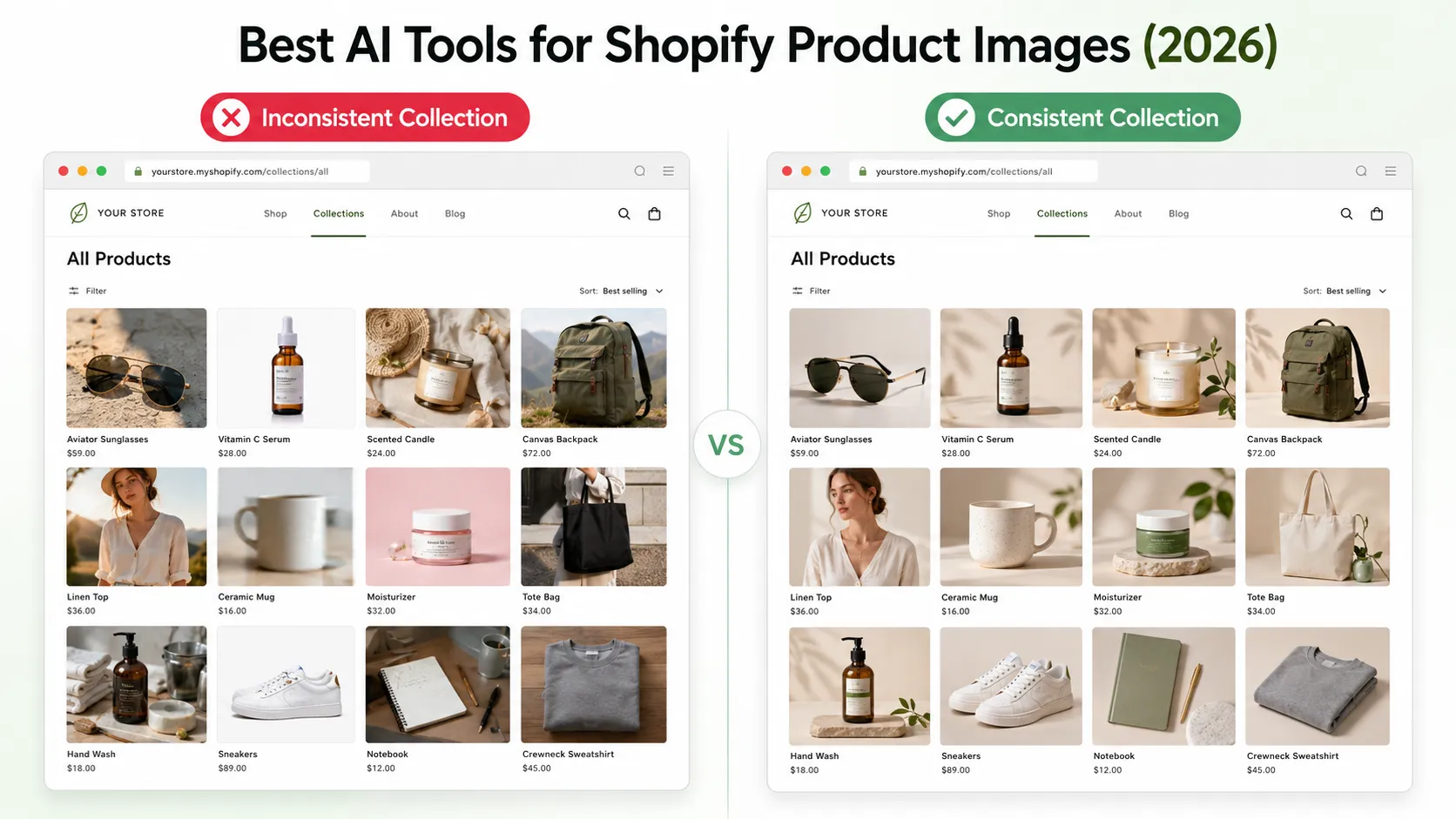
Collection grid consistency: When a shopper browses your "Summer Collection" page and sees 20 products with 15 different visual styles — some on white backgrounds, some on lifestyle scenes with different lighting, some high-quality and others low-resolution — they subconsciously register inconsistency as unprofessional. Trust drops. Bounce rate rises.
Mobile presentation: Over half your visitors will see your store on a phone first. An image that looks crisp on desktop may be too small, too slow-loading, or poorly composed on mobile where screen real estate is limited.
Brand storytelling for DTC: Direct-to-consumer brands on Shopify compete on brand experience, not just price and convenience. Your product images need to convey not just "here is the item" but "this is who we are and why you would want this in your life." That requires lifestyle context, editorial styling, and visual cohesion that basic removers cannot provide.
Multi-channel reuse: The same product image should work on your Shopify PDP, in an Instagram post, in a Facebook ad creative, and in an email campaign. Generating each channel's assets separately is inefficient; generating once and adapting across channels is how growing brands scale.
If you are reading this, you probably already suspect that the free tool you started with is not enough. The question is what to move to.
Shopify Image Requirements vs. What's Different (And What's Easier)
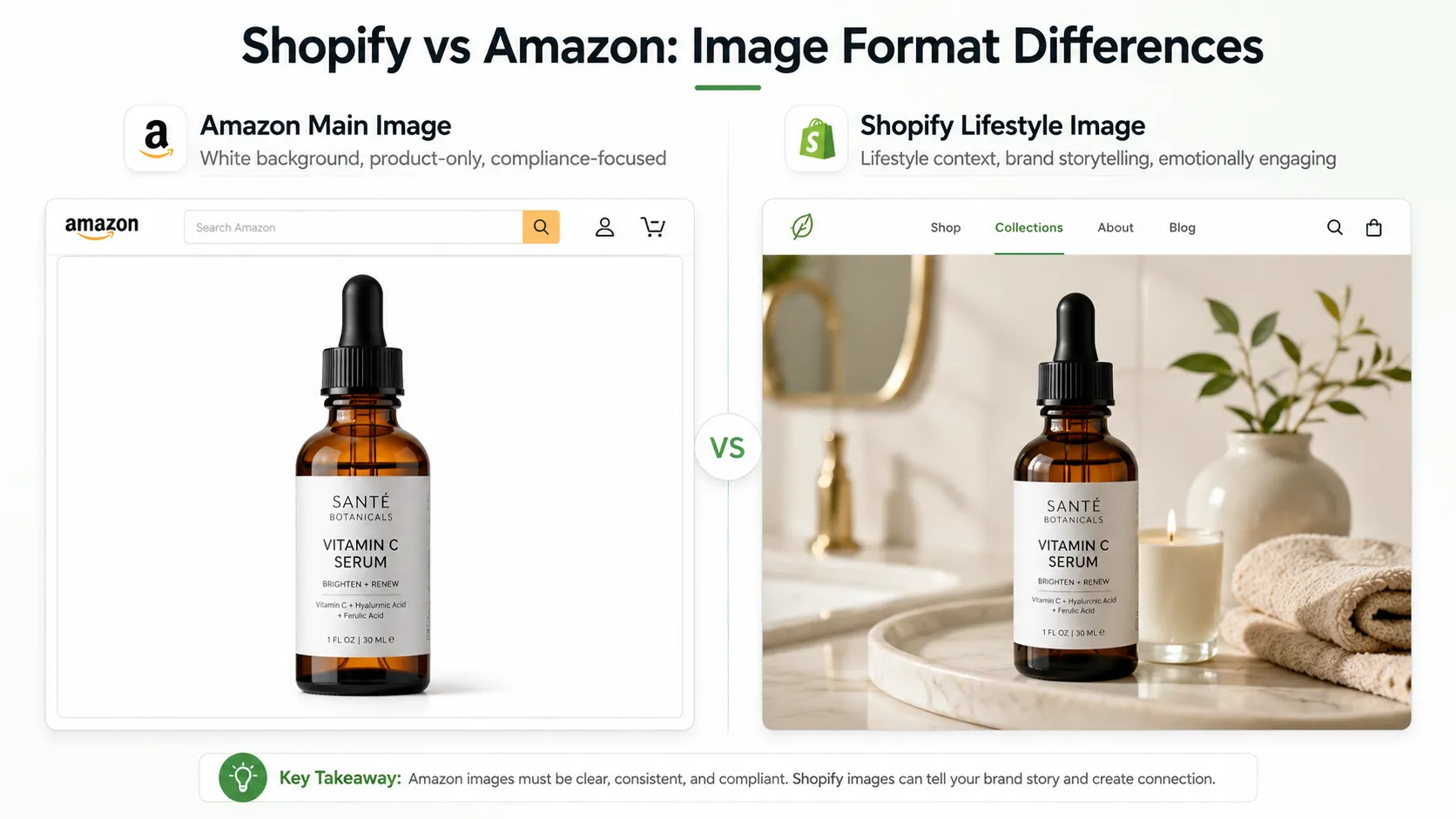
If you also sell on Amazon, you have likely noticed that Amazon's image rules are stricter in some ways and looser in others compared to Shopify:
| Requirement | Amazon | Shopify | What It Means for Tool Selection |
|---|---|---|---|
| Minimum resolution | 2000px longest side | No strict minimum, but <1000px looks unprofessional | More free tools viable for Shopify; still aim for 1500px+ |
| Background color | Pure white required for main image | Any clean background (white, color, lifestyle) acceptable | More creative freedom; lifestyle generation more valuable |
| Image count per listing | 1 main + 5-9 secondary | Varies by theme; 3-7 typical | Tools with lifestyle/scene generation more useful |
| Text/watermark on product | Prohibited on main image | Strongly discouraged | Free-tier watermarks less problematic (but still avoid) |
| Style consistency | Not enforced (but affects CTR) | Critical for conversion | Template-based tools shine here |
| Mobile optimization | Important | Critical (60-80% mobile traffic) | Mobile-first tools and responsive output matter more |
The bottom line: Shopify gives you more creative freedom than Amazon but punishes visual inconsistency more harshly because shoppers compare your entire collection side-by-side in grid layouts. A tool that produces varied output quality across SKUs will hurt you more on Shopify than on Amazon, where images are viewed more isolation.
Tool Comparison: Shopify-Evaluated
iCreat AI [Best All-Round for Shopify]
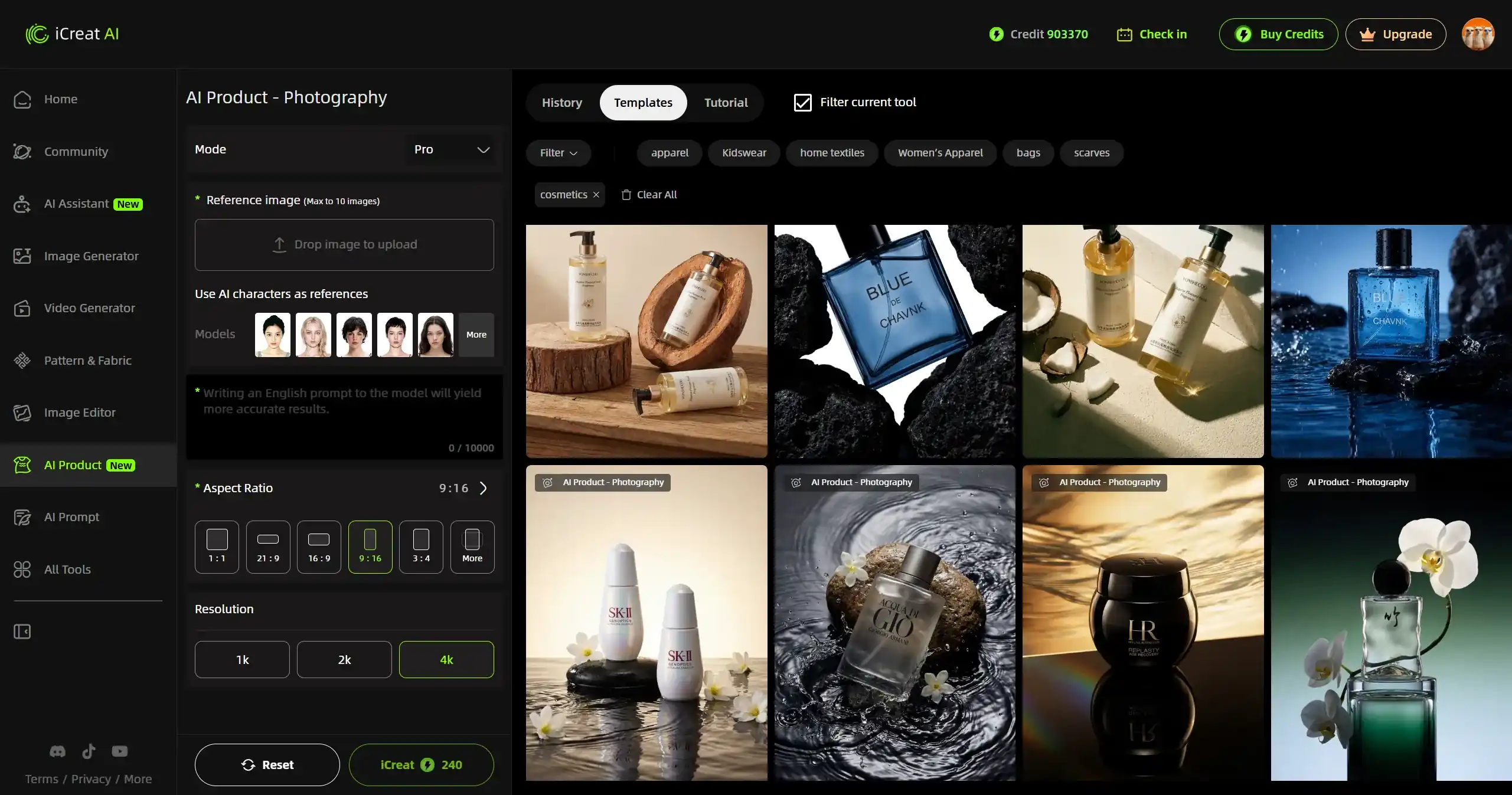
Overview: AI creative production platform with preserve-mode generation, 5,000+ templates, connected workflow covering product photos, lookbooks, detail images, pose variations, image replacement, and video.
Strengths for Shopify specifically:
- Template system enforces visual consistency across hundreds of SKUs — every product in a collection gets the same professional treatment, which makes collection pages look cohesive and trustworthy
- Multiple asset types from one workflow: Generate the main product image, feed references into detail image generator for close-ups, send to lookbook generator for collection storytelling, create pose variations for PDP variety — all with matching visual style
- Lifestyle scene templates help DTC brands create emotional connection beyond basic product display
- 4K output + transparent PNG ensures images look sharp on retina/mobile displays and can be composited into custom layouts
- Credit-based pricing scales with your catalog size; no surprise per-image costs
Limitations:
- Requires 30-60 minutes initial learning to match templates to products and theme requirements
- Not the cheapest option if you only need 5-10 simple cuts per month
- Overkill for stores with under 20 SKUs who only need basic background replacement
Best for: Growing DTC brands (50+ SKUs), fashion/apparel/home goods sellers needing collection-wide visual consistency, and any Shopify seller who wants product photos + lifestyle + details + lookbooks from one connected platform.
Photoroom [Popular Starting Point for Shopify Sellers]
Overview: Mobile-first AI photo editing app with strong brand recognition among Shopify sellers.
Strengths for Shopify:
- Extremely easy entry point — many Shopify sellers' first AI tool
- Mobile-friendly workflow fits the on-the-go nature of small Shopify operations
- Basic template options for simple backgrounds and scenes
- Large community means plenty of Shopify-specific tutorials and examples
Limitations for Shopify:
- Visual inconsistency across SKUs — without template-driven consistency, collection grids look mixed
- Limited lifestyle/scene sophistication — works for basic contexts but struggles with editorial-quality DTC aesthetics
- Detail preservation weaker on complex products (prints, textures)
- Free tier watermarks problematic for professional storefront appearance
- No connected workflow — each asset type requires separate effort or tool
Best for: New Shopify sellers (<30 SKUs), simple products, mobile-first operations, or as a supplementary quick-cutout tool alongside a more capable platform.
Pebblely [Good Middle-Ground Option]
Overview: AI product photography tool with batch background generation and lifestyle scene creation.
Strengths for Shopify:
- Clean interface suitable for non-technical users
- Lifestyle scene templates cover common ecommerce scenarios useful for Shopify stores
- Affordable pricing fits Shopify seller budgets
- Faster setup than full platforms
Limitations for Shopify:
- Template library smaller than specialized platforms
- Less fashion/DTC depth
- Visual consistency depends on user skill rather than enforced by template system
- No advanced workflow beyond basic generation
Best For: SMB Shopify sellers needing basic-to-moderate improvement over phone photos, especially those with straightforward product types.
Canva / Adobe Express [Design-First Options]
Overview: Design platforms with AI-powered background removal and basic product image editing features.
Strengths for Shopify:
- Canva integrates with Shopify ecosystem (apps, themes)
- Good for creating ancillary graphics: banners, sale badges, social media posts, email headers alongside product photos
- Brand kit features help maintain visual consistency
- Familiar to many sellers already
Limitations for Shopify product photography specifically:
- Background removal is a secondary feature, not the core purpose
- Output quality and detail preservation not competitive with specialized AI product photography tools
- Not designed for high-volume catalog production
- Template options are design-focused, not product-photography-focused
Best For: Sellers who need graphic design capabilities alongside basic product photo cleanup, or who use Canva/Adobe for everything and want AI-assisted cutouts as part of that stack.
Mobile-First: Why It Matters for Shopify Stores
Shopify's own data consistently shows that roughly 60-80% of store traffic comes from mobile devices. Some fashion and accessory stores see even higher mobile percentages. This has concrete implications for your AI tool choice:
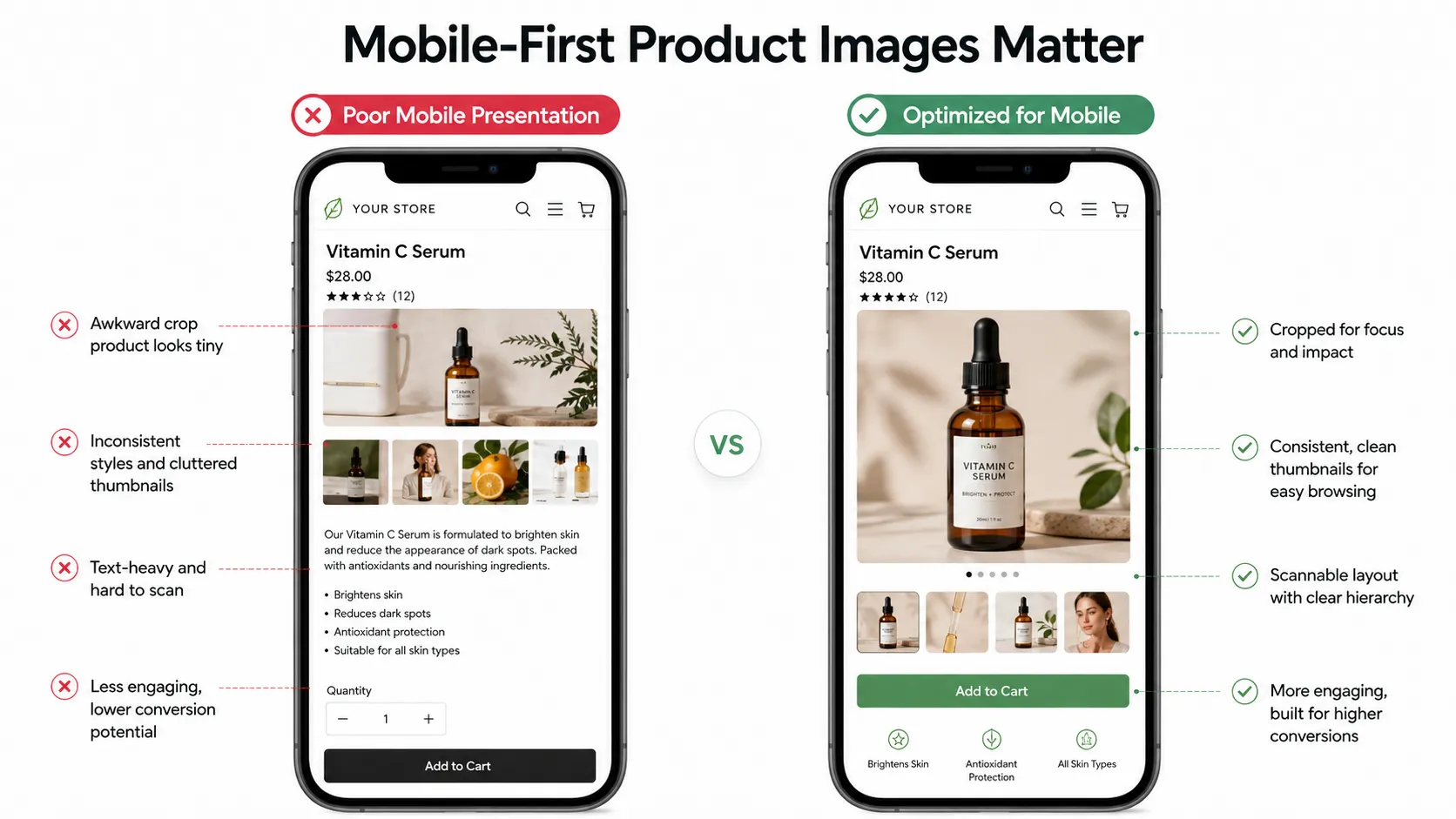
Image sizing: Desktop product images are often displayed at 400-600px wide in Shopify themes. Mobile images may render at 200-350px wide. At that size, fine details disappear, compression artifacts become visible, and low-resolution inputs look obviously bad. Your AI tool must produce high-enough resolution that the mobile-downscaled version still looks acceptable.
Aspect ratio awareness: Many modern Shopify themes use portrait (4:5 or 9:16) or square (1:1) image frames. If your AI tool only outputs landscape 16:9 images, you are either cropping to fit (losing information) or showing letterboxes. Know your theme's image dimensions before committing to a tool's output format.
Loading speed: Mobile connections vary. A 5MB uncompressed TIFF file from your AI tool will slow down your page load. JPEG or compressed PNG at reasonable file sizes matters more than raw resolution for mobile Shopify performance.
Touch target spacing: Mobile shoppers tap and swipe. Images need adequate padding between interactive elements. This is more a theme concern than a tool concern, but it means your product images should focus on the product itself, not be cluttered with decorative elements that shrink badly on mobile.
Practical implication: Test your AI-generated images on an actual mobile device (or use your browser's mobile view mode) before publishing. If it looks good on a phone screen, it will look good everywhere.
Collection Consistency: Making Your Store Look Professional
This is the single biggest opportunity for AI tools to differentiate themselves for Shopify sellers, and it is also the most commonly overlooked.
When a visitor lands on your "New Arrivals" or "Summer Collection" page and sees a grid of 20 products, their brain registers the overall visual pattern before looking at any individual image. If rows 1-5 look like they came from one photographer/studio, row 6-10 from another, and rows 11-20 from a third source, the visitor registers chaos even if each individual image is decent. Trust erodes. Scroll depth drops. Conversion follows.
Template-based AI tools solve this by enforcing consistent visual treatment across every SKU. When you select a template family (say "Clean Minimalist Studio" or "Warm Lifestyle Interior") and apply it to 50 products, all 50 share the same lighting, composition, color temperature, and stylistic framing. The collection page looks intentional and professional because it was produced systematically, not assembled from random sources.
This is hard to achieve manually and nearly impossible with tools that treat each image as an independent one-off generation. It is exactly what template-based platforms like iCreat AI are designed to do.
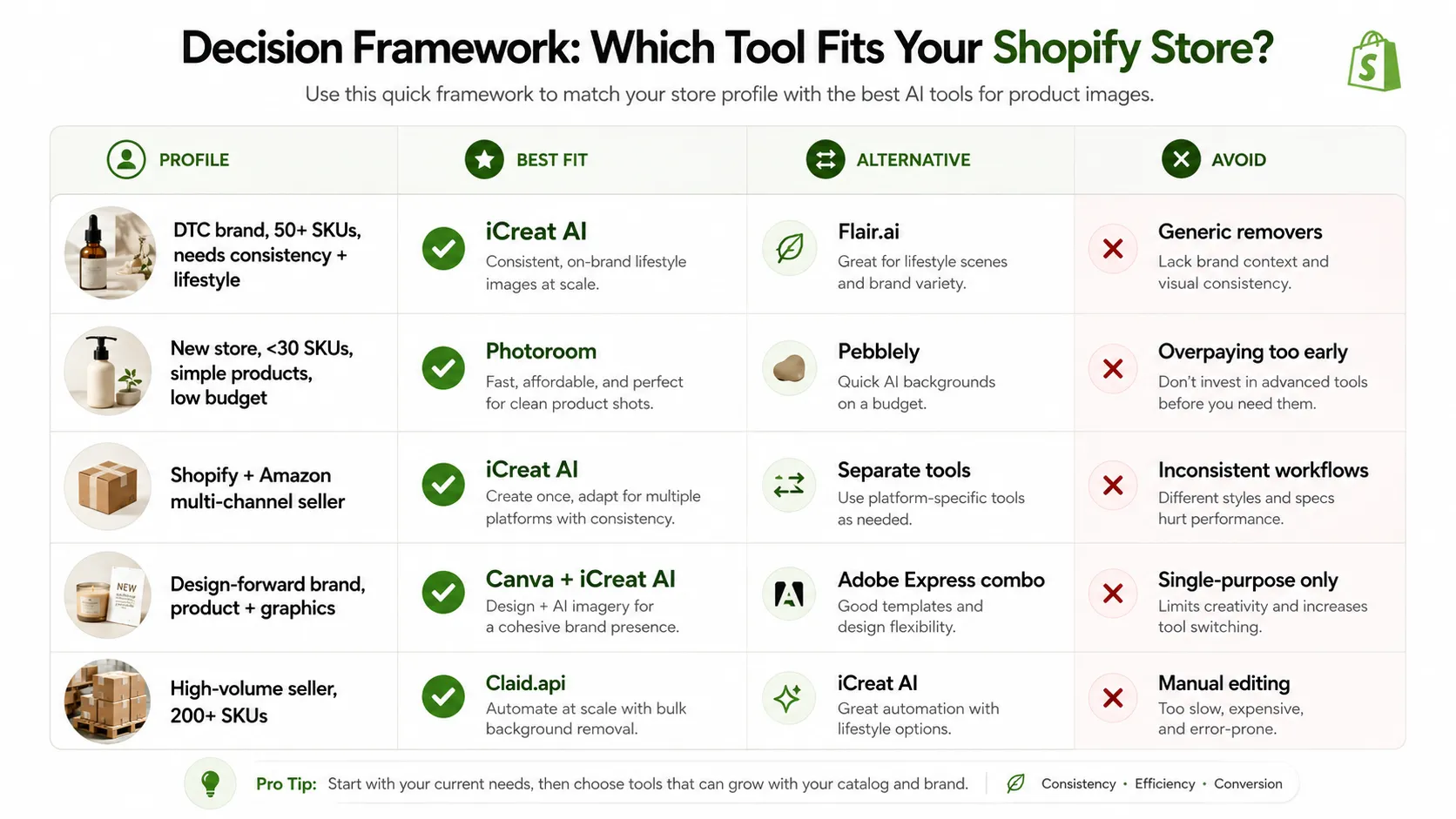
Decision Framework
| Your Shopify Profile | Primary Recommendation | Alternative | Avoid |
|---|---|---|---|
| DTC brand, 50+ SKUs, needs collection consistency + lifestyle | iCreat AI (template system + connected workflow) | Flair.ai (if brand-aesthetic priority #1) | Generic removers / inconsistent free tools |
| New Shopify store, <30 SKUs, simple products, zero budget | Photoroom free tier | Pebblely free tier | Paid plans until you verify fit |
| Shopify + Amazon multi-channel seller | iCreat AI (consistent output works for both) | Separate tools for each platform | Inconsistent tools across channels |
| Design-forward brand, needs graphics + product photos combined | Canva (for graphics) + iCreat AI (for products) | Adobe Express similar combo | Single-purpose tools only |
| High-volume seller, 200+ SKUs, needs speed | Claid.api (scale) | iCreat AI (for variation stage) | Manual or basic tools |
FAQ
Conclusion
The best AI tool for your Shopify store is one that produces theme-compatible, mobile-optimized, and visually consistent imagery across your entire catalog — while also giving you the flexibility to generate lifestyle content, detail shots, and brand-storytelling assets when your brand is ready for them.
For new Shopify sellers starting with basic needs, Photoroom's free tier or Pebblely are reasonable first steps. But as your catalog grows and your brand ambitions expand beyond basic product display, a template-based preserve-mode platform with connected multi-asset workflow becomes less of an expense and more of an investment — one that pays back in time savings, collection professionalism, and conversion improvement.
Create Shopify-ready product images with AI using your actual product photos and see how they translate to your theme's layout. For teams building complete visual pipelines for their Shopify store, explore the iCreat AI workspace.