


Lifestyle product photographs — images that show your product in a real-world context rather than against a sterile white background — consistently outperform basic cutouts on conversion rate, social engagement, and ad performance. The challenge is producing them at scale without a photographer, a studio, and a prop budget. This guide evaluates which AI tools can actually generate compelling lifestyle imagery, which ones only pretend to, and how to match tool capabilities to the type of scenes your products need.
Key Takeaways
- Lifestyle images drive higher conversion than white-background shots across most product categories — but only when the product itself remains recognizable and accurately represented
- "Preserve-mode" tools that lock your product layer are non-negotiable for lifestyle generation; create-mode tools will reinterpret or distort your product in context
- Scene complexity matters: a simple desk surface is vastly easier for AI to generate than a styled outdoor setting with natural lighting interaction
- Template systems with pre-built lifestyle categories dramatically reduce the trial-and-error cycle of prompt engineering for scene generation
- The strongest ROI comes from tools that produce lifestyle images you can reuse across product pages, social feeds, email campaigns, and ad creatives
Why Lifestyle Photos Outperform White Backgrounds (With Data)
White-background product photos serve a purpose: they show your product clearly for marketplace compliance and customer inspection. But they do not help customers imagine owning or using the product.
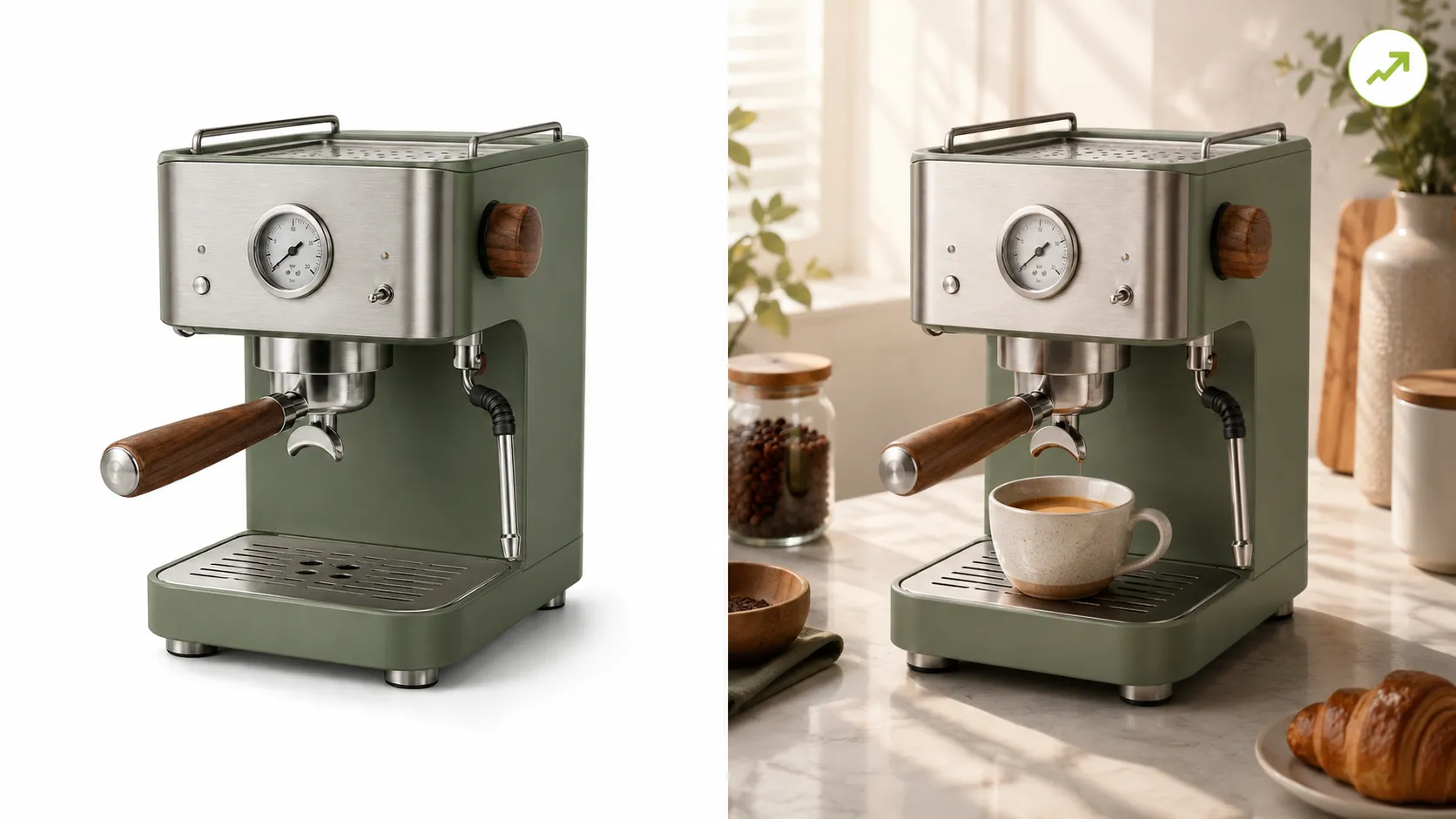
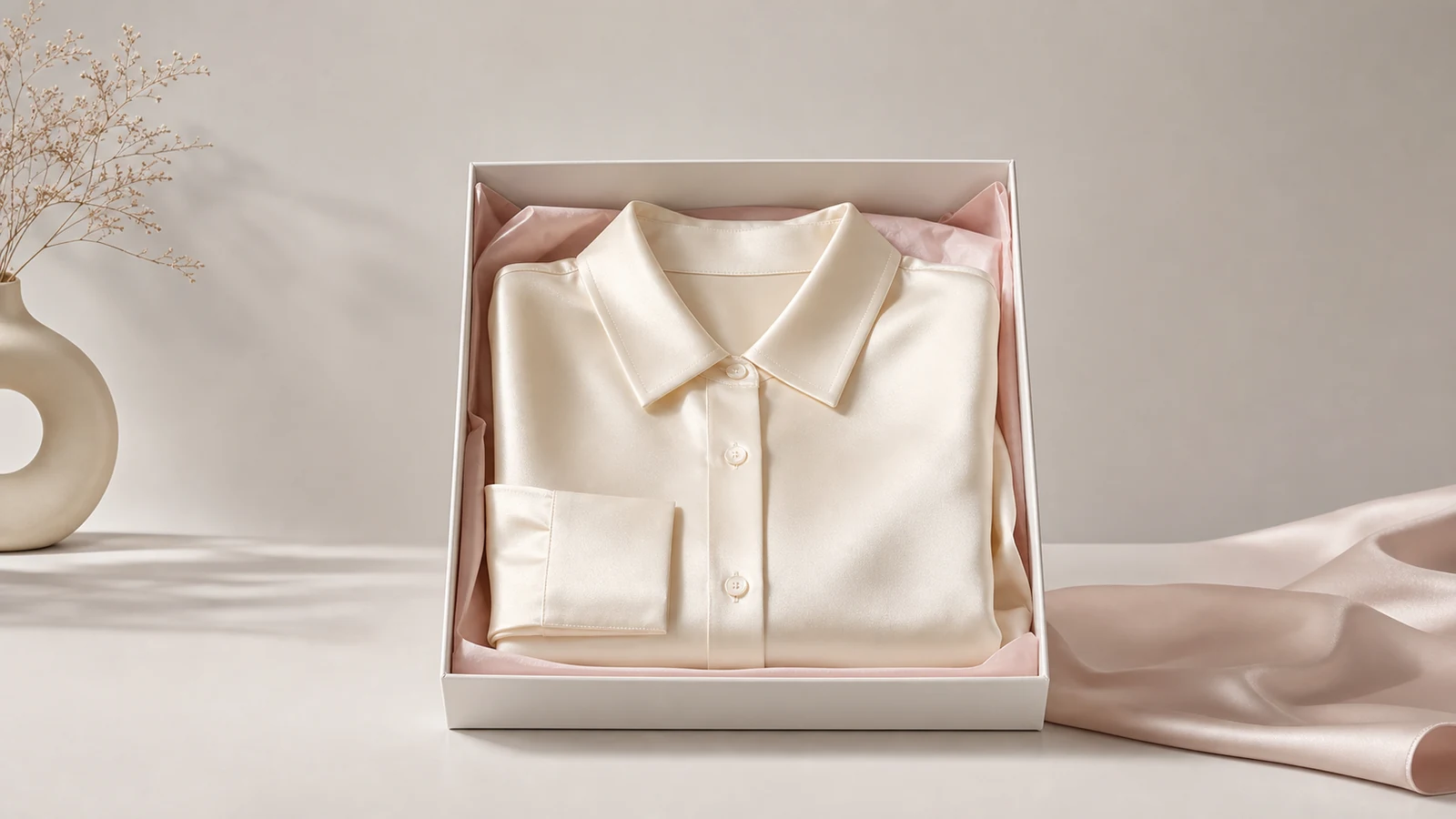
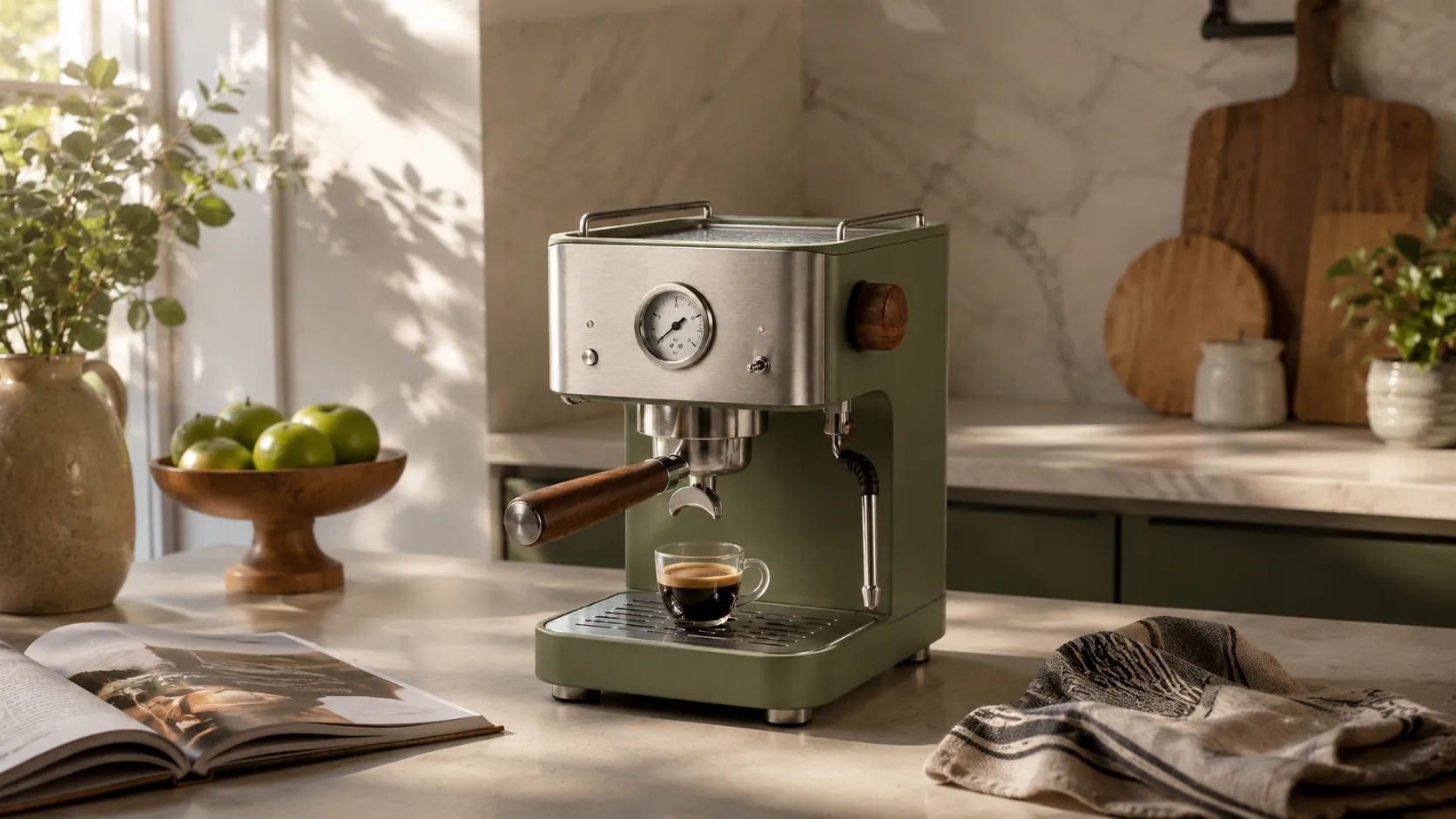
Lifestyle imagery closes that gap by placing your product in a context that triggers emotional response: a coffee maker on a kitchen counter with morning light, a throw blanket draped over a sofa, a pair of running shoes on a trail path. Studies across ecommerce platforms consistently show that lifestyle and contextual images increase click-through rates, time on page, and conversion intent compared to white-background-only listings. The exact lift varies by category — home goods and apparel see the biggest gains; electronics and components see smaller but still measurable improvements.
The problem has always been cost. Traditional lifestyle photography requires location scouting, prop sourcing, styling, professional lighting setup, and often a model or stylist. A single quality lifestyle shot can cost $200-2,000 depending on complexity. For a brand with 100 SKUs needing 2-3 lifestyle images each, traditional production is financially out of reach for most small and mid-size sellers.
AI lifestyle generation changes that equation — if the tool can actually produce usable output.
The Scene Complexity Spectrum: Matching Tools to Your Lifestyle Needs
Not all lifestyle images are equally difficult for AI to generate. Understanding where your needs fall on the complexity spectrum helps you set realistic expectations and pick the right tool.
| Scene Type | Complexity | What AI Needs to Handle | Tool Requirement Level |
|---|---|---|---|
| Simple surface (desk, table, marble platform) | Low | Clean background swap + basic shadow/placement | Most preserve-mode tools handle this |
| Styled interior (living room shelf, bedroom nightstand, cafe table) | Medium | Object placement + interior lighting coherence + color harmony | Tools with good template libraries |
| Environmental / outdoor (garden path, beach, urban street) | High | Natural lighting interaction, environmental detail, atmospheric perspective | Top-tier preserve-mode tools only |
| Model-in-context (person holding/using/wearing product) | Very High | Human anatomy + product interaction + natural pose + facial expression if visible | Specialized tools (Mokker, Botika) or advanced platforms |
The practical rule: start with the simplest scene type that still provides context value for your products. A well-executed simple surface shot outperforms a badly executed complex environmental image every time. Upgrade scene complexity as your tool skills and budget allow.
Preserve-Mode is Non-Negotiable for Lifestyle Generation
This is the same distinction that matters for all product photography, but it becomes even more critical for lifestyle imagery.
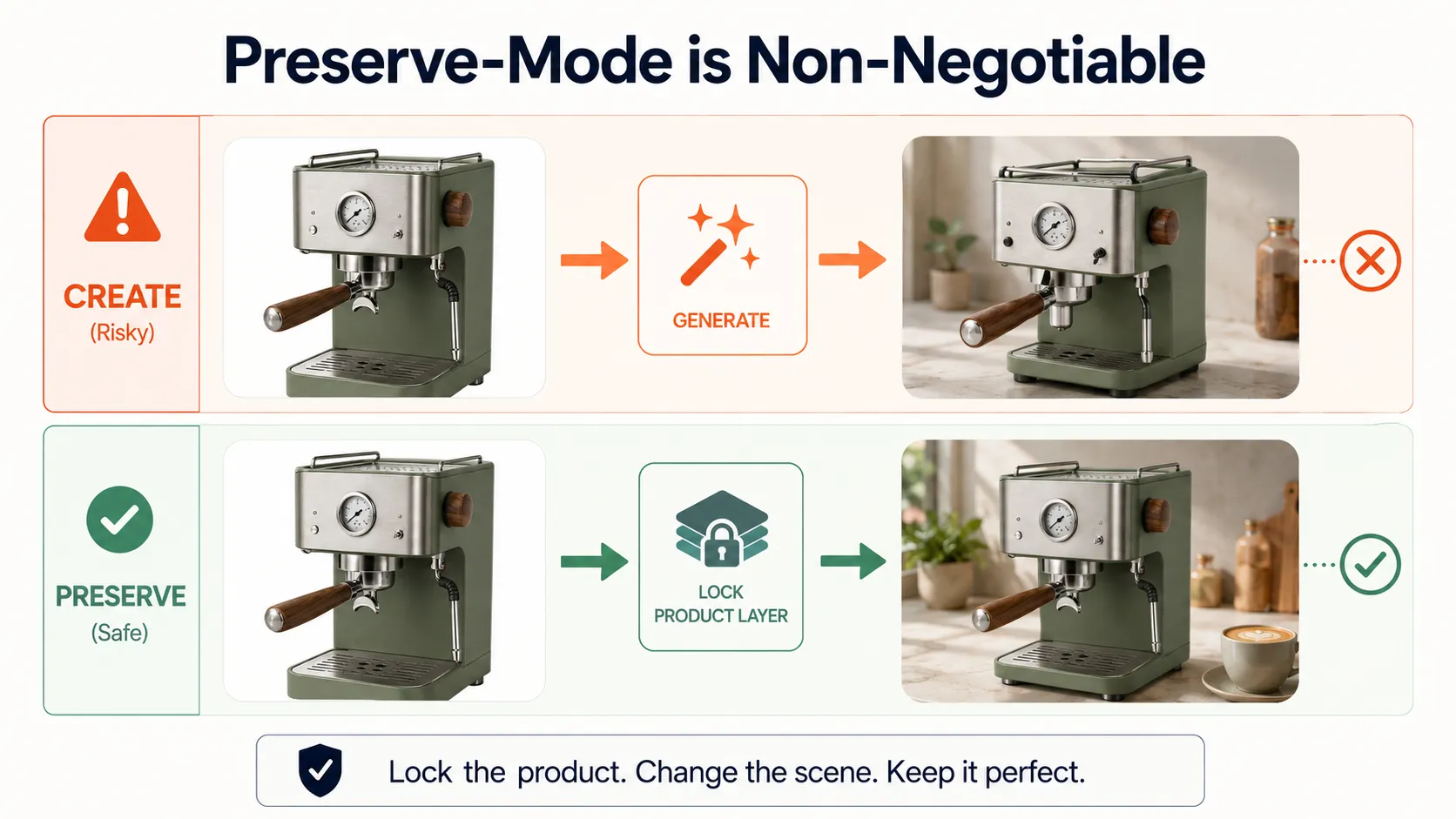
In a white-background workflow, a create-mode tool might produce a slightly "off" version of your product — annoying but maybe fixable with retries. In a lifestyle workflow, a create-mode tool places your reinterpreted product into an environmental context. The compound error (wrong product shape × wrong scene interaction × impossible physics) produces outputs that are immediately uncanny. A coffee mug with a warped handle sitting on a table at an impossible angle looks wrong in ways that customers perceive without being able to articulate why.
Preserve-mode tools generate the lifestyle scene around your locked product layer. Your mug stays the same mug. The AI creates the counter surface, the background objects, the lighting atmosphere, and the compositional context around it. The technical approaches vary between vendors — some use layered compositing with AI-generated context layers, others use image-to-image pipelines with strong reference weighting — but the shared principle is product fidelity first, scene second.
When evaluating any tool for lifestyle generation, ask: can I upload my actual product and get it back recognizably inside a new environment? If the answer is unclear or no, that tool belongs in the mood board bucket, not in your production pipeline.
Tool Comparison: Lifestyle-Evaluated
iCreat AI [Lifestyle Templates + Multi-Scene]
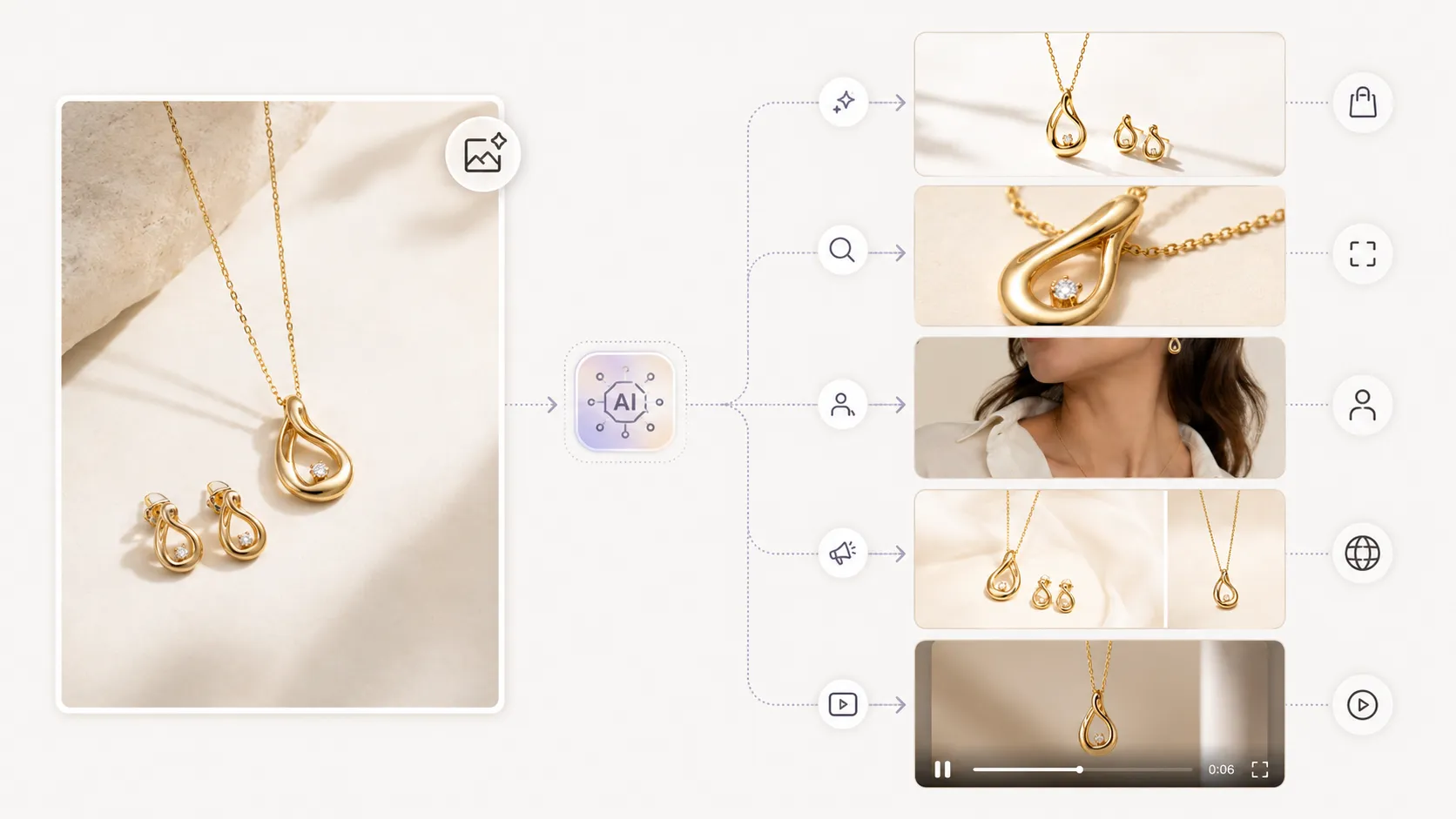
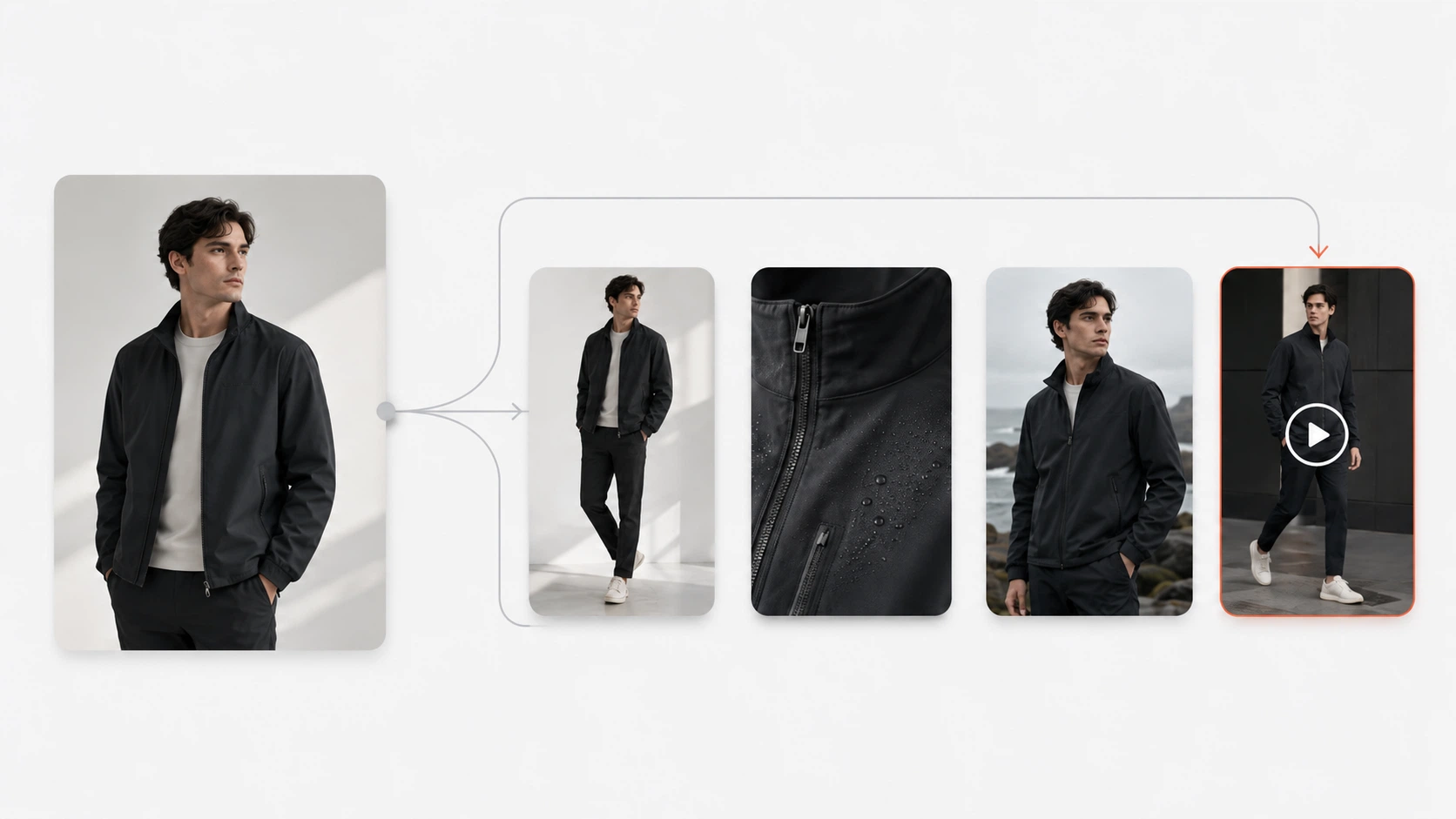
Overview: AI creative production platform with 5,000+ templates covering lifestyle scene categories (interior, outdoor, studio minimal, seasonal, editorial), reference-image-driven preserve-mode generation, and connected workflow extending to lookbooks, detail shots, and video from the same references.
Strengths for Lifestyle:
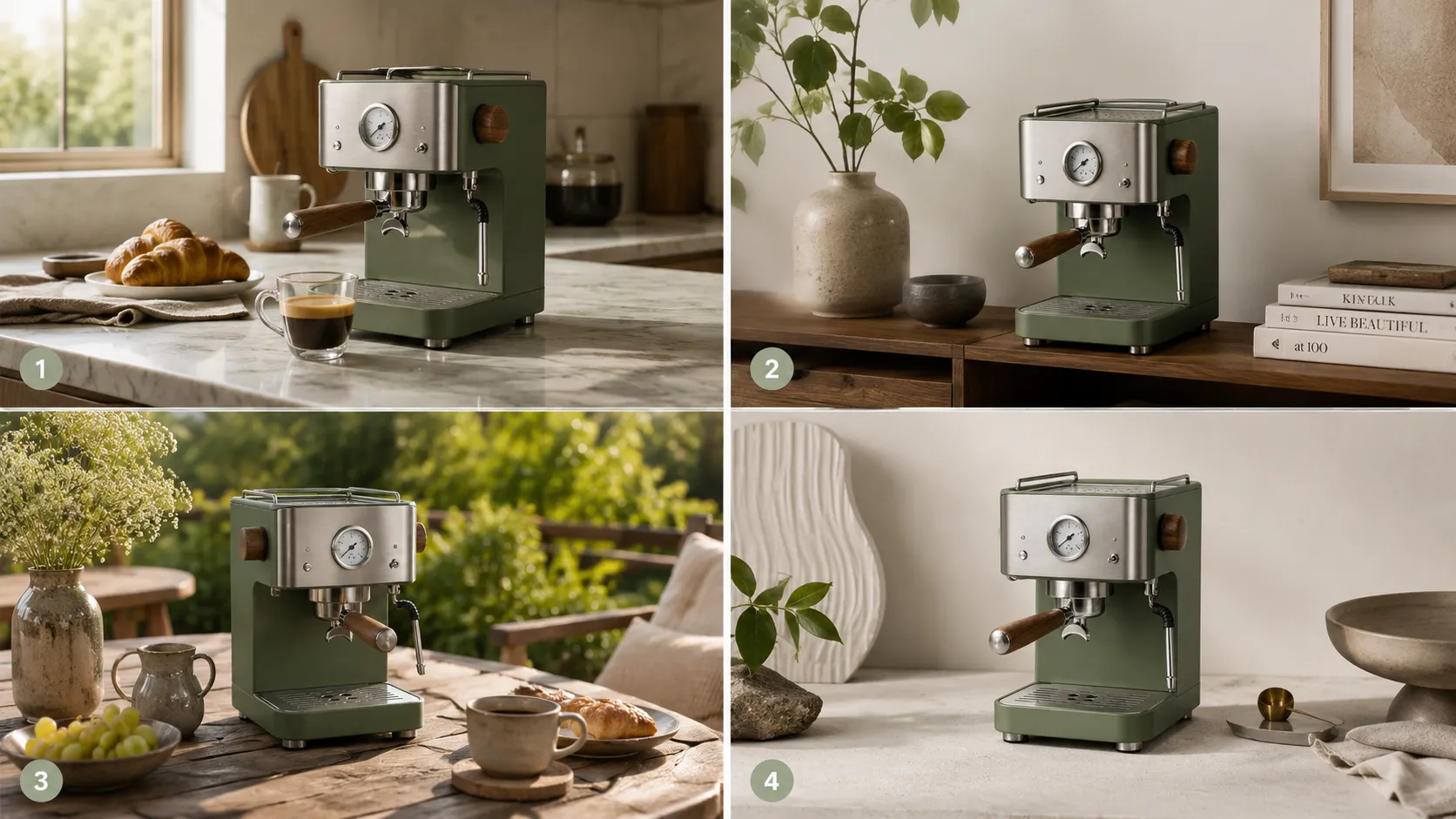
- Template library includes dedicated lifestyle scene categories: tabletop, interior, outdoor, seasonal (holiday/summer), and editorial/styled settings
- Reference-image-driven generation keeps product geometry locked while generating varied scene contexts
- Connected workflow means one set of product references can produce lifestyle images for PDPs, social content variations via lookbook tools, and short video clips — maximizing the value of each input
- Supports transparent PNG output for flexible compositing into custom layouts
- Credit-based pricing scales with volume; heavy lifestyle months (seasonal campaigns) cost more, quiet months cost less
Limitations:
- Complex outdoor/environmental scenes may require more template experimentation than simple interior setups
- Learning curve of 30-60 minutes to match templates to specific products
- Not the cheapest option if you only need 5-10 simple surface swaps per month
Best For: Brands needing consistent lifestyle imagery across multiple SKUs and channels, especially those selling home goods, apparel, accessories, or any product where context drives purchase intent.
Flair.ai [Branded Creative / 3D Placement]
Overview: AI product photography tool focused on branded creative generation with 3D-style product placement in designed environments.
Strengths for Lifestyle:
- Strong at creating polished, brand-coherent lifestyle visuals with art-direction control
- Good output quality for styled interior and minimalist aesthetic scenes
- Useful for brands with specific visual identity guidelines
Limitations for Lifestyle:
- Smaller template library compared to full-platform alternatives
- Less fashion/apparel depth
- Narrower workflow focus (primarily single-image generation)
- May struggle with highly detailed or textured products in complex scenes
Best For: Brands prioritizing aesthetic consistency and art-directed lifestyle visuals, especially in home goods, beauty, and accessories categories.
Photoroom [Basic Lifestyle]
Overview: Mobile-first AI photo tool with background replacement and basic template options including some lifestyle scenes.
Strengths for Lifestyle:
- Easy entry point for simple lifestyle backgrounds (tables, surfaces, basic interiors)
- Fast processing for straightforward scene swaps
- Large template community for inspiration
Limitations for Lifestyle:
- Lifestyle template quality and variety limited compared to specialized platforms
- Product detail preservation weaker on complex items in scene contexts
- Free tier watermarks make lifestyle images unusable for commercial purposes
- No connected pipeline to other asset types from the same lifestyle base
Best For: Sellers needing simple surface-level lifestyle images (product on desk, on table, on marble) with minimal complexity. Not recommended for styled interior or environmental needs.
Pebblely [Simple Scenes]
Overview: AI product photography tool with batch lifestyle scene generation for common ecommerce scenarios.
Strengths for Lifestyle:
- Quick batch generation of lifestyle-style backgrounds
- Covers common indoor scene types (tables, shelves, simple rooms)
- Affordable pricing for small volumes
Limitations for Lifestyle:
- Scene variety and sophistication limited
- Less effective for products requiring precise detail preservation in context
- No advanced lifestyle features (model integration, seasonal scene packs, etc.)
Best For: SMB sellers needing basic lifestyle context images for catalog and social use where high-end aesthetics are not the priority.
Botika / Mokker [Model-In-Context Specialists]
These tools serve the "very high" end of the scene complexity spectrum:
- Botika: Generates on-model fashion imagery — the ultimate lifestyle context for apparel, placing garments on AI-generated models in styled settings.
- Mokker: Creates virtual model-worn product photographs, useful for brands wanting human-context lifestyle imagery without photography costs.
Collective strength: Both solve the hardest lifestyle problem (human + product + environment interaction).
Collective limitation: Narrow focus. These are specialist tools for model-in-context imagery, not general-purpose lifestyle generators. Use them alongside (not instead of) a broader platform for non-model lifestyle needs.
The Multiplier Effect: One Lifestyle Image, Multiple Channels
The hidden value of AI-generated lifestyle imagery is not just the PDP placement. It is the same image working across multiple channels:
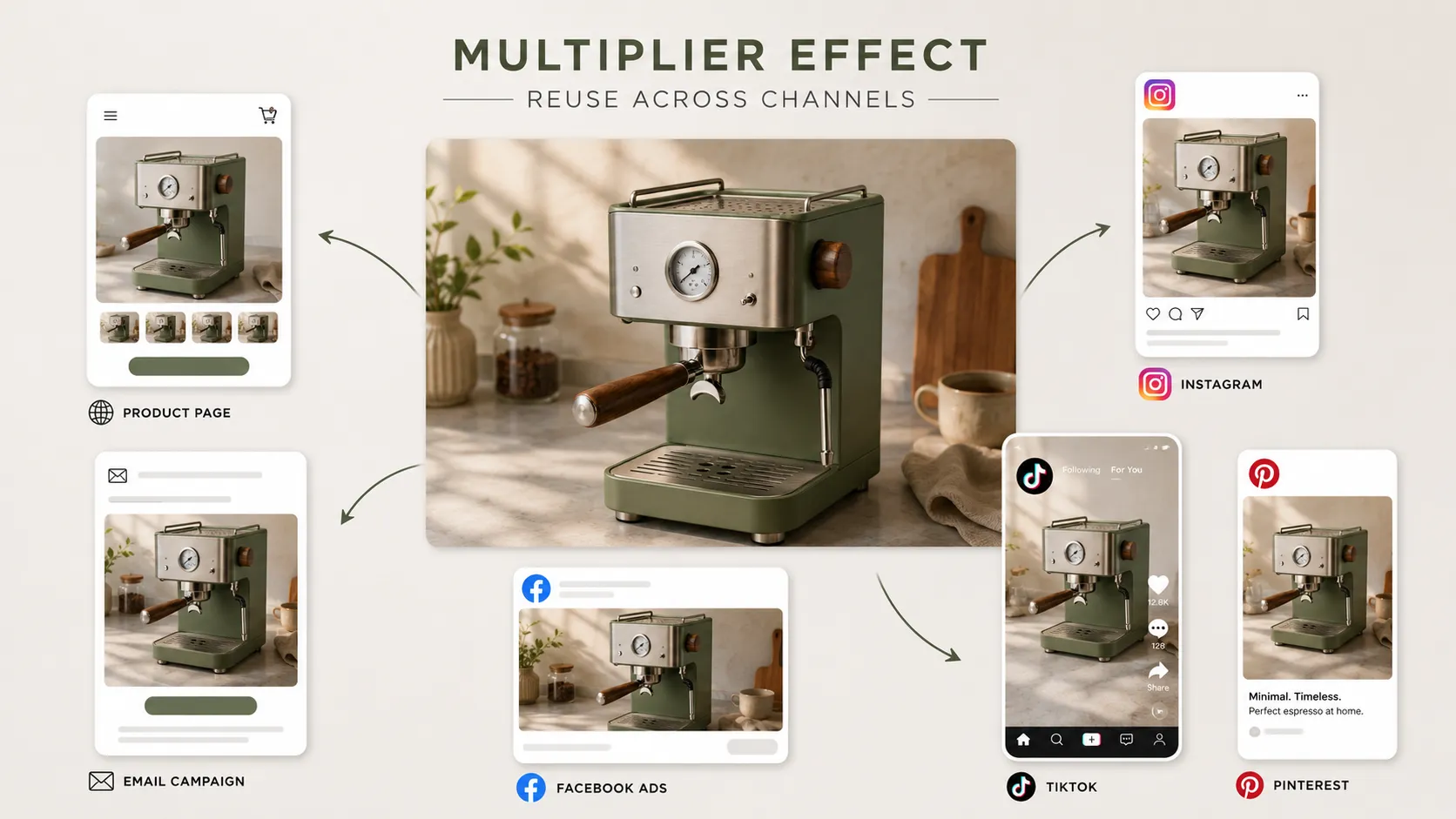
- Product page hero or secondary image → Shows product in use, increases dwell time
- Instagram / Pinterest / TikTok → Lifestyle content performs better than product-only posts; algorithm preference for in-context imagery
- Facebook / Instagram Ads → Lifestyle creative typically achieves higher CTR than white-background ads
- Email campaign visuals → Lifestyle imagery in promotional emails increases click rate vs plain product shots
- Amazon A+ content / Shopify enhanced descriptions → Rich lifestyle images improve both platform's content quality scores
A single well-generated lifestyle image can serve 3-5 of these use cases simultaneously. This multiplier effect means the per-image effective cost of lifestyle generation is far lower than it appears when you only count PDP usage.
Tools that produce consistent, brand-coherent lifestyle outputs (like iCreat AI's template system) amplify this effect further because visual consistency across channels reinforces brand recognition.
Template Systems and Lifestyle Scene Quality
One of the main reasons DIY lifestyle prompting fails is the sheer number of variables: surface material and color, object placement and scale, lighting direction and temperature, depth of field, background elements and their visual weight, color harmony between product and scene, shadow behavior, atmospheric perspective. Writing a prompt that controls all of these variables coherently is difficult even for experienced users.
Template systems encode this expertise into pre-built configurations. Instead of specifying "warm morning light from upper left, soft shadows falling right, surface = light oak wood grain, background = blurred neutral interior with bokeh effect, color palette complementary to product dominant hue..." you select a template called "Cozy Interior - Morning Tabletop" and upload your product.
For lifestyle generation specifically, templates provide three critical advantages:
Speed: Go from upload to generated lifestyle image in 1-3 minutes instead of 15-30 minutes of prompt iteration.
Consistency: Every SKU gets the same visual treatment because they all use the same template family. Your catalog looks cohesive.
Quality floor: Templates are built (or curated) by people who understand composition and lighting. Even a beginner user gets above-average results because the hard decisions were made in advance.
When evaluating lifestyle tools, check whether their template library includes genuine lifestyle/scene categories or just patterned backgrounds. There is a meaningful difference.
Decision Framework: Which Lifestyle Tool Fits Your Needs?
| Your Need | Primary Recommendation | Alternative | Avoid |
|---|---|---|---|
| Multiple SKUs, need consistent lifestyle across PDP + social + ads | iCreat AI (template system + multi-scene + multi-channel reuse) | Flair.ai (if brand-aesthetic consistency is top priority) | Basic background tools without scene intelligence |
| Simple surface swaps (desk/table/marble), 10-20 SKUs | Photoroom or Pebblely (easy entry) | iCreat AI free trial (for testing quality) | Paid plans until free tier proves sufficient |
| Model-in-context lifestyle for apparel | Botika or Mokker (specialized) | iCreat AI (with reference images for non-model lifestyle) | Create-mode generators for any production use |
| Art-directed, brand-specific lifestyle visuals | Flair.ai (branded creative focus) | iCreat AI (broader template coverage) | Generic tools without aesthetic control |
| Seasonal lifestyle campaigns (holiday/summer/collections) | iCreat AI (seasonal template packs + image replacer for adaptation) | Any tool with seasonal background options | Tools without seasonal or variation features |
FAQ
Conclusion
The best lifestyle product photography tool is the one that generates scene contexts where your product stays recognizable, matches your brand aesthetic, and works across the channels where your customers actually engage. For most brands, that means a preserve-mode tool with a strong lifestyle template library and the ability to produce multiple asset types from the same workflow.
Start with simple scenes. Test with your actual products. Review every output critically. Scale complexity as your confidence and results justify it.
If you are ready to test AI-powered lifestyle product photography with scene templates and preserve-mode accuracy, generate lifestyle product photos with AI using a few reference images. For teams building complete visual pipelines that turn product photos into lifestyle imagery, detail shots, lookbook visuals, and more, explore the iCreat AI workspace.