




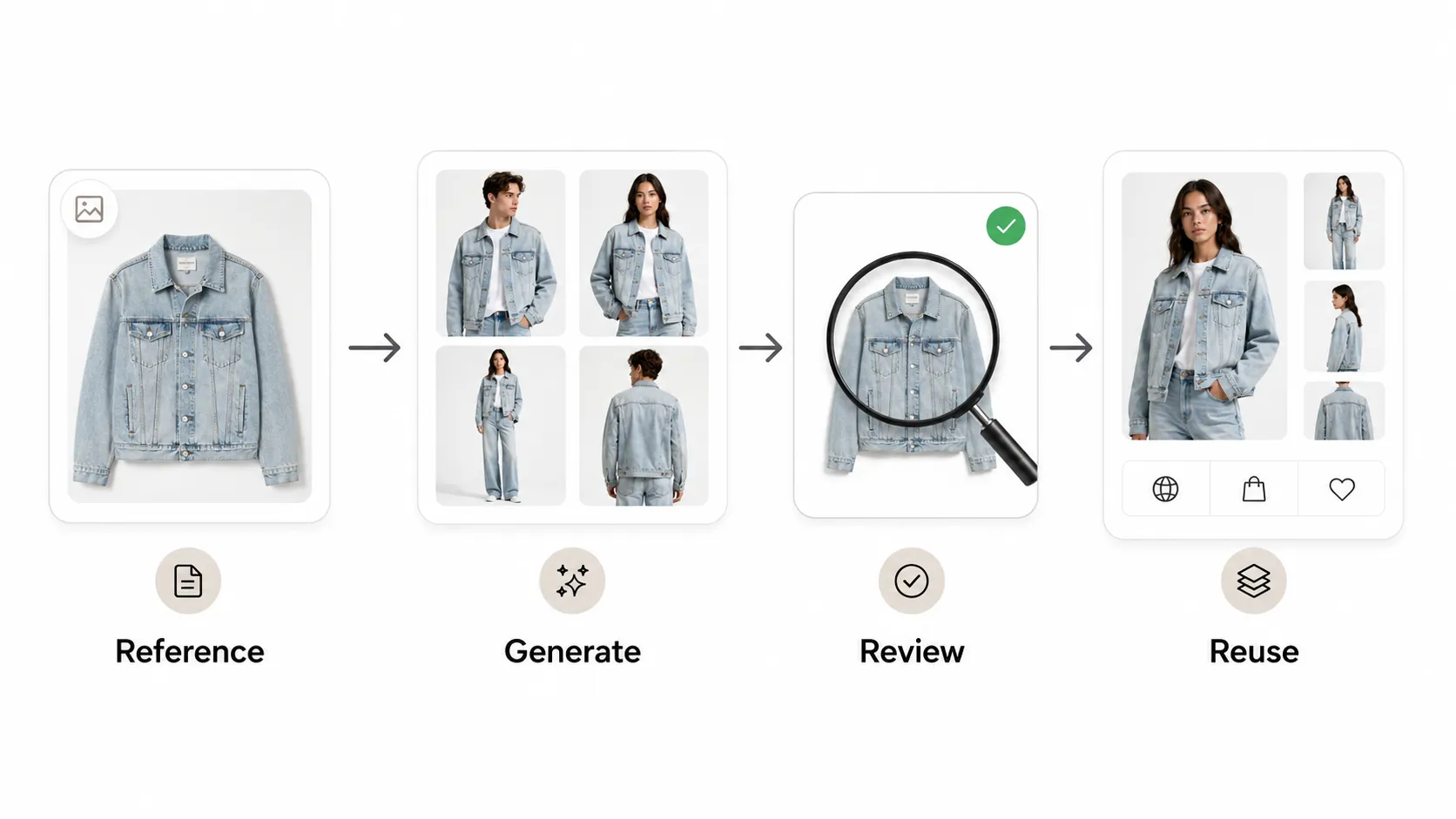
The best fashion apparel product photography ideas are flat lays, on-model shots, lifestyle scenes, detail close-ups, back views, lookbook sets, and pose variations. For ecommerce teams, those formats do more than make products look good. They help shoppers understand fit, fabric, styling, and quality before they buy.
That is why apparel imagery is usually a mix, not a single shot style. A T-shirt, dress, jacket, or seasonal collection often needs different visuals for the product page, campaign assets, and ads. In this guide, you’ll see which photo ideas work best, how to choose the right one for each product, and how iCreat AI can help you create more fashion visuals from fewer inputs.
Key Takeaways
- Apparel product pages usually need more than one image style to answer shopper questions about fit, texture, and styling.
- Flat lays, on-model shots, lifestyle images, and detail close-ups are the most useful starting points.
- Lookbook sets and pose variations help fashion brands create more campaign-ready visuals without repeating a full shoot.
- AI can speed up variation work, but garment details and color accuracy still need human review.
- iCreat AI is most useful when you want to turn one strong reference into multiple ecommerce-ready visuals.
The best fashion apparel product photography ideas
Flat lays for clean catalog images
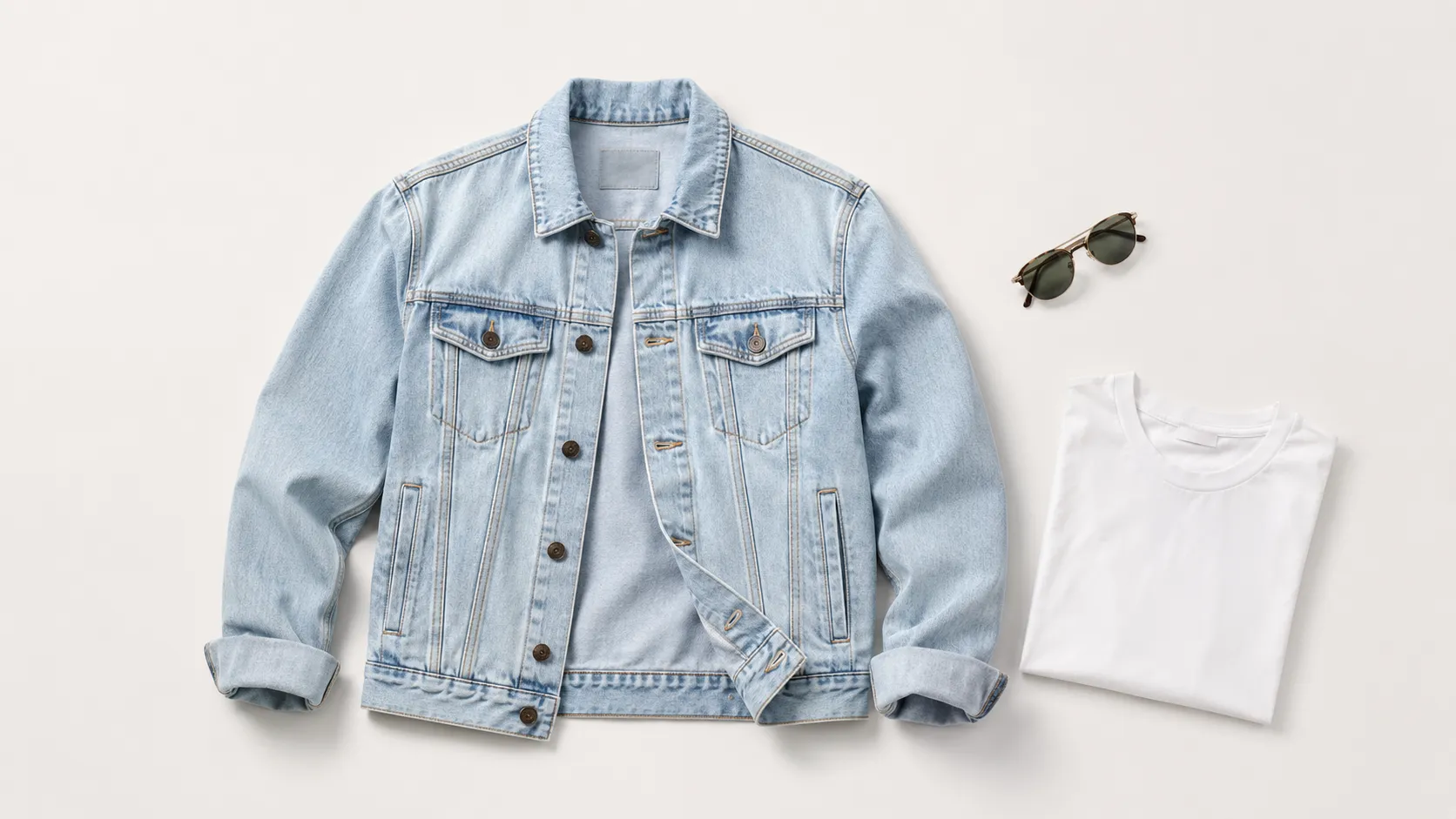
Flat lays are still one of the simplest and most effective apparel photo ideas. They work well for T-shirts, sweaters, basics, accessories, and folded items because the product stays clear, clean, and easy to compare.
Use flat lays when you want a catalog-first image that feels organized and distraction-free. They are especially useful for white-background product pages, marketplace listings, and SKU-heavy catalogs where consistency matters.
On-model shots for fit and styling
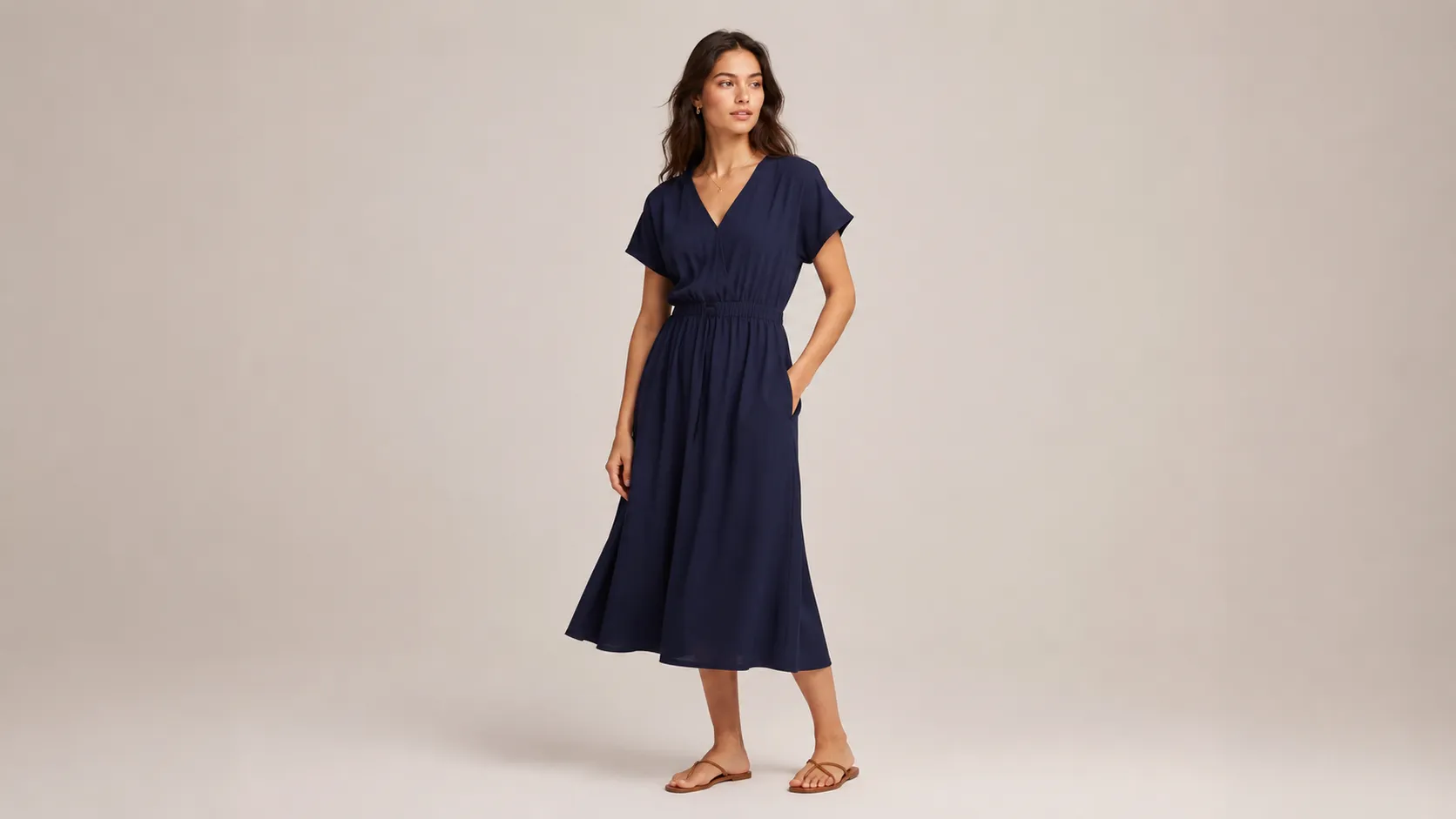
On-model imagery helps shoppers see how the garment wears on a body. That matters for fit, drape, length, proportion, and styling context.
For dresses, outerwear, denim, and premium basics, on-model shots often do more to build purchase confidence than a perfect studio still. If you need more pose options without another shoot, AI Pose Generator can help create variations for testing and merchandising.
Lifestyle shots for brand storytelling
Lifestyle images show the apparel in a real setting, like a city street, studio corner, or outdoor scene. They are useful when the brand story matters as much as the product itself.
This is a strong format for seasonal campaigns, editorial launches, and social content. If you want to expand one idea into more campaign-ready visuals, AI Fashion Lookbook Generator is a natural next step.
Detail close-ups for fabric, seams, and logos
Fashion shoppers want to inspect the details. Close-ups help them see fabric texture, stitching, trims, logos, buttons, zippers, and printed graphics.
According to Shopify’s clothing photography guide, shoppers rely heavily on retailer imagery when deciding whether to buy clothing. That makes detail shots a practical conversion tool, not just a visual upgrade.
Back views and angle variations
A front shot alone rarely answers every question. Back views, side angles, and three-quarter angles help show silhouette, length, and construction.
These are especially useful for jackets, dresses, pants, and layered outfits. They also reduce uncertainty, which matters when shoppers cannot touch the item in person.
Lookbook-style sets for collections
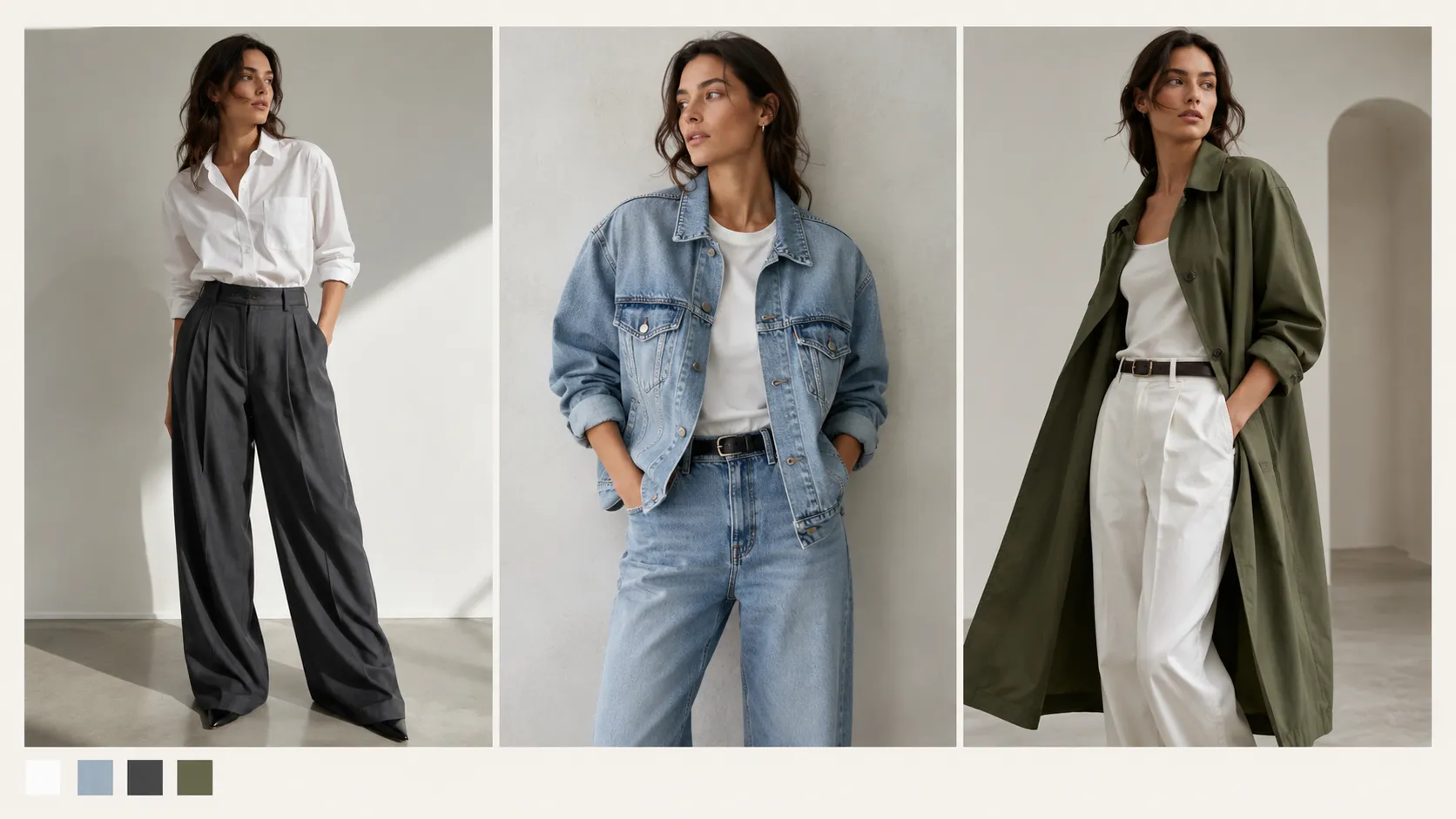
Lookbook visuals are ideal for new drops, seasonal edits, and brand-led merchandising. They let you show a collection as a story instead of a single isolated product.
For fashion teams that need editorial-style visuals from product references, AI Product Photography can support a faster lookbook workflow.
Pose variations for PDP and ad testing
One strong product image can often support multiple pose variations. That helps with product page testing, ad creative refreshes, and social distribution.
If a single garment needs several body positions or framing options, AI Image Replacer can help adapt the same concept into new versions without starting from scratch.
How to choose the right photo idea
Different apparel products need different visual priorities.
Use flat lays when
- The item is simple and category-first
- You need a clean catalog look
- The product is being listed across many SKUs
Use on-model shots when
- Fit and drape matter
- The product is premium or style-led
- You need shoppers to visualize how it wears
Use detail shots when
- Fabric quality is a selling point
- Logos, prints, or construction matter
- You want to reduce uncertainty before purchase
Use lifestyle shots when
- The brand story is part of the sale
- You are building campaign assets
- The product needs emotional context
Use lookbooks when
- You are launching a new collection
- You need multiple visuals from one concept
- You want editorial consistency across assets
How AI helps scale apparel photography ideas
AI is useful when the problem is not creativity, but volume.
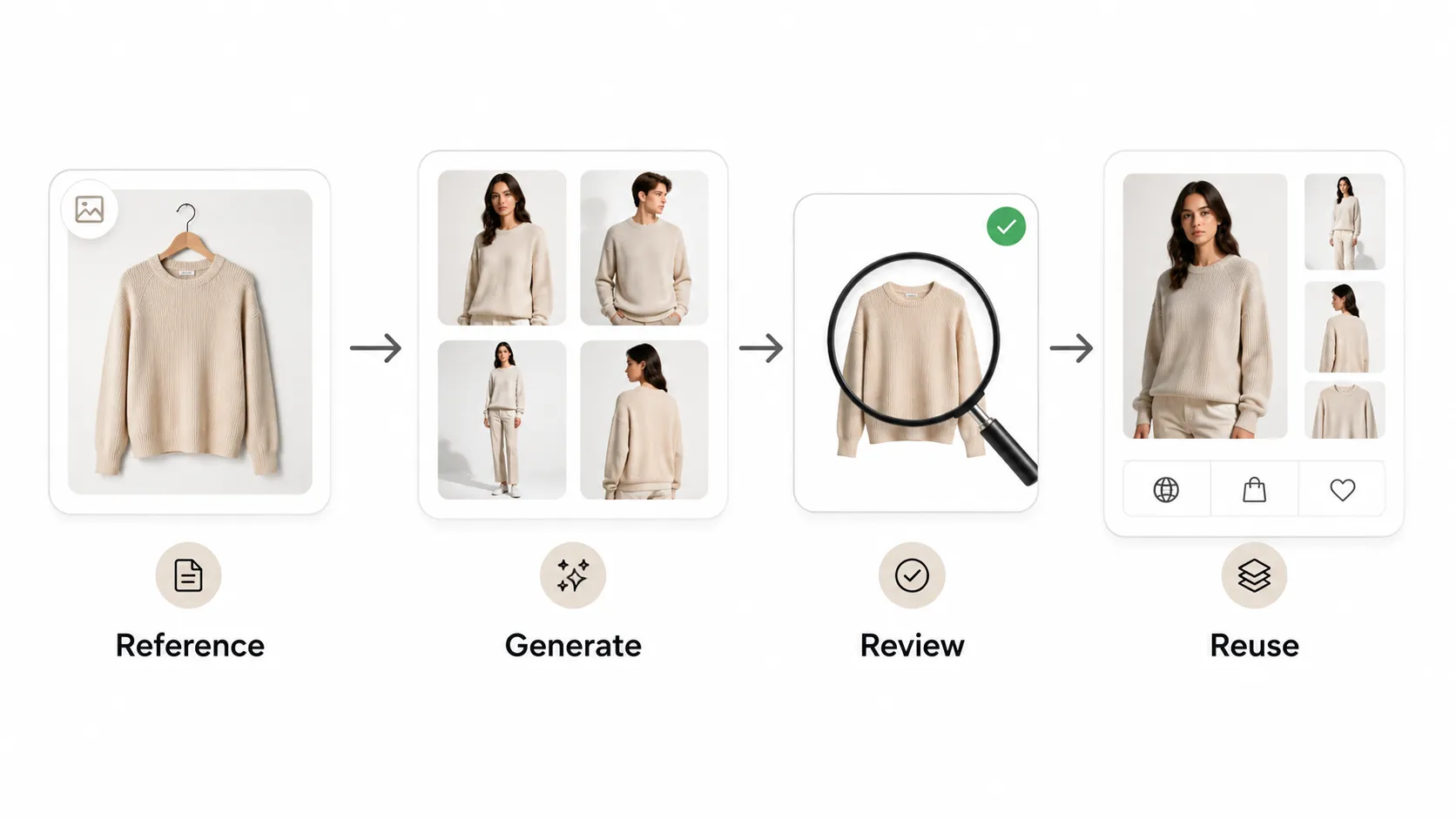
A fashion team may already know the images it needs. The challenge is producing enough of them for PDPs, ads, seasonal drops, and social channels without adding another full shoot every time. That is where AI product workflows help.
With iCreat AI, teams can turn reference images into more product visuals, then choose the right output for the job. That might mean a standard ecommerce image, a lookbook variation, or a detail-focused asset for a product page.
This works best when you start with clear references and review every output carefully. AI can speed up variation production, but it should not replace judgment on garment accuracy, color, logos, or fabric texture.
A practical workflow
- Start with one strong product reference.
- Decide which assets you need first: PDP, lookbook, or ad creative.
- Generate variations with the most suitable iCreat AI tool.
- Check details before publishing.
- Reuse the best concept across more formats.
That workflow is useful for teams that want more visuals without losing control of quality.
Common mistakes to avoid
- Using only one image style for every product
- Ignoring detail shots on items where texture matters
- Treating lifestyle shots as a replacement for product clarity
- Publishing AI outputs without checking garment accuracy
- Making every image look identical across the catalog
The goal is not to make every photo dramatic. The goal is to make each image useful.
FAQ
Conclusion
Fashion apparel product photography works best when you plan for both clarity and variety. Flat lays, on-model shots, lifestyle images, detail close-ups, and lookbook sets all solve different parts of the buying process. The strongest ecommerce brands use them together.
If your team needs more visuals from fewer inputs, iCreat AI can help turn one reference image into multiple product, campaign, and lookbook assets. Start with AI Product Photography, then use supporting tools like AI Fashion Lookbook Generator, AI Pose Generator, and AI Fashion Detail Image Generator to expand the set.
For more style variation, AI Image Replacer can help adapt a strong concept into new campaign visuals without rebuilding the whole shoot.
When you are ready to generate your next apparel set, log in to iCreat AI and start from your strongest reference image.