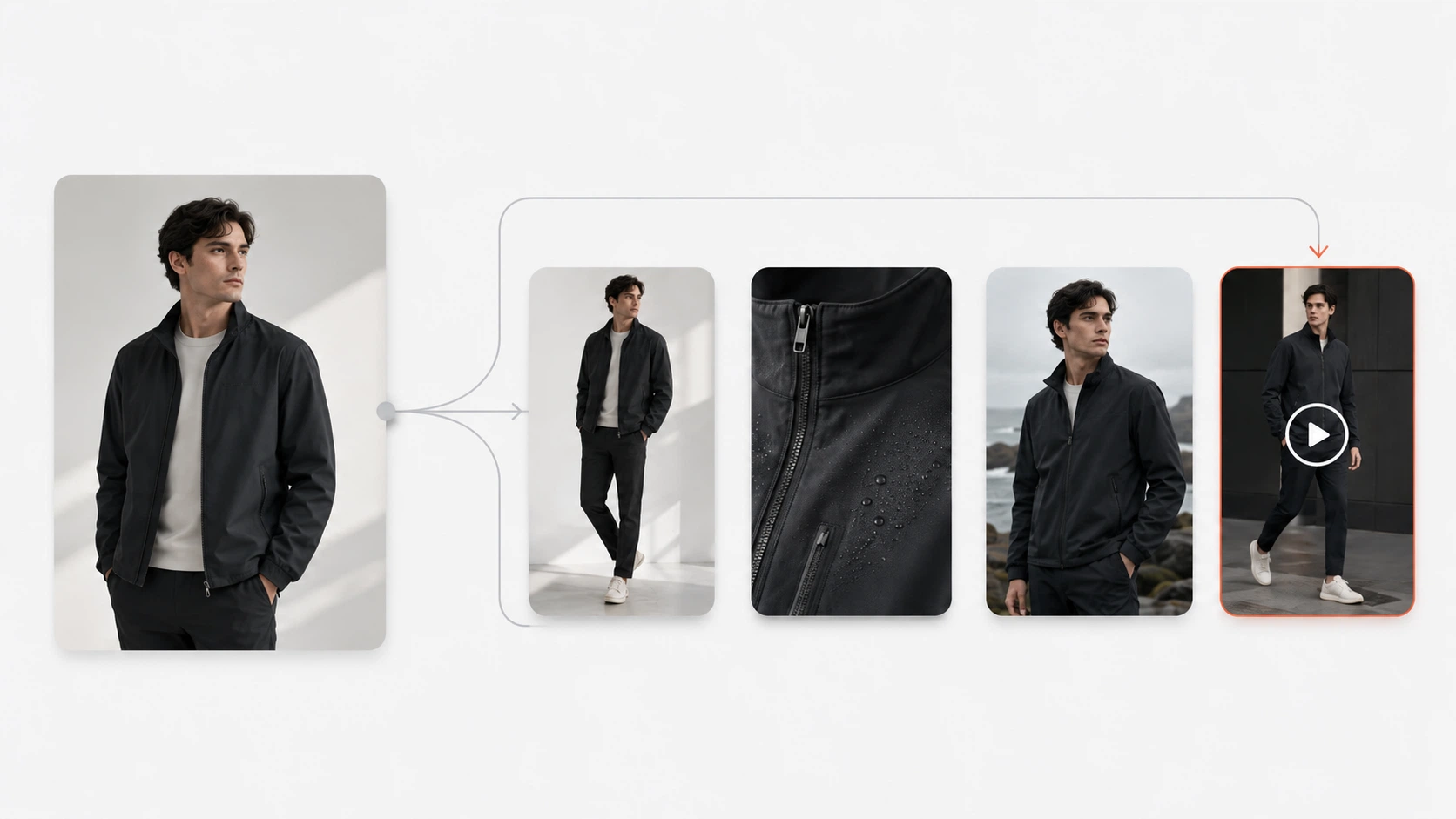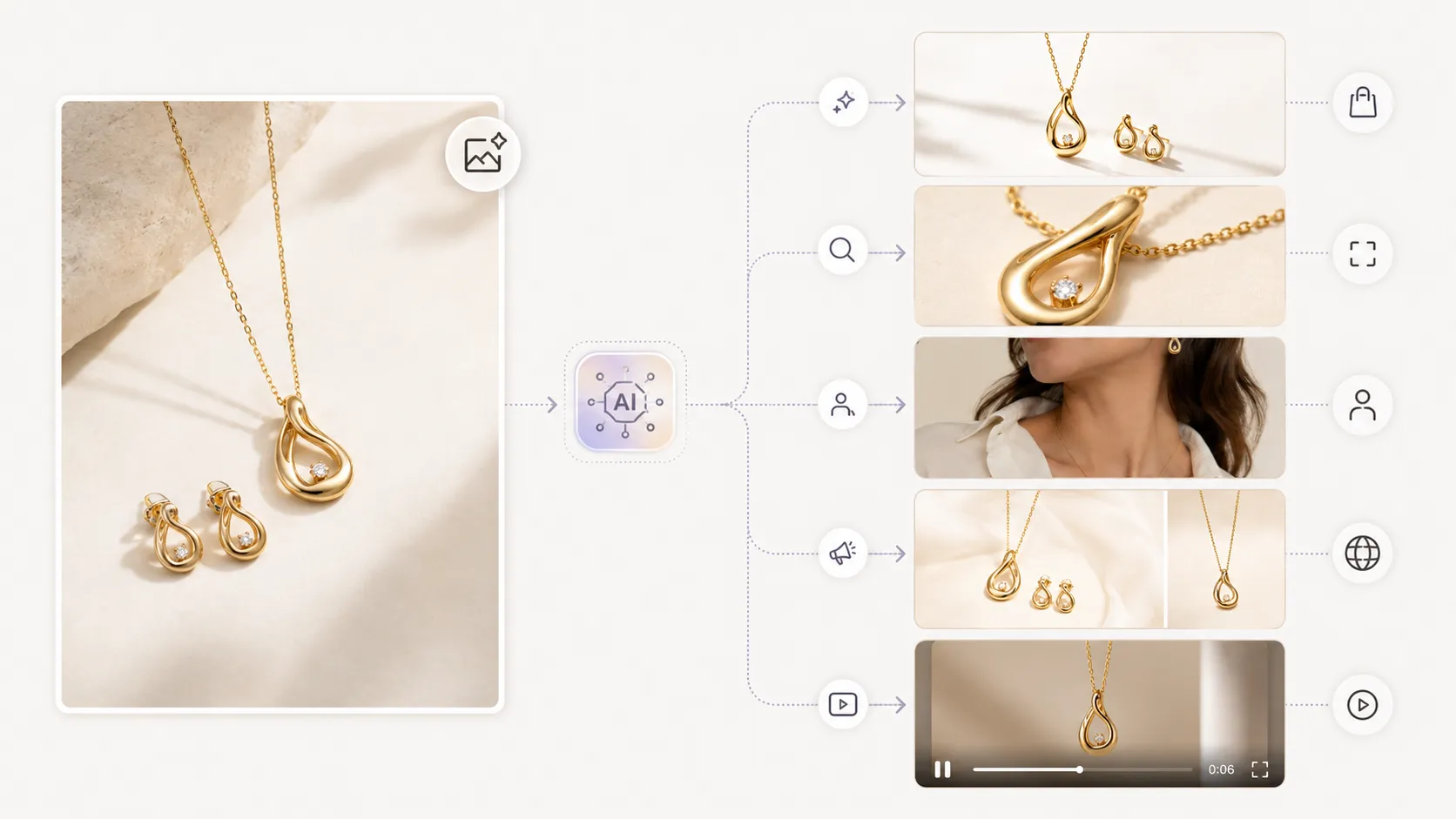



Photoroom is a solid tool. It has a generous free tier, a mobile app that makes product photography accessible from your phone, and enough template variety to handle basic background replacements for simple products. Millions of sellers have started their AI product photography journey there, and many still use it happily.
But Photoroom is not the right fit for every ecommerce seller. If you sell products with fine details (prints, textures, embroidery), need more than single-image background replacement, or have outgrown what the free and Pro tiers can deliver, you are probably looking for alternatives. This guide covers what Photoroom does well, where it falls short for growing ecommerce operations, and which tools actually address those gaps.
Key Takeaways
- Photoroom excels at simple background replacement for solid-color basics on mobile — it earned its popularity by being the easiest entry point in the category
- The most common reason sellers seek alternatives is detail preservation failure on complex products (printed garments, textured items, structured goods) where Photoroom's output quality drops noticeably
- The gap between Photoroom and its alternatives widens when you need multiple asset types (detail shots, lifestyle images, lookbook variations) rather than just one background-swapped image per SKU
- Template-based platforms with preserve-mode generation and connected workflows offer more long-term value for brands scaling beyond 50 SKUs
- Switching tools costs time — pick an alternative that grows with you so you do not have to do this again in six months
What Photoroom Does Well (And Why It's Popular)
Before exploring alternatives, it is worth acknowledging what Photoroom gets right:
Accessibility: The mobile-first approach means you can shoot, edit, and download a product photo from your phone in under two minutes. No desktop, no complex interface, no learning curve to speak of.
Free tier generosity: You can test drive the core functionality without entering payment information. For a seller who has never used any AI photo tool, this removes all friction from getting started.
Speed on simple products: For a plain T-shirt, phone case, mug, or item with a clean outline and solid color, Photoroom produces usable output quickly. Upload, pick a background, download.
Community and resources: Large user base means plenty of tutorials, templates, and community examples to learn from.
These are real strengths, and they explain why Photoroom dominates mobile app store rankings and general "AI photo tool" searches. If your needs stop at "put my product on a clean or simple background," Photoroom may be all you ever need.
Why Ecommerce Sellers Look for Photoroom Alternatives
Based on community discussions across r/ecommerce, r/FulfillmentByAmazon, and seller forums, these are the most common reasons ecommerce sellers start looking past Photoroom:
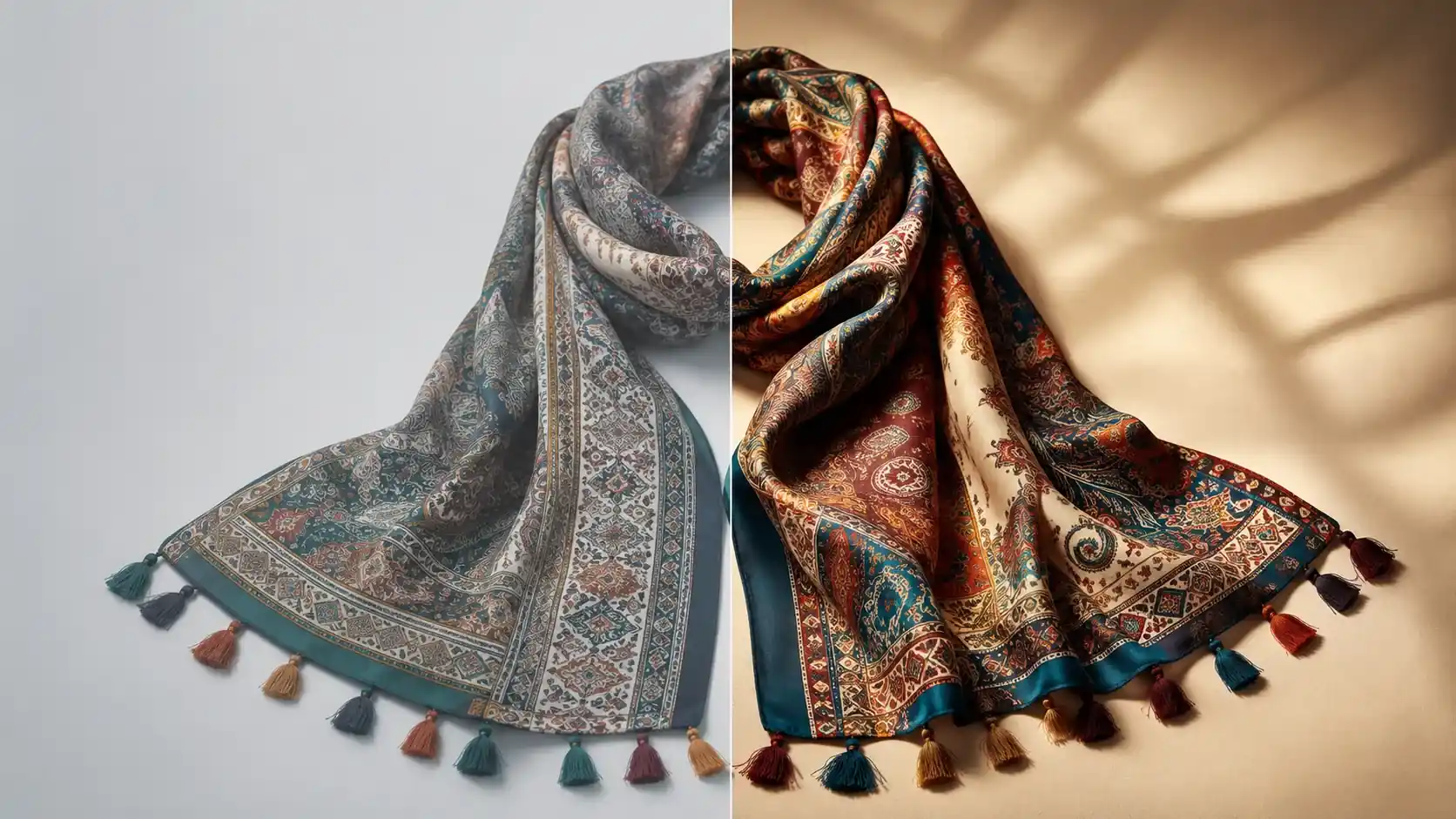
Detail preservation on complex products: This is the number one complaint. Sellers who upload printed dresses, textured knitwear, lace items, or products with intricate details consistently report that Photoroom smooths patterns into approximations, flattens fabric texture, or misrepresents garment geometry. The output looks acceptable at thumbnail size but falls apart at full resolution.
Limited workflow beyond background replacement: Photoroom generates one type of asset: a product image with a new background. Ecommerce brands typically need white-background shots, lifestyle imagery, detail close-ups, social content variations, and sometimes video from the same set of product references. When you need to produce 5-8 different asset types per SKU across 100+ SKUs, single-function tools become a bottleneck.
Scaling quality inconsistency: At low volume (10-20 images per month), Photoroom's output may be consistent enough. At higher volumes — especially when different team members generate assets or when you need visual coherence across a seasonal collection — the lack of template-driven consistency becomes visible.
Free tier limitations become painful: Watermarks on some outputs, resolution caps that fall below marketplace requirements, daily image limits that slow down catalog builds, and feature gates that reserve advanced functions for paid plans. These limitations are reasonable business practices, but they create friction for growing sellers.
Pricing uncertainty at scale: The Pro plan works for moderate usage, but custom pricing for high-volume needs can be opaque, and some sellers report surprise costs when their usage patterns exceeded expectations.
None of these make Photoroom a bad tool. They make it a tool that fits a specific stage and product type profile — and a poor fit for sellers who have moved past that profile.
Top Photoroom Alternatives Compared
iCreat AI [Best All-Round Alternative for Growing Brands]
Overview: AI creative production platform with reference-image-driven preserve-mode generation, 5,000+ pre-built templates across product categories, and a connected workflow covering product photos, detail images, lookbooks, pose variations, image replacement, and product video.
How it compares to Photoroom:
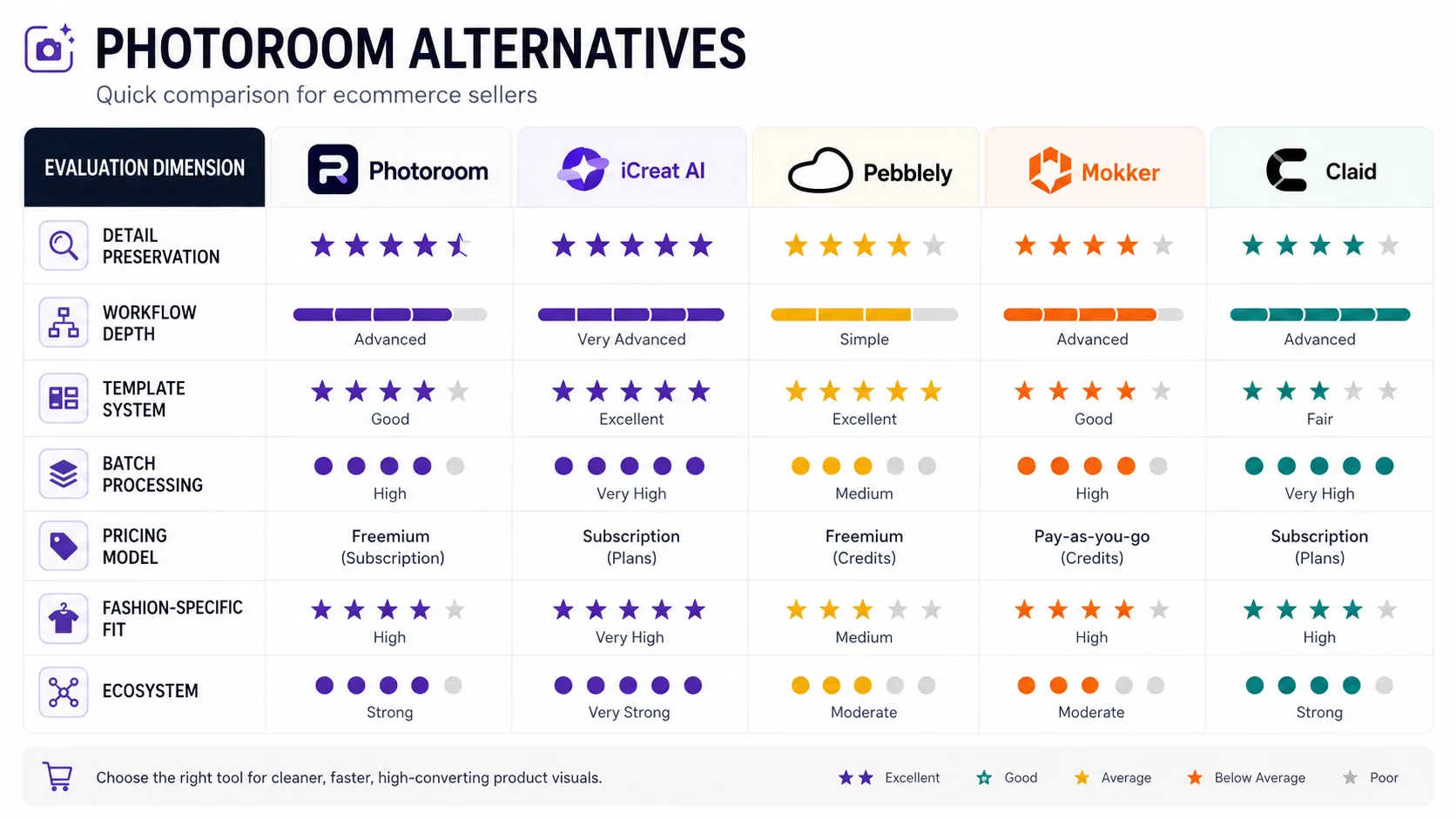
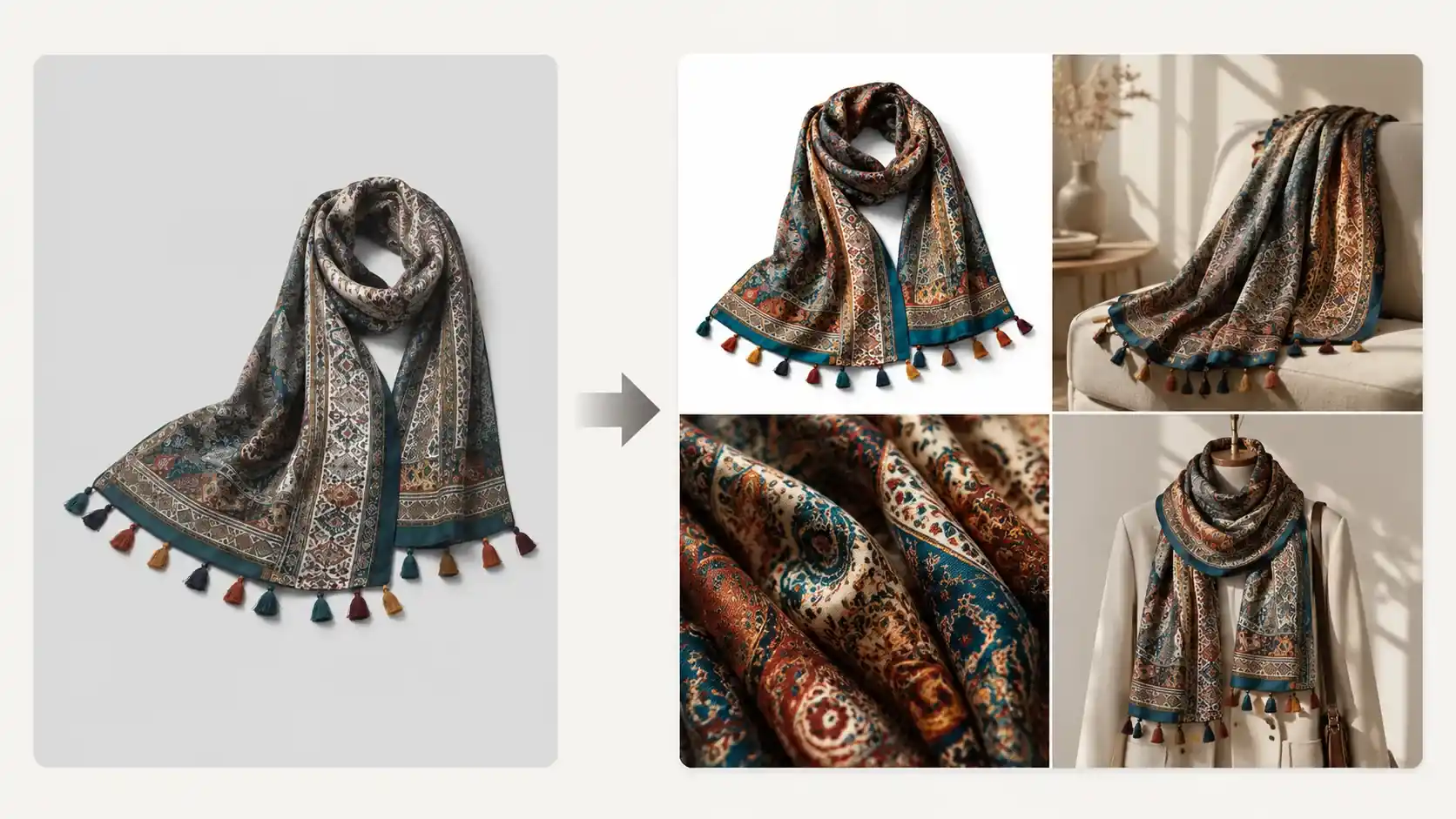
- Detail preservation: Uses preserve-mode architecture that locks your product layer while generating new context around it. Significantly stronger performance on printed garments, textured items, and structured products where geometry matters.
- Template system: 5,000+ templates organized by category (apparel, home goods, accessories, etc.) encode professional prompting knowledge. Instead of writing prompts from scratch, you select a category-matched template, upload your product, adjust parameters, and generate. This produces more consistent results across SKUs and team members.
- Workflow depth: Produces multiple asset types from one set of references. Generate a white-background shot, then feed the same references into detail image generation, lookbook creation, pose variation, and even short video — all within the same platform.
- Pricing: Credit-based system. Pay for what you use. Free trial available for testing. Heavy months cost more; light months cost less. More predictable than per-image pricing at scale.
- Learning curve: Slightly steeper than Photoroom initially (30-60 minutes to match templates to your products) but faster per-image once learned because templates reduce iteration.
Best for: Ecommerce sellers who need more than background replacement — especially those selling visually detailed products (clothing with prints/textures, accessories, home goods) or managing 50+ SKUs with multi-asset needs.
Try it: Generate product photos as a Photoroom alternative using the free trial with your actual product images.
Pebblely [Good Middle-Ground Alternative]
Overview: AI product photography tool focused on batch background generation and lifestyle scene creation for small-to-mid-size businesses.
How it compares to Photoroom:
- Similar ease of use with a clean web interface
- Slightly stronger batch processing capabilities
- Lifestyle scene templates cover common ecommerce scenarios better than Photoroom's basic background library
- Still limited in fashion-specific depth and detail preservation compared to preserve-mode leaders
- Affordable pricing makes it a natural step up from Photoroom free tier without jumping to enterprise pricing
Best for: Sellers who found Photoroom workable but hit its limits, who need slightly better quality and more template options without a significant price jump or learning curve increase.
Claid.ai [Enterprise Alternative]
Overview: Enterprise-grade AI visual platform with API-first approach, used by large retailers and marketplaces for high-volume image processing.
How it compares to Photoroom:
- Designed for scale: handles hundreds or thousands of SKUs efficiently through API and batch workflows
- Strong background generation quality at volume
- Enterprise pricing model with custom contracts — not comparable to Photoroom's SMB-friendly structure
- Less suited for individual sellers or small teams without developer resources
- Limited fashion-specific workflow features compared to specialized platforms
Best for: Large sellers (500+ SKUs), marketplace-focused brands, and businesses with technical resources who can build Claid into automated pipelines. Not a direct Photoroom equivalent for small sellers — more of a different category entirely.
Botika / Mokker [Fashion-Specific Alternatives]
Overview: Specialized tools for AI fashion model photography and virtual model generation.
How they compare to Photoroom:
- Both solve a specific problem Photoroom does not address: generating on-model or model-adjacent fashion imagery
- Botika focuses on AI fashion models for apparel brands; Mokker specializes in virtual model-worn product photographs
- Neither is a general Photoroom replacement for background replacement needs — they are complementary tools for fashion brands that need model imagery alongside standard product photos
- Both operate in preserve-mode for the garment component, which addresses the detail preservation complaint that drives many sellers away from Photoroom for fashion products
Best for: Fashion and apparel brands whose primary gap beyond Photoroom is model-in-context imagery, not general product photography improvement.
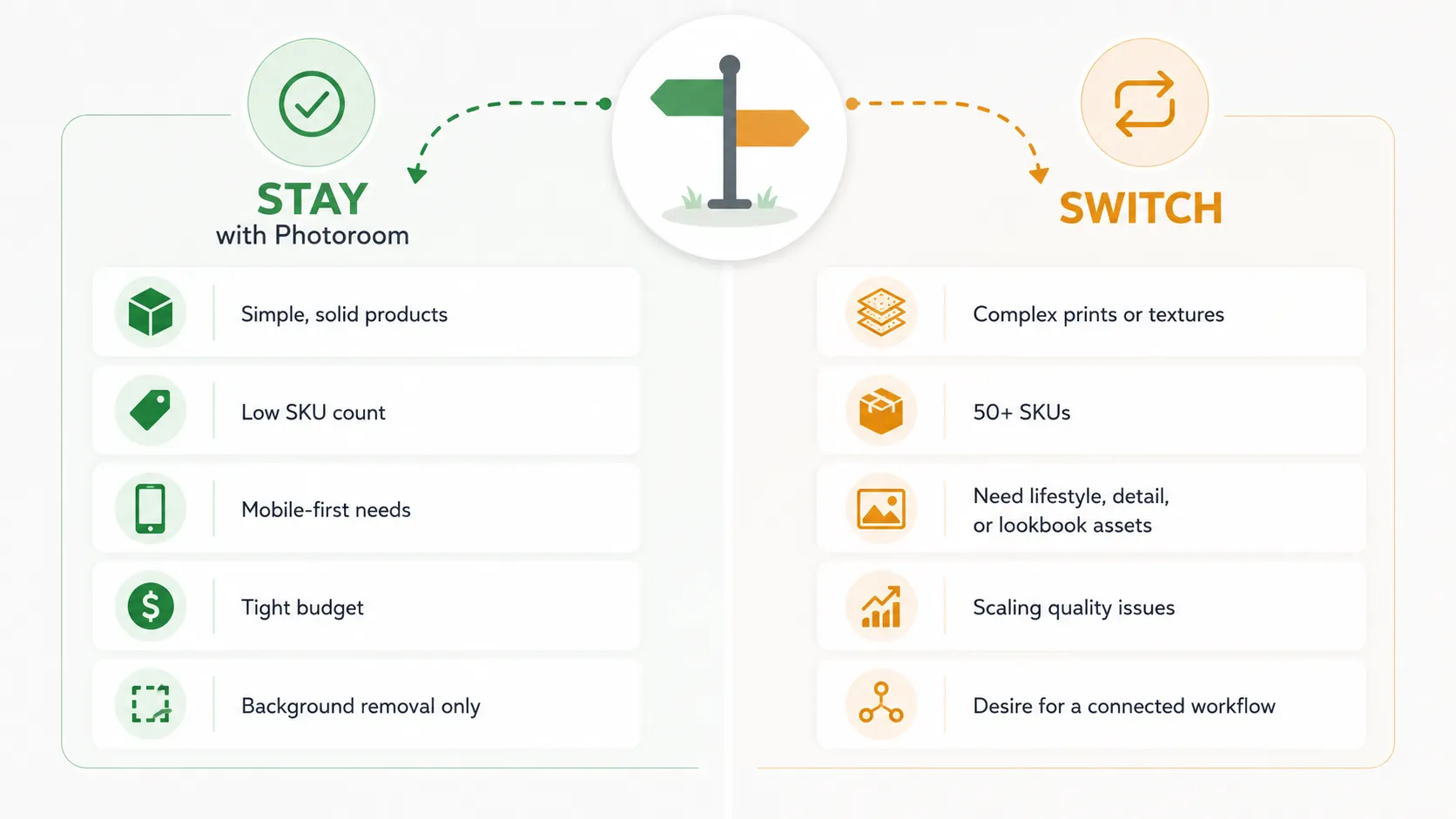
When to Stay with Photoroom vs When to Switch
Not everyone who reads this article needs to switch. Here is a practical framework:
Stay with Photoroom if:
- Your products are mostly solid-color basics with simple outlines
- You need fewer than 30-50 images per month
- Your workflow is entirely mobile-based and you value that convenience
- You have tested your specific products on Photoroom and the output quality meets your standards
- You only need one type of asset (background-replaced product image)
Consider switching if:
- You sell printed, textured, structured, or detail-intensive products and Photoroom's output quality falls short
- You need multiple asset types per SKU (detail shots, lifestyle, social variations)
- You manage 50+ SKUs and need template-driven consistency
- You want a platform that can grow with your business without requiring another switch in 12 months
- You are willing to invest 30-60 minutes of initial learning time for significantly better long-term results
Use both if:
- Keep Phoorom for quick mobile captures and simple background swaps
- Use a more capable platform (like iCreat AI) for complex products, detail images, and multi-asset production
- Many sellers operate this way successfully — different tools for different jobs
Migration Tips: Switching Without Losing Progress
If you decide to switch, the transition cost is lower than you might expect:
- Your original product photos remain yours — no tool "locks in" your source images. Whatever you uploaded to Photoroom still exists on your device or cloud storage.
- Test before committing — Use free trials or free tiers of your chosen alternative with your actual products before canceling anything.
- Run parallel for a short period — Generate the same product on both Photoroom and your chosen alternative. Compare outputs side-by-side at 100% zoom. Let the results decide.
- Plan your template matching upfront — If moving to a template-based platform like iCreat AI, spend your initial learning session matching templates to your 5-10 most important products. After that, the process accelerates.
- Do not delete your Photoroom account immediately — Keep it available as a backup or for quick mobile-only tasks until you are fully confident in your new workflow.
FAQ
Conclusion
Photoroom earned its position as the most recognizable name in AI product photography by being accessible, mobile-friendly, and generous with its free tier. For many sellers — especially those with simple products and modest volume — it remains a perfectly reasonable choice.
But ecommerce is not a monolith. Sellers with detail-intensive products, multi-SKU catalogs, or multi-asset production needs regularly outgrow what Photoroom is designed to provide. When that happens, the question is not "Is Photoroom bad?" but "Which tool fits where my business is going?"
If you are ready to explore an alternative that offers stronger detail preservation, template-driven consistency, and a connected workflow that scales from first product image through lookbooks, detail shots, and beyond, try iCreat AI as a Photoroom alternative with a few of your actual product images. For teams building broader visual pipelines, explore the full workspace to see how everything connects together.