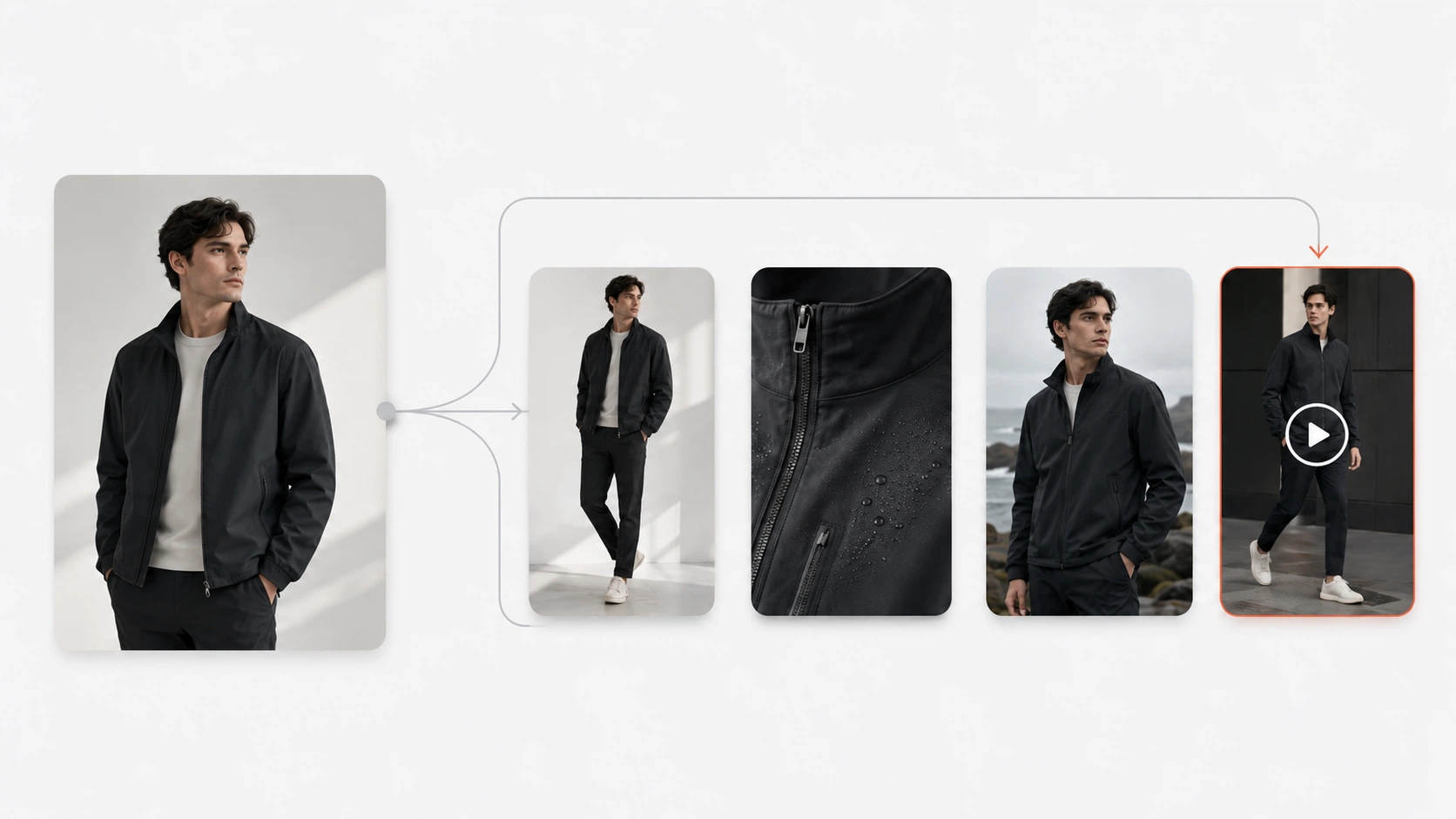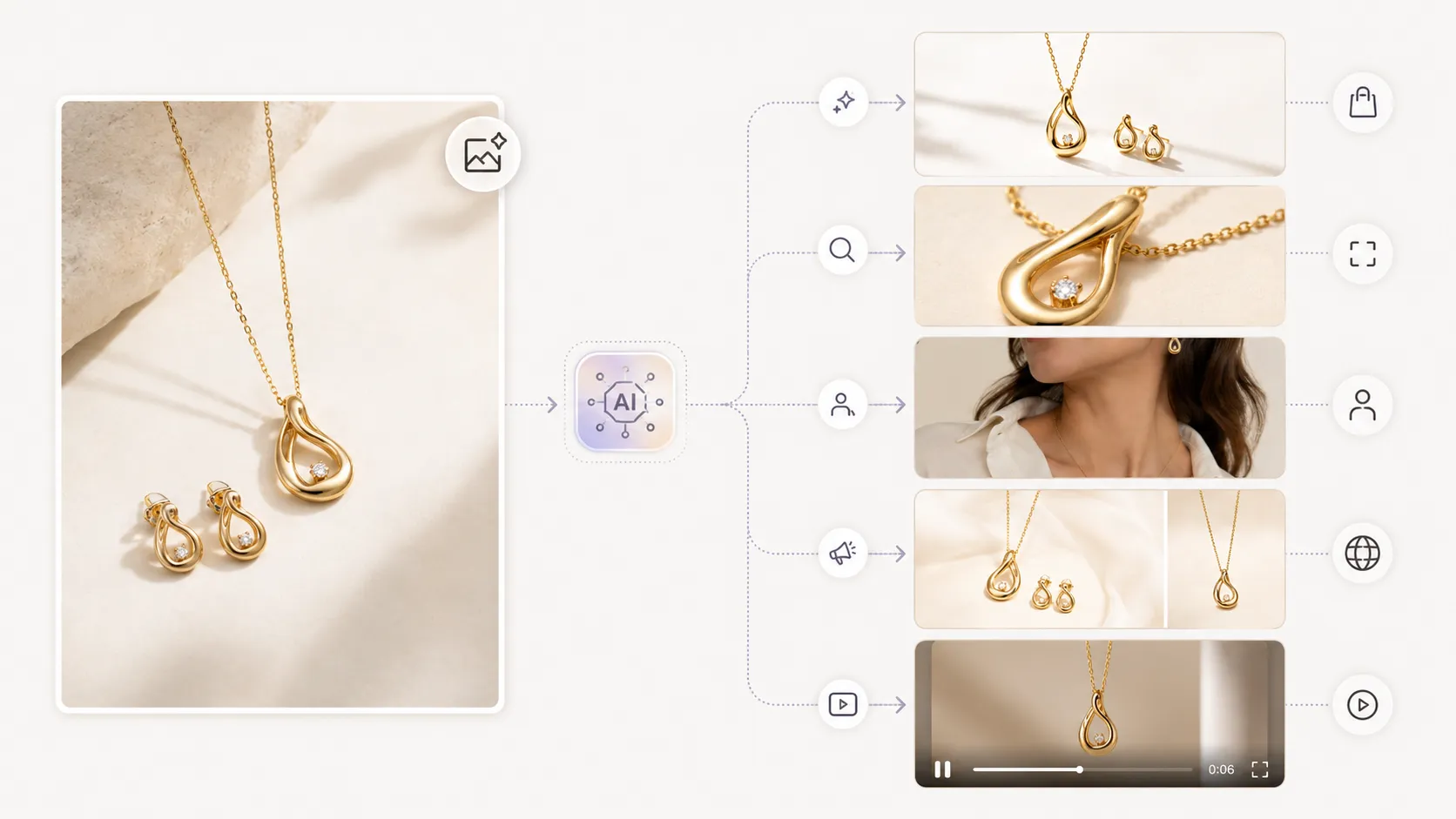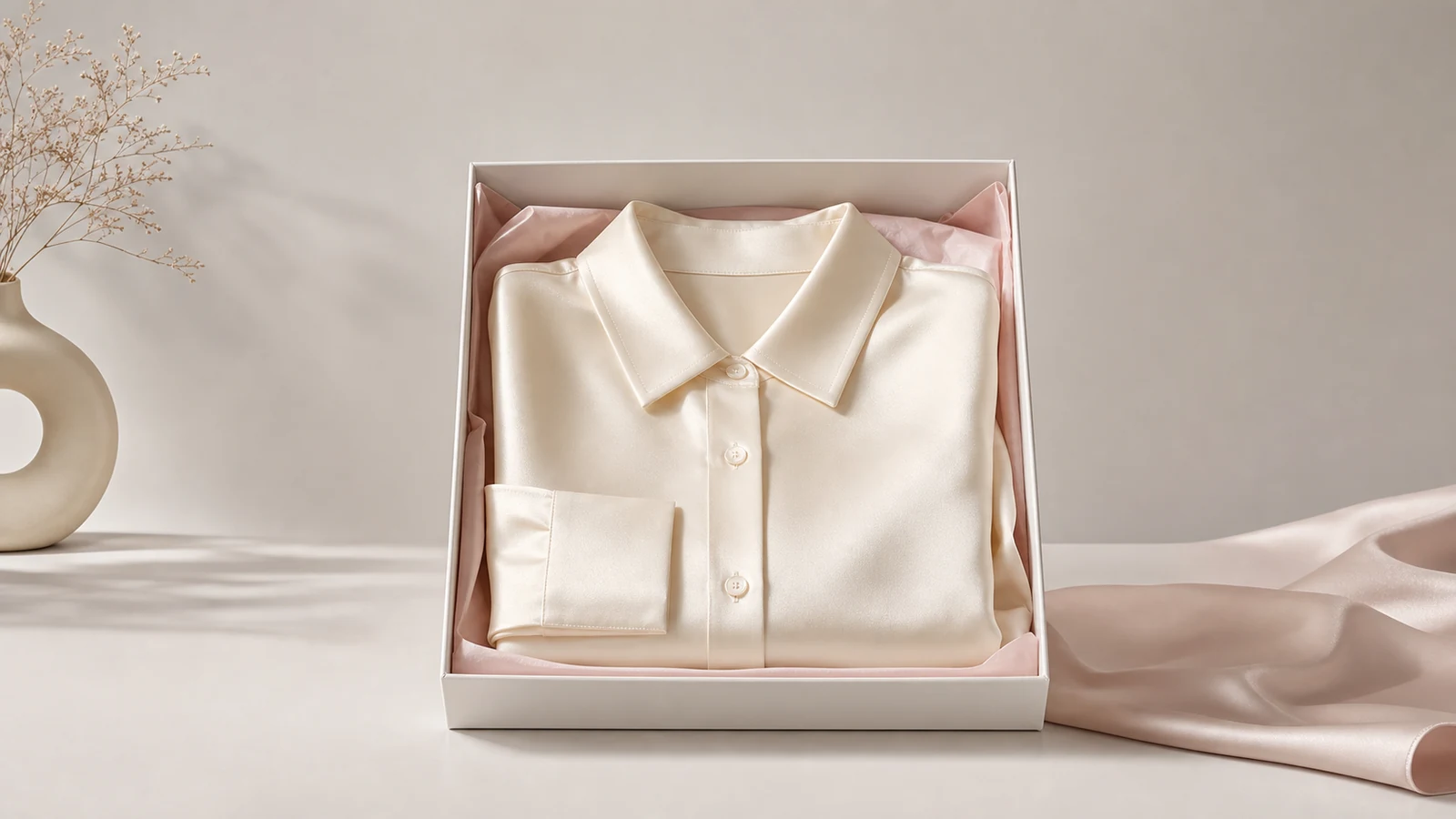



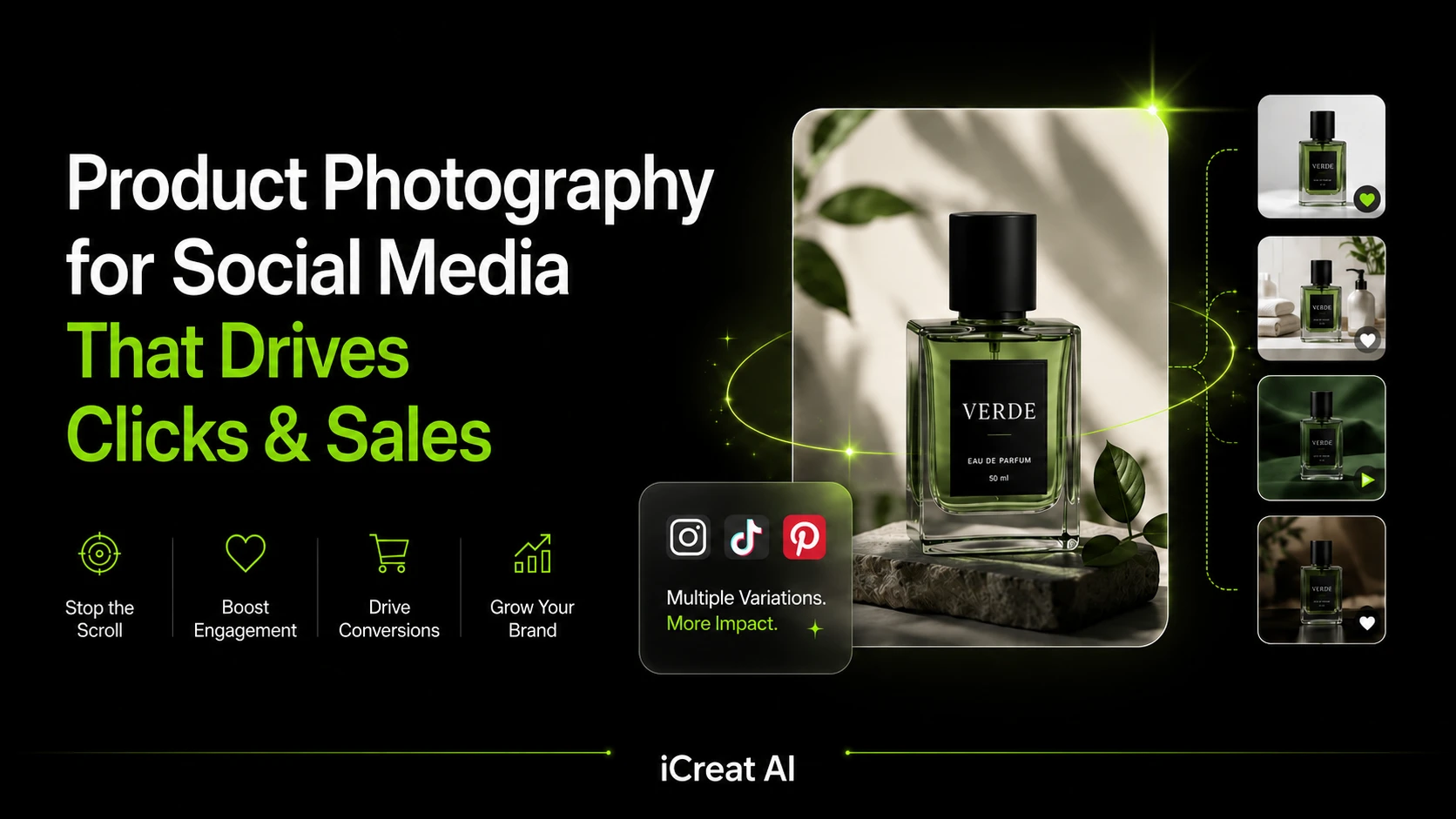
The best product photography for social media is clear, platform-aware, and built to stop the scroll fast. It usually combines clean studio shots, lifestyle images, detail close-ups, and a few variation-friendly assets that can work across Instagram, TikTok, Pinterest, and paid social.
The challenge is not knowing that product photos matter. The challenge is producing enough strong visuals for social media without multiplying shoot time every time you need a new campaign, format, or creative test. That is where a practical AI-assisted workflow can help.
Key Takeaways
- Social media product photography works best when it balances clarity, brand feel, and conversion value.
- Different platforms need different visual treatments, especially for feed posts, carousels, short-form commerce, and paid ads.
- One strong product image can often be expanded into multiple social-ready variations without another full shoot.
- Fashion and ecommerce teams should still review AI outputs for accuracy, especially on color, logos, and garment detail.
- iCreat AI is most useful when you want to turn product images into more campaign-ready visuals faster.
What Makes Product Photography Work on Social Media
Social media product photos have one job first: get attention quickly. But they also need to do the work of a product page image. That means the product has to remain clear, believable, and easy to understand even when it appears in a crowded feed.
The best visuals usually answer three questions at once: what is it, why should I care, and what does it look like in context? A strong social image does not need to be overly complex. It needs to be instantly readable.
For ecommerce brands, that usually means thinking beyond a single hero shot. Social media rewards variety, while product clarity still matters. The right mix depends on whether the image is meant for organic posting, a carousel, a paid ad, or a short-form commerce placement.
According to Baymard Institute research, product imagery is one of the biggest confidence factors in online buying. That matters on social media too, because a weak image does not just reduce engagement. It can reduce click-through quality and make shoppers less confident when they reach the product page.
If your team already has strong reference images and needs more outputs from them, AI Product Photography is the most direct place to start.
Best Product Photography Styles for Social Media
Clean Studio Shots for Ads and Announcements
Clean studio shots work well when you need the product to feel sharp, direct, and easy to recognize. They are often the best choice for launches, promotional posts, and paid social ads because the product stays central.
Use this style when the product itself is the message. It is especially useful for accessories, beauty items, home goods, and SKUs where shape or packaging matters.
The strength of this format is clarity. A clean background, readable silhouette, and focused crop help the viewer understand the product before they read a caption or swipe to the next frame.
Lifestyle Images for Storytelling and Brand Positioning
Lifestyle images help shoppers imagine the product in a real environment. They are useful when the brand story matters as much as the item itself.
This style often performs well on Instagram and Pinterest because it feels less like a catalog entry and more like a scene. For fashion and ecommerce teams, it also creates room for campaign variation.
Lifestyle visuals work best when the setting supports the product rather than distracting from it. A skincare product near a sink, a handbag in a street-style shot, or apparel in a clean editorial setting can add context without reducing clarity.
Detail Shots for Trust and Product Understanding
Detail shots show texture, construction, labels, seams, finishes, and other product-specific features. They matter most when quality, material, or craftsmanship influences the buying decision.
If a shopper cannot inspect the product in person, detail shots help reduce hesitation. That is especially true for apparel, jewelry, skincare packaging, and premium goods.
For fashion teams, detail shots often deserve their own workflow. AI Fashion Detail Image Generator is useful when you need supporting close-ups, white-background detail assets, or product-page visuals that can also be reused in social carousels.
On-Model or In-Use Images for Context and Scale
On-model or in-use images help people understand fit, proportion, and real-world size. For clothing, that often matters more than any styled flat lay.
These images are also useful for social ads because they make the product feel alive without losing clarity.
When one garment or product concept needs multiple human-centered angles, AI Pose Generator can help create more variation without requiring another full shoot.
Carousel-Friendly Variation Sets for Launches and Promotions
Carousels work best when the visuals feel related but not identical. That means a hero image, a detail shot, a lifestyle angle, and maybe a different crop or framing.
This is where AI can help the most. Instead of planning one image for one channel, you can plan a set of images that all support the same product story.
An effective carousel usually follows a simple sequence:
- A strong opener that clearly shows the product.
- A second frame that adds context or use case.
- A detail frame that builds trust.
- A final frame that reinforces the offer, variation, or next step.
That structure works well for launches, seasonal drops, and product education posts.
How to Adapt Product Photos for Each Platform
Instagram Feed and Carousel Images
Instagram favors images that are visually clean but still expressive. Feed posts need strong composition, while carousel posts can support more narrative.
For product photography, that usually means using one strong hero image plus supporting detail or lifestyle images. Keep the first frame simple. If the product is hard to understand at a glance, people move on.
Square and portrait-friendly compositions usually give you more flexibility here because they hold more visual space in the feed. The main point is not the exact ratio. It is whether the product still reads quickly on a phone screen.
TikTok Shop and Short-Form Commerce Visuals
TikTok Shop and short-form commerce content need speed and motion-friendly framing. A static product image can still work, but it should feel active enough to be turned into a quick video or ad creative.
That is where AI Product Video becomes useful as a supporting workflow. A strong product photo can become the starting point for a short promotional clip.
If the still image already communicates the product well, a short five to ten second motion asset is often enough for paid social testing, launch sequences, or short-form commerce pages.
Pinterest Product Imagery
Pinterest works well with clean, attractive visuals that feel useful and aspirational at the same time. Product photos that are easy to pin usually have clear subject focus, strong composition, and a polished finish.
This is one of the better channels for tutorial-style product images, mood-led visuals, and campaign scenes that still keep the item central.
Paid Social Ad Creatives
Paid social is less forgiving than organic posting. If the product is unclear in the first second, performance usually suffers.
For ads, prioritize legibility over complexity. One strong product, one clear message, and one visual idea usually outperform cluttered compositions.
Meta and TikTok ad workflows also benefit from variation testing. Slight changes in crop, model pose, background, or detail emphasis can create enough creative separation to test performance without rebuilding the whole concept.
Want a faster way to build those test variations? Use AI Product Photography to turn one product reference into a broader set of social-ready assets.
How to Create More Social Content Without Repeating Photoshoots
The main reason teams struggle with product photography for social media is volume. A single shoot might produce one great hero image, but social campaigns often need multiple sizes, placements, and creative directions.
The fix is not always another shoot. Often, it is a better system for turning one strong reference into more usable assets.
With iCreat AI, you can start from a product image and generate more variations for different campaign needs. That can include social-ready product visuals, detail images, or alternate compositions for testing.
Reuse One Product Image Across Multiple Ratios and Concepts
One image can usually support more than one platform if you plan for it. The key is to keep the product visible while adapting the crop and framing.
For example, a skincare brand might use the same hero product shot as:
- A clean feed image for Instagram.
- A cropped ad creative for paid social.
- A detail-focused carousel frame.
- A starting frame for a short promotional video.
Generate Seasonal or Campaign-Specific Variations
A summer sale, holiday drop, or limited-time promotion does not always need a new shoot. Sometimes it only needs a refreshed background, mood, or presentation.
That is where AI Image Replacer can help. If the core product visual is already strong, you can adapt the surrounding concept instead of rebuilding the entire shoot.
Turn Strong Images into Motion-Ready Assets
If a still image already works, it can often become the starting point for a short video. That is useful for Reels, TikTok-style content, and paid social experimentation.
This matters because image and video do not need to be separate production tracks. A good product photo can support both, which makes the full campaign more efficient.
According to Shopify's guidance on product images, high-quality visuals help shoppers inspect products more confidently. That same principle carries over to social media: the clearer and more useful the image, the easier it is for a viewer to decide whether to click.
Common Mistakes in Social Media Product Photography
Overdesigned Visuals That Hide the Product
If the image looks impressive but the product is hard to read, it is not doing its job. Social visuals should support the product, not compete with it.
Inconsistent Backgrounds and Branding
Too many styles across one campaign can make a brand look scattered. A little variety helps, but the set should still feel connected.
Weak Detail Visibility for Fashion or Texture-Heavy Products
If the material matters, show it. That is especially important for apparel, knitwear, jewelry, and premium goods.
For clothing and fashion accessories, texture and construction often affect perceived quality. If a buyer cannot see those cues, the image may drive attention without building trust.
Using One Image Format Everywhere
Different platforms reward different crops and compositions. A good social workflow plans for multiple outputs from the start.
That does not mean you need a different shoot for every channel. It means you need a production system that expects variation.
How AI Helps Scale Product Photography for Social Media
AI is useful when the creative challenge is not idea generation, but output volume. Most teams already know what kind of visual they want. They just need a faster way to produce enough versions for real-world use.
That is where AI product photography becomes valuable. It can help teams turn reference images into more campaign-ready assets, including cleaner product visuals, alternate compositions, and detail-driven variations.
For fashion and ecommerce brands, this matters because social media does not reward one perfect image. It rewards a steady flow of useful assets across many placements.
The strongest AI workflows still depend on input quality. Clear references, specific direction, and final human review all matter. AI helps teams scale the asset set, not skip quality control.
Faster Variation Production
Instead of rebuilding every concept from scratch, teams can generate more versions from the same source image.
That is especially useful for ad testing, seasonal refreshes, and carousel expansion.
Better Fit for Fashion and Ecommerce Campaigns
Fashion brands often need lookbook-style visuals, pose variety, and detail images alongside social posts. That makes AI workflows more relevant than generic image editing.
If the goal is broader campaign storytelling from one product image, AI Fashion Lookbook Generator can support a more editorial direction while staying connected to ecommerce workflows.
From Static Product Image to Short Promotional Video
Static product visuals can also feed motion workflows. When the image is strong, it becomes easier to create short promotional videos for social ads or launch campaigns.
This is the most practical way to think about video in a social commerce workflow. First create an image worth promoting. Then expand it into motion.
Ready to test that workflow? Start with AI Product Photography, then extend the strongest visual into AI Product Video for short-form campaign use.
A Practical Workflow
- Start with one strong product reference.
- Decide whether the first goal is Instagram, TikTok, Pinterest, or paid social.
- Generate a clean product image and one or two supporting variations.
- Review the outputs for accuracy, especially color and detail.
- Reuse the best image across more formats or turn it into video.
That workflow keeps creative work tied to business outcomes instead of chasing endless variations.
For apparel and fashion products, add one more review step: check logos, prints, seam details, and texture before publishing. Those are the areas where visual trust matters most.
FAQ
For bigger launches, add a carousel sequence and one short motion asset.
It works best when the source image is already strong and the final outputs are reviewed before publishing.
Conclusion
Product photography for social media works best when the image is both attractive and useful. The strongest visuals are clear enough for fast scrolling, polished enough to fit the brand, and flexible enough to support multiple channels.
If your team needs more social-ready product visuals from fewer inputs, start with iCreat AI's AI Product Photography. For short-form campaigns and motion-led creatives, AI Product Video can turn those same visuals into a stronger social asset set.
For brands that need more variation across poses, product detail images, or campaign refreshes, supporting tools like AI Pose Generator, AI Fashion Detail Image Generator, and AI Image Replacer help extend the same workflow without fragmenting production.
When you are ready to build your next campaign, log in to iCreat AI and start from your strongest product reference.