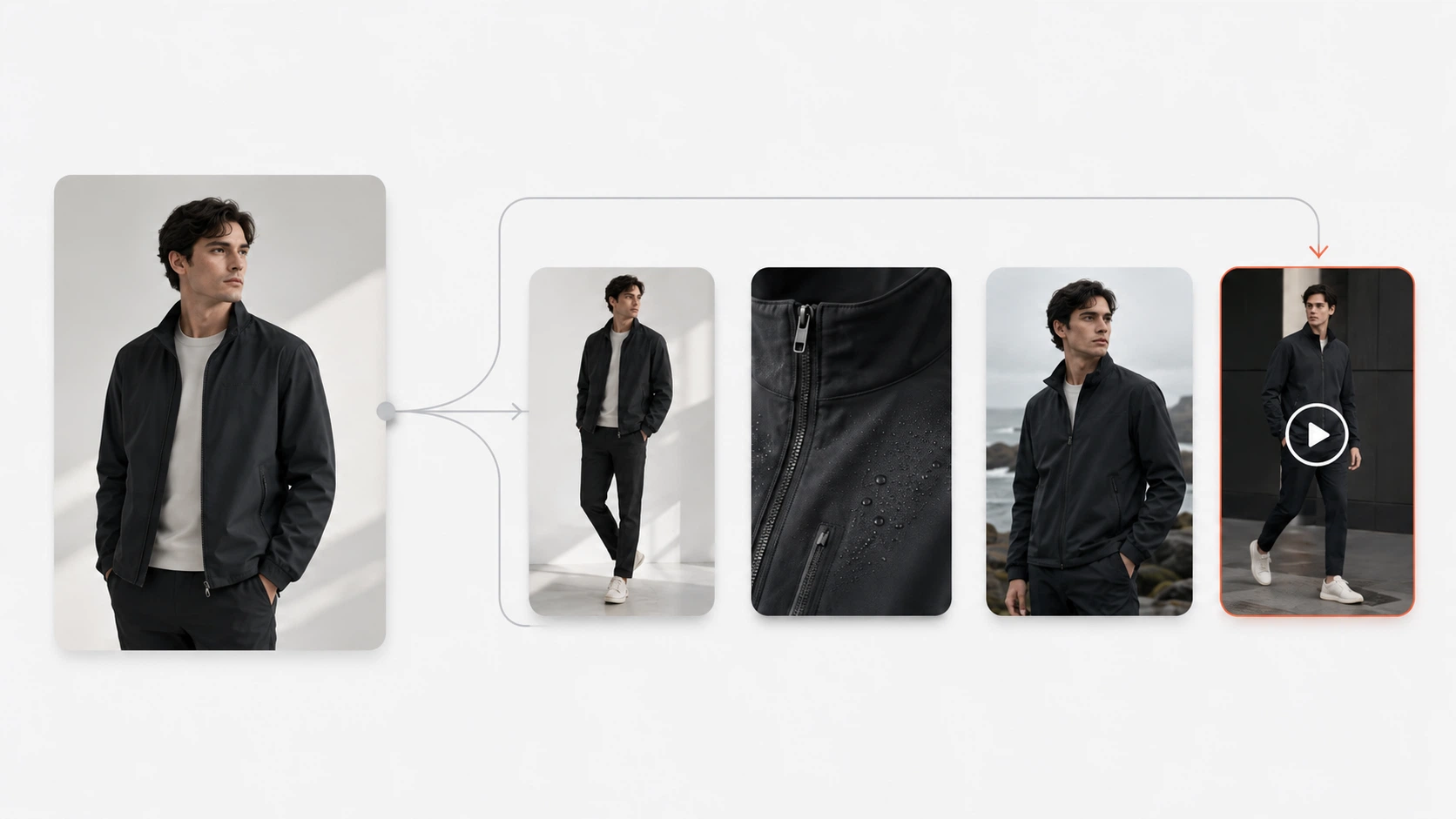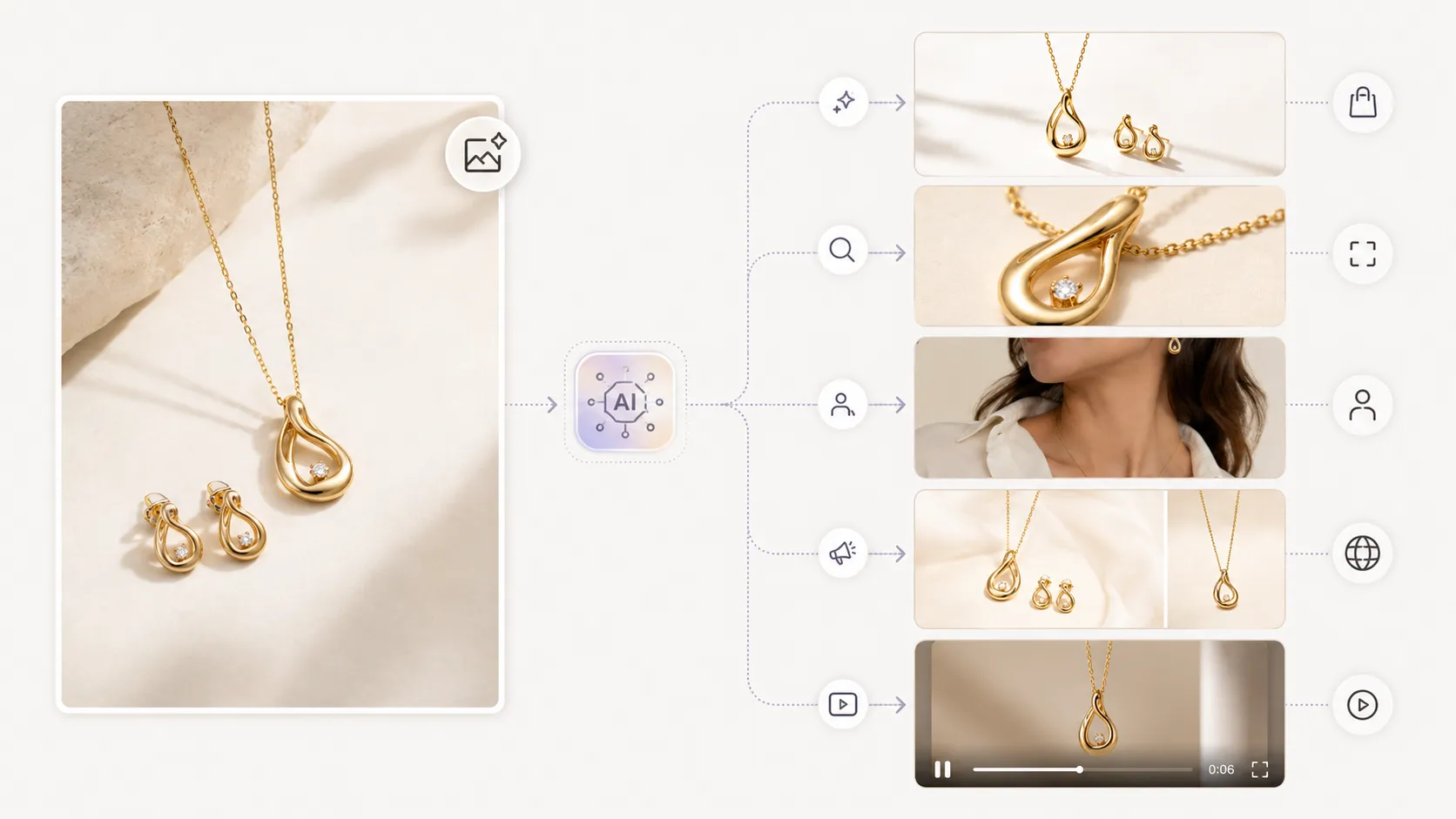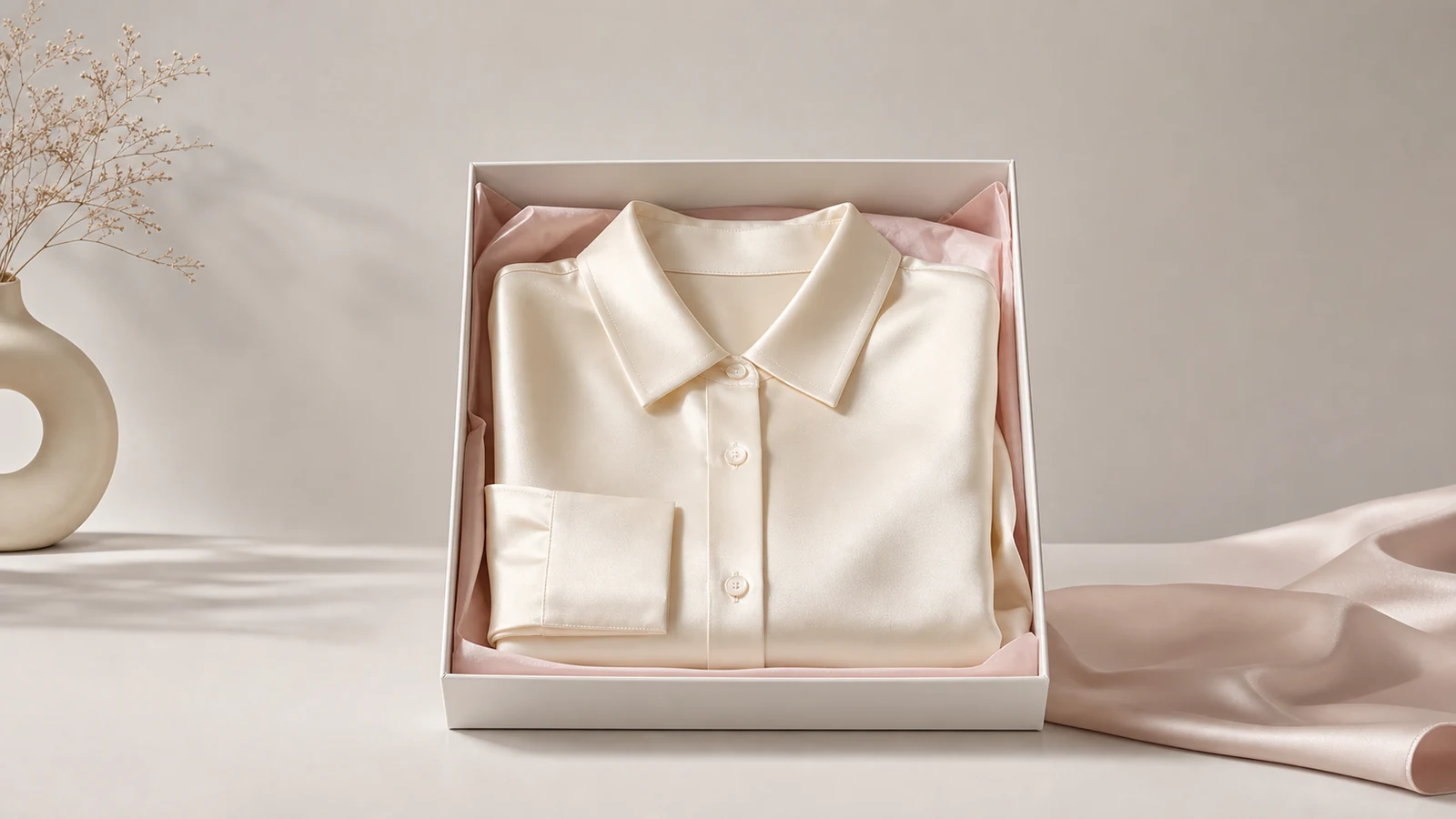



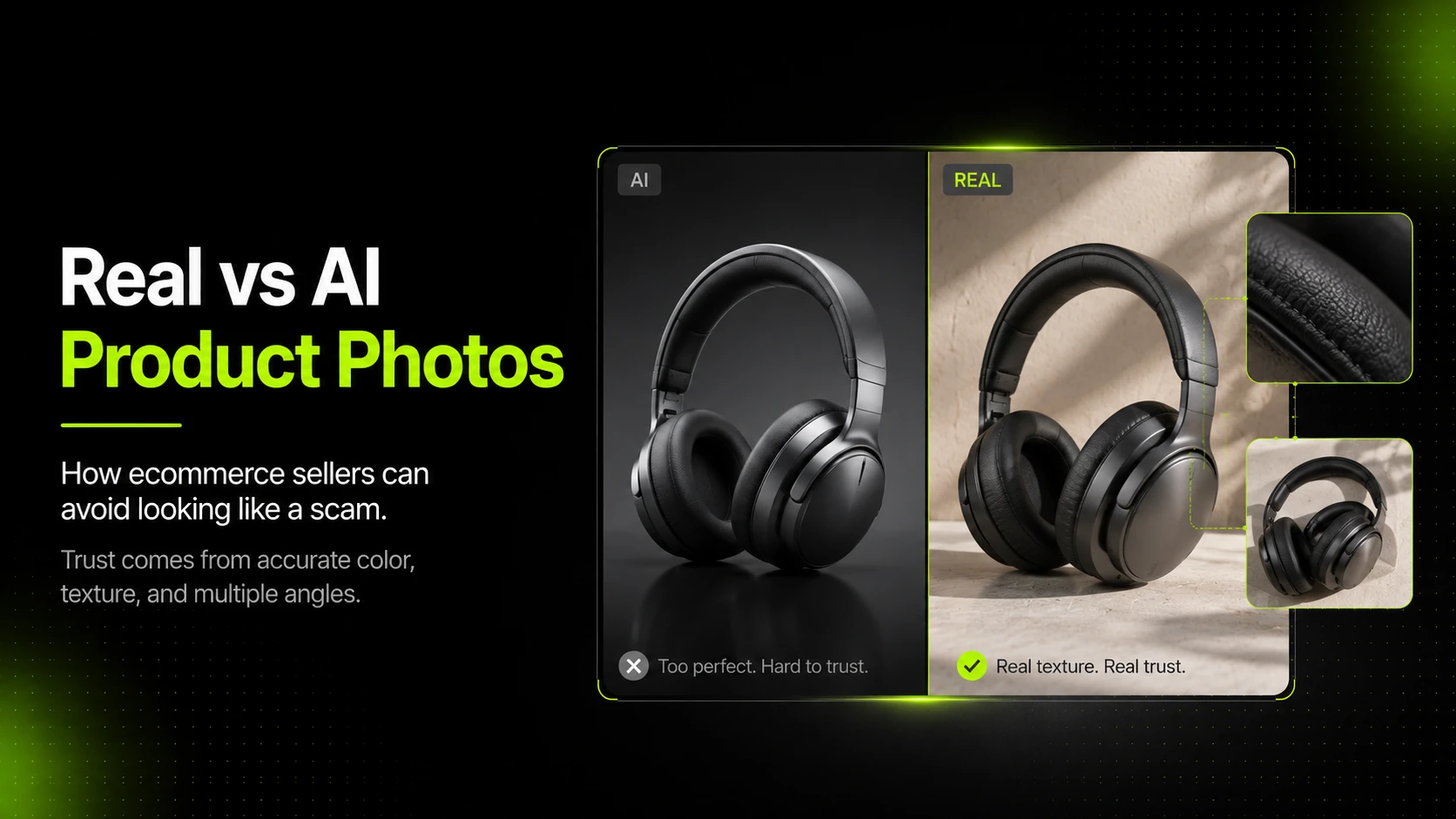
AI product photos can help ecommerce sellers create more visuals faster, but they can also make a store look untrustworthy if used the wrong way. The difference comes down to accuracy: AI-generated images that faithfully represent the actual product build trust, while images that look nothing like what arrives in the box destroy it.
That distinction matters more than ever. Marketplaces like Temu and Shein have made consumers wary of product images that look too polished or too perfect. At the same time, AI product photography tools have become good enough that 71% of shoppers in one survey said AI and real images looked the same or had only small differences. The technology is not the problem. The workflow is.
This article breaks down what makes AI product photos look trustworthy versus scammy, when to use real photos versus AI-generated ones, and how to keep your ecommerce listings credible while still taking advantage of faster visual production.
Key Takeaways
- 95% of consumers have concerns about AI image usage, with 71% citing deception as the top worry, yet most cannot reliably tell AI images from real ones.
- The scam problem is not AI itself; it is using AI to misrepresent products. Legitimate sellers can use AI product photography responsibly by starting with real reference images and reviewing outputs for accuracy.
- A hybrid approach works best: real photos for accuracy-critical shots, AI for backgrounds, variations, campaign assets, and supplementary visuals.
- Ecommerce platforms and regulators are tightening rules around AI-generated images in 2026, including the EU AI Act's disclosure requirements.
- The biggest trust signals are multiple product angles, accurate colors, visible texture and detail, and human review before publishing.
Why AI Product Photos Have a Trust Problem
The scam landscape is real
AI-generated product images have become a tool for fraud, not just marketing. Scammers use AI visuals to create fake listings, fabricate product reviews, and build storefronts that look legitimate until the wrong item arrives in the mail.
The numbers tell the story. AI-generated reviews on Shein and Temu surged from 0.75% in 2022 to 10.90% in 2025, according to CyberNews. The BBC reported on scammers using AI-generated images and fabricated backstories to impersonate family-run businesses.
Reddit communities focused on Temu and Shein are filled with warnings from buyers who received products that looked nothing like the listing photos. This creates a real problem for legitimate sellers.
When buyers have been burned by misleading AI images on one platform, they carry that skepticism to every store they visit.
Consumer perception is complicated
The data shows a tension. Most consumers cannot reliably distinguish AI product images from real ones. A Clutch survey found that 57% of consumers cannot identify AI-generated photos. A Stylitics study reported that 71% said AI and real images looked the same or had only small differences.
But consumers are deeply suspicious when they know AI is involved. The Clutch research found that 95% have concerns about AI image usage. Top worries: deception (71%), lack of authenticity (65%), and ethics (53%).
A Getty Images report adds more context. Nearly 90% of consumers want transparency when images are AI-generated. And 98% said authentic images and videos are crucial for establishing trust.
The takeaway is clear. Shoppers may not spot AI on their own, but trust drops when they suspect it. Output quality and product accuracy matter more than the generation method.
What makes AI images look "off"
Even when consumers cannot name the problem, they can feel it. AI product photos often trigger suspicion through subtle cues:
- Fabric and material that looks too smooth or too uniform. Real textiles have visible weave, weight, and drape.
- Shadows that do not match the light source. Inconsistent lighting suggests the image was composited or generated.
- Proportions that feel wrong. AI can subtly distort product dimensions, making items look larger, smaller, or differently shaped than reality.
- Backgrounds that feel generic. Overly perfect studio settings or lifestyle scenes can look artificial, especially when repeated across many listings.
- Missing texture and detail. Close-up product images should show stitching, grain, print quality, and construction details. AI images that gloss over these signals feel like placeholders, not product photos.
These cues do not automatically mean the seller is running a scam. But they raise enough doubt to hurt conversion rates, increase return rates, and damage repeat purchase likelihood.
Can Customers Actually Tell the Difference?
The data says: mostly no, but it depends
The research is fairly consistent. Between 57% and 76% of consumers say they often cannot tell whether an image is real or AI-generated, according to separate studies from Clutch and Imgix.
However, the Stylitics survey found an important nuance. While 71% said AI and real images looked similar at a glance, shoppers noticed differences upon closer inspection. Fabric texture, color accuracy, and garment fit were the most common giveaways.
This matters. Ecommerce purchases involve close inspection. Shoppers zoom in, compare angles, and study detail shots before deciding. An AI photo that passes the scroll test may still fail the zoom test.
What shoppers actually trust
The same Stylitics research found that 76% of shoppers consider on-model photos the most useful format for purchase decisions. This does not mean AI-generated model images are automatically untrusted. It means shoppers value images that help them understand how the product looks in a real context.
Trust signals that consistently perform well in ecommerce:
- Multiple angles (front, back, side, detail)
- Close-up detail shots showing texture, stitching, and construction
- Accurate color representation that matches the real product
- On-model or in-context images that communicate fit and scale
- Consistent image style across the product page
- Real customer photos in reviews (even if lower quality than listing images)
When to Use Real Photos vs AI-Generated Photos
There is no single right answer. The best approach depends on what the image needs to accomplish, what product category you are selling, and what stage of the visual production workflow you are in.
Here is a practical framework:
| Use case | Real photo | AI-generated | Recommended |
|---|---|---|---|
| Main product listing image | Preferred | Use with strong reference | Real or AI with high-quality input |
| Product detail and close-up shots | Preferred | Use with detail image workflow | Real or AI with detail preservation |
| Background and scene variations | Expensive to produce | Strong fit | AI |
| Lifestyle and context scenes | Expensive to produce | Strong fit | AI |
| Seasonal campaign variations | Expensive to produce | Strong fit | AI |
| Pose and model variations | Expensive to produce | Strong fit | AI |
| Color swatches and material samples | Required | Risky | Real |
| Pre-production mockups and concepts | Optional | Strong fit | AI |
| Social ad creative variations | Expensive to produce | Strong fit | AI |
The hybrid approach most brands are adopting
The most effective pattern for ecommerce sellers is a hybrid workflow:
- Start with real reference images of the actual product. Even a smartphone photo taken with decent lighting works as a starting point.
- Use AI to generate variations such as different backgrounds, campaign contexts, pose options, and seasonal settings.
- Use AI for supplementary assets such as detail images, mockup-style visuals, and supporting product page content.
- Review every output against the real product before publishing. Check color accuracy, texture preservation, and overall faithfulness.
- Maintain real photos for key trust-critical images such as the main listing photo and close-up detail shots where accuracy matters most.
This is the approach that tools like iCreat.ai's AI Product Photography are designed to support. The workflow starts from your actual product images, not from a text description, which helps keep the output grounded in what the real product looks like.
How to Use AI Product Photos Without Looking Like a Scam
This is the section that matters most for sellers. The technology is capable. The question is how to use it responsibly.
Start with strong reference images
The single biggest factor in trustworthy AI product output is the quality of the input. Feed the tool a blurry, poorly lit snapshot and the results will look generic. Provide a clear, well-lit photo of the actual product and the AI has enough visual information to preserve real details.
For fashion products, this means:
- A clean front-facing shot with even lighting
- A back-view image if the garment has important back details
- A detail image showing fabric texture, print, logo placement, stitching, or collar construction
The more visual information you provide, the more the AI output will reflect the actual product rather than inventing details.
Want to see how this works? Try iCreat.ai's AI Product Photography tool with your own product images to generate ecommerce visuals from real reference inputs.
Preserve product details
Trust breaks down when AI changes the product. A different collar shape, altered print, or modified fabric texture will be noticed when the real item arrives.
Model selection matters here. Advanced generation models like Nano Banana Pro on iCreat.ai are designed for stronger detail restoration and higher-quality commercial output. The goal is to preserve what makes your product identifiable, not smooth over the details shoppers use to decide.
For fashion ecommerce specifically, use the AI Fashion Detail Image Generator when you need supporting product page assets such as white-background images, fabric close-ups, and apparel mockups.
Review output before publishing
This step is non-negotiable. No AI tool is perfect. The failures that matter most are the ones that change the product itself.
Before publishing any AI-generated product image, check:
- Does the color match the real product? Compare against your reference photo under similar lighting.
- Are fabric texture and material accuracy preserved? Zoom in and check weave, grain, and surface detail.
- Is the product shape and proportion correct? Look for stretched, compressed, or distorted silhouettes.
- Are logos, prints, and design elements in the right position? AI can shift or alter small details that matter to buyers.
- Would you trust this image if you were the customer?
If an output fails any of these checks, regenerate it with better inputs or use a real photo instead. It is better to have fewer high-quality images than many images that misrepresent the product.
Do not generate the product itself from scratch
One of the clearest distinctions between legitimate AI product photography and scam-level usage is what the AI generates.
Legitimate: AI generates the background, scene, lighting, pose, or campaign context around a real product image.
Scam: AI generates the entire product from a text prompt, creating a visual of an item that may not exist.
If you have the real product, photograph it. Even a basic shot on a white background gives the AI enough to work with. Then use AI for variations and supporting assets from that real starting point.
Do not skip multiple angles and detail shots
A single AI-generated hero image with no supporting angles is a scam signal. Legitimate sellers show the product from multiple perspectives because they have the real item and want shoppers to understand it.
At minimum, a fashion product page should include:
- Front view
- Back view
- Detail shot (fabric, stitching, logo, or print)
- Context or lifestyle image
Tools like the AI Pose Generator can help create model pose variations that give shoppers more angles to evaluate, without requiring another photoshoot.
Choose the right model for the job
Not all AI image models are equal for ecommerce. A model that produces attractive but inaccurate visuals may work for concept exploration. But it is the wrong choice for a product listing where accuracy matters.
For standard generation, GPT-Image-1 is a cost-efficient option. When the image needs stronger detail restoration, more polished lighting, or transparent PNG output, Nano Banana Pro is the better fit.
The model choice should serve the output goal, not just the budget.
What Ecommerce Platforms and Regulators Are Doing in 2026
Platform policies are tightening
Major ecommerce platforms have begun clarifying their rules around AI-generated product images:
- Amazon requires the main listing image to accurately represent the physical product. AI-enhanced backgrounds and lifestyle scenes are generally acceptable if the product itself is faithfully shown.
- Shopify does not currently require AI disclosure for product photography, but encourages authentic product representation.
- Etsy emphasizes handmade and vintage authenticity, making undisclosed AI-generated images riskier for that marketplace.
- Walmart Marketplace requires accurate product depiction.
- eBay prohibits misleading imagery.
The common thread is clear. Platforms care about accuracy, not the creation method. Faithful representation is allowed. Misleading buyers is not.
Regulations are arriving
Several regulatory milestones are hitting in 2026:
- The FTC published its AI policy statement in March 2026, signaling increased scrutiny of marketing practices involving AI-generated content. AI content is not exempt from truth-in-advertising rules.
- New York's synthetic performer disclosure law takes effect June 9, 2026, requiring disclosure when AI-generated "performers" are used in commercial content.
- The EU AI Act's Article 50 deadline arrives August 2, 2026, and may require disclosure for certain types of AI-generated content for businesses selling into European markets.
For cross-border ecommerce sellers, these regulations make proactive transparency a practical strategy. Disclosing AI usage now builds habits that will be required later.
Why transparency helps rather than hurts
The Clutch survey found that 33% of consumers react positively to AI product images when the usage is disclosed properly. That is not a majority, but it is a meaningful segment that prefers honest communication over hidden AI usage.
The practical approach: be transparent about what is AI-generated and what is real. If the main image is a real photo and the lifestyle scenes are AI-generated, say so. Shoppers respect honesty. And transparency reduces the risk of customers feeling misled if they discover AI usage on their own.
The Trust Checklist: Does Your AI Product Photo Look Scammy?
Before publishing any AI-generated product image, run through this self-audit:
- Is the product itself from a real reference image? If the AI generated the product from scratch rather than working from a real photo, the image is riskier.
- Can shoppers see texture, material, and accurate color? AI images that smooth over product details look generic and raise suspicion.
- Are there multiple angles available? A single image with no supporting views signals that the seller may not have the real product.
- Does the lighting look natural and consistent? Shadows that fall in impossible directions or light that does not match the scene break trust.
- Are product proportions realistic? Check for stretched, compressed, or distorted shapes.
- Would you trust this image if you were the buyer? The most honest test is to look at the image as a customer would.
- Have you compared the output against the real product? Side-by-side comparison catches color shifts, detail changes, and proportion issues.
- If asked, could you explain what is AI-generated and what is real? If you cannot answer this clearly, the customer probably cannot either.
If the image passes these checks, it is ready for review and possible publication. If it fails, either improve the inputs and regenerate, or use a real photo.
FAQ
Conclusion
AI product photography is a tool, not a shortcut. Used well, it helps sellers create more product visuals and page content faster. Used poorly, it makes a store look unreliable.
The practical path is straightforward. Start with real reference images. Use AI for backgrounds, variations, and supporting assets. Choose models that preserve details. Review every output against the real item. Be transparent with customers about what they are seeing.
If you want to create ecommerce product visuals from your own reference images, try iCreat.ai's AI Product Photography tool. Use the detail image workflow and Nano Banana Pro for higher-detail commercial output, and log in to iCreat.ai when you are ready to start creating product photos, lookbook visuals, and campaign assets.