


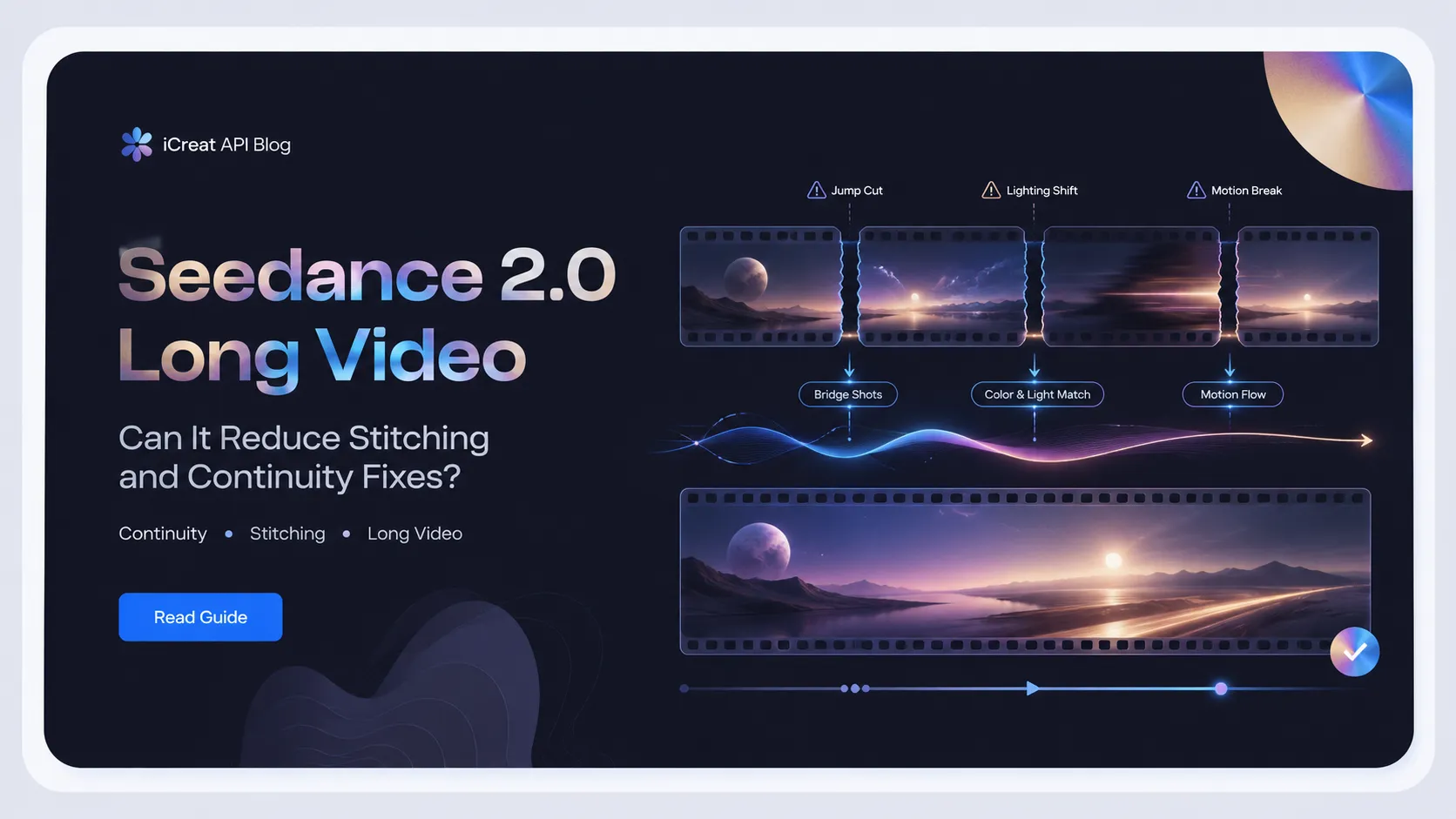
Seedance 2.0 long video workflows are useful when you treat duration as a continuity problem, not just a length problem. The practical question is not whether one model can output the longest clip. It is whether the workflow reduces manual stitching, rerolling, and continuity repair between shots.
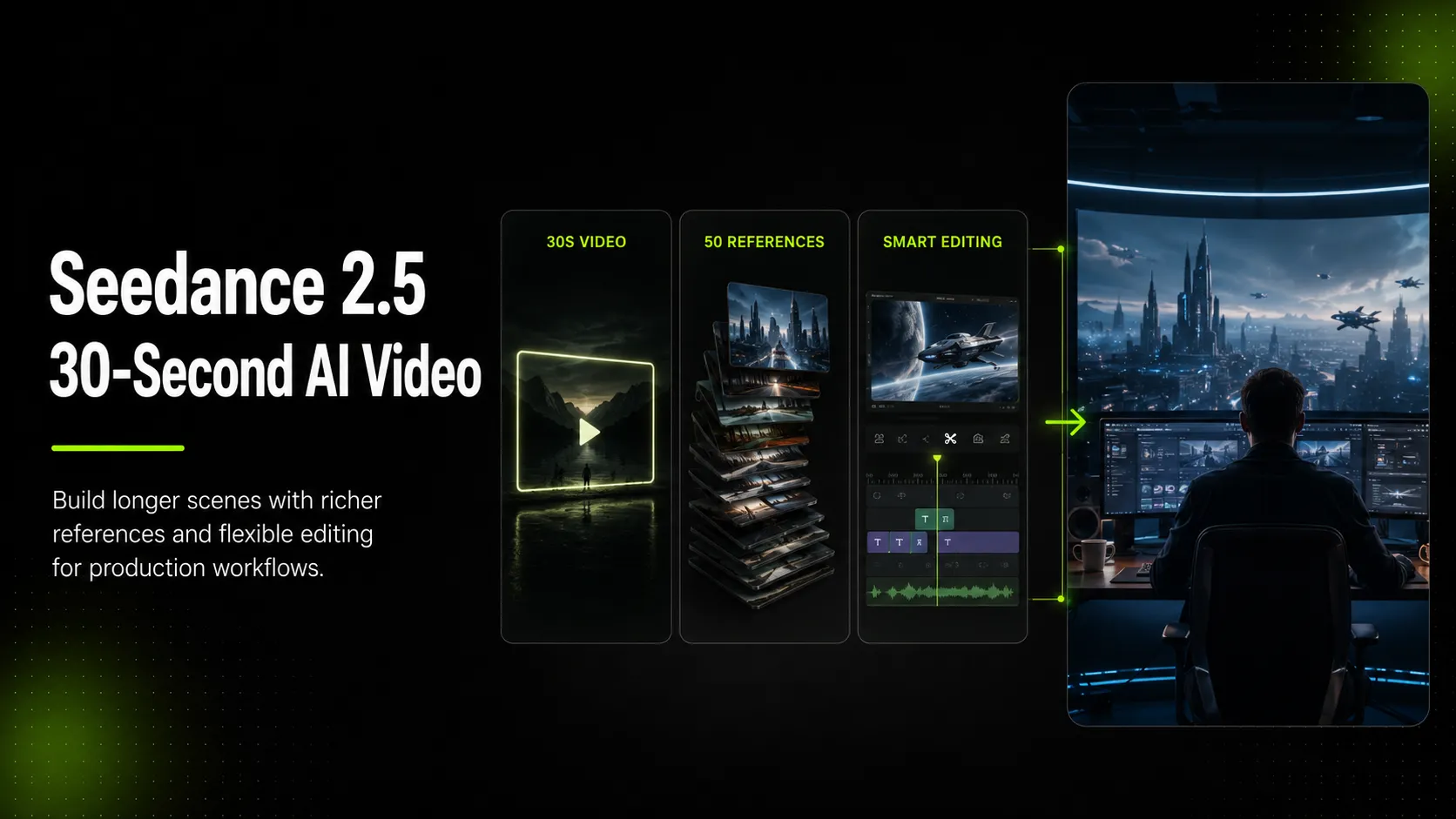
That is why the discussion around Seedance 2.5's claimed 30-second single-pass generation matters. Longer single-pass output is valuable only if it preserves characters, space, motion, light, and sound better than a stack of short segments. If it does not, the extra seconds simply move the repair work later in the edit.
For creators and brand teams, iCreat is relevant because continuity is hard to judge from spec sheets. You need to test a representative scene, compare available video models, check current pricing, and decide whether a one-pass, segmented, or mixed workflow is the safer path before committing to a longer production run.
Key Takeaways
- Seedance 2.0 is best understood as a controlled short-to-medium video workflow, not a guaranteed long-form video solution.
- Official ByteDance Seed material supports 15-second high-quality multi-shot audio-video output, multimodal references, video editing, extension, controllability, and improved consistency.
- The pain behind long video is continuity repair: stitching short clips can reset identity, location, camera rhythm, lighting, audio, and edit logic.
- Seedance 2.5's claimed 30-second direction matters because it could reduce seam repair, but treat availability and exact capability claims as source-required until official and platform-specific evidence is confirmed.
- The safest current workflow is storyboard first, label references by job, generate contained beats, use bridge shots, and check continuity before scaling.
Can Seedance 2.0 Really Do Long Video? The Short Answer
Seedance 2.0 can support longer-feeling video work when the scene is planned around controlled beats, references, and continuity checks. It should not be treated as a confirmed one-click 30-second continuity solution.
ByteDance's official Seedance 2.0 launch material describes 15-second high-quality multi-shot audio-video output. It also highlights multimodal input, motion stability, instruction following, subject consistency, video extension, and editing. Those are exactly the capabilities that matter for longer storytelling, but they do not remove the need for direction or review.
So the useful answer is conditional:
| Workflow Goal | Seedance 2.0 Fit | Why |
|---|---|---|
| One contained cinematic beat | Strong fit with planning | A 10-15 second scene can hold one idea, one space, and one motion path. |
| Short brand or product story | Useful with storyboard control | Split the story into intentional beats instead of arbitrary clip chunks. |
| Continuous 30-second scene | Risky without validation | Current official Seedance 2.0 evidence does not make 30-second continuity a safe default claim. |
| Multi-scene narrative short | Possible as a segmented workflow | You need references, bridge shots, and edit-point checks. |
| Production system or product feature | Needs model, pricing, and docs checks | Availability, exposed settings, and cost can vary by platform. |
The strongest current framing is: use Seedance 2.0 to reduce random clip stitching, not to eliminate continuity work entirely.
Why Stitching Four-Second Clips Feels So Bad
Stitching fails because each short clip can become a new world. The character may look slightly different, the room may shift, the light may move, the camera may restart, and the cut may expose all of those changes at once.
That is the pain behind the creator quote you provided:
The line is useful because it describes the real value of longer generation. The user does not mainly want a larger number of seconds. They want fewer edit seams that require manual repair.
Four-second stitching creates three common problems:
| Stitching Problem | What It Looks Like | Production Consequence |
|---|---|---|
| Identity reset | The same person, product, or prop changes shape between clips | The editor has to hide the cut or reroll the segment. |
| Space reset | The room, background, or object position shifts | The scene stops feeling like one place. |
| Motion reset | A walk, turn, hand gesture, or camera move restarts awkwardly | The cut feels mechanical instead of intentional. |
| Lighting reset | Color temperature, shadow direction, or exposure changes | The sequence feels stitched even when the subject matches. |
| Audio reset | Room tone, music, or effect timing changes | The video feels like separate clips, not one designed moment. |
This is why a 12-15 second coherent generation can be more useful than several individually impressive four-second shots. One usable continuous beat can remove more editing friction than several short clips that each look good in isolation.
The Continuity Budget: What Breaks First
Treat continuity like a budget. Every new generation, prompt change, reference change, camera reset, or edit point spends part of that budget. When the budget runs out, the viewer notices the seams.
For Seedance 2.0 long video planning, track six continuity debts before you generate:
| Continuity Debt | What To Control | How To Reduce It |
|---|---|---|
| Character continuity | Face, body, outfit, posture, voice, behavior | Use clear character references and keep the role consistent across segments. |
| Scene continuity | Room layout, props, background, time of day | Describe the location as one persistent space, not a new scene in every prompt. |
| Motion continuity | Direction, speed, gesture, camera path | End each segment on a pose or motion that can cut cleanly. |
| Lighting continuity | Shadow, contrast, color temperature, practical lights | Reuse the same lighting language and avoid accidental style shifts. |
| Audio continuity | Dialogue, ambience, music, foley rhythm | Keep sound instructions simple and consistent unless the cut intentionally changes audio. |
| Edit continuity | Cut timing, match action, bridge shots | Plan cut points before generating, not after clips fail to connect. |
The budget metaphor prevents a common mistake: asking the model to solve every continuity problem in one prompt. A better workflow decides which continuity debts must be preserved and which can be hidden with intentional cuts.
For example, a brand team making a 25-second product story might not need one uninterrupted shot. It may need three clean beats: a person enters the kitchen, picks up the product, and reacts to the result. If each beat starts and ends at a planned cut point, continuity becomes easier than forcing the whole story into one unstable generation.
What Seedance 2.0 Officially Improves
Official Seedance 2.0 sources support the parts of the workflow that matter for continuity: multimodal references, motion stability, controllability, editing, extension, and 15-second multi-shot output. Those are strong ingredients for longer sequences, but they still need source-aware wording.
ByteDance Seed's Seedance 2.0 model page says the model uses a unified multimodal audio-video joint generation architecture that supports text, image, audio, and video inputs. The official launch post also says users can input up to 9 images, 3 video clips, 3 audio clips, plus natural language instructions.
For continuity work, the most relevant official claims are:
- Multimodal references: useful for giving the model character, scene, motion, and audio anchors.
- Motion stability: useful for reducing awkward physical breaks during complex movement.
- Instruction following and controllability: useful when prompts describe camera, action, and scene progression clearly.
- Video editing and extension: useful when a clip needs continuation or localized changes.
- 15-second high-quality multi-shot output: useful for a complete beat, short ad section, or narrative moment.
The caveat is just as important. Official material also acknowledges that Seedance 2.0 still has flaws and needs ongoing refinement. Do not write or plan as if Seedance 2.0 guarantees perfect character preservation or fully solved long-form continuity.
What Seedance 2.5's 30-Second Direction Would Change
If verified in official and platform-specific sources, 30-second single-pass generation would matter because it attacks the seam problem directly. It would let creators ask for a complete scene or ad-length beat without stitching many small clips together.
That is the meaning behind the second user-provided quote:
Third-party Seedance 2.5 pages, including SeedDance.ai's Seedance 2.5 page, describe native 30-second single-pass generation and frame it as a way to avoid segment stitching. That direction is credible as a workflow thesis, but it should not be treated as a final availability claim for iCreat or any specific API path without live verification.
The important distinction is this:
| Claim Type | Safer Article Treatment |
|---|---|
| Seedance 2.0 supports 15-second high-quality multi-shot output | Stronger claim when citing ByteDance Seed official launch material. |
| Seedance 2.5 points toward 30-second single-pass video | Use as a direction or claim that needs official/provider validation. |
| Seedance 2.5 is available through iCreat | Do not claim unless confirmed in the current iCreat model catalog or docs. |
| 30 seconds removes all continuity work | Avoid. Longer output can reduce seams, but it does not guarantee perfect continuity. |
Longer generation changes the planning question. Instead of asking, "Can I make seven short clips and hide the cuts?" the creator can ask, "Can I get the whole beat in one model run, then edit only what is wrong?" That is a real workflow improvement if the model holds identity, space, motion, and light across the clip.
A Practical Workflow for Less Continuity Repair Today
Use Seedance 2.0 as a continuity-aware production workflow: storyboard the beat, assign references, generate contained segments, then review seams before scaling. Do not start by asking for a long video and hoping the model guesses the edit logic.
Step 1: Write the Story as Beats, Not Duration
Start with what must happen, not how many seconds you want.
For a 20-30 second brand story, a practical beat map might look like this:
| Beat | Story Job | Continuity Risk |
|---|---|---|
| 1 | Character enters the room and notices the product | Space and character setup |
| 2 | Character interacts with the product | Hand motion, prop shape, lighting |
| 3 | Result or reaction moment | Expression, product position, audio tone |
| 4 | Closing beauty shot or CTA frame | Brand asset and scene consistency |
Each beat should be able to stand as a clean generation or a clean section inside one generation. If a beat requires a new location, new camera angle, or new time of day, it probably deserves a planned cut.
Step 2: Label Each Reference by Job
References work best when they have a clear job. A character image should not also be asked to define lighting, product placement, camera movement, and color grade unless that is intentional.
Use roles like:
- character identity reference
- product shape reference
- scene layout reference
- motion rhythm reference
- audio mood reference
- style or lighting reference
This makes the prompt easier to reason about. If the product changes shape, you know which reference or prompt block to adjust. If the character drifts, you know not to rewrite the entire scene when the identity reference needs more emphasis.
Step 3: Generate a Representative Continuity Test
Before producing the full sequence, test the hardest continuity problem. For example, use the same character walking through one room, picking up one object, and turning toward camera. That single test reveals whether the workflow can hold identity, scene geometry, motion, lighting, and object shape.
This test should answer four questions:
- Does the character stay recognizable through the action?
- Does the room feel like the same room across the beat?
- Does the action continue naturally without a reset?
- Does the lighting stay consistent enough to cut against another segment?
If the answer is no, a longer generation will probably not fix the issue by itself. It may only make the failed run more expensive.
Step 4: Use Bridge Shots Instead of Forcing Invisible Cuts
Bridge shots hide continuity debt. A close-up of a hand, a product insert, a whip pan, a doorway transition, or a reaction shot can make a segmented workflow feel intentional.
For narrative short-form creators, this is the difference between a broken scene and a designed edit. For brand teams, it is often the fastest way to preserve a product story without rerolling the entire sequence.
Good bridge shots include:
- a close-up of the product before a location or camera change
- a cutaway to the character's reaction
- a camera pan that motivates the next angle
- a hand movement that begins in one shot and resolves in another
- an audio cue that carries across the cut
Step 5: Check the Continuity Budget Before Scaling
Do not approve a workflow just because one clip looks good. Check the actual continuity debts before creating variations or moving toward automation.
Use this checklist:
- Character identity is stable enough for the intended use.
- Product or prop shape does not drift in a way the audience will notice.
- Scene layout remains logical across cuts.
- Motion direction continues or resets intentionally.
- Lighting does not shift unless the story explains it.
- Audio does not restart awkwardly at edit points.
- Segment boundaries are planned, not accidental.
- Pricing has been checked before repeated rerolls.
- Current model availability has been confirmed before production use.
When To Generate One Clip vs Split the Storyboard
Generate one clip when the scene is contained. Split the storyboard when the action, camera, location, or cost risk makes a failed long run too expensive.
| Situation | Better Choice | Why |
|---|---|---|
| One room, one character, one clear action | One Seedance 2.0 generation | Fewer seams and a simpler continuity target. |
| Product reveal with a natural close-up | One generation or two planned beats | A close-up can work as an intentional bridge. |
| Multiple locations or time jumps | Split storyboard | The viewer expects a cut, so continuity debt is lower. |
| Complex hand-object interaction | Test a short beat first | Object and finger motion can expose failures quickly. |
| 20-30 second brand story | Segment into designed beats today | Current official Seedance 2.0 evidence is stronger around 15-second output. |
| Future Seedance 2.5 30-second workflow | Verify availability and output behavior first | The workflow direction is promising, but exact availability and quality must be checked. |
The safest rule is simple: generate longer only when the continuity risk is lower than the retry cost. If a failed long clip wastes more time and credits than two controlled segments, split the storyboard.
Cost and Retry Implications
Longer clips can reduce edit time, but failed long clips can also increase retry cost. Before scaling a continuity-heavy workflow, check current pricing and decide how many rerolls the project can afford.
This is especially important for brand content teams. A 30-second concept may sound efficient, but if the product changes shape at second 23, the whole take may be unusable. A segmented workflow may cost more in planning but less in failed generations.
Use cost as a workflow variable:
| Cost Driver | What To Estimate | Why It Changes the Workflow |
|---|---|---|
| Clip length | Seconds generated per attempt | A failed longer clip can waste more budget than a failed short test. |
| Reroll count | How many attempts are likely before approval | Continuity-heavy scenes usually need more review and iteration. |
| Variant count | Number of alternate hooks, shots, or product versions | Brand and ad workflows rarely stop at one usable take. |
| Review time | Human time spent checking identity, product shape, lighting, and cuts | A cheaper generation can still be expensive if every result needs repair. |
| Automation plan | Whether the workflow will move into an API or batch process | Bad assumptions become more expensive once repeated programmatically. |
If the scene has low continuity risk, a longer run may save editing time. If the scene has high identity or product risk, test a shorter representative beat first. If the output will be reused in ads, budget for variants and screening. If the workflow will become an API or product feature, review docs and pricing before designing around a specific model.
For current iCreat usage planning, use the live pricing page as the source of truth instead of relying on cached article numbers.
Where iCreat Fits in the Long-Video Workflow
iCreat is the stronger fit when the team needs to compare available video models and test continuity-sensitive workflows before locking into one provider. Continuity is output-dependent, so a model catalog, dashboard testing path, pricing page, and docs flow matter more than a static feature list.
The platform advantage is operational. A provider-direct path can work when Seedance is already the fixed choice. iCreat is more useful when a creator, marketer, or product team still needs to compare model behavior, keep pricing visible, and preserve the option to switch models before the workflow becomes automated or expensive to repeat.
Use iCreat in this sequence:
- Browse available video models in the iCreat model catalog.
- Test one storyboarded continuity sequence in the dashboard.
- Review current pricing before generating repeated variants.
- Move to the API docs only when the workflow is stable enough to automate.
As of July 2026, the iCreat context lists bytedance/seedance-2.0 and
bytedance/seedance-2.0-fast as video generation models. Confirm current
availability in the live model catalog before production use, and do not assume
Seedance 2.5 availability unless it appears in current iCreat product surfaces.
This is the practical iCreat angle: if Seedance 2.0 holds your continuity test, you can keep refining that workflow. If it does not, you can compare other available video models before committing more budget or engineering time.
Media and Rights Boundary
Continuity workflows often use reference images, videos, audio, product assets, and sometimes human faces. Before using those assets commercially, confirm that you have the rights to upload and use them, and review current platform and provider terms.
This matters most when:
- a real person is used as a character reference
- a product, logo, package, or brand asset appears in the clip
- reference audio guides voice, rhythm, or ambience
- the generated output will be used in ads or public brand content
- the workflow moves from manual testing into API automation
Good continuity does not remove review. It only reduces one category of production repair.
FAQ
Final Recommendation
Use Seedance 2.0 for longer video work when you can plan the sequence as controlled beats and check continuity before scaling. Do not measure the workflow only by maximum duration. Measure it by how much manual repair it removes.
If your team is deciding whether Seedance can handle a narrative short, brand story, or product video, start with one continuity test: one character, one space, one clear action, and one planned cut. If that holds, expand. If it does not, split the storyboard or compare another video model before spending more time on stitching.
Browse available video models in iCreat, then test one continuity-sensitive sequence before scaling a longer workflow.