


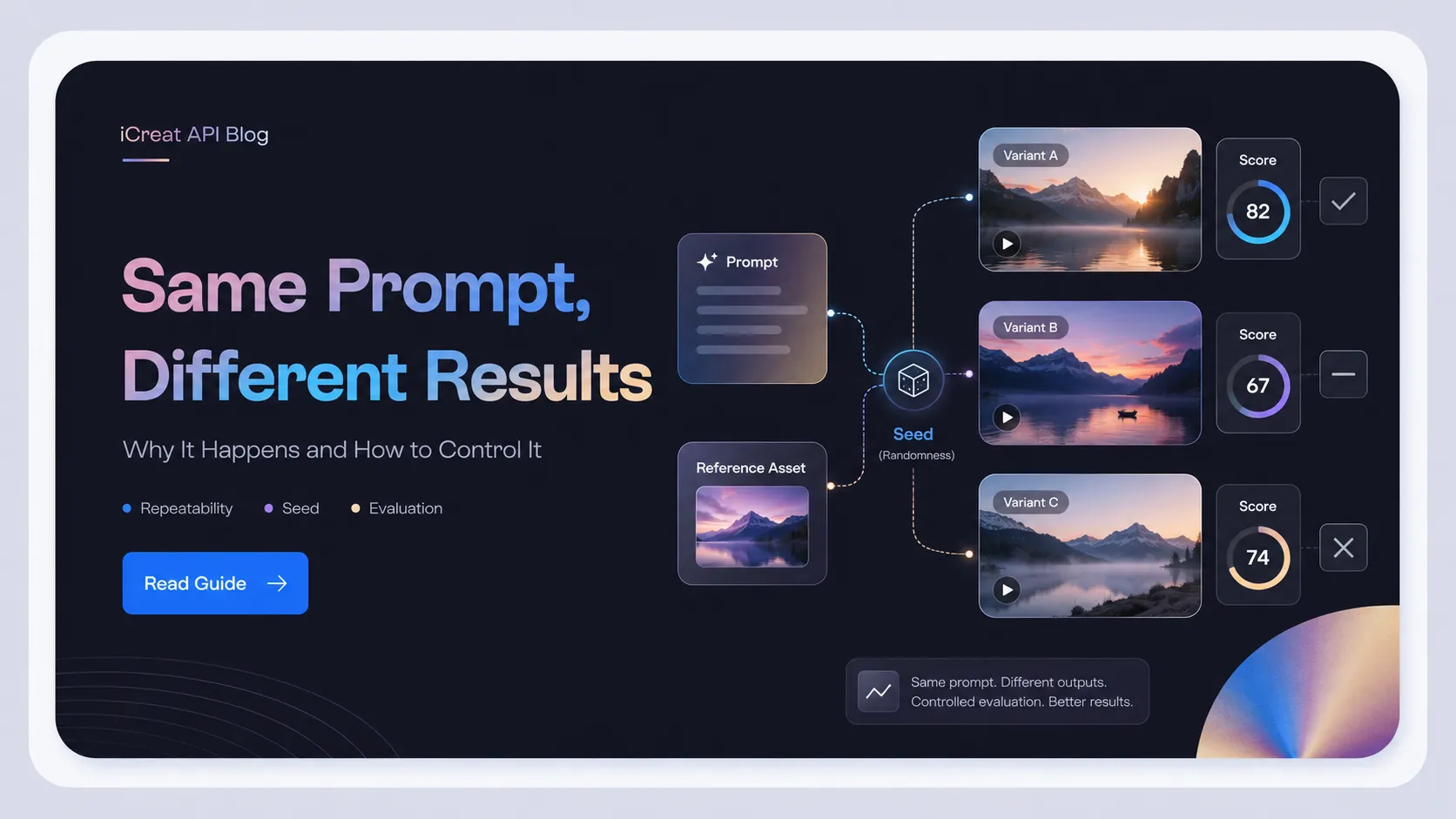
If you run Seedance 2.0 with the same prompt and the same reference three times, different results do not automatically mean the model is broken. It usually means you are treating a probabilistic AI video model like a deterministic rendering tool.
That distinction matters before you use Seedance 2.0 for client work, paid ads, ecommerce videos, or batch creative production. A creator summed up the pain clearly in a YouTube comment: "I use same prompt, same reference 3 times. And its give different result." The practical answer is not to expect perfect repeatability from one prompt. The safer answer is to build a repeatability workflow: freeze inputs, run controlled candidates, score outputs, and only scale the configuration that survives review.
As of July 2026, you can start evaluating Seedance 2.0 from the iCreat dashboard or compare available video models in the model catalog. The important step is to test your actual prompt and reference workflow before you promise repeatable output.
Key Takeaways
- Seedance 2.0 can vary across runs because AI video generation is guided by prompts and references, not locked frame by frame.
- A seed parameter is not safe to assume from the model name alone. Different API platforms expose different controls, and some seed-enabled docs still warn that results may vary.
- Reference images, videos, and audio can improve consistency, but conflicting or overloaded references can also create drift.
- For client or batch workflows, treat each generation as a candidate output until it passes a defined quality check.
- The safest operating model is to use Seedance 2.0 as a high-hit-rate generator, not a deterministic tool.
The Symptom: Same Prompt, Same Reference, Different Video
This is a repeatability problem, not automatically proof that Seedance 2.0 is bad. The model may understand the action, mood, atmosphere, and movement well, but still produce a different composition, timing, expression, camera path, or subject detail on each run.
That is why the user complaint is so common in AI video workflows. The input looks fixed from the creator's point of view:
- same prompt
- same reference image or video
- same model name
- same intended output
But the generation process still has room to sample a different interpretation. One run may give better motion but weaker identity. Another may keep the subject closer but change the background. A third may look more cinematic but miss part of the requested action.
The wrong conclusion is: "Seedance 2.0 cannot work." The more useful conclusion is: "Seedance 2.0 needs an evaluation loop before repeat production." When it works, it can look strong. The production risk is that you cannot assume the first acceptable output will repeat exactly on demand.
Why Seedance 2.0 Can Vary Across Runs
AI video generation is probabilistic, and references guide the result instead of locking every frame. A video model has to decide motion, timing, camera behavior, object relationships, lighting, style, and sometimes audio alignment at the same time.
Even when the prompt is unchanged, the model may choose a different path through that decision space. The variation can show up as:
| Variation Area | What You May Notice | Why It Matters |
|---|---|---|
| Character identity | Face, outfit, posture, or proportions shift | Hurts brand, character, or product continuity |
| Motion | Action starts earlier, later, faster, or with different body mechanics | Makes storyboards harder to reproduce |
| Camera | Angle, zoom, framing, or movement changes | Breaks shot matching across a campaign |
| Environment | Background objects, lighting, or atmosphere change | Creates continuity problems across assets |
| Prompt priority | One requested detail is followed while another is ignored | Makes client revisions harder to predict |
This is especially visible in video because small differences compound across frames. An image model can drift in one composition. A video model can drift across subject identity, motion physics, timing, and scene continuity all at once.
The Seed Problem: Check the Platform, Not Just the Model Name
Seed support is platform-specific, and even seed-enabled surfaces may not promise identical output. Do not assume that every Seedance 2.0 API, web UI, or aggregator exposes the same reproducibility controls.
Live research showed a mixed landscape. Some API references for Seedance 2.0,
including fal.ai, Cloudflare, Shark AI, and Siraya documentation, expose a
seed field and describe it as a reproducibility control. Other
documentation and guides describe surfaces where no seed parameter is available, or
where repeatability depends mainly on references and prompt discipline. Some
seed-enabled documentation also qualifies the promise by saying results may still
vary slightly.
That creates an important writing and workflow rule:
| Question | Safe Answer |
|---|---|
| Does Seedance 2.0 always have seed control? | No. Check the exact platform or API surface. |
| Does a seed guarantee identical video? | Do not assume that. Some docs qualify reproducibility even when a seed exists. |
| Can iCreat seed exposure be inferred from fal.ai, Cloudflare, Shark AI, Siraya, or another provider? | No. Confirm current iCreat docs or model page before making that claim. |
| Should a production team rely only on seed? | No. Use seed only as one control if the platform exposes it, then still review outputs. |
This matters because "same model" is not always the same product surface. A provider-direct API, a third-party API platform, a web editor, and a multi-model platform may expose different parameters, defaults, wrappers, and request behavior. If you are testing through iCreat, check the current model page, docs, and pricing before treating any parameter as available.
Reference Inputs Can Stabilize the Direction, Not Guarantee the Exact Clip
References reduce drift when they are clear, ordered, and reused, but they do not turn Seedance 2.0 into a frame-perfect renderer. A reference image can anchor character identity. A reference video can suggest motion. A reference audio clip can influence rhythm or performance. But the model still blends these inputs.
The failure mode is usually not "reference does nothing." It is that the reference set is asking for too much at once.
Common reference problems include:
- too many images competing for identity, outfit, pose, and style
- one reference for the face and another that contradicts the body or wardrobe
- a motion reference that conflicts with the written action
- vague prompt language such as "make it like this" without saying what to preserve
- changing reference order between runs
- reusing a weak reference where the subject is small, occluded, cropped, or inconsistently lit
For a more stable workflow, assign each reference a job. Do not let every reference influence everything.
| Reference Type | Strong Use | Risky Use |
|---|---|---|
| Character image | Preserve face, wardrobe, or product shape | Mixing several inconsistent identity references |
| Style image | Guide lighting, color, or visual mood | Letting style override subject identity |
| Motion video | Guide movement or camera behavior | Expecting exact timing or exact pose matching |
| Audio clip | Guide rhythm, voice quality, or pacing where supported | Assuming perfect lip sync or exact audio behavior without testing |
The prompt should tell the model which input matters most. For example, instead of writing "Use these references," write something closer to: "Use Image 1 as the primary character identity reference. Preserve the red jacket and hairstyle. Use Video 1 only for the slow push-in camera motion. Keep the background simple."
What This Means for Client and Batch Workflows
Treat each generation as a candidate output until it passes your acceptance criteria. That is the safest mental model for marketing teams, creative agencies, ecommerce teams, and AI video creators using Seedance 2.0.
The production cost is not only the price of one generation. It is the review loop around failed, partial, or almost-right outputs.
For example, a marketing team creating 20 product video variations from one product reference might expect a fixed prompt to behave like a template. In practice, the team may get one version with good product shape but weak camera motion, one with strong mood but inconsistent branding, and one with the right action but an unwanted background change. If the team promised exact consistency to a client, every mismatch becomes a revision problem.
This changes how you should plan deliverables:
- budget for multiple candidate generations, not one perfect run
- define what is allowed to vary before showing outputs to a client
- review identity, product shape, text/logo visibility, motion, and brand safety separately
- avoid promising exact recreation unless your workflow has validated it
- keep approved prompts and references as production assets, not casual notes
Seedance 2.0 can still be useful for client work. The mistake is selling it internally as a deterministic system when the safer process is selection-based.
A Practical Repeatability Workflow for Seedance 2.0
Freeze inputs, run controlled variants, select the best output, and log the winning configuration before scaling. This workflow does not make Seedance 2.0 perfectly deterministic. It makes the production process less fragile.
Step 1: Lock the Creative Goal Before Prompting
Start by deciding what must remain stable and what can vary. If everything is equally important, the review process becomes subjective and slow.
Use a simple hierarchy:
| Priority | Example Requirement |
|---|---|
| Must preserve | Product shape, character face, logo visibility, core action |
| Should preserve | Wardrobe, lighting direction, camera style, mood |
| Can vary | Background details, micro-expressions, secondary props |
This prevents a team from rejecting useful outputs because a non-critical detail changed.
Step 2: Use Fewer, Stronger References
Start with the smallest reference set that can express the job. One strong character image or product image is usually easier to control than a pile of weak references.
If you need several references, give each one a role:
- Image 1: primary identity or product anchor
- Image 2: wardrobe or styling reference
- Video 1: motion or camera reference
- Audio 1: pacing or voice reference, if supported by the surface you are using
Keep the same file order across runs. Changing order, file names, crops, or reference quality can change how the model interprets the request.
Step 3: Structure the Prompt Around What Must Not Drift
A stable prompt is not always a longer prompt. It is a prompt that separates subject, action, camera, scene, and constraints.
Use this structure:
- Subject: who or what appears
- Reference role: what each reference should preserve
- Action: what happens in the clip
- Camera: framing and movement
- Scene and lighting: where it happens and how it looks
- Constraints: what should not change
Example structure:
Use Image 1 as the primary product reference. Preserve the product shape, logo placement, and color. Create a 5-second product video where the item rotates slowly on a clean studio surface. Use a slow push-in camera movement, soft side lighting, and a premium ecommerce style. Do not change the product label or add extra objects around it.Do not treat this as a guaranteed formula. Treat it as a control surface. The model still needs review.
Step 4: Generate a Small Candidate Set
For important work, run more than one candidate before deciding whether the prompt is good. Three to five controlled runs can reveal whether the setup is stable enough or whether the prompt/reference set is too loose.
Score each candidate against the same criteria:
| Criterion | Pass / Fail Question |
|---|---|
| Subject consistency | Does the person, product, or object still look like the reference? |
| Action match | Does the motion match the prompt? |
| Brand safety | Are logos, labels, faces, or commercial assets acceptable? |
| Composition | Is the framing usable for the target channel? |
| Revision cost | Would this require minor editing or a full rerun? |
Do not choose only the most beautiful output if it fails the production requirement. A less dramatic but more consistent result may be the better deliverable.
Step 5: Log the Winning Configuration
When a run works, record more than the prompt. A small team should log:
- model name and variant
- platform or API surface
- prompt text
- reference files and order
- aspect ratio, duration, resolution, and other verified exposed settings
- seed value, only if the platform exposes one
- date of generation
- chosen output URL or file name
- notes on why the output passed
This turns a lucky generation into a reusable production note. It also helps future reviewers understand whether a later mismatch came from the model, a changed reference, a changed parameter, or a changed platform surface.
Step 6: Scale Only After the Workflow Passes Review
Do not batch-generate 50 outputs from an untested setup. First prove that the prompt and references can produce acceptable candidates repeatedly.
For client work, define an internal acceptance gate before delivery:
- one approved prompt/reference bundle
- one or more approved sample outputs
- a cost and rerun expectation
- a review owner
- a fallback model or workflow if consistency is not good enough
This is where Seedance 2.0 becomes more useful. You stop asking it to be deterministic and start operating it like a creative production system.
When to Use iCreat in This Workflow
Use iCreat when you need to compare available video models and check the practical path before moving a workflow into repeat production. A reproducibility issue is often a model-selection issue, not only a prompt issue.
For example, if Seedance 2.0 gives strong motion but unstable identity for your use case, the next step may be to compare it with other available video models, test a different input mode, or use image editing before video generation to stabilize the source asset. iCreat is relevant because it gives teams one place to browse supported models, review the current model catalog, check pricing, and move toward docs when automation becomes necessary.
Before scaling, use iCreat based on the decision in front of you:
- Open the iCreat dashboard when you need to run the controlled prompt/reference test.
- Use the model catalog when the question is whether another video model fits the workflow better.
- Check pricing or implementation details only when repeated generation or automation becomes the next real decision.
The key is not to assume that a strong one-off Seedance output is enough for production. Test the workflow first, then decide whether to use Seedance 2.0, another video model, or a multi-step workflow that stabilizes the reference before video generation. If the workflow depends on a specific seed option, reference mode, audio behavior, or cost estimate, verify that detail only when it affects the next step.
Common Mistakes and Fixes
The fastest way to improve repeatability is to remove avoidable ambiguity. Most inconsistent outputs come from unclear control, not only from model randomness.
| Mistake | Why It Causes Drift | Safer Fix |
|---|---|---|
| Using too many references | The model may blend conflicting identity, style, and motion signals | Start with one strong anchor, then add references one at a time |
| Changing reference order | The model may weight inputs differently | Keep file order fixed across runs |
| Asking for many actions in one short clip | Motion timing becomes harder to satisfy | Prioritize one main action per generation |
| Using vague preservation language | The model guesses what matters | State exactly what to preserve and what can change |
| Assuming seed means exact repeatability | Seed behavior depends on platform exposure and implementation | Check the current API surface and still review outputs |
| Batch-generating too early | You multiply a flawed setup | Validate a small candidate set first |
Practical Boundary for Commercial Use
If your workflow uses real people, product assets, brand marks, customer images, or reference audio, verify asset rights and platform terms before production. Repeatability is not the only risk in AI video generation.
Check these before client delivery or paid distribution:
- whether you have rights to every uploaded reference asset
- whether human faces, voices, logos, or product marks are allowed for your use case
- whether the platform or provider has moderation constraints that affect the prompt
- whether the output needs human review before publication
- whether the client understands that generated variations may require reruns or edits
This does not need to slow down experimentation. It prevents a promising creative workflow from becoming a commercial or review problem later.
FAQ
Final Takeaway
Seedance 2.0 is better understood as a powerful creative generator with controllable inputs, not a deterministic rendering engine. The same prompt and same reference can still produce different results, especially when the request depends on identity, motion, camera timing, or multiple reference signals.
For creators and marketing teams, the practical answer is not to wait for a magic prompt. Build a production loop: freeze references, write structured prompts, generate candidates, score outputs, and log what worked. When you are ready to compare models or move toward automation, use the iCreat model catalog, pricing page, and docs as the live source of truth before scaling the workflow.