


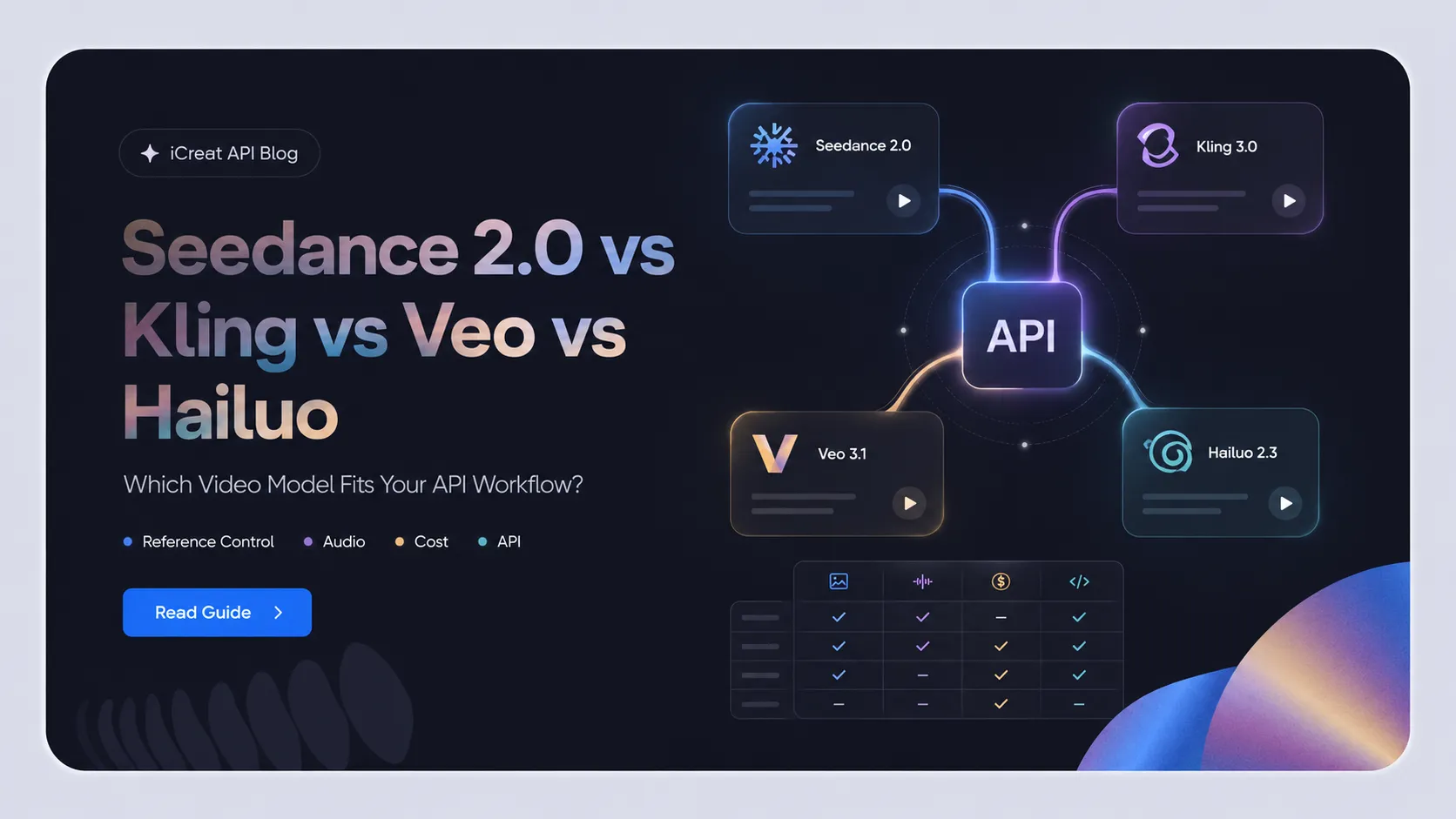
For an API workflow, the practical question is not which video model looks best in a launch reel. It is which model gives you the controls your product needs at a cost and request pattern you can actually support. Seedance 2.0, Kling 3.0, Veo 3.1, and Hailuo 2.3 overlap on text-to-video and image-to-video, but they do not offer the same reference controls, audio behavior, duration, resolution, or billing model.
Here is the direct recommendation. Choose Seedance 2.0 when your product depends on mixed image, video, and audio references. Choose Kling 3.0 Motion Control when character motion transfer is the job. Choose Veo 3.1 when native audio, first/last-frame generation, or 4K output are decisive. Choose Hailuo 2.3 when a straightforward, lower-listed-cost text/image-to-video API is the priority. Then test a fallback for the specific scenario where the primary model is weakest.
This comparison is for developers, AI product teams, and automation builders. It compares the publicly documented model/API surfaces as of July 2026; production availability and pricing should be rechecked before launch.
The Four-Model Comparison at a Glance
The table below compares specific versions and modes. It does not combine every capability sold under a broader brand name.
| Dimension | Seedance 2.0 | Kling 3.0 | Veo 3.1 | Hailuo 2.3 |
|---|---|---|---|---|
| Primary comparison mode | Seedance 2.0 series API | VIDEO 3.0 / VIDEO 3.0 Omni; Motion Control is a separate creator mode | Veo 3.1 and Veo 3.1 Fast in Gemini API | MiniMax-Hailuo-2.3 API |
| Text-to-video | Yes | Yes | Yes | Yes |
| Image-to-video / first frame | Yes | Yes | Yes | Yes |
| Reference images | 1–9 reference images | Up to 7 images/elements without video in VIDEO 3.0 Omni | Up to 3 reference images | Not a Hailuo 2.3 reference-image mode; use first-frame I2V |
| Video reference / extension | Up to 3 reference videos | VIDEO 3.0 Omni accepts one 3–10s video; native audio with video input is not currently supported in that mode | Extends a previously generated Veo video | Not a documented Hailuo 2.3 input mode |
| Audio reference | Up to 3 reference audio clips; generated audio can be enabled | Voice binding is available in relevant 3.0 workflows; validate the API surface | Generates synchronized audio natively | No native-audio claim used in this comparison |
| First and last frame | Yes | Do not treat it as a core VIDEO 3.0 API assumption; verify the selected Kling mode | Yes |
No; this belongs to the separate MiniMax-Hailuo-02 endpoint
|
| Output length | 4–15s | Up to 15s in VIDEO 3.0 / Omni; Motion Control output follows the approved motion-reference workflow | 4, 6, or 8s | 6 or 10s at 768p; 6s at 1080p |
| Resolution | 480p, 720p, 1080p, 4K | 720p or 1080p | 720p, 1080p, or 4K; higher resolutions require 8s | 768p or 1080p, subject to duration |
| Native audio | Yes, when enabled | Yes for supported no-video-input VIDEO 3.0 modes | Yes | Not documented as a Hailuo 2.3 feature here |
| API status | Public ModelArk API | Verify the exact API exposure for VIDEO 3.0 or Motion Control before promising it in a product | Gemini API, currently preview | Public asynchronous MiniMax API |
| Best first use case | Multimodal reference control and reference-led product shots | Character motion transfer and action performance | Native audio, first/last-frame generation, and 4K API output | Budget-conscious text/image-to-video testing |
| Main limitation | Pricing grows with resolution, duration, and especially video input | Product modes and API exposure must be verified separately | Preview status and higher-resolution/reference workflows are constrained to 8s | Do not attribute Hailuo-02 or S2V-01 capabilities to Hailuo 2.3 |
The model differences are not cosmetic. If your UI needs a last frame, Hailuo 2.3 is not the like-for-like option; MiniMax documents that function under Hailuo-02. If your workflow requires a reference video and audio in the same request, Seedance 2.0 has a materially different documented input surface from the other three.
Which Model Wins for Each API Workflow?
Best for Multimodal Reference Control: Seedance 2.0
Seedance 2.0 is the strongest fit when the input package matters as much as the prompt. Its documented API accepts first/last frames, 1–9 reference images, up to three reference videos, and up to three audio clips. That makes it the clearest starting point for product ads, branded characters, or short scenes where the team wants to bind more than one source asset to the request.
It also supports 4–15 second output and 480p through 4K options. The tradeoff is that video input changes token consumption, so a reference-heavy workflow needs a pricing check before it becomes the default route. BytePlus documents the supported Seedance 2.0 inputs, duration, and pricing model. If that is the workflow you need, test Seedance 2.0 in iCreat with your actual prompts and reference assets.
Best for Character Motion Transfer: Kling 3.0 Motion Control
Kling 3.0 Motion Control is the strongest fit when the key requirement is transferring a reference performance to a character image. Kling’s current guide describes a workflow that combines a reference action video with a character image, then optionally binds a facial element to improve identity consistency through complex movement and changing angles.
That is a more specific job than generic image-to-video. Use it for a character performing a supplied action, not as evidence that Kling is the best general-purpose reference model. The important implementation caveat is that the Motion Control feature page and the API route are separate things; confirm that the exact API plan exposes the required mode before making it part of your product promise.
Best for Native Audio, First/Last Frames, and 4K: Veo 3.1
Veo 3.1 is the strongest documented option here when the video needs synchronized audio and the workflow needs first/last-frame generation, reference images, or 4K output. Google documents text-to-video, image-to-video, video extension, up to three reference images, and first/last-frame interpolation. Veo 3.1 generates audio with the video rather than treating it as a separate add-on.
The limitation is equally important: the higher-resolution and reference-image paths require an 8-second duration, and the Gemini API models are currently preview offerings. That makes Veo a strong feature fit for high-value shots, but a route that should be tested against current access limits before it becomes the only production dependency. Google’s Veo 3.1 API documentation lists its modes, duration rules, and output options.
Best for Lower Listed Cost in a Simple T2V/I2V API: Hailuo 2.3
Hailuo 2.3 is the better first test when your use case is simple text-to-video or first-frame image-to-video and you want a clearly published pay-as-you-go price. MiniMax lists Hailuo 2.3 at $0.28 for a 768p, 6-second video and $0.49 for a 1080p, 6-second video. Its API also supports explicit camera commands in prompts for the documented Hailuo 2.3 modes.
Keep the version boundary intact. Hailuo-02, not Hailuo 2.3, is the MiniMax endpoint
that adds first-and-last-frame generation and some other duration/resolution
combinations. Subject reference is also a separate S2V-01 workflow.
Hailuo 2.3 can be a cost-effective starting point, but it is not a substitute for
those other endpoints when the application needs their controls.
MiniMax’s API documentation and pay-as-you-go pricing
are the source of truth.
Listed Generation Cost: Compare a Standard Job Before You Compare Providers
The table below uses the closest documented 6-second, no-video-input configuration. It is a listed-generation-cost snapshot, not a claim about final production cost. Resolutions and billing currencies differ, so do not treat the rows as a universal winner table.
| Model / mode | Published configuration | Listed generation cost | What prevents a direct “cheapest” claim |
|---|---|---|---|
| Seedance 2.0 | 720p, 16:9, no video input; BytePlus publishes $0.15/s for its 5s example | About $0.91 for 6s at the same per-second example rate | Token consumption changes with resolution, duration, and video input. |
| Kling VIDEO 3.0, no native audio | 720p | 6 Credits/s, or 36 Credits for 6s | The guide prices in credits; a USD comparison needs the current credit-purchase terms. |
| Veo 3.1 Standard | 720p with audio | $0.40/s, or $2.40 for 6s | Preview status and the selected Veo tier affect the route. |
| Veo 3.1 Fast | 720p with audio | $0.10/s, or $0.60 for 6s | It is a different Veo variant, not the same Standard route. |
| Hailuo 2.3 | 768p, 6s | $0.28 per video | The nearest published standard is 768p, not 720p. |
The practical budget calculation should separate generation from labor rather than double-counting retries:
Define the labor term before using the formula. For example, record an editor’s loaded hourly cost, minutes of repair per approved clip, reviewer time, and any separate editing-tool charge. Without those assumptions, “cost per usable clip” is a useful concept but not a reproducible number.
If Seedance 2.0 is your shortlisted route, check current iCreat pricing before scaling. The live price depends on the selected Seedance variant, resolution, duration, and reference-video use, so this article does not hard-code an iCreat rate.
Use a Two-Phase Test, Not One Showcase Prompt
Use a 20-clip screening test to reduce the field, then spend the more expensive evaluation budget only on finalists.
- Screening: 20 clips. Choose five recurring tasks: product close-up, human movement, controlled camera move, character/reference scene, and audio-led scene. Run each task once on all four models: 5 tasks × 1 run × 4 models.
- Final evaluation: 20 clips. Select the two best fits. Run the same five tasks twice on each finalist: 5 tasks × 2 runs × 2 models.
- Record the result. For every task, store the model version, input mode, duration, resolution, cost, completion status, visual approval, motion approval, and reference-fidelity decision.
- Set a fallback rule. A fallback is not “the runner-up.” It is the model that has passed your test for a named failure condition, such as reference drift, missing audio, unsupported first/last frames, or a cost ceiling.
The full program contains 40 clips across two phases, while each phase has a clear 20-clip budget. That is enough to make an internal routing decision without claiming a public benchmark.
Choose Seedance 2.0? Test and Integrate It Through iCreat
iCreat gives teams that choose Seedance 2.0 a practical path from Playground testing to API integration. Start on the Seedance 2.0 model page to test prompts, image, video, and audio references, output duration, resolution, and audio generation with the assets your product will actually use.
You can also evaluate Seedance 2.0 Fast and Mini when generation speed or cost matters more than maximum output quality. The three variants use the same iCreat account, prepaid balance, and asynchronous task workflow, so you do not need to create separate provider billing and request-handling setups for each Seedance variant.
Once the workflow is approved, use the Seedance 2.0 API documentation to submit a task, check its status, and retrieve the result. Use the live pricing page before launch because the final cost changes with the selected variant and generation settings.