



Beginners need simple, low-cost tools that improve clarity, lighting, and cleanup. You do not need a full studio to create better Etsy product photos. You need a small set of tools that helps you shoot a clean image, refine it, and turn it into a listing-ready asset.
That matters because Etsy shoppers rely heavily on listing photos. If the image is blurry, cluttered, or poorly lit, the product can feel less trustworthy even when the item itself is strong.
Key Takeaways
- Beginner Etsy product photography should focus on clarity, consistency, and simple cleanup.
- The best starter tools are usually a smartphone or camera, tripod, basic lighting, and a clean backdrop.
- Cleanup tools like background removal and upscaling can make rough images more usable for listings.
- AI can help beginners turn one good product photo into more listing-ready assets.
- iCreat AI is most useful when you want a fast path from raw product photo to cleaner Etsy-ready image.
What Etsy Product Photography Needs To Do
Etsy photos need to do more than look nice. They need to show the product clearly enough that a shopper feels comfortable clicking, reading, and buying.
Clarity For Shoppers
A listing image should make it obvious what the product is, what it looks like, and why it is worth attention. If a shopper has to guess, the photo is not doing its job.
Consistency Across Listings
When your photos follow a similar style, the shop feels more professional. That matters for handmade sellers and small brands that want to look organized without a studio setup.
A Clean, Trustworthy Look
Clean images usually feel more trustworthy than busy ones. You do not need a perfect production set. You need a consistent image that lets the product stand out.
Best Starter Tools For Etsy Product Photography
Smartphone Or Camera
A modern smartphone is enough for many beginners if the lighting is good and the image is sharp. A dedicated camera can help, but it is not the first thing most Etsy sellers should buy.
Use the device you can handle consistently. Consistency matters more than fancy gear.
Tripod And Stabilization
A tripod helps keep framing steady and reduces blur. That is useful when you need repeatable shots for multiple products or angles.
White Backdrop And Reflectors
A white or neutral backdrop is one of the easiest ways to make product photos feel cleaner. White foam board, paper, or a plain tabletop can all work.
A simple reflector can also help bounce light back onto the product and reduce harsh shadows.
Simple Lighting
Good lighting matters more than expensive accessories. Window light is often enough for beginners, especially when it is soft and indirect.
If you need more control, one or two affordable lights can help you keep the look consistent.
Best Editing And Cleanup Tools For Beginners
Background Removal
Cleaning up the background is one of the fastest ways to improve a product image. Background Remover is useful when you need a cleaner listing image or a transparent cutout for future use.
Image Upscaling
If the source photo is too small or soft, Image Upscaler can help improve resolution for listing presentation and reuse.
White-Background Cleanup
Beginners often shoot a good product photo but end up with gray edges, uneven shadows, or distracting marks. Cleanup tools help turn that into a more usable Etsy image.
How AI Helps Etsy Sellers Improve Product Photos
AI is useful when you already have a decent product image and want to make it go further.
Turn One Product Photo Into More Listing-Ready Assets
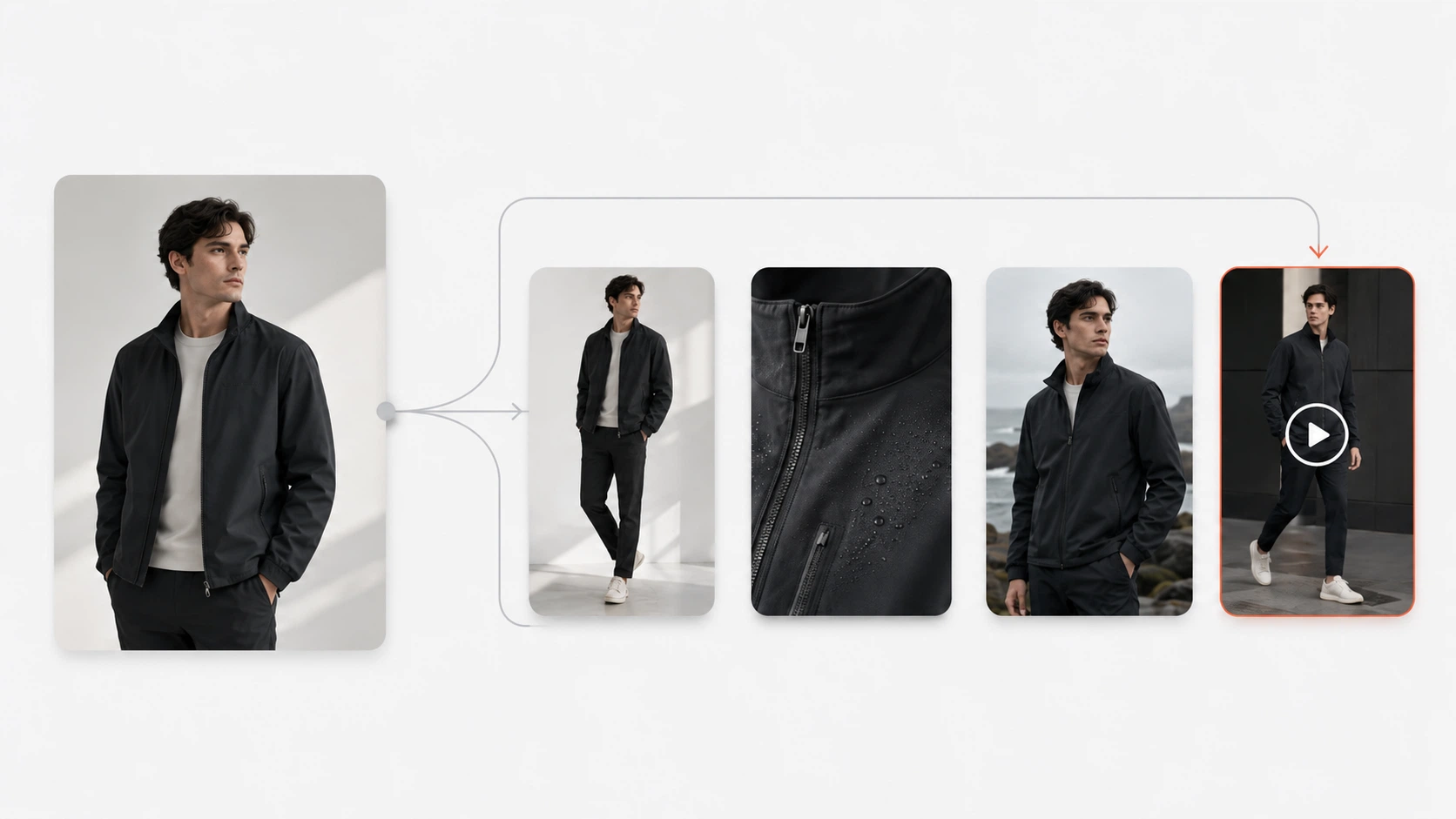
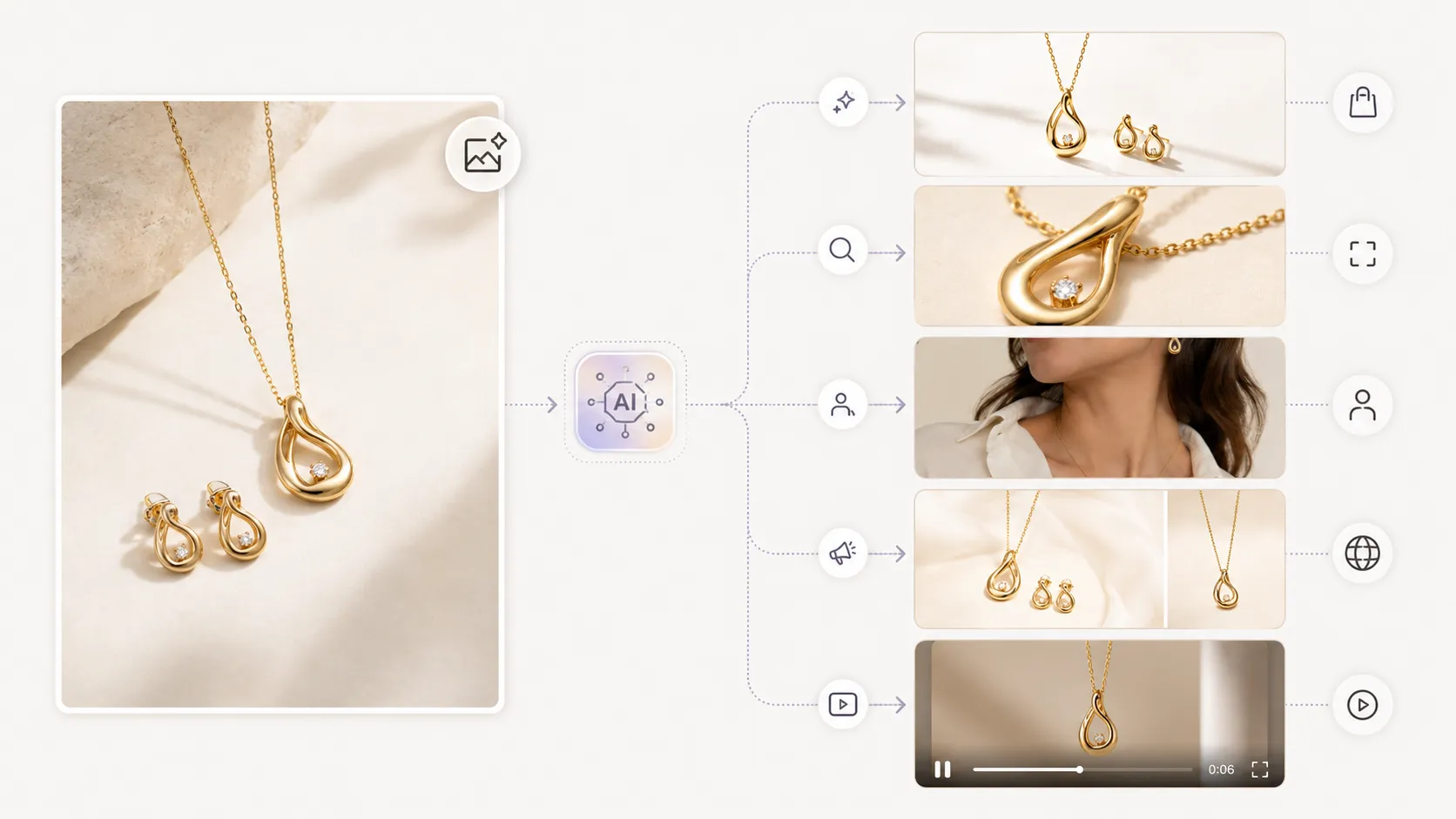
With AI Product Photography, one strong reference can become more product visual options. That can be useful when you need a cleaner listing image plus additional variations for shop pages or promotions.
Clean Up Or Replace Backgrounds
AI Image Replacer can help adapt a strong product concept when the background or surrounding scene needs to change.
Create More Variation Without Another Shoot
Beginners often only have one strong photo. AI can help expand that into more useful visuals without starting over.
What Beginners Should Avoid Buying First
It is easy to spend too much before solving the basics.
Too Much Gear Too Soon
You do not need a complex studio to get started. Buy the tools that improve clarity first.
Overly Complicated Lighting
If your lighting setup is so complicated that you avoid using it, it is not helping. Start simple.
Tools That Do Not Improve The Final Listing Image
Only buy tools that make the product photo more useful for Etsy. If it does not improve the image, it probably is not worth it yet.
A Simple Etsy Product Photo Workflow
- Shoot the cleanest base image you can.
- Check sharpness, lighting, and framing.
- Clean up the background if needed.
- Upscale the image if resolution is too low.
- Expand the best reference into more listing-ready assets when needed.
That workflow is simple, but it works. It helps beginners move from a rough photo to a cleaner final image without getting lost in gear and software decisions.
For handmade sellers and small shops, the real goal is not to have the most tools. It is to have a repeatable process that makes every product listing look clearer and more trustworthy.
FAQ
Conclusion
The top Etsy product photography tools for beginners are the ones that make your listings clearer, cleaner, and easier to trust. Start with simple gear, a clean backdrop, and consistent lighting. Then use cleanup and upscaling tools to make the image more usable.
If your source photo already looks strong, Background Remover can help clean it up quickly. If you want to expand beyond one image, AI Product Photography can help turn a good product photo into more listing-ready assets.
When you are ready to improve your Etsy workflow, log in to iCreat AI and start from your best product reference.