


Introduction
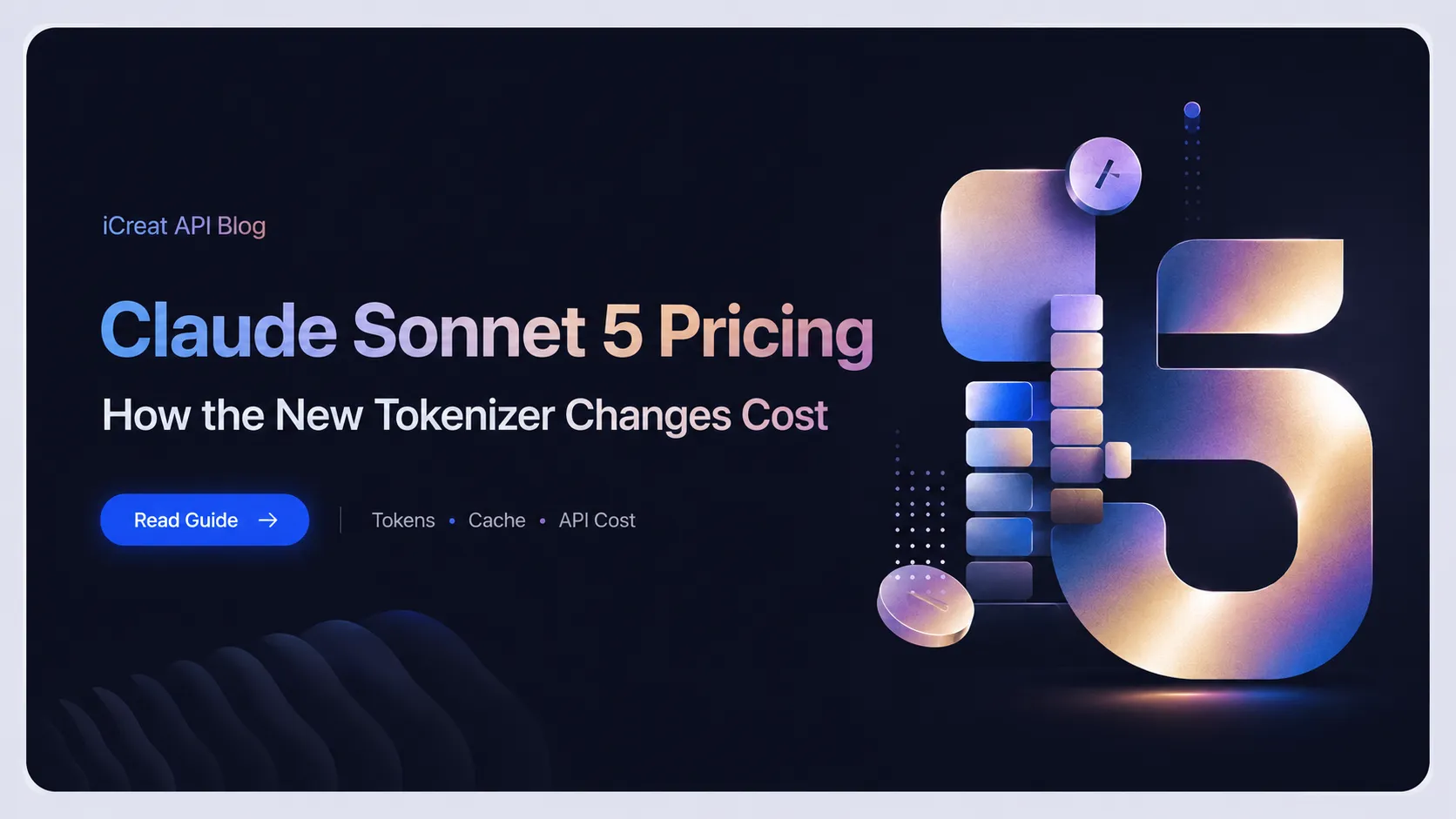
Claude Sonnet 5 pricing looks simple at first: developers pay for input tokens, output tokens, and, depending on the platform, cache usage. But with Claude Sonnet 5, the real cost of an API request is not only determined by the listed per-token price. It is also affected by the model's new tokenizer.
That tokenizer change matters because the same text can become more tokens than it did on Claude Sonnet 4.6. Anthropic says Claude Sonnet 5 uses an updated tokenizer, and the same input can map to roughly 1.0-1.35x more tokens depending on content type. Claude Platform Docs also note that the same text produces approximately 30% more tokens than Claude Sonnet 4.6, with the exact increase depending on content and workload shape.
For developers, this changes how you should think about pricing. You should not ask only:
"How much does Claude Sonnet 5 cost per million tokens?"
You should also ask:
"How many tokens will my real prompts become after the tokenizer change?"
This guide explains Claude Sonnet 5 pricing, how the tokenizer affects real API cost, how to estimate cost with examples, and how to control spending when using Claude Sonnet 5 through iCreat API.
Claude Sonnet 5 Pricing at a Glance
Claude Platform's official pricing page lists Claude Sonnet 5 introductory pricing through August 31, 2026 at $2 per million input tokens and $10 per million output tokens. Starting September 1, 2026, the standard price becomes $3 per million input tokens and $15 per million output tokens.
| Claude Sonnet 5 pricing period | Input price | Output price |
|---|---|---|
| Intro pricing through August 31, 2026 | $2 / 1M tokens | $10 / 1M tokens |
| Standard pricing from September 1, 2026 | $3 / 1M tokens | $15 / 1M tokens |
Anthropic's launch post explains that the introductory pricing was designed so the transition from Claude Sonnet 4.6 to Claude Sonnet 5 would be roughly cost-neutral, because Sonnet 5 may produce more tokens for equivalent text.
On iCreat API, Claude Sonnet 5 is available with transparent pay-as-you-go pricing through an OpenAI-compatible unified API.
| Token type | iCreat API price |
|---|---|
| Input tokens | $0.4000 / 1M tokens |
| Output tokens | $2.0000 / 1M tokens |
| Cache read | $0.0400 / 1M tokens |
| Cache creation | $0.5000 / 1M tokens |
Pricing can change over time, so always check the iCreat pricing page and Claude Sonnet 5 model page before running production workloads.
Why Claude Sonnet 5 Real Cost Is Not Just the Listed Price
Most developers calculate LLM cost like this:
Cost = input tokens x input price + output tokens x output priceThat formula is correct, but it hides an important detail:
The token count itself can change between models.Claude Sonnet 5 uses a new tokenizer. A tokenizer is the system that turns text into tokens before the model processes it. Since API pricing is based on tokens, a tokenizer change directly affects billing.
Claude Platform Docs say the new tokenizer affects token counts, context capacity in text terms, max token budgets, and per-request cost. In other words, even if your prompt text does not change, the number of billable tokens may change when you move from Claude Sonnet 4.6 to Claude Sonnet 5.
This is why a pricing table alone is not enough. Real API cost depends on five things:
| Cost factor | Why it matters |
|---|---|
| Input token price | Cost of prompts, documents, code, messages, and context |
| Output token price | Cost of generated answers, reports, code, and reasoning outputs |
| Tokenizer behavior | Same text may become more tokens on Claude Sonnet 5 |
| Cache usage | Repeated context can become cheaper if cache read pricing applies |
| Routing strategy | Not every task needs Claude Sonnet 5 |
What Changed with the Claude Sonnet 5 Tokenizer?
Claude Sonnet 5 uses an updated tokenizer. Anthropic says this change helps improve performance, but the tradeoff is that the same input can map to more tokens, roughly 1.0-1.35x depending on content type.
Claude Platform Docs summarize the practical impact this way:
The same input text produces approximately 30% more tokens than on Claude Sonnet 4.6. The exact increase depends on content. Requests, responses, and streaming events keep the same shape, so no code changes are required only because of the tokenizer. But token counts, context usage, max token budgets, and per-request cost can all change.
That means there are two different types of migration work:
First, your API request format may stay mostly the same.
Second, your cost model must be recalculated.
For production systems, the second part is usually the more important one.
Simple Cost Example on iCreat API
Assume a Claude Sonnet 5 API request on iCreat uses:
Input tokens: 100,000

Output tokens: 10,000
Using iCreat API pricing:
Input cost = 100,000 / 1,000,000 x $0.4000 = $0.0400

Output cost = 10,000 / 1,000,000 x $2.0000 = $0.0200

Estimated total = $0.0600
So the estimated request cost is:
$0.0600But this estimate only works if the token counts are measured using Claude Sonnet 5's tokenizer. If you estimated the same prompt using Claude Sonnet 4.6 token counts, your real Claude Sonnet 5 cost may be different.
How the New Tokenizer Can Change the Same Request Cost
Suppose your old Claude Sonnet 4.6 workflow used:
Input tokens on Sonnet 4.6: 100,000

Output tokens on Sonnet 4.6: 10,000
If the same text becomes approximately 30% more tokens on Claude Sonnet 5, the equivalent request may become:
Input tokens on Sonnet 5: 130,000

Output tokens on Sonnet 5: 13,000
Using iCreat API pricing:
Input cost = 130,000 / 1,000,000 x $0.4000 = $0.0520

Output cost = 13,000 / 1,000,000 x $2.0000 = $0.0260

Estimated total = $0.0780
So the request that looked like:
$0.0600may become:
$0.0780That is not because the prompt became longer in plain English. It is because the tokenizer may count the same text differently.
This is why developers should measure token usage with Claude Sonnet 5 directly instead of reusing old Sonnet 4.6 estimates.
Official Pricing vs Real Workload Cost
Claude Platform Docs list Claude Sonnet 5 standard pricing as $3 per million input tokens and $15 per million output tokens, with introductory pricing at $2 and $10 through August 31, 2026. The docs also state that the new tokenizer can increase token counts for the same text.
These two facts should be evaluated together.
A model can have the same listed price as an older model, but a different real request cost if:
- The tokenizer counts more tokens.
- The output becomes longer.
- Adaptive thinking uses more of the output token budget.
- Long-context prompts are larger than expected.
- The application sends repeated context without caching.
- The workflow retries failed or incomplete requests.
For API budgeting, the real unit is not only "price per million tokens." The real unit is:
Cost per successful taskThat task may include one request, multiple retries, cached context, tool calls, and long outputs.
Why Output Tokens Matter More Than Developers Expect
Input tokens are usually cheaper than output tokens. On iCreat API, Claude Sonnet 5 output tokens cost $2.0000 per million tokens, while input tokens cost $0.4000 per million tokens.
That means output tokens are 5x more expensive than input tokens on iCreat API.
This has a practical implication:
A short prompt with a very long response can cost more than a long prompt with a concise response.
For example:
| Scenario | Input tokens | Output tokens | Estimated iCreat cost |
|---|---|---|---|
| Long input, short output | 100,000 | 5,000 | $0.0500 |
| Short input, long output | 10,000 | 50,000 | $0.1040 |
| Long input, long output | 100,000 | 50,000 | $0.1400 |
Calculation:
Long input, short output:

100,000 x $0.4000 / 1M + 5,000 x $2.0000 / 1M = $0.0500

Short input, long output:

10,000 x $0.4000 / 1M + 50,000 x $2.0000 / 1M = $0.1040

Long input, long output:

100,000 x $0.4000 / 1M + 50,000 x $2.0000 / 1M = $0.1400
For production use, controlling output length is one of the easiest ways to reduce cost.
Instead of saying:
Write a detailed report.Use:
Write a concise report under 800 words. Use 5 sections: Summary, Key Findings, Risks, Recommendations, and Next Steps.How Cache Pricing Changes Cost
Claude Sonnet 5 workflows often involve repeated context. For example, a coding agent may repeatedly include the same project instructions. A document assistant may repeatedly use the same policy manual. A customer support workflow may reuse the same internal knowledge base.
On iCreat API, Claude Sonnet 5 pricing includes cache reads and cache creation:
| Cache type | iCreat API price |
|---|---|
| Cache read | $0.0400 / 1M tokens |
| Cache creation | $0.5000 / 1M tokens |
This matters because repeated context can become cheaper when cache reads apply.
Example:
Suppose your application repeatedly uses the same 200,000-token project context.
Without cache reuse, each request pays normal input token pricing:
200,000 / 1,000,000 x $0.4000 = $0.0800 per requestWith cache read pricing:
200,000 / 1,000,000 x $0.0400 = $0.0080 per cache readThat is a major difference for repeated workflows.
Caching is especially useful for:
- Codebase agents.
- Internal documentation assistants.
- Long policy documents.
- Product requirement documents.
- Repeated legal or compliance review.
- Customer support knowledge bases.
The key idea is simple: if your app sends the same large context many times, do not treat every request as a fresh full-input request.
How the 1M Context Window Affects Pricing
Claude Sonnet 5 supports a 1M token context window by default, with 128K max output tokens according to Claude Platform Docs.
A large context window is useful, but it can also increase cost if used carelessly.
A 1M token context window does not mean every request should use 1M tokens. It means the model can handle large context when the task requires it.
Use large context when the model truly needs to reason across:
- A full codebase.
- Multiple long documents.
- A long customer conversation history.
- A large technical spec.
- A complex research bundle.
- A contract package.
Avoid large context when the task only needs a small retrieved section, summary, or structured input.
For many production applications, the most cost-effective architecture is not "put everything into the context window." It is:
Retrieve the most relevant context -> send only what the model needs -> use caching when context repeats -> control output lengthCost Comparison: Same Task, Different Prompt Strategy
Here is a simple example showing how prompt strategy changes cost.
Assume you want Claude Sonnet 5 to answer questions about a large product document.
Strategy A: Send the Full Document Every Time
Input tokens: 300,000

Output tokens: 5,000
Estimated iCreat cost:
Input = 300,000 / 1M x $0.4000 = $0.1200

Output = 5,000 / 1M x $2.0000 = $0.0100

Total = $0.1300
Strategy B: Retrieve Relevant Sections Only
Input tokens: 40,000

Output tokens: 5,000
Estimated iCreat cost:
Input = 40,000 / 1M x $0.4000 = $0.0160

Output = 5,000 / 1M x $2.0000 = $0.0100

Total = $0.0260
Strategy C: Use Repeated Cached Context
If the 300,000-token document context is cached and read at cache read pricing:
Cache read = 300,000 / 1M x $0.0400 = $0.0120

Output = 5,000 / 1M x $2.0000 = $0.0100

Total = $0.0220
This example shows why pricing optimization is not only about choosing a cheaper model. It is also about prompt design, retrieval, caching, and output control.
Why Adaptive Thinking Can Affect Cost Planning
Claude Sonnet 5 runs with adaptive thinking by default unless thinking is disabled. Claude Platform Docs explain that max_tokens is a hard limit on total output, including both thinking and response text, and developers should revisit it for workloads that previously ran without thinking on Claude Sonnet 4.6.
This matters for pricing because reasoning-heavy tasks can use more output budget than simple tasks.
For example, a complex coding agent task may involve:
- Internal reasoning.
- Tool-use planning.
- Intermediate analysis.
- Final response generation.
If max_tokens is too low, the response may be truncated. If max_tokens is too high and the prompt encourages long output, the request may become more expensive.
The best approach is to set output limits based on the actual task:
For short answers:

Return the final answer in under 300 words.

For code review:

Return no more than 10 issues, ranked by severity.

For long reports:

Use the requested structure, but keep each section concise.
Migration Cost Checklist from Claude Sonnet 4.6 to Claude Sonnet 5
If you are moving from Claude Sonnet 4.6 to Claude Sonnet 5, do not only update the model ID. Review your cost model.
Claude Platform Docs describe Sonnet 5 as a drop-in replacement for Sonnet 4.6, but they also list behavior changes: adaptive thinking is on by default, manual extended thinking returns a 400 error, and non-default temperature, top_p, or top_k values return a 400 error.
Use this migration checklist:
| Check | Why it matters |
|---|---|
Update model ID to claude-sonnet-5 | Required for Sonnet 5 |
| Recount real prompts | New tokenizer changes token counts |
| Recalculate input cost | Same text may become more tokens |
| Recalculate output cost | Output tokens are often more expensive |
Review max_tokens | Adaptive thinking uses output budget |
| Remove unsupported sampling parameters | Non-default temperature, top_p, and top_k return 400 errors |
| Remove manual extended thinking | budget_tokens style manual thinking returns 400 errors |
| Test cache behavior | Repeated context may be cheaper with cache reads |
| Measure cost per successful task | Real workflows may include retries and multi-step calls |
| Compare against other models | Some tasks may not need Claude Sonnet 5 |
When Claude Sonnet 5 Is Worth the Cost
Claude Sonnet 5 is usually worth using when the task requires strong reasoning, coding ability, long-context analysis, or agentic execution.
Good use cases include:
- Agentic coding.
- Code review.
- Multi-file refactoring.
- Long document analysis.
- Legal or financial review.
- Enterprise knowledge assistants.
- Technical support copilots.
- Browser or terminal agents.
- Research synthesis.
- Complex workflow automation.
For these workloads, a cheaper model may fail, hallucinate, miss important context, or require more retries. In those cases, Claude Sonnet 5 may reduce total task cost even if the per-request cost is higher than a lightweight model.
When a Cheaper Model May Be Better
Claude Sonnet 5 should not be used for every LLM task by default.
A cheaper or faster model may be better for:
- Simple classification.
- Short rewriting.
- Keyword tagging.
- Basic extraction.
- Simple chatbot replies.
- Format conversion.
- Lightweight summarization.
- High-volume low-risk requests.
On iCreat API, developers can test Claude Sonnet 5 alongside other LLMs such as GPT, Gemini, DeepSeek, MiniMax, Claude Haiku, Claude Opus, and earlier Claude Sonnet models. This makes it easier to build a routing strategy instead of sending every task to the same model.
A practical routing strategy might look like this:
Use Claude Sonnet 5 for complex reasoning, coding, agents, and long-context analysis.

Use Claude Opus for the hardest tasks where quality matters more than cost.

Use smaller or faster models for short, simple, high-volume tasks.

Use cache reads for repeated long context.

Use image and video models for visual generation.
How to Reduce Claude Sonnet 5 API Cost
Claude Sonnet 5 cost optimization is not about making prompts vague or forcing the model to be short in every situation. It is about matching the model, context, and output length to the task.
1. Recount Tokens with Claude Sonnet 5
Do not reuse Claude Sonnet 4.6 token estimates. The new tokenizer can produce more tokens for the same text. Recount real production prompts before setting budgets.
2. Limit Output Length When Possible
Because output tokens are more expensive than input tokens on most API pricing models, including iCreat API, output control is one of the easiest ways to control cost.
Use instructions like:
Keep the answer under 500 words.

Return a table with no more than 8 rows.

List only the top 5 issues.

Do not include background explanation unless necessary.
3. Use Retrieval Instead of Full Context for Every Request
If only 5% of a document is relevant, do not send the whole document every time. Use retrieval or preprocessing to send the most relevant sections.
4. Use Cache for Repeated Context
If the same large context appears in multiple requests, cache reads can reduce cost. This is especially useful for codebase agents, document assistants, and enterprise knowledge systems.
5. Route Simple Tasks to Cheaper Models
Use Claude Sonnet 5 where quality matters. Use cheaper or faster models for simple tasks that do not require deep reasoning.
6. Measure Cost per Completed Workflow
For agentic systems, one user request may trigger multiple model calls. Measure the total cost of the completed workflow, not only the first API call.
7. Test in Playground Before Production
Before scaling usage, test prompts in the iCreat Playground on the Claude Sonnet 5 model page. Compare output quality, token usage, response length, and cost across different prompt structures.
Claude Sonnet 5 Pricing FAQ
max_tokens, and recalculate cost.max_tokens, and test real workloads.temperature cause an error on Claude Sonnet 5?temperature, top_p, or top_k to non-default values returns a 400 error on Claude Sonnet 5. Developers should remove these parameters and use system prompt instructions to control tone, style, and variety.Conclusion
Claude Sonnet 5 pricing cannot be understood from the price table alone. The new tokenizer changes how much text maps to tokens, and that can change the real cost of the same workload. A request that looked affordable under old token estimates may cost more after recounting. A long-context workflow may become much cheaper if repeated context is cached. A simple task may be better routed to a smaller model.
For developers, the most useful pricing question is not:
What is the price per million tokens?It is:
What is the cost per successful task in my real application?Claude Sonnet 5 is a strong choice for coding, agents, long-context reasoning, and complex knowledge workflows. But to use it efficiently, measure token usage with the new tokenizer, control output length, use cache where possible, and route simpler tasks to cheaper models.
With iCreat API, you can test Claude Sonnet 5 in the Playground, review pay-as-you-go pricing, integrate it through an OpenAI-compatible API, and compare it with other LLM, image, video, audio, 3D, and avatar models in one unified platform.