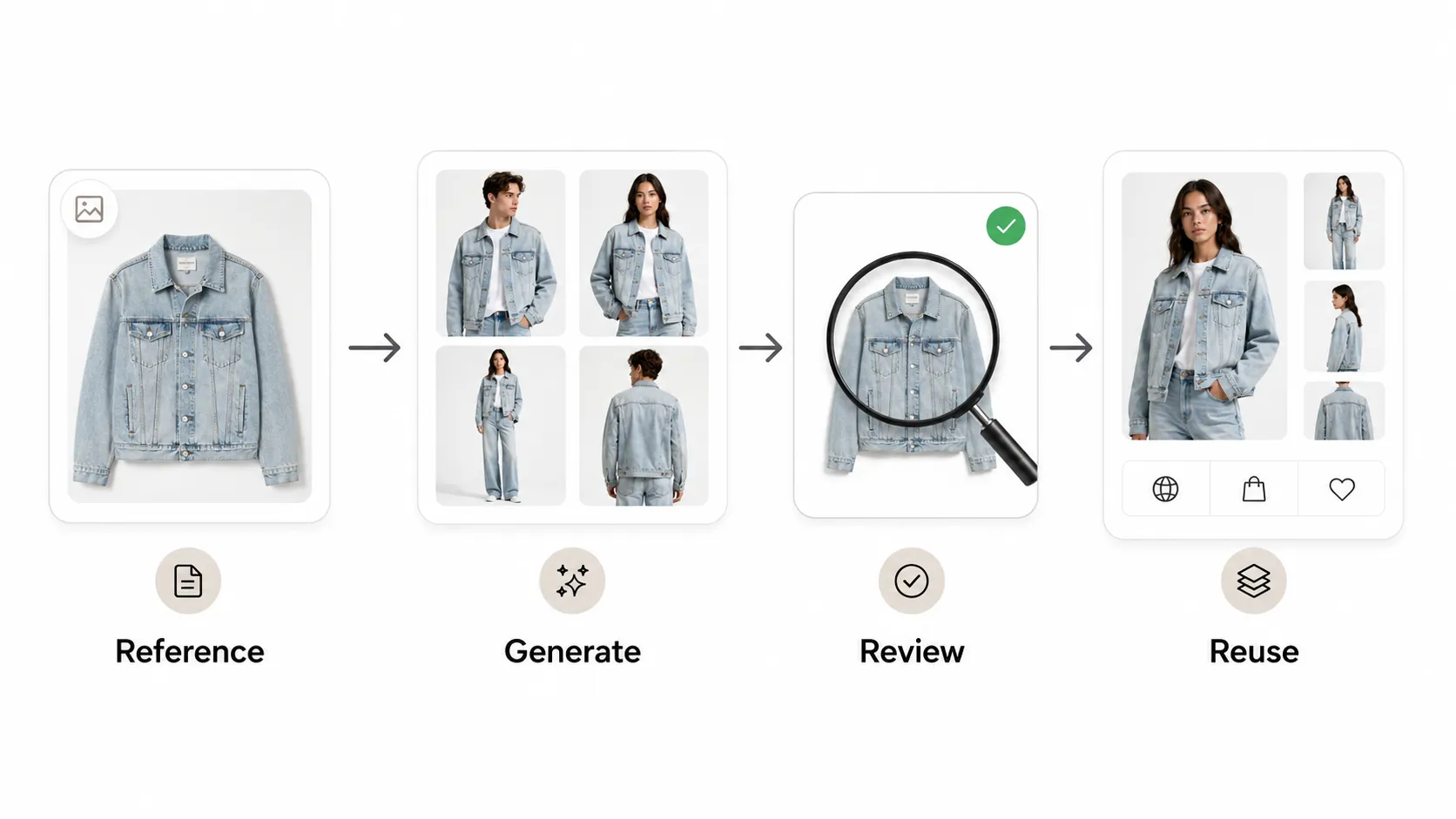



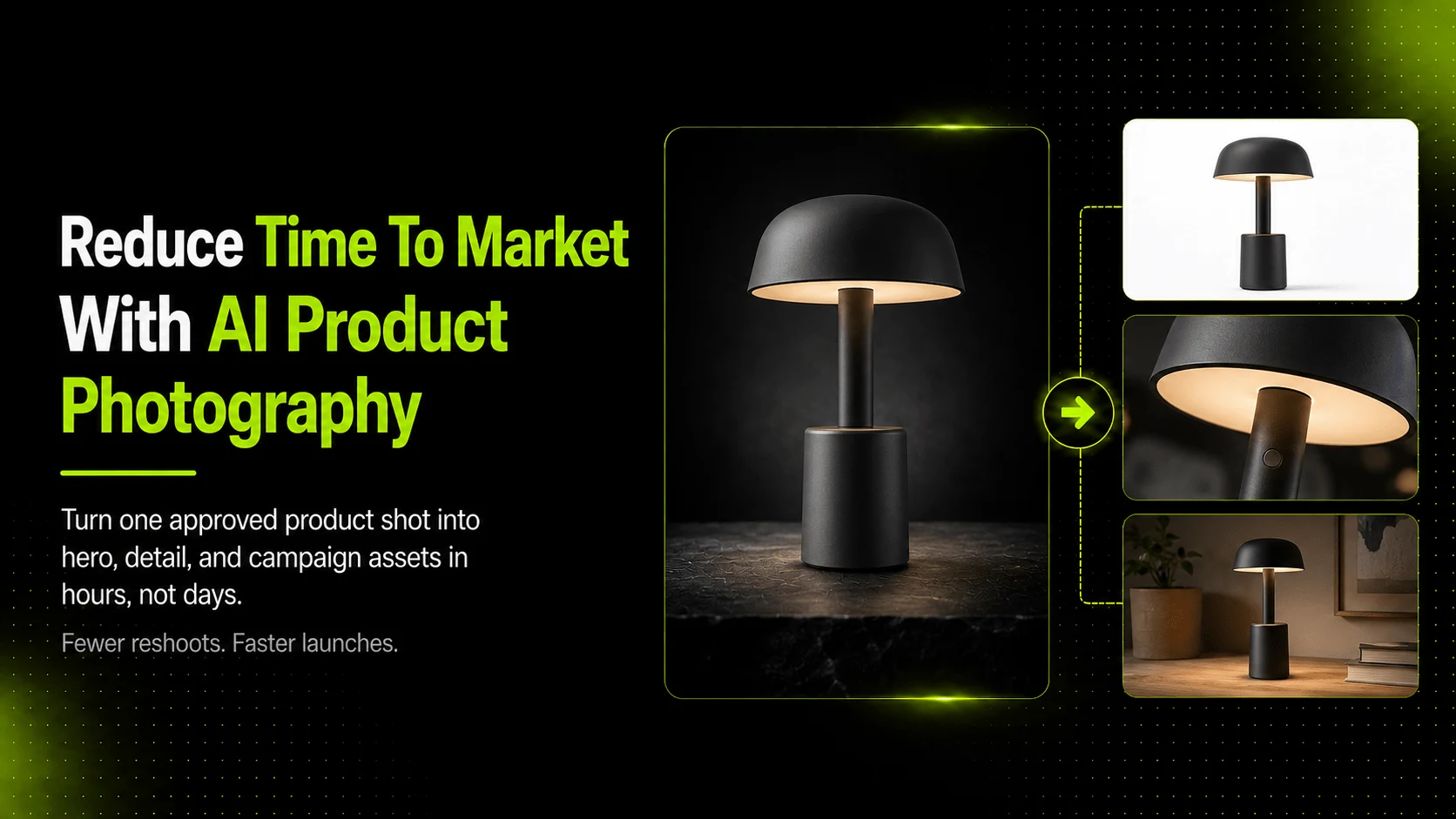
AI product photography tools reduce time to market by compressing the post-shoot phase: they turn a small set of real product photos into multiple usable assets, hero shots, detail images, background variations, and campaign visuals, in hours instead of days. The fastest gains come from replacing manual reshoots and per-variation studio sessions with reference-based AI generation, while keeping product accuracy review as the final gate before publishing.
For ecommerce brands, missing a launch window can mean lost sales during peak seasons, delayed ad campaigns, and incomplete product pages that underperform. AI tools do not eliminate photography or creative direction, but they can shrink the heaviest production blocks from days to hours when used as part of a structured workflow.
Key Takeaways
- AI tools reduce time to market most by expanding one shoot into more usable assets without reshoots.
- The biggest time wins happen in post-production and variation generation, not in capture.
- Human review remains essential; skipping it can cause rework that erases time savings.
- Different launch types need different asset sets; AI helps scale each type faster.
What Is Time to Market in Ecommerce?
Time to market in ecommerce refers to the total elapsed time between having a product ready to sell and having complete visual assets live across your storefront, marketplace listings, ad campaigns, and social channels. It includes every step from initial photoshoot planning through final image delivery and publication.
Why Speed Matters for Product Launches
Ecommerce operates on compressed timelines. Seasonal collections have narrow windows before trends shift or inventory ages. Marketplace sellers competing on Amazon, Shopify, or Etsy need complete image sets to list products competitively. Marketing teams cannot run paid ads without campaign-ready creatives, and product pages with fewer than five images tend to convert at lower rates than those with richer visual sets, according to Shopify's ecommerce photography guidance.
When visual production lags, several problems compound:
- Products go live with placeholder or low-quality images that hurt conversion.
- Ad campaigns start late, missing early traffic windows when cost-per-click is often lower.
- Competitors with faster asset pipelines capture search and social attention first.
- Internal teams spend more time coordinating reshoots than on strategy or optimization.
Speed alone does not guarantee better outcomes, but slower visual production creates avoidable friction across the entire go-to-market process.
The Typical Visual Production Timeline
A traditional product photography workflow for a single SKU typically follows this pattern:
- Planning and prep (one to three days): Briefing, prop sourcing, model scheduling, studio booking.
- Photoshoot (half a day to two days): Capture hero shots, angles, details, lifestyle scenes.
- Selection and culling (half a day to one day): Reviewing hundreds of frames, selecting best options.
- Editing and retouching (one to three days): Color correction, cleanup, background removal, format export.
- Variation production (two to five days): Additional shoots for new backgrounds, angles, or campaign concepts.
- Review and approval (one to three days): Stakeholder feedback rounds, final sign-off.
- Delivery and upload (half a day to one day): Formatting for each channel, uploading to storefront and ad platforms.
For a brand launching ten SKUs with multiple image types per product, this timeline can stretch from two weeks to over a month depending on revision cycles and variation needs. AI-assisted workflows compress specific stages within this pipeline rather than replacing the entire process.
Where Traditional Photography Slows Down Launches
Understanding which stages create the longest delays helps identify where AI tools can make the biggest difference.
Reshoot Cycles for Every New Variation
The single largest time sink in traditional workflows is the need to reshoot whenever a new visual variation is requested. A marketing team might approve hero shots, then request lifestyle versions for social media, white-background images for Amazon, seasonal background swaps for a holiday campaign, and close-up detail shots for the product detail page (PDP). Each of these requests can trigger another studio session or at minimum another editing cycle.
For small brands without dedicated studio access, coordinating even one additional shoot day can add a week or more to the timeline due to scheduling, talent availability, and equipment setup.
Manual Editing and Format Prep Per Channel
Each sales channel has its own image requirements. Amazon demands specific aspect ratios and background rules. Shopify stores benefit from multiple angles and zoom-friendly resolution. Social ads need vertical, square, and horizontal formats. Email creatives may require different cropping and text-safe zones.
Preparing one set of photos for four or five channels manually means repeated export, resize, reformat, and quality-check passes. This work is not creative; it is repetitive production labor that scales linearly with the number of SKUs and channels. AI-assisted editing tools such as Adobe Generative Fill have begun automating parts of this workflow, though generative tools still require human oversight for commercial accuracy.
Client or Stakeholder Revision Rounds
Revision cycles often extend timelines more than the original production. A brand manager requests warmer tones. An e-commerce lead asks for a different angle. A marketplace compliance reviewer flags a background that does not meet specifications. Each round of feedback can add days while assets sit in review queues rather than going live.
Coordinating Across Multiple SKUs
When a brand launches a collection rather than a single product, the coordination burden multiplies. Ten SKUs with six image types each means sixty assets that must be shot, edited, reviewed, and uploaded consistently. Any inconsistency in lighting, styling, or formatting across the set triggers more correction work and delays the entire collection launch.
How AI Product Photography Tools Speed Up Each Stage
AI product photography tools do not speed up every stage equally. They are most effective at compressing post-capture production and variation generation. Here is how they affect each stage of the workflow.
From Shoot to First Draft Assets
After a traditional photoshoot produces a set of approved reference images, AI tools can generate additional compositions from those references within hours rather than days. A brand that captures twenty strong flat-lay or hero shots can use those as inputs to produce background variations, lifestyle adaptations, and alternate angles without returning to the studio.
This stage benefits most when reference images are high-quality, well-lit, and show the product clearly. Poor or blurry inputs will produce poor outputs regardless of AI capability, so the initial capture still matters.
From Hero Shot to Full Product Page Set
Product pages perform better when shoppers can see the item from multiple angles, in detail close-ups, and in context. AI tools can expand one approved hero shot into a fuller PDP image set: additional angles, fabric close-ups, white-background variants, and contextual lifestyle placements.
For example, an apparel seller could use AI Fashion Detail Image Generator to produce white-background product images and detail close-ups from a single garment photo, reducing the need to shoot every SKU against a seamless backdrop separately.
From One Campaign Concept to Multi-Channel Creatives
Marketing teams often need to adapt one successful visual concept across different audiences, seasons, or platforms. AI Image Replacer allows teams to swap backgrounds, adjust clothing elements, or modify scene context without reshooting the original product.
A Q1 campaign visual can be adapted for Q2 by changing the background to match seasonal themes, adjusting color tones, or repositioning the product for a different platform format. This type of creative adaptation typically takes minutes per variation once the base image is approved.
From Seasonal Concept to Full Lookbook Rollout
Fashion brands launching seasonal collections need editorial-style lookbook visuals that tell a cohesive story across the line. Traditional lookbook production requires multiple shoot days, location scouting, styling coordination, and extensive post-production.
AI Fashion Lookbook Generator can help brands turn existing product images into lookbook-style campaign visuals, expanding a smaller set of reference photos into a broader collection of editorial compositions. For a brand with limited shoot budget, this approach can cut lookbook production from a multi-day affair to a one- or two-day workflow that combines a focused capture session with AI-assisted expansion.
Measurable Time Savings Across a Typical Launch
The table below compares estimated time requirements for key production stages in traditional versus AI-assisted workflows. These are typical ranges, not guarantees, actual times depend on team size, asset complexity, and review processes.
| Production Stage | Traditional Workflow | AI-Assisted Workflow | Notes |
|---|---|---|---|
| Photoshoot planning | 1–3 days | 1–3 days | Largely unchanged |
| Studio capture | 0.5–2 days | 0.5–2 days | Largely unchanged |
| Image selection | 0.5–1 day | 0.5–1 day | Largely unchanged |
| Basic editing | 1–3 days | 0.5–1.5 days | Some reduction via automated cleanup |
| Background/format variations | 2–5 days | 0.25–1 day | Largest time savings here |
| Campaign concept adaptation | 2–4 days | 0.25–0.5 day | Significant compression possible |
| Lookbook/editorial production | 3–7 days | 1–2 days | Depends on collection size |
| Review and approval | 1–3 days | 1–3 days | Does not shrink, judgment still required |
| Channel formatting/upload | 0.5–1 day | 0.25–0.5 day | Moderate reduction |
Which phases shrink the most: Variation generation, campaign adaptation, and multi-format production see the steepest time reductions because these are the stages where AI generates new compositions from existing references rather than requiring new physical captures.
Which phases barely change: Planning, capture, direction, and final approval still take roughly the same amount of time because they depend on human decisions, physical logistics, and quality judgment that AI cannot replace.
When AI Does Not Save Time
It is important to recognize where AI tools do not meaningfully accelerate the workflow:
- Initial capture: Photographing the product, setting up lighting, and directing the shoot still requires the same time and skill.
- Creative direction: Deciding on brand aesthetic, mood, and visual strategy is a human decision-making process.
- Final approval: Someone must still review outputs for product accuracy, color fidelity, and brand consistency before publication.
- Poor input rescue: AI cannot fix blurry, badly lit, or misframed reference images. Quality inputs remain a prerequisite for quality outputs.
Teams that treat AI as a replacement for good photography fundamentals rather than a multiplier for good reference images will not see meaningful time savings and may introduce rework that negates any gains.
How iCreat AI Shortens the Production Cycle
iCreat AI offers a set of tools designed specifically for ecommerce and fashion visual production. Each tool addresses a different stage of the time-to-market challenge.
AI Product Photography for Rapid Asset Expansion
AI Product Photography is the core tool for generating ecommerce product visuals from reference images. Users can upload up to ten reference images to guide generation, select from standard or advanced models depending on detail requirements, and output in resolutions up to 4K. This workflow supports the stage where one approved shoot needs to become a larger asset set without scheduling additional studio time.
AI Image Replacer for Fast Creative Adaptation
When a brand needs to adapt existing visuals for new campaigns, seasons, or audiences, AI Image Replacer enables background changes, clothing adjustments, and scene modifications from a single base image. This directly targets the variation-production bottleneck that traditionally requires reshoots or lengthy Photoshop sessions.
Pose and Detail Tools for Faster PDP Readiness
Product pages convert better when they show variety. AI Pose Generator helps teams create pose variations from existing model photos, adding visual richness to PDPs without another modeling session. Combined with AI Fashion Detail Image Generator for white-background and close-up assets, these tools help sellers build complete product page image sets faster.
Lookbook Tools for Fashion-Specific Launch Speed
For fashion brands, AI Fashion Lookbook Generator turns product images into editorial-style campaign visuals. By using a three-image upload workflow (main image, detail image, back-view image), the tool aims to preserve important garment features while generating multiple lookbook compositions from fewer inputs.
Common Mistakes That Erase Time Savings
AI tools can accelerate production, but certain mistakes undo the gains and sometimes make the overall process slower than a traditional workflow.
Skipping Reference Quality Checks
Generating from low-resolution, poorly lit, or off-angle reference images produces outputs that need heavy correction or complete regeneration. The time spent fixing bad outputs often exceeds the time that would have been spent shooting proper references in the first place. Always start with the clearest, best-lit product images available.
Bypassing Review to Publish Faster
The temptation to skip or shorten the review step to hit a deadline is understandable but risky. Publishing inaccurate product visuals, wrong colors, distorted shapes, missing details, leads to customer complaints, returns, and eventual rework that takes longer than a thorough initial review would have. Build review into the timeline rather than treating it as optional.
Using AI for Every Image Type
Not every product image benefits from AI generation. Hero images that customers zoom into for texture and fit assessment, marketplace main images subject to strict compliance rules, and any visual where pixel-level accuracy affects purchase decisions should receive extra scrutiny. Use AI where variation and volume matter most, and reserve traditional or hybrid approaches for high-stakes visuals.
Not Planning Assets Before Generating
Starting AI generation without a clear asset plan leads to scattered outputs that do not match channel requirements. Before generating, list what you need: how many hero shots, how many detail images, which background styles, which aspect ratios, and which platforms each asset serves. A simple checklist prevents redundant generation and reduces the total iteration count.
Sources
- Shopify Ecommerce Photography Guidance, best practices for product image sets, angles, and PDP completeness
- Adobe Generative Fill, AI-assisted editing capabilities for commercial image workflows
- Amazon Seller Central Image Requirements, marketplace listing image standards that affect production timelines
FAQ
Conclusion
AI product photography tools reduce time to market for ecommerce brands by compressing the post-shoot production pipeline. They turn a small set of approved reference images into a fuller asset set, hero shots, variations, campaign visuals, and lookbook compositions, in hours rather than days. The stages that shrink most are variation generation, creative adaptation, and multi-channel formatting. The stages that stay the same are capture, direction, and final approval.
The practical approach is to use AI for what it does best, expanding good inputs into more usable outputs, while keeping human judgment in the roles where it matters most. Start with quality reference images, plan your asset needs before generating, review outputs for accuracy, and use AI tools like AI Product Photography, AI Image Replacer, and supporting workflow tools to shorten the path from product-in-hand to live-on-storefront.
If you are ready to compress your visual production timeline, log in to iCreat.ai and start generating from your own product references.