


Introduction
You already have the image. What you need is a tool that will accept it, follow the motion prompt, and return a usable video instead of stopping the generation.
That is where many mainstream AI video platforms fail. They may offer image-to-video models, but adult-oriented images or prompts are rejected before the model gets a chance to run.
The alternatives fall into three groups. Some are simple browser tools built specifically for NSFW creation. Others are multi-model platforms where you can choose between several Spicy or uncensored video models. A third option is running an open model locally, which gives you more control but requires your own hardware and setup.
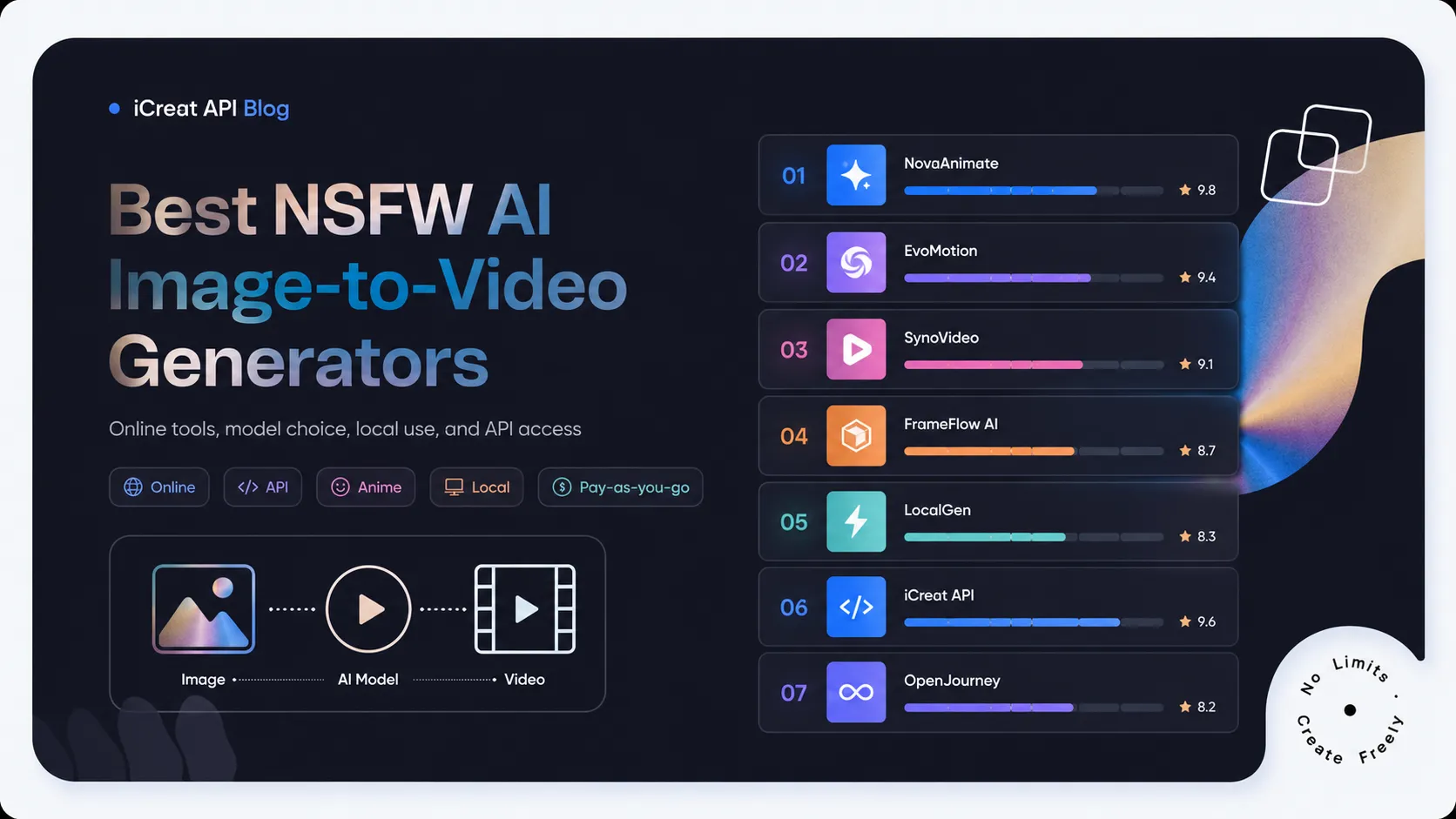
This guide compares seven tools that explicitly support NSFW image-to-video generation. The focus is not simply on which one has the longest feature list. It is on which tool fits the way you actually want to create.
Top 7 Generators Comparison
| Tool | Best for | Online generation | API | Model choice | Pricing model |
|---|---|---|---|---|---|
| iCreat | Best overall for online use and API access | Yes | Yes | Multiple Spicy models | Pay as you go |
| AtlasCloud | Broad uncensored model catalog | Yes | Yes | 15+ uncensored models | Pay as you go |
| ZenCreator | Dedicated no-code NSFW creation | Yes | No public API | Managed by platform | Credit packs |
| Komiko | Anime and illustrated characters | Yes | Not emphasized | Multiple animation models | Credits/subscription |
| Joyfun | Free, no-sign-up experimentation | Yes | No | Several model options | Free and paid access |
| HackAIGC | All-in-one uncensored creation suite | Yes | Not emphasized | Managed by platform | Free entry point |
| ComfyUI + Wan | Local control and private workflows | Local browser UI | Local API possible | Open models and workflows | Hardware cost |
Best overall: iCreat Best dedicated no-code tool: ZenCreator Best for anime: Komiko Best free starting point: Joyfun Best local option: ComfyUI with Wan
What matters when choosing an NSFW image-to-video generator
Every tool in this list supports the core task: uploading an image and generating adult-oriented video from it. The differences appear after that.
The first is how you access the generator. A casual user may only need a browser interface. A creator producing many clips may want several models in one account. A developer may need an API that can be added to an app, website, or automated pipeline.
The second is model choice. A platform built around one hidden model can be easier to use, but it leaves you with fewer options when the output is unstable. Multi-model platforms let you retry the same image with another model rather than repeatedly rewriting the prompt.
The third is the type of source material. Photorealistic images, anime characters, illustrated scenes, custom LoRA characters, and longer sequences do not all benefit from the same workflow.
Finally, there is pricing. Video generation often takes several attempts. Subscription plans may suit frequent creators, while pay-as-you-go access is usually better for irregular use or for comparing several models before committing to one.
1. iCreat: Best overall for multiple NSFW models in one place
You can upload an image, choose a model, add a motion prompt, adjust the available settings, and generate directly in the browser. Coding is optional. The API becomes useful when you want to process many images, automate repeated generations, or add the same capability to another product.
What makes iCreat different from a single-purpose NSFW generator is that it provides several Spicy and uncensored models under the same account:
- Wan 2.7 Spicy I2V
- Wan 2.7 I2V
- Seedance v1.5 Spicy
- Wan 2.6 Spicy I2V
- Wan 2.2 Spicy LoRA
- Wan 2.2 Turbo Spicy Infinite I2V
Seedream 5.0 Pro is also available for generating or editing the source image before it is animated.
This model range solves a practical problem. A source image that produces weak motion in one model may work much better in another. You can switch models without moving to a different website, creating another account, or managing a separate balance.
The choices also cover different workflows. Wan 2.7 Spicy is a sensible starting point for general image animation. Seedance v1.5 Spicy is relevant when you want stronger audiovisual and cinematic capabilities; the underlying Seedance 1.5 Pro model supports native audio, camera movement, and complex visual instructions. Wan 2.2 Spicy LoRA is designed for users who need additional character or style control, while the Infinite route is intended for longer segmented sequences.
iCreat uses pay-as-you-go pricing rather than requiring a fixed subscription. That makes it practical for users who may generate heavily during one project and barely use the service the following month.
Where iCreat is strongest
iCreat works especially well for users who want to:
- Generate directly in a browser
- Compare several NSFW-capable models
- Pay only when they generate
- Test a workflow manually before automating it
- Use the same platform for both Playground and API access
Where it is weaker
The experience is model-first and relatively technical. Users who do not care which model runs behind the interface may find the number of routes and parameters unnecessary.
Verdict: iCreat is the strongest all-round choice when you want a usable online generator now and API access later, without giving up control over the underlying model.
2 ZenCreator: Best dedicated no-code NSFW video generator
ZenCreator is built specifically for unrestricted image and video creation rather than general business or marketing use.
Its NSFW video generator accepts uploaded images and turns them into adult-oriented animations through a browser interface. The platform advertises 1080p output, rendering in under 60 seconds, and credit packages starting at $19.99. Purchased credits do not expire.
The main advantage is focus. You do not need to browse a catalog containing hundreds of unrelated image, language, and commercial video models. The interface is designed around image generation, image-to-video, face swapping, and other adult creator workflows.
That makes ZenCreator easier to approach than an API marketplace. Upload the source image, enter the direction, and generate.
Where ZenCreator is strongest
ZenCreator is a good fit when you want:
- A dedicated NSFW-focused interface
- No API configuration
- A straightforward image-to-video workflow
- Credits that do not expire
- Other adult creator tools in the same account
Where it is weaker
ZenCreator does not make its underlying video models as visible as iCreat or AtlasCloud. That means less control over reproducibility and fewer options when you want to compare named models.
Its credit system is also less transparent than direct per-generation or per-second pricing until you know how many credits your chosen settings consume.
Verdict: Choose ZenCreator when you want a focused adult creator suite and do not need model-level control or API integration.
3 Komiko: Best for anime and illustrated characters
Komiko explicitly offers an NSFW image animation tool for turning static adult-themed artwork into video. Its interface supports media uploads, prompts, model selection, characters, styles, and output visibility.
The wider Komiko platform is built around anime, manga, original characters, comics, and visual storytelling. This gives it a clear advantage for illustrated source material.
A generic video generator may technically animate anime art, but its surrounding workflow is usually designed for photos or cinematic scenes. Komiko includes tools for creating characters and artwork before moving into animation, so the entire process stays inside one visual environment.
Where Komiko is strongest
Komiko is particularly suitable for:
- Anime and manga images
- Original characters
- Visual-novel artwork
- Illustrated adult scenes
- Users who want character creation and animation together
Where it is weaker
Its internal credit system makes direct cost comparisons harder because usage depends on the selected model and settings.
Komiko also includes community and publishing features. Users working on private projects should check the visibility setting rather than assuming every generation is private by default.
Verdict: Komiko is the strongest choice in this list for users whose source images are anime, manga, or stylized character art.
4 Joyfun: Best free, no-sign-up starting point
Joyfun markets its NSFW image-to-video generator as a browser tool that can be used without creating an account.
Users can upload an image, enter a prompt, select from available model options, and generate an animation. Its current product page promotes output up to 15 seconds and 1080p, with model choices that include Spicy and Seedance-based routes.
This makes Joyfun appealing to users who want to experiment before entering payment details or learning model parameters.
There is little friction between landing on the page and reaching the generator. That matters when the user is still deciding whether image-to-video can produce usable movement from their source material.
Where Joyfun is strongest
Joyfun works well when you want:
- A no-sign-up entry point
- A quick browser test
- A simple interface
- Several model choices without API setup
- Short 1080p animations
Where it is weaker
Joyfun’s pages use strong “free” and “unlimited” marketing language, while also referring to subscription tiers and selected model availability. The practical allowance can therefore depend on the active model, queue, and plan.
It is also less suitable for users who need a documented API or repeatable model-level production pipeline.
Verdict: Joyfun is a useful low-friction testing option, especially when you want to see a first result before committing to a platform.
5 HackAIGC: Best all-in-one uncensored creator suite
HackAIGC provides a wider uncensored environment that includes image generation, image editing, chat, and video creation.
Its NSFW image-to-video tool supports uploads and prompt-based animation from single or multiple images. The company explicitly positions the service as accepting adult content without the moderation blocks found on mainstream platforms.
This makes HackAIGC relevant to users who do not want image-to-video as an isolated tool. You can create or edit the source asset and then animate it within the same broader platform.
Where HackAIGC is strongest
HackAIGC is suitable when you want:
- Image and video generation in one service
- An explicitly uncensored workflow
- Browser-based creation
- A free entry point
- Several adult-oriented AI tools under one account
Where it is weaker
The platform provides less model-level transparency than iCreat or AtlasCloud. It is easier to use, but users have less visibility into which video model is running or how to reproduce the same output through another endpoint.
API access is also not a central part of its public image-to-video offering.
Verdict: HackAIGC is a strong choice for users who want an uncensored creative suite rather than a dedicated model marketplace.
6 ComfyUI with Wan: Best for local control and private generation
ComfyUI is an open-source, node-based interface that runs on your own computer. It supports customizable image and video workflows, including local image-to-video generation.
Wan is an open video-model family that includes image-to-video capabilities. Official ComfyUI documentation provides example Wan workflows, including first- and last-frame video generation.
Running the workflow locally removes the hosted platform from the generation path. Your source images and outputs can remain on your own machine, and there is no per-generation platform fee.
This route gives you the greatest control over models, checkpoints, LoRAs, nodes, upscaling, frame interpolation, and post-processing.
Where local generation is strongest
ComfyUI is the right option when you want:
- Local file handling
- Full workflow customization
- No hosted-platform generation balance
- Access to open models and community workflows
- The ability to build advanced LoRA and post-processing pipelines
Where it is weaker
Local AI video generation is much more demanding than local image generation.
You need a compatible GPU, enough VRAM, model files, disk space, and the patience to troubleshoot nodes and dependencies. The Wan family includes lighter and larger variants, but high-quality video inference can still be slow on consumer hardware. The original Wan research describes both efficient and larger models and confirms support for image-to-video among its downstream tasks.
There is also no managed support team handling failed jobs or infrastructure issues.
Verdict: Choose ComfyUI with Wan when privacy and control matter more than convenience, and you already have suitable hardware or are willing to learn the setup.
Which NSFW image-to-video generator is right for you?
Choose iCreat when you want the most balanced workflow: direct online generation, multiple Spicy models, pay-as-you-go use, and API access under one account.
Choose AtlasCloud when you want an even broader uncensored model catalog and are comfortable with a more technical model-first interface.
Choose ZenCreator when you want a dedicated adult creation environment without thinking about APIs or model IDs.
Choose Komiko when your source material is primarily anime, manga, visual-novel art, or original illustrated characters.
Choose Joyfun when you want to try image-to-video immediately without signing up.
Choose HackAIGC when you want NSFW image generation, editing, chat, and video tools bundled into one browser platform.
Choose ComfyUI with Wan when you want to keep the workflow local and control nearly every part of the generation process yourself.
How to get better results from your source image
The generator can only work with the visual information available in the source.
Use an image where the main subject is clear and important details are visible. Heavily cropped limbs, hidden hands, blurred faces, dense backgrounds, and low-resolution images make motion harder to predict.
The first prompt should be simple. Describe one main subject action, then add camera or environmental movement.
A useful structure is:
For example:
This structure works because it tells the model what should move and what should stay stable.
When a generation fails visually, do not spend all your time rewriting the same prompt. Try the image on a second model. Different models interpret faces, anatomy, camera directions, and movement intensity differently.
For longer videos, begin with one stable short clip. Continue from its final frame or use a model designed for segmented generation. Trying to force several actions, camera changes, and scene transitions into one short request usually produces less stable output.
Frequently asked questions
Final verdict
The best NSFW AI image-to-video generator is the one that supports the content you want to create and fits the amount of control you need.
For occasional browser generation, dedicated tools such as ZenCreator and Joyfun keep the process simple. Komiko is the clearest choice for anime and illustrated characters, while HackAIGC offers a broader uncensored creator suite.
ComfyUI is the most flexible route for users prepared to manage local hardware and workflows themselves.
For most users, however, iCreat provides the best overall balance. You can generate directly in the Playground, choose among several Spicy and uncensored models, pay as you go, and use the same models through an API when your workflow needs to scale.