


Introduction
When you search for the “best uncensored AI models,” the hardest part is not finding recommendations. It is that many recommendation lists compare completely different things.
Some articles discuss language models that can run locally through Ollama. Others recommend online roleplay chat tools. Some place AI image generators, image-to-video models, and underlying foundation models in the same ranking.
Even when two products display the same model name, the content they can generate may differ. Model fine-tuning, inference settings, and platform-level filters can all affect the final result.
This means you cannot choose an uncensored AI model based only on how often it refuses requests. A model that rarely refuses but has weak reasoning is not a good choice for complex research or coding. An image model with fewer restrictions but unstable anatomy is not suitable for recurring character creation. Video models require additional consideration, including motion quality, reference-image preservation, temporal consistency, and generation cost.
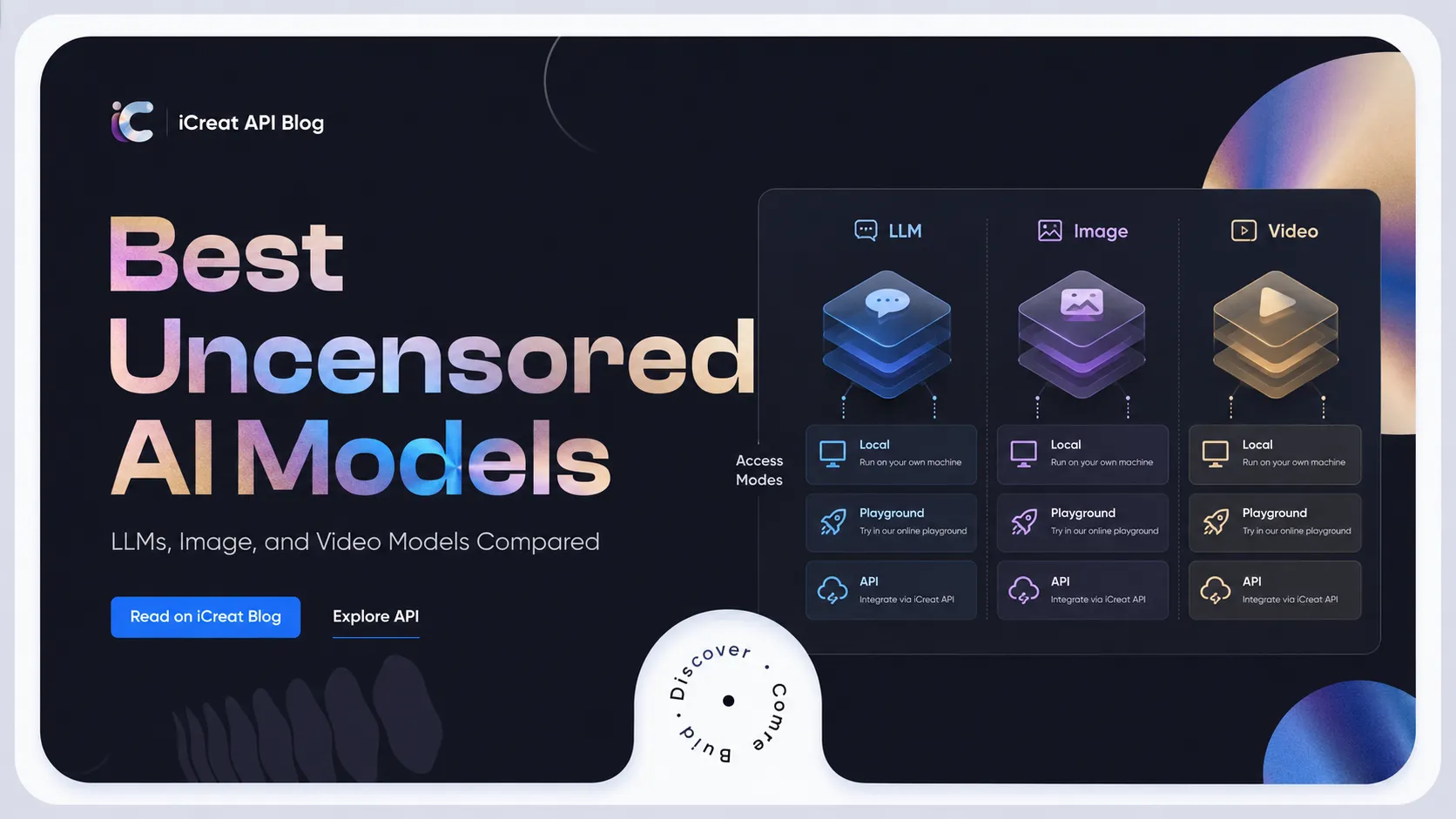
This guide compares LLMs, image models, and video models separately. It answers three practical questions:
- Which models work best for chat, research, writing, or local deployment?
- Which models are suitable for less restricted image and video creation?
- When should you choose a local model, an online Playground, or a hosted API?
How We Selected the Best Uncensored AI Models
Many existing rankings use download numbers or refusal-test pass rates to rank models. Both metrics can be useful, but neither is enough to determine whether a model is genuinely useful.
Download numbers often favor models that were released earlier. An older model with millions of downloads may have strong community support, but that does not mean it can outperform newer models in reasoning, context length, or multimodal capability.
Refusal rates have the same limitation. A model being willing to answer does not mean it understands the task correctly or produces stable results.
This guide uses six main criteria:
Generation freedom: Whether the model produces unnecessary refusals for ordinary creative writing, adult themes, horror, controversial topics, or roleplay.
Core capability: For LLMs, this includes reasoning, writing, coding, and long-context performance. For image models, it includes prompt adherence, anatomy, text rendering, and reference consistency. For video models, it includes motion, camera control, temporal consistency, and character stability.
Controllability: Whether the model supports system prompts, negative prompts, reference images, LoRAs, driving audio, or segmented prompts.
Ease of access: Whether GGUF quantizations are available and whether the model can be used through Ollama, LM Studio, ComfyUI, a web interface, or an API.
Resource cost: How much hardware local deployment requires, whether cloud access requires a subscription, and whether API pricing is practical for batch generation.
Maintenance status: Whether the model still receives updates, quantized releases, community support, and compatibility with current inference tools.
“Best” does not mean finding one model that works for everyone. It means choosing the model with the most reasonable trade-offs for a specific task.
Best Uncensored AI Models at a Glance
| Model | Type | Best for | Access | Main trade-off |
|---|---|---|---|---|
| Qwen3.6 35B-A3B Uncensored | LLM | High-capability local chat and complex tasks | Ollama, llama.cpp, Hugging Face | Higher hardware requirements and a relatively new community release |
| Dolphin Mistral 24B Venice Edition | LLM | General chat, writing, and system-prompt control | Local, GGUF, online services | Requires more resources than 8B and 9B models |
| Qwythos 9B v2 | LLM | Long-form writing, roleplay, and creative work | Ollama, LM Studio, vLLM | Newer model with limited long-term stability data |
| Dolphin 3.0 Llama 3.1 8B | LLM | Coding, tool use, and local use on ordinary computers | Ollama, GGUF | Lower capability ceiling than larger models |
| Qwen3.5 4B Abliterated | LLM | Low-resource devices and fast experiments | Hugging Face, local quantizations | Fewer refusals do not overcome the limits of a small model |
| Seedream 5.0 Pro | Image | High-quality images, editing, and professional visuals | Online platforms, API | Cannot provide the same complete local control as open weights |
| Stable Diffusion 3.5 Large | Image | General local image generation and custom workflows | Local, ComfyUI, Diffusers | Higher deployment and VRAM requirements |
| Pony Diffusion V6 XL | Image | Anime, characters, and stylized creation | Local, SDXL workflows | Not the strongest choice for general design or realistic commercial visuals |
| Wan 2.7 Spicy I2V | Video | High-quality uncensored image-to-video generation | Playground, API | Higher-quality modes usually cost more |
| Seedance v1.5 Pro Spicy | Video | Expressive motion and audio-visual generation | Playground, API | Better suited to short videos than long-form narratives |
| Wan 2.6 Spicy I2V | Video | A balance of quality, duration, and stability | Playground, API | No longer represents the highest quality ceiling after newer releases |
| Wan 2.2 Spicy LoRA | Video | Custom characters and styles | API, LoRA workflows | Lower base quality and resolution than newer models |
| Wan 2.2 Turbo SpicyInfinite I2V | Video | Fast iteration and segmented video generation | API | Prioritizes speed, so individual-frame detail may not be the best |
Best Uncensored LLMs
Qwen3.6 35B-A3B Uncensored: Best Overall for High-Capability Local Use
Qwen3.6 35B-A3B Uncensored is suitable for advanced users who want to run a newer model locally while reducing refusals.
It is a community-modified version of a mainstream foundation model. Its Hugging Face page provides instructions for GGUF, Ollama, llama.cpp, and OpenAI-compatible local serving. This means it can be used not only for chat, but also for local agents, coding tools, and self-hosted applications.
Its main advantage is not simply that it is more willing to answer. It also retains the newer Qwen family’s underlying capabilities in reasoning, coding, and multimodal tasks. Compared with older uncensored Llama 2 models, it is better suited to complex instructions and modern workflows.
The trade-off is hardware. Even with quantization, a 35B-class model is not a lightweight option. It is better suited to users with high-VRAM GPUs, machines with large amounts of unified memory, or those willing to accept mixed CPU and GPU inference.
For users who only want local chat on an ordinary laptop, an 8B or 9B model is usually more practical.
Dolphin Mistral 24B Venice Edition: Best Balanced Uncensored LLM
Dolphin Mistral 24B Venice Edition has a clear purpose: reduce refusals in Mistral 24B while preserving general conversation and instruction-following capability.
Its developers describe it as an uncensored Mistral 24B model built for the Venice ecosystem, with additional training intended to improve the rigid writing style of the original version.
It works well for three types of tasks.
The first is general question answering. Its 24B scale usually provides more stable understanding of complex prompts and context than many 7B or 8B uncensored models.
The second is creative writing. Compared with aggressive modifications that focus almost entirely on minimizing refusals, Dolphin Venice places more emphasis on complete and readable responses.
The third is system-prompt-controlled applications. The Dolphin family has long emphasized customizable system prompts, making this model suitable for fixed personas, internal assistants, and specialized workflows.
Its main limitation is still resource usage. GGUF versions lower the deployment barrier and allow it to run through Ollama, but a quantized 24B model remains significantly heavier than an 8B model.
Qwythos 9B v2: Best for Long-Form Writing and Roleplay
Qwythos 9B v2 is better suited to users who care about long-form output, character expression, and extended conversations.
According to its model card, v2 keeps the original model’s long-context and uncensored research focus while correcting repetition problems that could appear under low-temperature or greedy decoding.
Its GGUF versions can run through Ollama, LM Studio, vLLM, and llama.cpp. Users can also launch it as a local OpenAI-compatible service.
Its 9B scale occupies a practical middle ground. It offers more expressive language than many 4B models without requiring the same hardware as 24B or 35B models.
It is particularly suitable for:
- Long roleplay sessions, where character voice and narrative continuity matter more than isolated factual answers
- Creative writing, where complete scenes and internal character descriptions are important
- Long-document analysis, where a larger context configuration can be useful
However, a large advertised context window does not mean that the model maintains equal quality across the entire window. Long-form tasks still benefit from segmentation, summaries, and memory management.
Dolphin 3.0 Llama 3.1 8B: Best for Coding and Everyday Local Use
Dolphin 3.0 Llama 3.1 8B is a more practical option for ordinary local users.
It is positioned for coding, mathematics, agents, function calling, and general-purpose tasks. It is also available through the Ollama model library.
Compared with 24B or 35B models, its main advantages are:
- Faster downloads and loading
- Easier operation on consumer hardware after quantization
- Mature Ollama and GGUF support
- Suitability for testing tool calling and local APIs
It should not be treated as a complete replacement for large closed models. Complex codebases, long reasoning chains, and high-precision knowledge tasks can still expose the limitations of an 8B model.
For local chat, prompt experiments, small coding tasks, and personal automation, however, it is generally more balanced than older uncensored LLMs.
Qwen3.5 4B Abliterated: Best Lightweight Option
Qwen3.5 4B Abliterated is suitable for users with limited hardware or those who only want to test a local workflow quickly.
“Abliterated” usually refers to weakening internal model directions associated with refusal behavior rather than fully retraining the model. This version is presented as a Qwen3.5 4B variant with its refusal mechanisms reduced.
Its main value is its small size, not maximum capability. A 4B model is suitable for:
- Testing Ollama, llama.cpp, or local chat interfaces
- Running simple character or formatting tasks
- Getting faster responses on low-VRAM devices
- Acting as a draft or routing model before a larger model is used
Fewer refusals and stronger capability are separate issues. A 4B model may be willing to answer a complex question while still producing more factual errors, logical gaps, or coding mistakes.
Best Uncensored AI Image Models
Seedream 5.0 Pro: Best for High-Quality Cloud Image Generation
Seedream 5.0 Pro is suitable for users who prioritize image quality, prompt understanding, and professional production without wanting to maintain a local image workflow.
ByteDance positions Seedream 5.0 Pro as an image model with multimodal generation, reasoning, and professional production capabilities. Third-party API pages also emphasize infographics, precise editing, realistic images, and multilingual text generation.
Its difference from traditional uncensored Stable Diffusion models is that Seedream 5.0 Pro was not released specifically as an uncensored fine-tune. What users can generate depends on the platform version, access point, and filtering configuration.
It is better suited to users who:
- Want a higher level of visual polish without learning node-based workflows
- Need text, layouts, posters, or commercial visuals
- Want to test the model in a Playground before generating at scale through an API
- Care more about output quality than complete local control over model weights
For users who need offline operation, unrestricted LoRA installation, or deep changes to the sampling process, open image models remain more suitable.
Stable Diffusion 3.5 Large: Best Open Model for General Image Workflows
Stable Diffusion 3.5 Large remains an important choice for general local image generation.
Stability AI describes it as an 8.1B-parameter flagship foundation model in the Stable Diffusion family, with improvements in image quality, prompt adherence, text rendering, and complex instruction understanding.
Its main advantage comes from its open workflow:
- It can be deployed locally
- Users can change inference interfaces and sampling settings
- It can be combined with LoRAs, ControlNet, and other community tools
- Users can control whether additional safety-checking components are enabled
- Quantized or optimized versions can be selected based on available hardware
This makes it closer to a user-controlled image model than a fixed-rule online generator.
The trade-off is deployment complexity. The model files, text encoders, and inference process require significant VRAM and storage. For users without a dedicated GPU or those who do not want to maintain a ComfyUI environment, a cloud model saves more time.
Pony Diffusion V6 XL: Best for Anime and Character-Focused Creation
Pony Diffusion V6 XL is an SDXL fine-tune focused on characters, anime, anthropomorphic subjects, and stylized content. Its model card describes it as capable of generating both SFW and NSFW humanoid, anthro, and other character images.
Its main strength is not universal image quality. It is the mature ecosystem built around character creation. Users can find a large number of compatible prompts, LoRAs, character models, and workflows.
It is suitable for:
- Anime characters and illustrations
- Maintaining a fixed character appearance
- Stylized character design
- Local creation with SDXL LoRAs
For product advertising, complex infographics, or realistic commercial photography, Seedream 5.0 Pro or Stable Diffusion 3.5 Large is usually more appropriate.
Pony Diffusion’s value lies in its performance within a specific category, not in covering every image-generation task.
Best Uncensored AI Video Models
Wan 2.7 Spicy I2V: Best Overall Uncensored Image-to-Video Model
Wan 2.7 Spicy I2V is currently the most suitable general-purpose choice for uncensored image-to-video generation.
It uses an initial image as a visual anchor, then generates movement, camera changes, and continuous footage based on the prompt. Some hosted implementations also support driving audio, multiple duration settings, and 720p or 1080p output.
Its main advantage comes from the image quality and temporal performance of the newer Wan generation. Compared with earlier Spicy models, it is better suited to:
- Realistic character image-to-video generation
- Content that requires stronger reference-image preservation
- Scenes containing both camera movement and character motion
- Workflows in which audio guides movement
However, Wan 2.7 Spicy should not automatically replace the standard Wan 2.7 I2V model. Standard commercial content, product animation, and projects without specialized generation requirements can begin with the standard version.
The value of the Spicy version is mainly its ability to reduce unnecessary blocking for certain types of content.
Seedance v1.5 Pro Spicy: Best for Expressive Motion and Audio
Seedance v1.5 Pro Spicy stands out for motion performance and audio-visual workflows.
Existing hosted pages describe it as supporting high-quality image-to-video generation, smooth motion, expressive animation, and optional synchronized audio. Some implementations offer durations between four and twelve seconds, together with audio-generation options.
It is suitable for:
- Short videos that need expressive character movement
- Content where audio rhythm influences motion
- Fashion, character, and narrative-focused clips
- Users who want to reduce post-production work for voice and rhythm alignment
It does not necessarily outperform Wan 2.7 in every situation. Their differences are closer to creative tendencies.
Wan 2.7 Spicy is better suited as a general image-to-video workhorse. Seedance v1.5 Pro Spicy is more valuable for shots that emphasize motion, atmosphere, and the relationship between audio and visuals.
Wan 2.6 Spicy I2V: Best Balance of Quality and Flexibility
Wan 2.6 Spicy I2V remains a practical middle-ground option.
Some API implementations support five-, ten-, and fifteen-second videos, 720p and 1080p output, upscaling, and audio-guided motion.
Its strength is that it already has relatively clear parameters and established workflows. It does not focus only on the highest possible visual quality in the way newer models often do.
For users who need to test multiple actions, durations, or visual versions in batches, Wan 2.6 Spicy remains useful.
It is better suited to:
- Short videos built from an established reference image
- Users seeking a balance between quality and cost
- Projects that do not require every capability of the newest model
- Workflows that require multiple iterations rather than one maximum-quality result
Wan 2.2 Spicy LoRA: Best for Custom Styles and Characters
The main value of Wan 2.2 Spicy LoRA is its support for LoRAs.
LoRA is a method that allows a base model to learn a specific person, outfit, visual style, or motion pattern with lower training and deployment costs.
Wan 2.2 Spicy LoRA can turn still images into videos while allowing users to apply custom LoRAs. Current model descriptions indicate that it mainly supports 480p or 720p video.
It is suitable for:
- Recurring character-based content
- Specific anime or visual styles
- Branded characters and ongoing content production
- Teams that already own LoRA assets
It is not ideal for users who simply want to upload an image and immediately receive the highest-quality result.
The value of LoRA requires training data, parameter testing, and repeated generation. Wan 2.7 Spicy or Seedance v1.5 Pro Spicy is more direct for beginners.
Wan 2.2 Turbo SpicyInfinite I2V: Best for Fast Iteration
Wan 2.2 Turbo SpicyInfinite I2V is better suited to users who prioritize speed and segmented workflows.
Current hosted pages describe it as a Turbo model that uses segmented prompts, stable motion, and 30fps post-processing.
“Infinite” should not be understood as producing an unlimited, perfectly continuous video in one generation. Its more practical value is that users can divide a longer idea into multiple controllable shots through segmented prompts and continued generation.
It is suitable for:
- Quickly testing motion prompts
- Generating multiple candidate shots in batches
- Producing low-cost previews before recreating them with a higher-quality model
- Building longer content through segmented prompts
If the goal is maximum quality for a single shot, Wan 2.7 Spicy is more appropriate. If the goal is to find the right movement and camera direction quickly, Turbo SpicyInfinite is more efficient.
Local vs Online vs API-Based Uncensored Models
Local Models
The greatest advantage of local deployment is control.
LLM users can run GGUF models through Ollama, LM Studio, or llama.cpp. Image users can build workflows through ComfyUI, Forge, or Diffusers. Model weights, system prompts, sampling parameters, and additional components remain under the user’s control.
Local deployment is more suitable for users who:
- Want data to remain on their own device
- Need large volumes of repeated generation
- Already own a suitable GPU
- Want to test multiple community models and LoRAs
- Need to modify the underlying inference process
The trade-offs are hardware, time, and maintenance.
Downloading a model does not mean it is immediately ready to use. Users still need to manage quantization formats, VRAM limits, dependencies, drivers, nodes, and version compatibility.
Video generation is especially demanding. Local deployment is usually much more difficult for video models than for LLMs or image models.
Online Playgrounds
Online Playgrounds are suitable for users who want to see results before deciding whether to invest in a more complex setup.
Their main advantage is that they require no installation and no GPU purchase. Users can upload reference images, enter prompts, and compare multiple models directly.
However, two details should be confirmed when choosing an online platform.
First, determine which model version the page actually uses. “Wan 2.7” and “Wan 2.7 Spicy” are not the same access point.
Second, determine whether the platform adds another filtering layer on top of the model. The same model may offer different levels of access across different platforms, so the model name alone does not fully describe the user experience.
Hosted APIs
APIs are suitable for developers who need to integrate models into websites, applications, or automated production pipelines.
Compared with local deployment, a hosted API does not require users to maintain GPUs, model files, or inference servers. Compared with ordinary online tools, an API is more suitable for batch tasks, queue processing, dynamic parameters, and product integration.
On iCreat, users can compare model outputs through the web Playground before connecting image, video, and other AI models through the same platform’s API documentation.
A unified account and billing system reduces the work required to maintain multiple model providers separately. It also makes it easier to switch between models such as Wan, Seedance, and Seedream.
This approach is more suitable for:
- Development teams that need to launch features quickly
- Teams that do not want to maintain local inference infrastructure
- Products that need to switch models based on quality and cost
- Applications that require LLM, image, and video capabilities at the same time
How to Choose the Right Uncensored AI Model
Choose the task first, then decide how the model should be deployed.
For Chat, Research, and Writing
Users with stronger hardware who want higher capability can begin with Qwen3.6 35B-A3B Uncensored or Dolphin Mistral 24B Venice Edition.
Users who prioritize long-form writing, character work, and expressive language can test Qwythos 9B v2.
For ordinary computers or a first local-model setup, Dolphin 3.0 Llama 3.1 8B is the better starting point.
Low-resource devices can begin with Qwen3.5 4B Abliterated, but it should not be used for high-precision research or complex coding tasks.
For Image Generation
Users who want full local control and are willing to learn the workflow can choose Stable Diffusion 3.5 Large.
Users who mainly create anime, characters, or stylized content can use Pony Diffusion V6 XL.
Users who care more about finished image quality, text rendering, layout, and operational efficiency—and do not want to maintain a local model—can choose an online or API version of Seedream 5.0 Pro.
For Image-to-Video
Users who want strong overall quality can begin by testing Wan 2.7 Spicy I2V.
Users who need more expressive motion and stronger audio-visual integration can compare Seedance v1.5 Pro Spicy.
Users seeking a balance between cost, duration, and stability can use Wan 2.6 Spicy.
Users who already have LoRAs or recurring character assets can choose Wan 2.2 Spicy LoRA.
Users who need to test large numbers of prompts or segmented video concepts quickly can use Wan 2.2 Turbo SpicyInfinite I2V.
For Developers
Developers should not compare only the price of a single generation. Integration and maintenance costs also matter.
If a product uses only one model at very high volume, self-hosted inference may offer a cost advantage.
If a product needs to switch frequently between LLM, image, and video models, a unified API usually reduces the work required for integration, authentication, billing, and failure handling.
Final Recommendations
No single model can simultaneously be the best uncensored LLM, image model, and video model.
A more practical selection looks like this:
High-capability local LLM: Qwen3.6 35B-A3B Uncensored.
Balanced general-purpose LLM: Dolphin Mistral 24B Venice Edition.
Roleplay and long-form writing: Qwythos 9B v2.
Local use on ordinary hardware: Dolphin 3.0 Llama 3.1 8B.
General local image generation: Stable Diffusion 3.5 Large.
Anime and character images: Pony Diffusion V6 XL.
High-quality cloud image generation: Seedream 5.0 Pro.
General image-to-video generation: Wan 2.7 Spicy I2V.
Motion and audio-visual performance: Seedance v1.5 Pro Spicy.
Custom characters and styles: Wan 2.2 Spicy LoRA.
Fast video experimentation: Wan 2.2 Turbo SpicyInfinite I2V.
Beginner Path
Beginners do not need to test more than ten models at once.
Start with one task, such as turning a character image into a five-second video. Prepare three fixed reference images and five fixed prompts.
Run the same tasks through two or three models. Compare reference-image preservation, motion, visual errors, and generation cost.
After choosing a model, optimize the prompts around that model.
Advanced Path
Advanced users can build their own test set and use the same input for every model.
Record:
- The number of unnecessary refusals
- The percentage of usable outputs
- Average generation time
- The actual cost per usable result
- Character or style consistency
- The number of required regenerations
The best model for long-term use is not always the model with the lowest cost per generation. It is the model that produces usable results consistently with fewer retries.