


Introduction
A newsroom publishes a story about rising interest rates, a new cybersecurity threat, or changes in artificial intelligence regulation. The article is ready, but there is no suitable photograph.
An editor could use a generic stock photo of a laptop, city skyline, or person looking at a screen. The image would be factually safe, but it might add little to the story.
An AI image generator offers another option: create an original editorial illustration that represents the topic without pretending to document a real event.
That distinction matters.
The best AI image generation tools for news are not simply the models that produce the most realistic pictures. News publishers also need clear usage rights, reliable editing, readable text, fast resizing, disclosure controls, human review, and a firm boundary between editorial illustration and documentary photography.
For most newsroom design teams, Adobe Firefly is the safest all-around choice because it combines commercially oriented generation, professional editing, Content Credentials, and integration with established creative software.
For publishers, SaaS platforms, and media companies that need to produce images automatically, iCreat is the stronger infrastructure choice because it provides access to multiple image models through one API rather than locking the workflow to one generator.
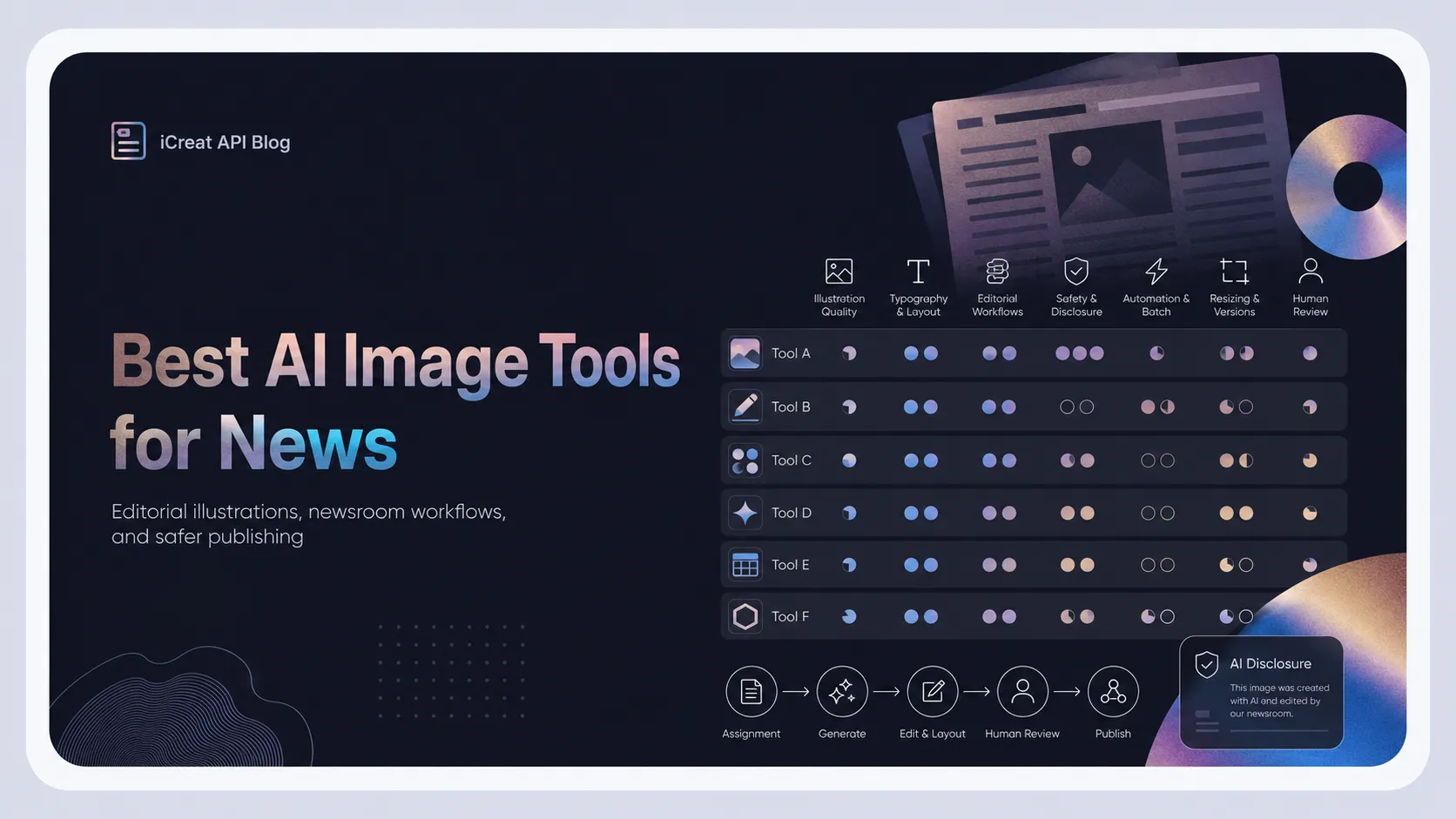
Best AI Image Generators for News at a Glance
| Tool | Best for | Pricing model | Main advantage | Main limitation |
|---|---|---|---|---|
| iCreat | Publishers and automated newsroom workflows | Pay as you go | Multiple image models through one API | Not a complete editorial design application |
| Adobe Firefly | Commercially safer newsroom design | Free and subscription plans | Adobe workflow, editing, and Content Credentials | Best features are tied to the Adobe ecosystem |
| Getty Generative AI | Rights-controlled stock-style images | Enterprise or usage-based access | Licensed training content and commercial protection | Not intended for simulated breaking-news photography |
| ChatGPT Images | Editorial concepts and conversational revisions | ChatGPT plans or token-based API | Strong prompt interpretation and iterative editing | Outputs still require policy and factual review |
| Google Nano Banana 2 | Fast, high-volume image generation | Token-based API | Speed, editing, text handling, and scalable production | Direct access requires separate workflow engineering |
| Canva | Social cards and newsletter graphics | Free and paid plans | Templates, brand kits, resizing, and collaboration | Less control over advanced image generation |
| Ideogram | Headlines, posters, and typography-heavy visuals | Free, subscription, and API pricing | Strong text generation and editable typography | Less suitable for documentary-style visuals |
Pricing and features were checked on August 18, 2026. Plans, regional availability, credit policies, and model access can change.
Should Newsrooms Use AI-Generated Images?
Yes, but only for clearly defined purposes.
AI image generation can be useful for:
- Editorial illustrations
- Opinion and analysis articles
- Abstract business or technology topics
- Newsletter header images
- Podcast artwork
- Social media news cards
- Backgrounds for explainers
- Concept visuals for science reporting
- Alternative crops and format variations
- Internal story pitches and visual ideation
It should not be used to manufacture visual evidence of something that happened in the real world.
The Associated Press states that it does not permit generative AI to add or remove elements from news photographs. It also says that suspected or confirmed false depictions of reality should not be distributed as news imagery. An AI-generated work may be used when it is itself the subject of a story, but it must be clearly identified in the caption.
Reuters similarly treats accuracy as fundamental and prohibits alterations to news photographs beyond normal editorial preparation. Reuters also says that when news content relies primarily or entirely on generative AI, that use should be clearly disclosed.
A practical newsroom rule is:
A generated image of “digital information flowing through an abstract city network” may be suitable for a cybersecurity analysis. A generated image that appears to show a real cyberattack inside a named government office is not.
How We Evaluated the Tools
A conventional AI image generator comparison often focuses on realism, prompt adherence, or artistic style. Those criteria are not enough for editorial use.
We evaluated each tool against seven newsroom requirements.
Editorial transparency
Can editors identify, label, and document that the image was AI-generated?
Content Credentials can help record how a file was created or modified. The Content Authenticity Initiative develops tools based on the C2PA standard to attach verifiable provenance information to digital media, including generative AI content.
Commercial and copyright risk
What does the provider say about training data, commercial usage, indemnification, and ownership?
A tool cannot remove every legal risk. Editors must still review trademarks, recognizable people, copyrighted characters, private information, and misleading similarities.
Editorial control
Can the user change one object, extend a background, preserve a subject, correct text, or resize the composition without regenerating everything?
Text and layout quality
Newsrooms often need headlines, labels, dates, section names, maps, charts, and promotional copy. Garbled text makes an otherwise attractive image unusable.
Workflow integration
A designer producing one cover manually needs a different tool from a publisher generating hundreds of article thumbnails through a content management system.
Cost at publication scale
A low monthly price may work for one editor but become restrictive when credits reset or cannot support automated production. API teams need to compare per-image cost, resolution, retries, and failed-output rates.
Factual and ethical safeguards
No model should be treated as a source of facts. Human editors must review every generated asset for false symbols, inaccurate maps, invented quotations, misleading documents, fake logos, and distorted representations of people or events.
1. iCreat: Best for Multi-Model Newsroom Automation
iCreat is best suited to publishers that want to build AI image generation into a content management system, newsletter platform, media SaaS product, or internal editorial tool.
Instead of connecting separately to several model providers, teams can access image, video, language, and other AI capabilities through a unified platform. The interface is designed to reduce the engineering and billing work required to maintain multiple AI services.
The iCreat model catalog includes image generators and editors from different providers. A publisher can therefore select models according to the task rather than forcing every visual through one system.
For example:
- Use a fast, lower-cost model for routine thumbnails.
- Use a stronger reasoning model for a complex editorial illustration.
- Use an editing model to convert one approved image into several formats.
- Switch models when a provider has poor text rendering, unsuitable style, or high costs.
- Generate several options automatically and send them to an editor for approval.
For stories that need text, controlled composition, or high-volume generation, teams can use Nano Banana 2 through iCreat. Google describes Nano Banana 2 as an efficient image generation and editing model designed for speed and high-volume use cases.
For more complex prompt interpretation and conversational image workflows, publishers can use GPT Image 2 through iCreat. OpenAI describes GPT Image 2 as its state-of-the-art model for image generation and editing, with flexible sizes and high-fidelity image inputs.
Where iCreat fits best
iCreat is especially useful for:
- Automated article thumbnails
- Newsletter asset generation
- Multi-language editorial graphics
- CMS-integrated image workflows
- A/B testing different cover concepts
- High-volume social media variations
- Publishers comparing cost and quality across models
Its pay-as-you-go structure also avoids purchasing a separate subscription for every model provider.
Main limitation
iCreat is an API and model-access platform, not a full newsroom design desk.
Editors may still need Canva, Photoshop, or another application to add final typography, verify brand rules, place disclosure labels, or make precise manual adjustments.
Teams can review the iCreat API documentation before designing an automated approval and publishing pipeline.
Best for: Digital publishers, media platforms, developers, and news organizations producing editorial assets at scale.
2. Adobe Firefly: Best for Commercially Safer Editorial Design
Adobe Firefly is the strongest all-around choice for newsroom designers already using Photoshop, Illustrator, Adobe Express, or other Creative Cloud applications.
It supports image generation, Generative Fill, Generative Expand, text-to-vector creation, mood boards, and access to selected partner models. Editors can generate a concept and continue refining it inside established professional design software.
Adobe positions Firefly as commercially safe and says qualifying business plans may include intellectual-property indemnification, subject to applicable terms.
Firefly also applies Content Credentials to supported generative workflows. This makes it easier to preserve information about how an image was created or edited, although publishers should still add visible disclosure when editorial context requires it.
Adobe currently offers a free tier with limited generations. Firefly Standard costs $9.99 per month and includes 2,000 generative credits, while higher plans provide more credits and additional creative applications.
Where Firefly fits best
Firefly works well for:
- Business and technology illustrations
- Background extension
- Removing distracting elements from non-documentary design assets
- Newsletter and magazine layouts
- Vector illustrations
- Brand-controlled visual production
- Human-reviewed editorial workflows
Main limitation
Adobe’s commercial-safety language does not mean every output is automatically safe or accurate.
Editors must still inspect faces, brands, maps, flags, documents, quotations, and visual claims. Access to the most efficient workflow also becomes more valuable when the newsroom already subscribes to Adobe products.
Best for: Newsroom design teams that prioritize editing control, provenance, and integration with professional creative software.
3. Generative AI by Getty Images: Best for Rights-Controlled Stock-Style Visuals
Getty’s generative AI product takes a more conservative approach than many open-ended image generators.
The system was developed using licensed content from Getty’s creative library. Getty has said that generated images receive broad commercial usage rights and that the product provides indemnification for commercial use under its licensing terms. Contributors whose work is included in the training set also participate in compensation arrangements.
This makes Getty attractive to publishers that are more concerned about training-data provenance and commercial licensing than experimental artistic freedom.
The tool is suitable for:
- Generic workplace scenes
- Lifestyle imagery
- Conceptual business visuals
- Non-identifiable people
- Backgrounds and marketing assets
- Stock-style editorial support graphics
Getty intentionally blocks some prompts involving recognizable people, brands, and potentially harmful political deepfakes. Its generated content is also kept separate from Getty’s traditional editorial photo library, which the company reserves for real people and real events.
Main limitation
Getty’s generator should not be confused with Getty’s editorial photography service.
It does not generate replacement photojournalism, and its restrictions may make it unsuitable for illustrations involving named public figures, current political events, or specific brands.
Best for: Publishers that want conservative, stock-style generative imagery backed by a clearly defined licensing framework.
4. ChatGPT Images: Best for Editorial Concepts and Iterative Revisions
ChatGPT Images is useful when an editor wants to develop a visual idea through conversation rather than write one perfect prompt.
An editor can begin with a broad request, review the result, and then ask for changes such as:
- Make the metaphor less dramatic.
- Remove the human figure.
- Leave more space for a headline.
- Change the composition from square to landscape.
- Preserve the central object but simplify the background.
- Turn the visual into an editorial collage.
- Create three variations with different visual angles.
OpenAI’s current image system emphasizes improved text rendering, multilingual support, editing, layouts, multi-scene storytelling, and editorial-style compositions.
This makes it a strong option for opinion articles, cultural stories, explanatory features, and visual brainstorming.
OpenAI also provides GPT Image 2 through the API. API pricing is token-based and depends on image inputs, outputs, dimensions, and requested fidelity.
Main limitation
Strong prompt understanding does not create factual reliability.
ChatGPT Images may still invent text, visual details, publication names, maps, interfaces, citations, or documents. Newsrooms should avoid prompts that imitate factual photography involving real events or identifiable people.
Best for: Editors who need to develop and revise an editorial visual through natural-language conversation.
5. Google Nano Banana 2: Best for Fast, High-Volume Production
Nano Banana 2 is designed for efficient image generation and editing at scale.
Google describes it as a high-efficiency model optimized for speed and high-volume use cases. Its image-generation workflow supports text prompts, image inputs, editing, and multimodal instructions.
This makes it useful when a publisher needs to produce many assets quickly, such as:
- Daily news thumbnails
- Localized newsletter covers
- Multiple social media crops
- Reusable visual templates
- Headline-image combinations
- Updates to existing illustrations
Google’s API uses token-based pricing, with image cost affected by resolution and usage mode. The official pricing page provides different equivalent per-image costs for output sizes and batch processing.
Main limitation
Direct API access does not provide a complete editorial workflow.
A publisher must still build prompt templates, brand checks, approval queues, disclosure fields, storage, version tracking, and publishing logic. A multi-model platform such as iCreat can reduce some of the integration work when a team also wants access to other providers.
Best for: High-volume publishers that prioritize generation speed, image editing, and scalable API use.
6. Canva: Best for News Social Cards and Newsletter Graphics
Canva is less specialized as an image model, but it is one of the most practical tools for turning generated visuals into publishable assets.
Magic Media and Canva’s image-generation applications can create photos, illustrations, concept art, and other visuals from prompts. Editors can then place the result inside an existing social post, newsletter banner, presentation, or article-card template.
Canva is particularly useful for small publishers because it combines:
- Templates
- Brand kits
- Typography
- Team collaboration
- Background removal
- Format resizing
- Stock assets
- Social media layouts
- Simple approval workflows
A local news team could create one approved illustration and adapt it into an Instagram post, newsletter header, website hero image, and vertical story without rebuilding every layout.
Main limitation
Canva offers less control over advanced generation and precise image editing than specialist tools.
It is strongest when generation is one step inside a template-based design workflow, not when a newsroom needs complex API automation or highly controlled editorial artwork.
Best for: Small newsrooms, newsletter teams, and social editors producing branded graphics without a dedicated designer.
7. Ideogram: Best for Typography-Heavy Editorial Graphics
Ideogram is a strong option when the image must contain readable words.
This is useful for:
- Quote cards
- Podcast covers
- Section graphics
- Special-report titles
- Event promotions
- Newsletter campaigns
- Poster-style editorial artwork
- Social media explainers
Ideogram says its current model is designed for dependable typography, stronger prompt alignment, editing, reframing, upscaling, and reusable text layers. Its Layerize Text feature allows users to separate generated typography into editable layers rather than repeatedly regenerating the entire design.
Ideogram’s hosted API lists per-image pricing of $0.03 for Turbo, $0.06 for Default, and $0.10 for Quality generation.
Main limitation
Generating readable text does not guarantee editorial accuracy.
Names, dates, quotations, statistics, and labels must still be copied from verified source material and checked manually. Important factual text is safer when added as a normal editable design layer rather than entrusted entirely to image generation.
Best for: News publishers creating posters, headline graphics, quote cards, and other typography-led visuals.
Which Tool Should Your Newsroom Choose?
The best option depends on the type of publication and how images enter the workflow.
Choose iCreat when you need automation
Use iCreat when images need to be generated through a CMS, publishing platform, internal application, or batch process.
Its main value is model flexibility. A publisher can compare different models for speed, price, typography, style, and editing without maintaining a separate integration for each provider.
Choose Adobe Firefly for a professional design desk
Firefly is the most balanced option for designers who need generation, manual editing, provenance support, and familiar production tools.
Choose Getty for conservative commercial licensing
Getty is a strong choice when licensed training content, indemnification, and restrictions on recognizable people are more important than open-ended creativity.
Choose ChatGPT Images for visual ideation
ChatGPT Images works well when editors need to explore visual metaphors and refine them through several natural-language revisions.
Choose Nano Banana 2 for high-volume generation
Nano Banana 2 is suited to fast production, automated variations, and image-editing workflows.
Choose Canva for small editorial teams
Canva is the easiest option for combining generated images with templates, brand elements, headlines, and social media formats.
Choose Ideogram when text is part of the visual
Ideogram is the strongest specialist choice for headline-led artwork, posters, and designs where typography is central.
A Safer AI Image Workflow for News Publishers
Selecting a tool is only one part of the process. Newsrooms also need a clear editorial workflow.
1. Classify the image before generating it
Decide whether the asset is:
- Documentary evidence
- A conventional news photograph
- A diagram
- A data visualization
- A reconstruction
- An editorial illustration
- A promotional social graphic
AI image generators should normally be limited to the final two categories, with carefully controlled use for diagrams.
2. Remove factual claims from the generation prompt
Do not ask the model to invent maps, quotes, statistics, documents, evidence, or interfaces.
Generate the visual foundation first. Add verified names, numbers, dates, labels, and quotations as editable text afterward.
3. Avoid realistic depictions of identifiable people
A stylized illustration of “political polarization” is safer than a photorealistic image of a named politician doing something that never happened.
The same principle applies to victims, suspects, children, celebrities, employees, and private individuals.
4. Keep a generation record
Store:
- The original prompt
- The selected model
- Input images
- Editing steps
- Generation date
- Human reviewer
- Final caption
- Disclosure decision
This record becomes important if readers question the origin or meaning of an image.
5. Review the image as carefully as the article
Check for:
- Fake writing
- Distorted flags
- Incorrect maps
- Invented logos
- Misleading cultural symbols
- Stereotypes
- Physically impossible details
- Unintended political implications
- Similarity to a real person
- Visual claims unsupported by the article
6. Label the image clearly
“AI-generated image” is more direct than vague labels such as “digital art.”
A useful caption may say:
7. Preserve provenance where possible
Content Credentials and other C2PA-based systems can carry information about how a file was made. They should support visible disclosure, not replace it.
Frequently Asked Questions
Final Verdict
The best AI image generation tool for news depends on whether the newsroom values manual design, licensing protection, typography, or automated production.
Adobe Firefly is the best all-around choice for newsroom designers. It combines generation, professional editing, commercial-safety features, and Content Credentials in one established creative ecosystem.
iCreat is the best choice for publishers building scalable image workflows. Its unified API allows teams to use different models for routine thumbnails, premium illustrations, text-heavy assets, and image editing without maintaining a separate integration and billing relationship for every provider.
Getty is best for conservative stock-style generation, ChatGPT Images for conversational ideation, Nano Banana 2 for fast high-volume production, Canva for social and newsletter templates, and Ideogram for typography-led graphics.
The most important decision, however, happens before the prompt is written.
A newsroom must first decide whether an image is meant to document reality or illustrate an idea. AI can help with the second task. It should never be allowed to impersonate the first.