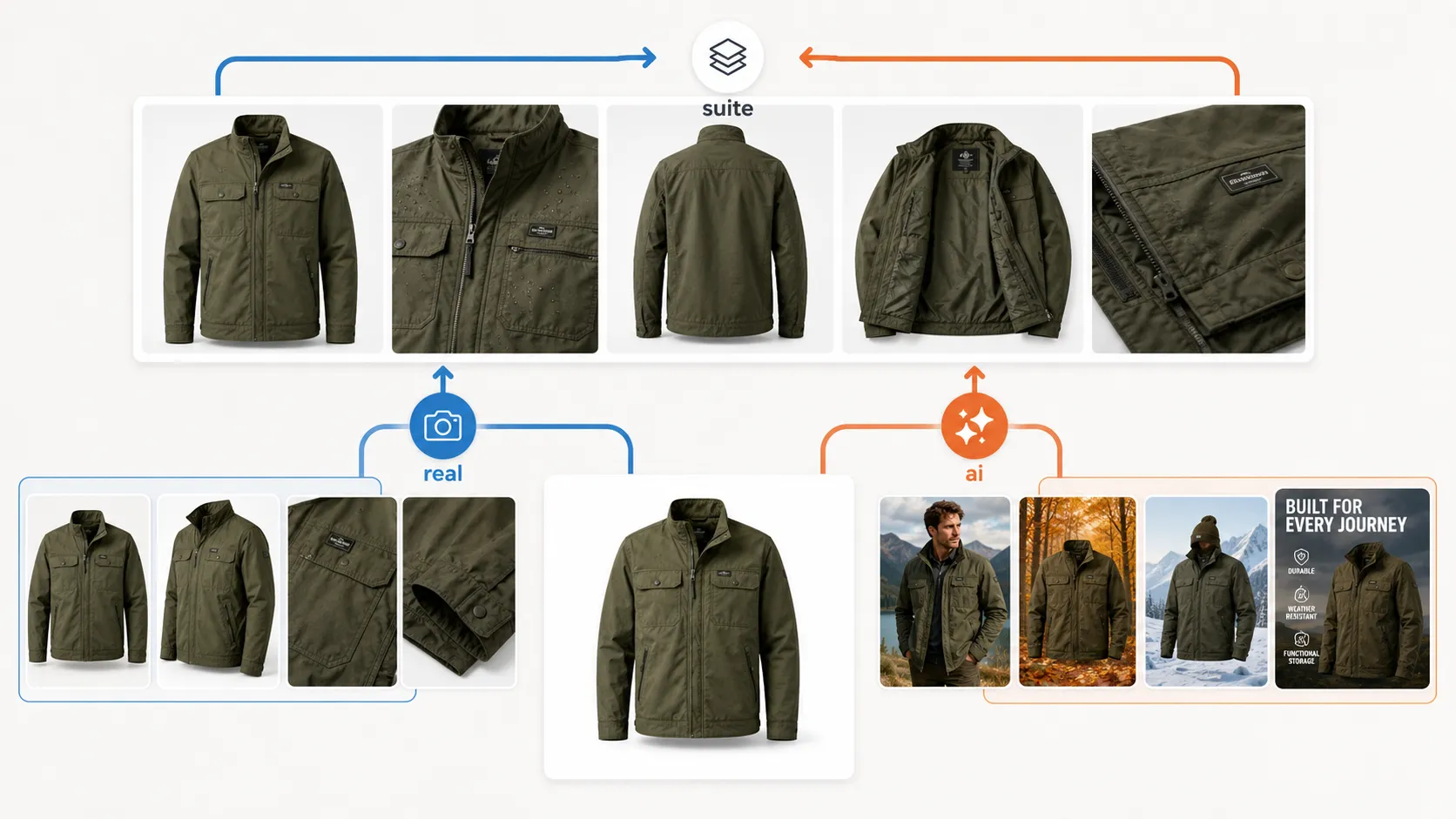



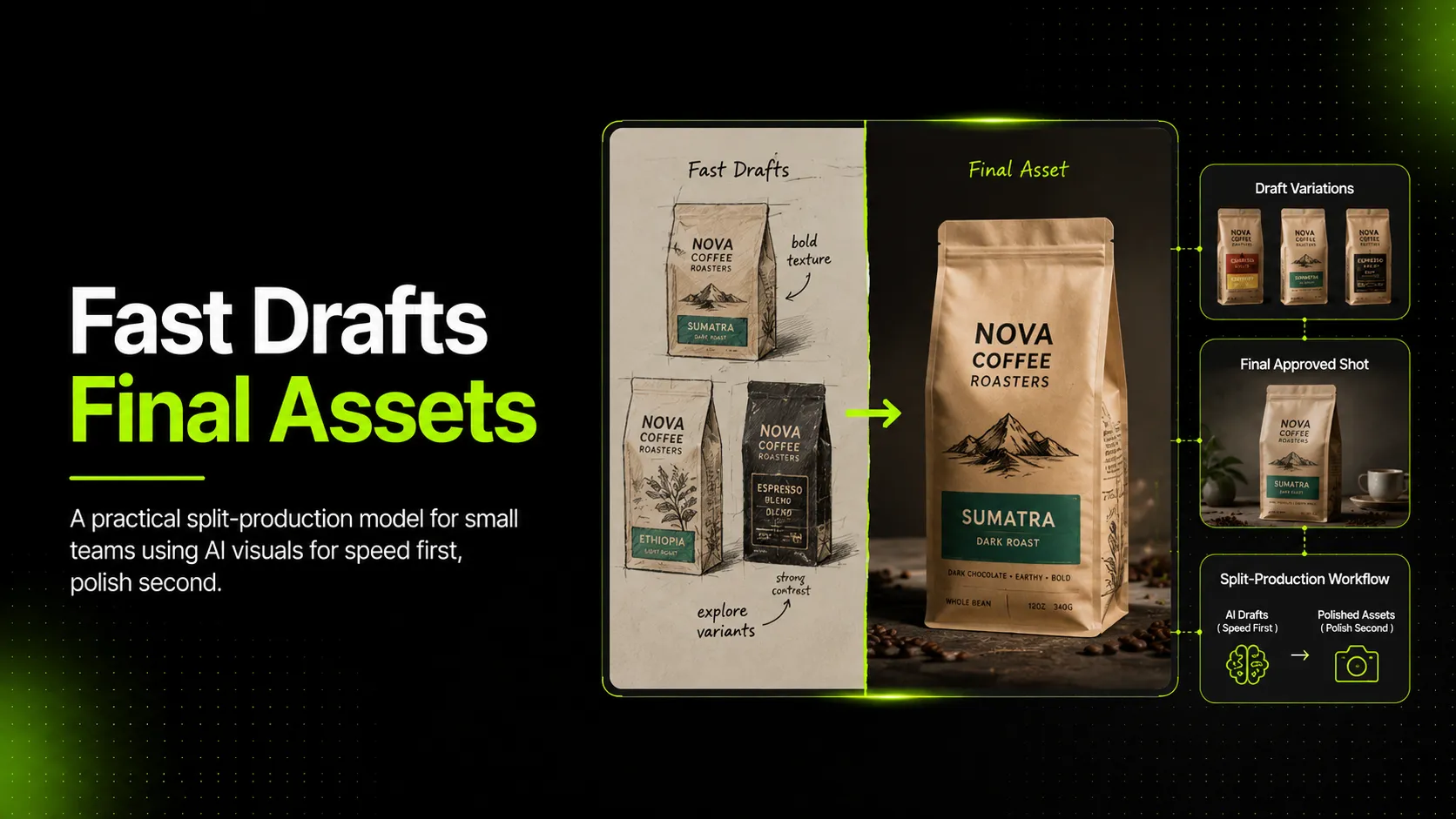
Splitting AI visual production into fast drafts vs. final assets is the operational fix most small ecommerce teams need. Not a new tool, not a different model — a clearer rule about which jobs get fast treatment and which get final treatment.
Most small teams do not actually have an AI visual production problem. They have a sorting problem. This guide walks through how to draw the line cleanly, how to set up each tier, and how to stop the two from leaking into each other.
Why Most Small Teams Mix Fast Drafts and Final Assets (and Why It Costs Them)
Small teams mix the two tiers because the same tool produces both. An AI image generator can output a Pinterest moodboard tile in twelve seconds and a product-page hero in twelve minutes. From the operator's chair, the only visible difference is how long they spent prompting. That invisibility is the trap.
When tiers are mixed, two failure modes show up repeatedly.
- Over-polishing drafts. A designer iterates a t-shirt color test forty times to find the perfect shade, even though the test exists only to decide whether the campaign direction is worth pursuing. The cost is not the credits — it is the afternoon.
- Shipping drafts as finals. A skincare bottle mockup generated in three minutes gets dropped onto a product detail page without a review pass. The label is slightly off, the cap profile is wrong, and nobody notices until a shopper returns the bottle saying "this isn't what the photo showed."
The cost of the first failure is time. The cost of the second is trust. The first is annoying; the second is dangerous.
Software teams have lived with this tension for years. The pattern is widely documented in product-engineering writing on the reality gap between a working AI prototype and production-ready code — Whitespectre's analysis of the prototype-to-production gap and NPGroup's piece on why AI-generated prototypes are not yet production-ready both make the same underlying point: what works as a demo and what works in production are different categories. Ecommerce visual teams are running into the same wall, just without the vocabulary to name it.
What "Fast Draft" and "Final Asset" Actually Mean in AI Visual Production
A fast draft is any AI visual whose job is to help the team decide something — a direction, a color, a layout, a campaign concept, an angle worth pursuing. It is consumed internally, used to align stakeholders or test ideas, and almost never reaches a shopper.
A final asset is any AI visual whose job is to represent a real product to a real shopper on a real channel. It appears on a product detail page, in a marketplace listing, in a paid ad, in a lookbook that ships, or on a social channel where shoppers make buying decisions.
The distinction is not about quality. A fast draft can look beautiful. A final asset can look plain. The distinction is about consequence: a fast draft that is wrong costs the team an iteration; a final asset that is wrong costs the brand a shopper.
| Attribute | Fast Draft | Final Asset |
|---|---|---|
| Audience | Internal team | Shoppers |
| Cost of being wrong | One wasted iteration | One shopper trust hit |
| Inputs | Single reference | Reference + detail + back view |
| Model tier | Standard | Advanced |
| Iteration cap | Yes | No |
| Review gate | No | Yes |
| Approval | Informal | Named person, archived |
This is why the two tiers need different rules. Asking one tier to do both jobs is what produces the failures above.
The Decision Test: Which Tier Does This Visual Belong In?
Before any AI visual is generated, the operator should answer one question: who sees this output, and what happens if it is wrong?
That single question maps cleanly to a tier. The table below makes the test repeatable.
| Question | If yes | Tier |
|---|---|---|
| Will this visual be seen by shoppers (PDP, marketplace listing, paid ad, published lookbook)? | Yes | Final asset |
| Does the visual represent a real, shippable product where details (label, color, fabric, shape) must match inventory? | Yes | Final asset |
| Will the visual be reused across multiple channels (marketplace + Shopify + social)? | Yes | Final asset |
| Is the visual being made to help the team decide direction, color, layout, or concept before any product is committed? | Yes | Fast draft |
| Will the visual be consumed only internally (moodboard, stakeholder review, campaign pitch)? | Yes | Fast draft |
| Is the goal to generate many options quickly so the team can choose one to refine? | Yes | Fast draft |
The boundary cases are where small teams get stuck. A handbag visual can be a fast draft (campaign moodboard, three angle options to compare) or a final asset (the hero shot on the product page). The product does not decide the tier — the use does.
A useful rule of thumb when the test is unclear: ask whether the visual would embarrass the brand if it were slightly wrong. If yes, it is a final asset. If no, it is a fast draft.
How to Set Up a Fast-Draft Tier (Without Letting It Leak Into Final Assets)
A fast-draft tier exists to maximize options per hour. Its rules should make generation cheap, iteration easy, and stopping acceptable.
- Model choice. Use the cheaper, faster model. Inside iCreat AI's AI Product Photography workflow, that means GPT-Image-1 rather than Nano Banana Pro. The standard model handles directional exploration well, and the per-output cost is low enough that throwing away twenty variations does not hurt.
- Input rules. A single reference image is usually enough. The point of a fast draft is to test a direction, not to preserve product detail. Skipping the detail-image and back-view inputs is acceptable here.
- Iteration budget. Set a cap before generation starts — three variations, or ten minutes, or one round of refinement. Hard stops are what prevent fast drafts from silently absorbing an afternoon.
- Output destination. Fast drafts go to an internal folder, a moodboard, or a review thread. They do not go to the product page, the marketplace listing, or the ad account. This sounds obvious until someone forwards a "great-looking" draft to operations and it ends up published.
- Exit rule. The single most important rule in the fast-draft tier: when a visual is chosen for refinement, it leaves the tier. It does not get polished in place — it moves to the final-asset tier with the inputs and review that tier requires.
A common pattern is for a team to generate twelve t-shirt color variations as fast drafts, pick the two strongest, and then regenerate those two with full reference images and the advanced model. The fast-draft tier did its job; the final-asset tier takes over.
How to Set Up a Final-Asset Tier (Without Over-Polishing the Wrong Jobs)
A final-asset tier exists to produce visuals that can be published without embarrassing the brand. Its rules should make accuracy mandatory and approval traceable.
- Model choice. Use the advanced model. For iCreat AI users, that means Nano Banana Pro rather than GPT-Image-1. The advanced model is positioned for stronger detail restoration and more polished commercial output, which matters when the visual is going to a shopper.
- Input rules. The full input set: main reference, detail image, and back view where the category requires it. For a skincare bottle, that means front, label close-up, and back-label view. For a dress, that means front, fabric close-up, and back. Without these inputs, the team is reviewing aesthetics instead of product truth.
- Prompt and model rules. Document the prompt structure, scene rules, and aspect ratios per channel. A final-asset tier cannot rely on whoever is online that day to write the prompt from memory.
- Review gate. Every final asset passes a product-truth check before approval:
- Product shape preserved against reference
- Color matches the original within acceptable tolerance
- Logo, prints, and label text legible and accurate
- Material or texture fidelity verified (fabric weave on apparel, gloss on a glass bottle, matte finish on a sneaker)
- Aspect ratio matches target channel
- Accessories and included items present where applicable (handbag strap, hoodie drawstring, candle lid)
- Channel-specific requirements met (marketplace white background, Shopify hero ratio, social vertical)
This gate is what separates a polished wrong image from a publishable right one. Polished-wrong images are the most expensive failure mode in AI visual production — they look fine at a glance, pass casual review, and surface as shopper complaints weeks later.
- Approval and archive. A named person signs off. The approved visual, inputs, prompt, and model choice are stored together. If a channel rejects the image or a shopper flags an inaccuracy, the team can trace the asset back to its source.
The retoucher's-eye-view on hybrid AI-plus-human workflows — shared by retoucher Nic Greene in industry discussion — captures the underlying pattern: AI handles the fast work, humans handle the final-quality pass. The final-asset tier is where that handoff happens.
Common Mistakes When Splitting AI Visual Production
Tier splitting fails in predictable ways. Recognizing them early is cheaper than rebuilding the workflow later.
Mistake 1: Treating every visual as a final asset. Small teams with high standards over-polish everything. A moodboard tile gets twenty iterations. A campaign direction test gets detail-image inputs. *Fix*: enforce the iteration cap and input rules in the fast-draft tier. The point of cheap models is to be cheap.
Mistake 2: Treating every visual as a fast draft. The opposite failure. A product-page hero generated in three minutes ships without review. *Fix*: any visual headed to a shopper-facing channel automatically enters the final-asset tier, regardless of how it was produced.
Mistake 3: Polishing a fast draft until it becomes a final asset. A designer iterates a draft forty times trying to make it publication-ready. The result still lacks the inputs and review a real final asset needs. *Fix*: when a draft is chosen for publication, move it to the final-asset tier and start over with the right inputs. Polishing in place produces worse results and takes longer.
Mistake 4: Using the advanced model for everything. A team defaults to Nano Banana Pro for every request because the quality is better. Credits evaporate on moodboards. *Fix*: the model choice is part of tier assignment, not a quality dial.
Mistake 5: Using the standard model for everything. The opposite. A team defaults to GPT-Image-1 to save credits, then ships the result to a product page. Label text is off. *Fix*: channel-of-publication rules force the advanced model for final assets.
Mistake 6: No exit rule from fast-draft tier. Drafts accumulate in a shared folder. Some get forwarded to operations. Some end up on the site. Nobody knows which is which. *Fix*: fast-draft outputs are clearly labeled, stored separately, and never routed to publishing channels without going through the final-asset tier.
A Starter Checklist for Tier Assignment and Final-Asset Review
Two short checklists. The first decides the tier before generation. The second approves a final asset before it ships.
Tier assignment (before generation):
- [ ] Will this visual be seen by shoppers on a publish channel?
- [ ] Does it represent a real, shippable product where detail must match?
- [ ] Will it be reused across multiple channels?
- [ ] If yes to any: final-asset tier. If no to all: fast-draft tier.
- [ ] Model selected per tier (standard for drafts, advanced for finals)
- [ ] Iteration cap set (if fast draft) or input set complete (if final asset)
- [ ] Output destination confirmed (internal folder vs. publish queue)
Final-asset review (before publishing):
- [ ] Product shape verified against reference
- [ ] Color accuracy checked
- [ ] Logo, prints, and label text legible and correct
- [ ] Material or texture fidelity checked
- [ ] Aspect ratio matches target channel
- [ ] Accessories and included items present (where applicable)
- [ ] Channel-specific requirements met
- [ ] Named approver signs off
- [ ] Asset, inputs, prompt, and model archived together
- [ ] Metadata, alt text, and slug correct for target channel
The fast-draft tier intentionally has no second checklist. Adding one would defeat the purpose.
FAQ: Splitting AI Visual Production
Does every small team need a two-tier split? Most do, once they publish AI visuals anywhere shopper-facing. Below roughly three people touching visuals, informal coordination usually handles it. Above that, the absence of a tier split starts to cost time and trust in ways that are hard to trace back to the source.
Does this mean buying two AI tools? Usually no. Most modern AI image platforms, including iCreat AI, support both a standard model and an advanced model inside the same workflow. The split is operational — which rules apply to which job — not necessarily a tooling split.
How do I stop fast drafts from leaking into publishing channels? Storage and naming. Fast drafts live in a folder that is clearly internal. File names include "draft" or "concept." Anyone who pulls a visual for publication has to confirm it came from the final-asset tier, not the fast-draft tier.
Should the same person run both tiers? In a small team, often yes — but the rules per tier are still different. The operator switches hats, not just models. What changes is the input set, the iteration cap, and whether the review gate applies.
How often should I audit the tier split? Quarterly is a reasonable cadence. The most common reason to revise the split is channel expansion — adding a new marketplace, a new ad channel, or a new social platform often shifts which jobs count as final assets.
When You Want One Workflow for Both Tiers
The two-tier split is operational, not necessarily technical. The same workflow, the same tool, the same operator — different rules per job.
If your team wants to keep both tiers inside one workflow rather than stitching together multiple tools, iCreat AI's AI Product Photography is built around the model that supports this split: upload a reference image, choose GPT-Image-1 for fast drafts where speed matters, switch to Nano Banana Pro when a visual is headed to a shopper-facing channel, and keep the same input-and-review structure across both.
The split is the discipline. The tool just has to let you enforce it.