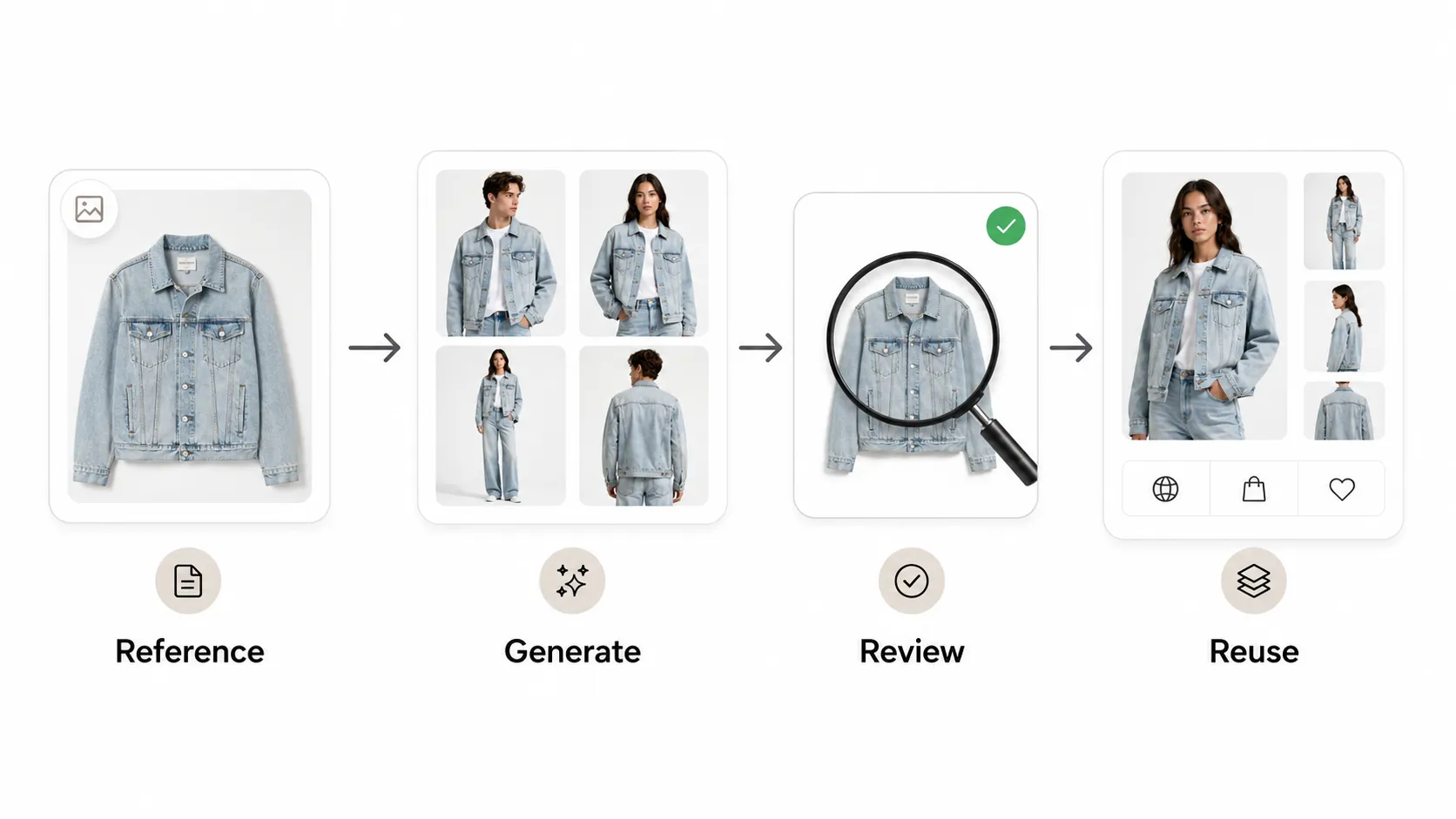



Most ecommerce teams already use AI somewhere in their visual workflow. The harder question is whether that workflow is repeatable — or whether every new SKU, campaign, or team member restarts the negotiation over how images get made.
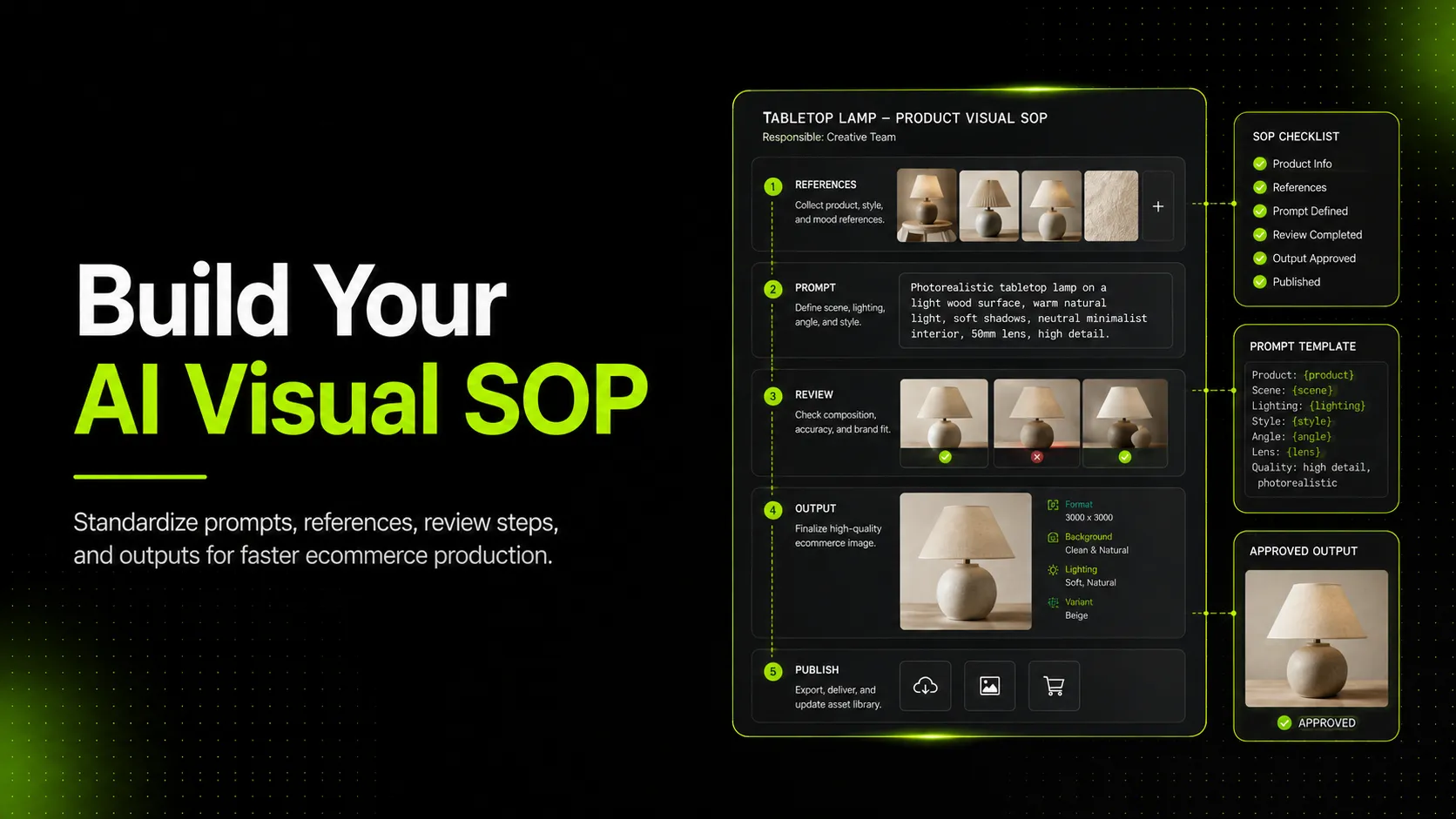
An AI visual SOP for ecommerce teams is the document that closes that gap. It defines which inputs the team commits to, which tools they standardize on, how outputs are reviewed, and who approves a visual before it ships to a product page, ad, or lookbook. This guide walks through a five-stage SOP you can adapt to your team, the mistakes that tend to break it, and a starter checklist you can copy.
What an AI Visual SOP Actually Is (and What It Is Not)
An AI visual SOP is a written agreement that tells your team how AI-generated product visuals are produced, reviewed, and approved inside your business. It is not a prompt library, a tool list, or a brand style guide — although it touches all three.
The distinction matters because most teams already have pieces of this in place. A designer keeps a private doc of favorite prompts. A marketing lead maintains a shortlist of tolerated AI tools. A founder owns the brand book. None of these is an SOP.
A real SOP makes three things explicit:
- Inputs — what reference material must exist before generation starts.
- Workflow — which tools, models, and steps the team has agreed to use.
- Gates — which checks must pass before an output is approved for a specific channel.
Without those three layers, AI visual production stays personal. With them, it becomes operational — which is the difference between scaling visuals across SKUs and burning out the one person who happens to know how the workflow works.
Why Ecommerce Teams Need a Visual SOP Now
The trigger for writing an SOP is rarely "we want to use AI." It is usually one of three pressure points.
- SKU growth outpaces studio capacity. A team that used to shoot 20 products a quarter now needs visuals for 200.
- Channel expansion multiplies format requirements. The same handbag needs a marketplace white-background image, a Shopify hero, a Pinterest pin, and a vertical for short-form video — and each channel has its own visual conventions.
- Team turnover makes tacit knowledge fragile. When the one person who "just knows" how the prompts work goes on leave, output quality drops until they return.
Generative AI raises the stakes because the cost of producing a polished-but-wrong image is very low. A skincare bottle can ship with a subtly distorted label. A t-shirt can publish with a print that does not match inventory. The visual looks fine at a glance, and the problem surfaces only when a shopper complains or returns the item.
This is why governance frameworks developed for broader generative AI use — such as MMA Global's Generative AI Governance Framework for Marketing — emphasize accountability and review gates rather than only output quality. The same logic applies inside a single ecommerce team: the SOP is what makes AI output defensible before it reaches the shopper.
The Five Stages of an Internal AI Visual SOP
A workable AI visual SOP has five stages. Each stage has one job, and skipping it tends to produce a specific failure mode.
- Define inputs — fix the reference material generation starts from.
- Choose a standard tool stack — pick the one or two tools the team actually commits to.
- Write the prompt and model rules — standardize how instructions are written.
- Run the review gate — check outputs against product truth before they move.
- Approve, archive, publish — close the loop so approvals are traceable.
The rest of this guide walks through each stage and what it should contain.
Stage 1 — Define Inputs: Reference Image, Detail Image, Back View
AI product visuals inherit the quality of their inputs. This is true for every model, including advanced options like Nano Banana Pro and standard options like GPT-Image-1, and it is the single most common point of failure for teams that wonder why their outputs feel inconsistent.
A strong input set for an ecommerce product usually contains three images.
- Main reference — a clean, well-lit shot of the product that shows overall shape, color, and proportions. For a t-shirt, this is the front flat lay or model shot. For a skincare bottle, this is the front-facing product on a neutral surface.
- Detail image — a close-up of the elements shoppers use to verify authenticity and quality. For apparel, that means fabric texture, logo placement, print, collar, or stitching. For packaging, it means label text, cap detail, or material finish.
- Back view — the angle most often skipped and most often regretted. Back views matter for apparel (fit, prints, construction) and for packaging (back-label information, ingredients, regulatory text).
When these three inputs exist before generation starts, the team can evaluate any output against the product's actual visual truth. When they do not exist, reviewers fall back on aesthetic judgment — which is exactly where misleading visuals slip through.
A practical SOP names which inputs are required for which product category, who is responsible for capturing them, and where they are stored. The storage detail is unglamorous and critical. A reference image that no one can find is functionally equivalent to no reference image at all.
Stage 2 — Choose a Standard Tool Stack (and Stop Switching)
Tool sprawl is the most common reason an AI visual SOP fails. When each team member uses a different generator, the team cannot share prompts, cannot compare outputs meaningfully, and cannot build a review process around a known workflow.
A standard stack for an ecommerce team usually has two layers.
- A primary generation workflow — the tool the team uses for most product, campaign, and detail visuals. This is where a tool like iCreat AI's AI Product Photography workflow tends to fit, because it accepts reference and detail images as inputs and produces the kinds of outputs ecommerce pages need: hero shots, variations, lookbook-style compositions, and detail crops.
- A set of supporting tools — narrow-purpose utilities such as background removal, watermark cleanup, or upscaling. These should support the primary workflow, not compete with it.
The decision here is not which tool is universally best. It is which tool the team can standardize on. A B-tier tool the whole team uses consistently will outperform an A-tier tool that three people use three different ways.
A useful judgment ladder for tool selection:
- Standardize on it if the tool accepts reference inputs, supports the model the team has chosen, and produces outputs that pass the review gate reliably.
- Use with review if the tool produces strong creative direction but inconsistent product accuracy — useful for ideation, not for final assets.
- Avoid for publishable use if the tool ignores product inputs and generates from text alone; fine for moodboards, risky for product pages.
Naming the decision in the SOP is what prevents the slow drift back to tool sprawl.
Stage 3 — Write the Generation Prompt and Model Rules
Once inputs and tools are fixed, the next source of inconsistency is prompt variation. Two designers working from the same reference image can produce wildly different outputs simply because their prompts frame the product differently.
The SOP does not need to script every prompt. It needs to fix the rules prompts follow.
A useful prompt rule set covers:
- Product framing — how the product is described. "T-shirt with ribbed collar, relaxed fit" gives the model useful constraints; "cool shirt" does not.
- Scene rules — which backgrounds, surfaces, and props are allowed for which product categories.
- Model rules — when human models are involved, what body types, poses, and styling are acceptable.
- Aspect ratios — which output ratios map to which channels. Square for marketplace, vertical for social, wide for hero.
- Model selection — when to use a standard model like GPT-Image-1 versus a higher-detail model like Nano Banana Pro.
The model selection rule deserves special attention. Standard models handle routine generation well. Advanced models earn their place when the output depends on preserving fine detail — fabric texture on a dress, logo placement on a sneaker, or label legibility on a skincare bottle. A clear rule prevents two failure modes at once: defaulting to the cheapest model for everything (and producing unusable detail shots), or defaulting to the most expensive model for everything (and burning credits on routine hero shots).
Stage 4 — Run the Review Gate Before Any Visual Ships
This is the stage where an AI visual SOP earns its keep. Generation gets easier every quarter; the bottleneck is moving from *can we make this image?* to *should this image ship?*
A review gate is a short, written checklist that an output must pass before it is approved for a specific channel. It is not subjective taste — it is product truth.
For an ecommerce team producing AI visuals, the most relevant checks usually include:
- Product shape — does the generated image preserve the actual silhouette of the product? A handbag that distorts its handle, or a sneaker that loses its sole profile, fails this check.
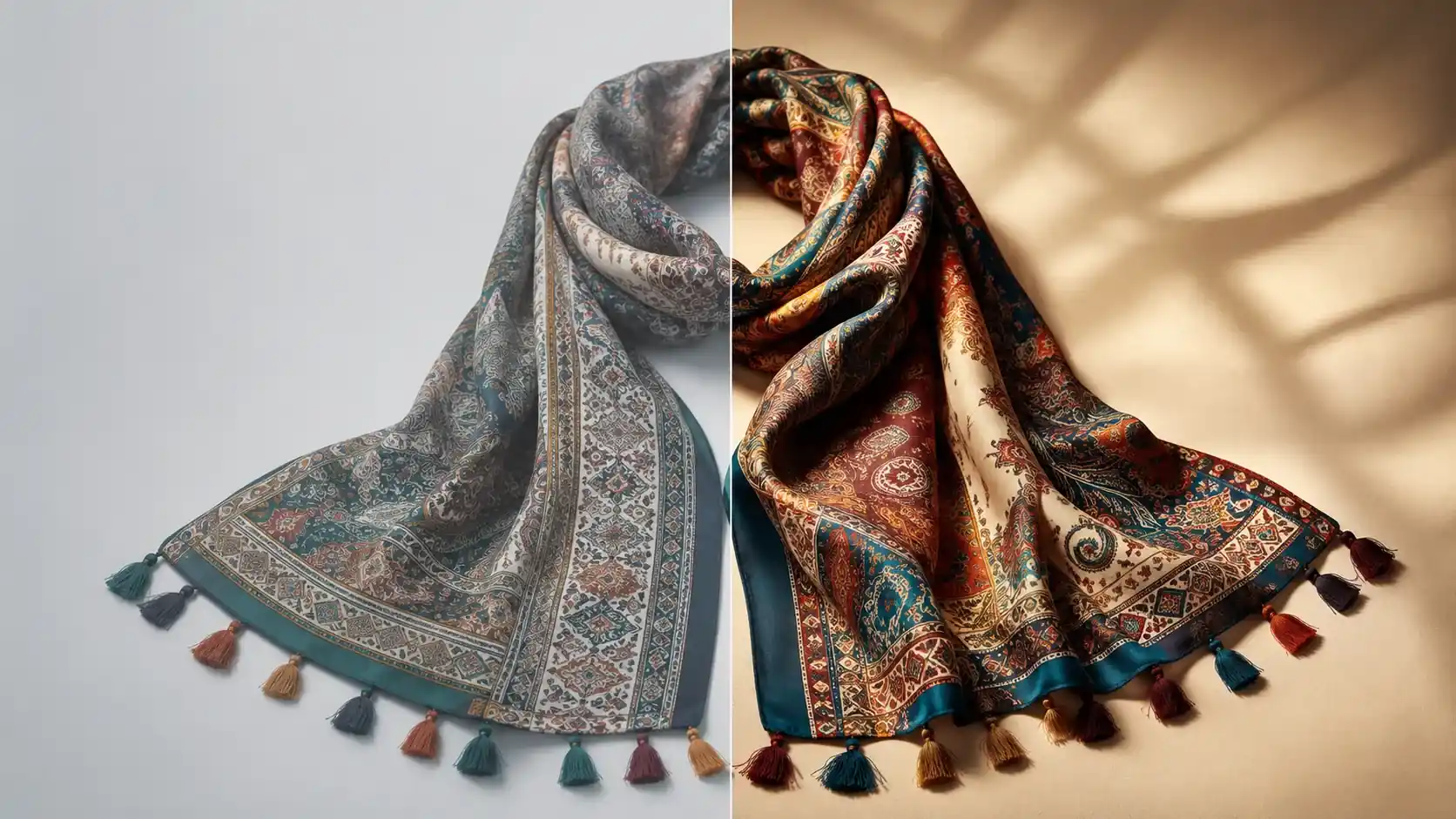
- Color accuracy — does the color match the reference within an acceptable tolerance? Color drift is one of the most common reasons a generated visual looks polished but misleads shoppers.
- Logo and text integrity — are logos, prints, labels, and packaging text legible and accurate? This is especially critical for skincare bottles, cosmetics tubes, and packaged food, where inaccurate label text can create compliance problems, not just aesthetic ones.
- Material fidelity — does the texture match the real material? Fabric weave on apparel, gloss on a glass bottle, matte finish on a sneaker.
- Cropping and aspect ratio — does the output match the target channel's required framing?
- Accessory and inclusion accuracy — if the product ships with accessories (a handbag strap, a hoodie drawstring, a candle lid), are they all present and correct?
- Channel-specific fit — does the visual meet the target channel's requirements for background, framing, and accuracy?
This kind of structured review is what separates a team that publishes AI visuals from a team that publishes them *responsibly*. Generative AI governance guidance from sources such as ModelOp's overview of generative AI governance consistently emphasizes that visual output needs verification gates — not because the technology is bad, but because the cost of a polished wrong image is higher than the cost of an unpolished right one.
Stage 5 — Approve, Archive, and Publish
The final stage is the one most teams skip and most regret skipping. Once a visual passes the review gate, three things need to happen before it is considered done.
- Approve — a named person signs off. Not "the team" in general — a person. This is what makes the approval meaningful and what makes future audits possible.
- Archive — the approved visual, the inputs that produced it, the prompt, and the model choice are stored together. If a question surfaces later — shopper complaint, marketplace rejection, channel policy update — the team can trace the asset back to its source.
- Publish — the visual is routed to its target channel with the correct metadata, alt text, and slug. This is also when channel-specific rules kick in: marketplace requirements for white-background images, social ad aspect ratios, hero image resolution minimums.
Without this stage, the team produces visuals but cannot answer basic operational questions later: who approved this, when, and against which reference? That gap is invisible until something goes wrong, and then it becomes the most expensive gap in the workflow.
Common SOP Mistakes and How to Fix Them
Most failed AI visual SOPs share a small number of failure modes. Recognizing them early is faster than rebuilding the SOP later.
Mistake 1: The SOP is a document, not a workflow. A PDF in a shared drive that says "review images carefully" is not an SOP. *Fix*: make the SOP executable — checklists that get filled out per asset, inputs that have to exist before generation, approval names that have to be attached.
Mistake 2: Inputs are treated as optional. Teams often generate from a single hero image and hope the model fills in the rest. *Fix*: write the input requirements into the SOP at the level of product category. Apparel requires front, detail, and back. Packaging requires front, label close-up, and back-label view.
Mistake 3: The review gate is aesthetic, not product-based. Reviewers default to "does it look good?" instead of "does it match the product?". *Fix*: rewrite the review checklist around product truth — shape, color, logo, text, material, accessories — not aesthetics.
Mistake 4: Tools proliferate because no one owns the decision. Every new AI tool that launches gets adopted by someone. *Fix*: assign ownership of the tool stack and require a written case before a new tool enters the workflow.
Mistake 5: Approvals are verbal. "Yeah, that one's fine" in a chat thread is not an approval. *Fix*: store approvals with the asset. The cost is minor; the value shows up the first time a channel pushes back.
Mistake 6: The SOP never gets audited. Tools change, models change, channel rules change. *Fix*: schedule a quarterly review of the SOP and treat the audit as a real meeting — not a checkbox.
A Starter Checklist You Can Copy
This is a condensed checklist you can adapt to your team. It is deliberately short. Long checklists get ignored; short ones get used.
Before generation:
- [ ] Main reference image captured and stored
- [ ] Detail image captured (where category requires)
- [ ] Back view captured (where category requires)
- [ ] Target channel and aspect ratio defined
- [ ] Model selected (standard vs. advanced) per SOP rules
During generation:
- [ ] Prompt follows SOP framing, scene, and model rules
- [ ] Tool from approved stack used
- [ ] Outputs compared for product accuracy before selection
Before approval:
- [ ] Product shape verified against reference
- [ ] Color accuracy checked
- [ ] Logo, prints, and label text legible and correct
- [ ] Material or texture fidelity checked
- [ ] Aspect ratio matches target channel
- [ ] Accessories and included items present (where applicable)
- [ ] Channel-specific requirements met
At approval:
- [ ] Named approver signs off
- [ ] Asset, inputs, prompt, and model archived together
- [ ] Metadata, alt text, and slug correct for target channel
FAQ: AI Visual SOP for Ecommerce Teams
How big does a team need to be before an SOP makes sense? Usually around three people touching visuals. Below that, informal coordination works; above that, tacit knowledge starts to fragment. If your team is losing time to "how did we do this last time?" conversations, the SOP is overdue.
Should the SOP specify one AI model, or allow several? In most cases, name one primary model and one fallback. Allowing every available model reintroduces inconsistency. The exception is when your catalog genuinely spans categories with very different detail requirements — apparel versus packaged food, for example — where different models may be the right call per category.
How often should the SOP be reviewed? Quarterly is a reasonable cadence for most ecommerce teams. Treat the review as a real meeting with a written changelog, not a passive "still looks fine" approval.
Does an AI visual SOP replace a brand style guide? No. The brand style guide defines how the brand should look and feel. The AI visual SOP defines how AI-produced visuals are produced and approved. The two documents should reference each other, not duplicate each other.
Can a small team use iCreat AI as the primary tool in the SOP? Yes, if the team's visual work centers on product, campaign, and lookbook-style outputs. The reference-plus-detail-image input model maps onto the input rules an SOP typically requires, which is one of the main reasons ecommerce teams standardize on it.
When Your Team Is Ready to Standardize the Stack
A useful SOP does one more thing: it makes the next decision easier. Once your team has fixed inputs, picked a primary tool, and written review gates, the question of *which AI tool should we use?* stops being a daily debate and starts being a settled decision.
If your team is at the point where standardizing the visual workflow is more valuable than experimenting with another new tool, iCreat AI's AI Product Photography is built around the input-and-review model this kind of SOP depends on: upload a reference image, attach a detail image, choose the right model for the output, and generate visuals that can be reviewed against the actual product before they ship.