


Why Most "Consistency" Efforts Fail Without a Named Kit
Most apparel teams have the raw materials of consistency. They have a grey card in a drawer. They have a folder of presets from the last photographer who left. They have a mood board on a wall from a campaign two seasons ago. What they do not have is a system that makes those materials enforce anything.
The failure mode is familiar. A new photographer comes in, looks at last quarter's batch, and reverse-engineers the look by eye. They do not know the grey card exists. They apply their own presets because the old ones are not named or findable. They frame by taste because the overlay template was never documented. The shoot passes single-image review. Six weeks later, the new batch sits next to the old batch on a collection page and they visibly do not match.
Squareshot's guide to product photography consistency names the structural fix directly: create a dedicated style guide with reference images, save lighting diagrams and mark studio floors, use grid overlays or tape markers, maintain a reference library as a "visual memory bank," and save presets under naming conventions like `BrandName_Preset2025`. Each of those is a kit component. None of them work in isolation. Together, they are the kit.
The practical difference between a team that holds consistency and one that does not is not budget, gear, or talent. It is whether the artifacts have been named, inventoried, and assigned an owner. A kit is that naming act.
What a Reference Kit Actually Is (and What It Is Not)
The phrase "reference kit" gets conflated with three adjacent concepts, and the confusion is where most consistency efforts stall.
- A style guide is a document. It describes the brand's visual rules in words and reference images. It is informational.
- A mood board is an inspiration artifact. It captures a feeling, a direction, a campaign mood. It is aspirational.
- A reference library is a curated archive of past outputs. It is what Squareshot calls the "visual memory bank." It is historical.
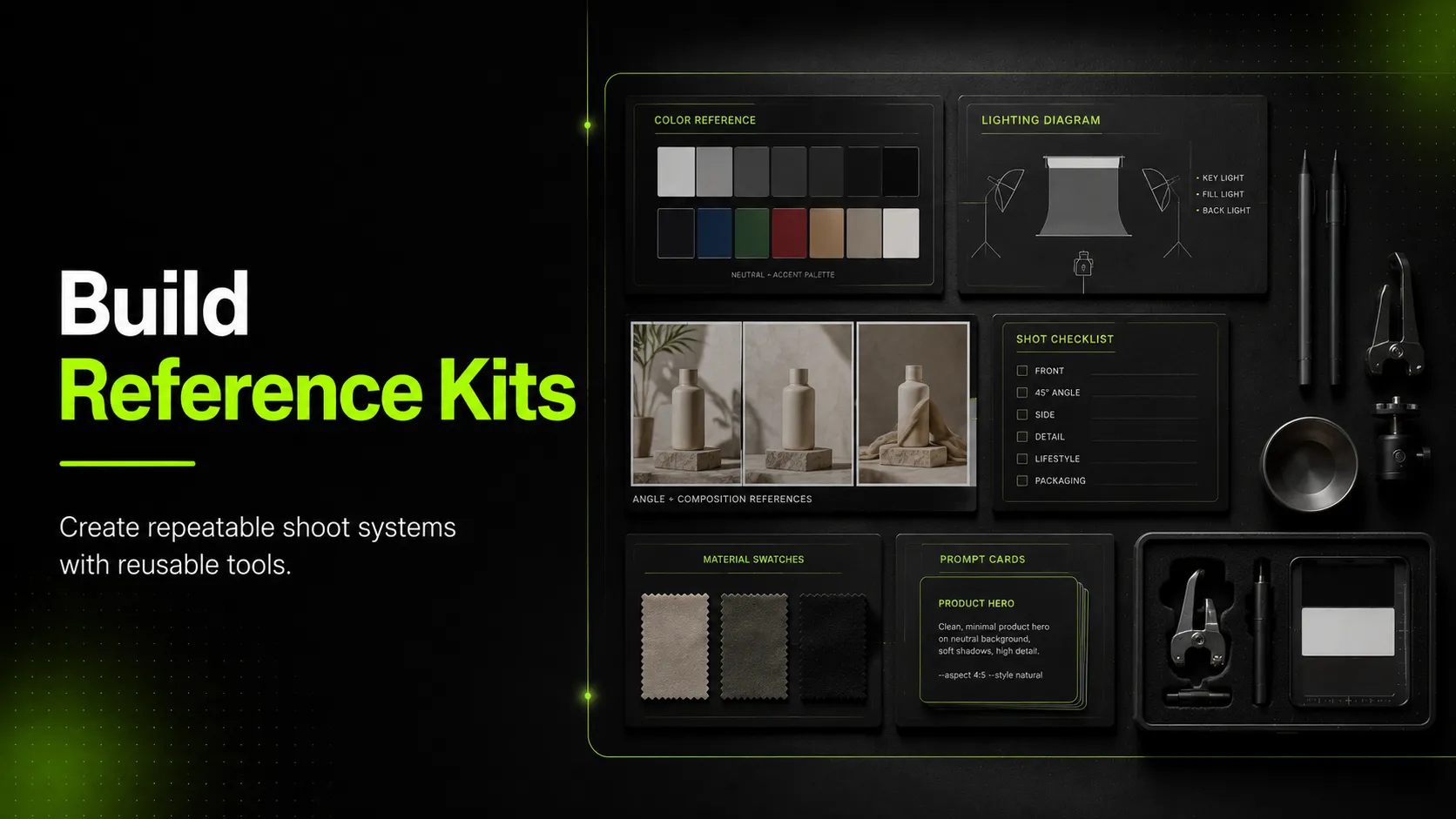
- A reference kit is the operational layer that enforces all three. It is the set of artifacts — physical and digital — that a photographer or AI workflow actually uses on set or in generation to reproduce the standard. It is active.
A style guide tells you what the brand should look like. A reference kit makes it happen the same way next time. The kit includes components derived from the style guide, but it is not the guide itself.
This distinction matters because most teams build style guides and call them kits, then wonder why the next shoot drifts anyway. The guide informed the photographer; the kit was supposed to constrain them. Without the kit — without the color card placed in the frame, the tape marks on the floor, the preset applied to the batch — the guide is just a document.
The Two Layers Every Kit Needs: Physical and Digital
Every complete kit has two layers. Most teams have one. The bridge between them is where modern apparel production lives.
| Dimension | Physical layer | Digital layer |
|---|---|---|
| Consumer | A photographer on set | A retoucher, an editor, or an AI image model |
| Artifacts | Color cards, tape marks, grid overlays, lighting diagrams, prop catalogs, background samples | Reference image library, editing presets, prompt templates, AI Recipes/Styles, model profiles |
| What it prevents | Lighting, framing, placement, and styling drift at capture | Color, exposure, brand-look, and identity drift in post and generation |
| Refresh cadence | Per-shoot verification; component replacement as worn | Per-software-update verification; quarterly library pruning |
| Owner | Studio lead or photographer | Creative operations or retoucher lead |
The physical layer enforces consistency at the moment of capture. The digital layer enforces it from capture through publish. A kit with only the physical layer drifts in post-production; a kit with only the digital layer cannot recover what was never captured correctly.
The bridging artifact is the reference image. A physical-shoot reference image (the approved hero from the last batch) anchors the next shoot's framing and lighting. The same reference image, uploaded to an AI workflow, anchors the next generation's look. Nightjar's consistency guide captures the principle: stop describing the look in words and start uploading it as a reference. That single artifact — the approved reference image — is what makes one kit serve both layers.
The Kit Inventory: What Goes In, What Each Component Prevents
This is the core inventory. Every component earns its place by preventing a specific kind of drift. If you cannot name the drift, the component does not belong.
| Component | Layer | Purpose | Drift it prevents |
|---|---|---|---|
| Color or grey card | Physical | White-balance anchor in at least one frame per batch | Color cast and white-balance drift between shoots |
| Tape marks or placement guides | Physical | Lock product position on the surface | Placement and centering drift |
| Grid overlay or framing template | Physical | Lock composition and fill ratio | Framing and crop drift |
| Lighting diagram | Physical | Document light positions, modifiers, ratios | Lighting drift across shoots and photographers |
| Prop and styling catalog | Physical | Approved props, surfaces, and accessories | Styling drift |
| Background reference sample | Physical | Approved background tone or material | Background drift |
| Reference image library | Digital | Curated set of approved past outputs | Brand-look drift; new-shoot or new-generation anchoring |
| Editing presets | Digital | Saved color, exposure, and retouch settings | Post-production drift across editors and time |
| Prompt templates | Digital | Versioned, named prompts for AI generation | AI output drift between generations |
| AI Recipes or Styles | Digital | Saved generation setups (model, style, aspect ratio, seed) | Shoot-to-shoot AI drift — Nightjar's principle that two generations from the same Recipe "look like the same shoot, even months apart" |
| Model profiles or face references | Digital | Persistent identity anchors for on-model generation | Identity drift across AI-generated model images |
| Shot list template | Digital | Per-category angle and detail checklist | Angle coverage drift |
Read the table as an inventory, not a wish list. A complete kit has at least one component preventing each drift type the brand cares about. A kit with gaps lets that drift type compound unmonitored.
A note on what is not on the list: a mood board is not a kit component, because it does not prevent a specific drift. It informs direction. The kit enforces direction. Keep the mood board; do not confuse it with the kit.
Step-by-Step: Build a Reference Kit in Six Moves
Use this workflow to turn the inventory into a working kit.
- Audit what already exists. Walk the studio and the file system. Most teams discover they already own 60 to 70 percent of a kit — the artifacts are just unnamed, unowned, and unmaintained. List everything you find.
- Name the kit. This step sounds trivial and is not. A named kit ("the Studio-2026 kit," "the AI-Lookbook kit") becomes assignable, versionable, and discussable. An unnamed pile of artifacts does none of those things.
- Inventory the physical layer. Against the inventory table, confirm each physical component exists, is current, and has a storage location. Flag missing or worn components for replacement before the next shoot.
- Inventory the digital layer. Confirm the reference library is curated (not a dump of every past output), presets are named and versioned, prompt templates are documented, and AI Recipes are saved. The most common digital-layer failure is a reference library that has never been pruned.
- Document each component's purpose. For every component, write one sentence on the drift it prevents. If you cannot, the component is decorative — remove it or replace it with one that earns its place.
- Assign maintenance owners and a refresh schedule. Each component degrades on a different cadence. Name the owner and the refresh trigger. This is the step that separates a kit from a one-time project. The next section gives the schedule.
The workflow applies whether the kit serves a traditional studio, an AI workflow, or both. The difference is in step three and four weighting: traditional studios lean physical; AI-assisted teams lean digital; complete kits balance both.
Worked Kit Example: Apparel Brand With Physical Studio and AI Workflow
A complete kit for an apparel brand shooting t-shirts, tailored jackets, and dresses across a physical studio and an AI generation workflow.
Physical layer
- Color card (grey card) — placed in the first frame of every batch; replaced annually
- Tape marks on the studio surface — locking the t-shirt, jacket, and dress placement positions; re-applied per shoot
- Grid overlay on the camera monitor — enforcing the 1:1 marketplace fill ratio and the 4:5 social crop
- Lighting diagram — saved as a one-page PDF in the kit folder; updated whenever the studio configuration changes
- Prop catalog — three approved hangers, two approved surfaces, one approved styling clip set; photographed and listed
- Background reference sample — a swatch of the approved pure-white background material (RGB 255, 255, 255)
Digital layer
- Reference image library — 30 curated approved images across the three garment types; pruned quarterly
- Editing presets — `BrandName_Studio_2026` for studio captures; `BrandName_AI_2026` for AI outputs
- Prompt templates — versioned templates for t-shirt hero, jacket structured set, and dress movement pair
- AI Recipes — saved generation setups per garment type and channel; each Recipe captures model, style, aspect ratio, and reference image set
- Model profiles — two persistent face references for on-model generation; monitored for coherence drift
- Shot list templates — per-category angle checklists (tops, bottoms, outerwear) tied to the mandatory-angle floor
This kit serves both production methods. The color card anchors the studio shoot's white balance; the same brand's reference library anchors the AI generation's look. The bridging artifact — the curated reference image — is what makes one kit work for both.
For teams whose kit spans both layers, iCreat AI's reference-driven workflows are where the digital layer lives. AI Product Photography holds the reference image library (up to 10 images per generation); the AI Fashion Lookbook Generator is itself a reusable three-image Recipe; and Image to Prompt helps build the prompt-template library by reverse-engineering prompts from approved references.
Kit Maintenance: What Degrades and When to Refresh
This is the section almost no competitor publishes. Kits are not static. Every component degrades on a cadence, and a kit that is not maintained is a kit that quietly stops enforcing the standard.
| Component | How it degrades | Refresh trigger |
|---|---|---|
| Color or grey card | Surface fades, scuffs, yellowing | Replace annually, or sooner if visibly worn |
| Tape marks and placement guides | Adhesive fails, edges lift, position drifts | Re-apply every shoot; replace the template when it tears |
| Grid overlay | Tape lines shift; monitor calibration drifts | Verify per shoot; recalibrate monitor quarterly |
| Lighting diagram | Studio configuration changes; gear swaps | Update whenever the setup changes; verify monthly |
| Prop and styling catalog | Props wear, break, or go out of brand | Audit quarterly; replace as needed |
| Background reference | Material stains, fades, or discolors | Replace when the swatch no longer reads pure white |
| Reference image library | Brand evolves; old images mislead new shoots | Prune quarterly; refresh after every brand or campaign shift |
| Editing presets | Software updates change rendering; tastes drift | Verify on every Lightroom or Photoshop update; re-author annually |
| Prompt templates | AI model updates shift output; prompt language drifts | Re-test on every model update; version every change |
| AI Recipes or Styles | Model and feature updates alter generation behavior | Re-baseline on every platform update; keep prior version until the new one is verified |
| Model profiles or face references | Coherence erodes over many generations | Monitor every batch; refresh when identity drift appears |
| Shot list template | Category or channel requirements change | Update when platform rules change or new categories launch |
The rule behind the schedule: every component has a failure mode that is invisible until it is not. A faded color card still looks like a color card; it just stops anchoring white balance correctly. A drifted prompt template still produces images; they just no longer match the brand. Maintenance is how a kit stays a kit instead of becoming a pile of artifacts that used to work.
The practical test: at every shoot, pull one recent output and compare it against the reference library. If they visibly do not match, something in the kit has degraded. Find it before the next shoot compounds the drift.
Common Kit Failures and How to Fix Them
- Mistake: No named kit. Artifacts exist but are unnamed and unowned. Fix: Name the kit, assign an owner, and inventory the components against the table.
- Mistake: Presets without a naming convention. Five versions of "final-preset-2" in a folder. Fix: Adopt a convention like `BrandName_Layer_Year` and archive the rest.
- Mistake: Color card never replaced. The same scuffed card for three years. Fix: Annual replacement; verify the card reads neutral grey before each shoot.
- Mistake: Prompt templates that drift silently. Templates edited between shoots with no version record. Fix: Version every prompt template; never edit the live copy without a version bump.
- Mistake: Reference library never pruned. Three years of unsorted outputs treated as reference. Fix: Quarterly pruning; keep only the images a new shoot should match.
- Mistake: Physical layer without a digital layer (or vice versa). Studio kit is tight; post-production drifts freely. Or presets are clean; the shoot was never lit consistently. Fix: Build both layers; bridge them with the reference image library.
- Mistake: No cross-shoot verification. Each batch passes single-image review; nobody compares batches. Fix: Add a "compare against the reference library" line to the pre-publish QA.
Each failure shares a root cause: the kit was treated as a one-time setup rather than a maintained system.
Pre-Publish QC Checklist for Kit-Driven Shoots
Before a kit-driven shoot's output moves downstream — to a retoucher, a PDP, a marketplace listing, or an AI workflow — review it against this quality-control checklist. A set that skips this review is the one that misleads shoppers or compounds kit drift into the next batch, and both outcomes cost more than the review itself.
- [ ] Color reference freshness. The color or grey card is current, not faded, and was placed in at least one frame of the batch.
- [ ] Physical-overlay integrity. Tape marks, grid overlays, and placement guides were intact and applied for this shoot.
- [ ] Lighting-diagram currency. The saved lighting diagram matches the configuration used for this shoot.
- [ ] Reference-image-library health. The library used to anchor this shoot is current, pruned, and on-brand.
- [ ] Preset and Recipe coherence. The editing preset or AI Recipe applied is the current version and still produces on-brand output.
- [ ] Prompt-template discipline. The prompt templates used are versioned, named, and unchanged since the last verified run.
- [ ] Cross-shoot verification. One image from this batch has been compared against the reference library to confirm no drift.
If any of these fail, the kit has degraded or the shoot diverged from the kit. Fix it before the output moves downstream.
FAQ
Closing
Building a reusable reference kit is less about acquiring artifacts and more about naming, inventorying, and maintaining them as a system. The teams that hold shoot-to-shoot consistency are the ones that treat the kit as operational infrastructure — physical and digital layers, a documented inventory, an assigned owner, and a refresh schedule that keeps every component current.
If your kit needs a digital layer that matches your physical one, log in to iCreat AI and turn your reference library into repeatable product visuals with AI Product Photography, the AI Fashion Lookbook Generator, and Image to Prompt — each designed to consume a curated reference kit rather than reinvent one every generation.