



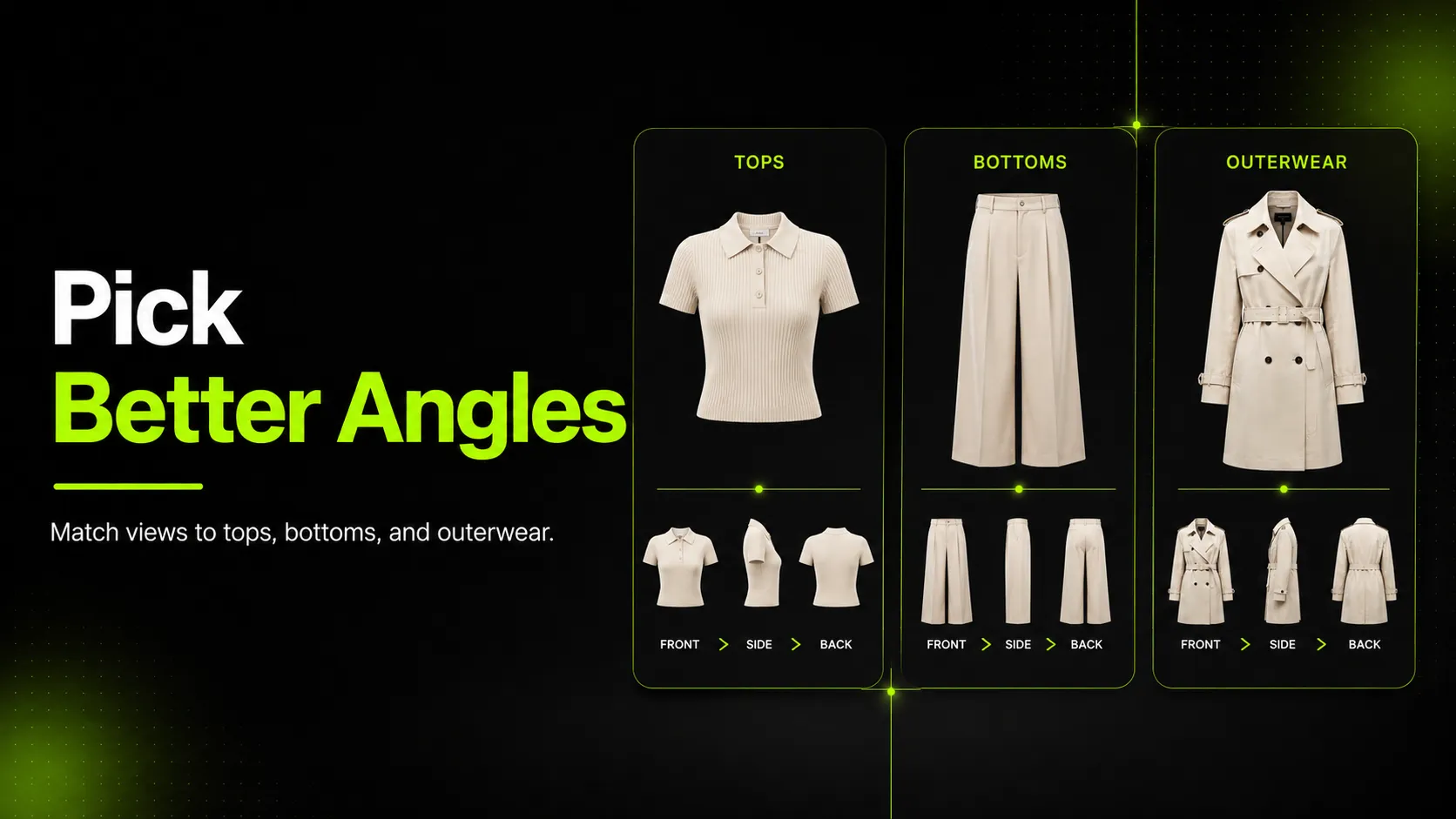
Why One Universal Angle List Fails Across Tops, Bottoms, and Outerwear
The most-cited apparel product photography angles framework — Practical Ecommerce's six must-haves of front, profile, 45-degree, back, top, and macro — was built to generalize across product categories. That generality is its strength and its weakness. The same six angles applied to a t-shirt, a pair of jeans, and a tailored jacket produce three very different outcomes, none of them optimal.
On a t-shirt, six angles over-shoots. The top-down and 45-degree angles add little buyer information on a garment with no structural closure, no hardware, and no interior to show. On a pair of jeans, six angles under-shoots, because the framework's "profile" line item does not force the rise, whiskering, and pocket construction captures that drive denim returns. On a tailored jacket, six angles misses the closure-state decision entirely — the framework does not distinguish between front-zipped and front-open, even though those two frames answer completely different buyer questions.
Squareshot's complete angles guide tries to fix this with a budget-tier framework: high-budget packages get more angles, low-budget packages get fewer. But budget is the wrong axis. A category-aware angle set is not more expensive — it is differently distributed. The same total angle count, reallocated to the right angles per category, produces a stronger catalog than a universal list applied with a budget dial.
The practical consequence of the universal-list approach is that catalogs carry too many angles on simple garments and too few on complex ones. Storage costs climb, PDP galleries feel padded, and the garments that need more coverage still do not get it.
The Three Variables That Decide Which Angles You Need
Angle selection is a function of three variables. Name them before you choose a single angle.
- Garment category. Tops, bottoms, and outerwear have structurally different angle requirements. This is the primary variable.
- Structural complexity within the category. A t-shirt and a button-down shirt are both tops, but the button-down carries closure, collar, and cuff detail that change the angle set. A basic legging and a structured jean are both bottoms, but only one needs a rise-and-whiskering close-up.
- Downstream consumer. A human retoucher can infer missing angles from experience. An AI image model cannot. If the set feeds an AI workflow, the angle floor rises.
These three variables interact. A structurally complex top (a structured button-down) fed to an AI workflow may need more angles than a structurally simple bottom (a basic legging) shot for a human retoucher. The framework in the next section resolves the interaction by giving you a per-category matrix you can adjust for complexity and consumer.
The Category Angle Matrix: Mandatory, Optional, Unnecessary
This is the core framework. Use it to decide what to shoot, what to consider, and what to skip.
| Angle | Tops | Bottoms | Outerwear |
|---|---|---|---|
| Front | Mandatory | Mandatory | Mandatory (closed) |
| Front-open (closure state) | Optional (button-downs only) | Not applicable | Mandatory |
| Back | Mandatory | Mandatory | Mandatory |
| Side / profile | Optional | Mandatory | Recommended |
| 45-degree | Unnecessary | Optional | Optional |
| Top-down | Unnecessary | Unnecessary | Unnecessary |
| Detail / macro | Recommended (one) | Mandatory (wash, pocket, waistband) | Mandatory (hardware, lining) |
| Closure / hardware close-up | Optional (button-downs) | Recommended (fly, waistband) | Mandatory |
| On-model fit angle | Optional | Optional | Recommended |
Read the table horizontally per category, not vertically per angle. The question is never "should we capture the side angle?" in the abstract. It is "for this category, is side mandatory, optional, or unnecessary?"
A note on the "unnecessary" column: top-down and 45-degree angles are valuable for many product categories (footwear, bags, food, cosmetics) but add little buyer information on flattened apparel shot straight-on. Dropping them on apparel frees budget for the detail and closure angles that actually move the needle.
Tops: Which Angles to Capture and Why
Tops are the most forgiving category. A front, back, and one detail capture answer most buyer questions for a basic tee. The framework scales up for structured tops.
T-shirt (basic)
- Front. Mandatory. The hero shot.
- Back. Mandatory. Confirms there is no back print or detail the buyer would miss.
- Detail. Recommended. One fabric or print close-up if the garment has a graphic, texture, or weight worth showing.
- Side. Optional. Adds little on a garment with no structural side feature.
- Closure-state. Not applicable. A tee has no closure.
Three angles is the floor; four with a detail is the practical ceiling for a basic tee.
Button-down shirt
- Front (closed). Mandatory. Shows the silhouette with closure visible.
- Front (open). Optional but recommended. Shows layering and interior placket — a top buyer question on structured shirts.
- Back. Mandatory. Yoke, pleat, back print if any.
- Collar and cuff detail. Recommended. The features that signal shirt quality.
- Side. Optional. Useful if the shirt has a side vent or curved hem the buyer needs to see.
Five angles covers a button-down well. Skipping the open-state capture is the most common tops mistake on structured shirts.
Hoodie or structured sweater
- Front. Mandatory.
- Back. Mandatory. Hood construction is a back-feature decision.
- Hood up and hood down. Recommended if the hood is a structural feature. Both states are buyer-relevant.
- Cuff and hem detail. Recommended. Ribbing, stretch, finish.
- Interior or fleece close-up. Optional. Signals weight and warmth.
Treat the hoodie as a structured top, not an over-grown tee. Its angle profile sits closer to a button-down than a t-shirt.
Bottoms: Which Angles to Capture and Why
Bottoms are the strictest category. AcquireConvert's 2026 fashion photography guide names this directly: front, back, and side are "non-negotiable" for denim and pants because shoppers are judging rise, taper, and leg opening — three fit cues that no other angle combination can communicate.
Jeans (structured denim)
- Front. Mandatory. Rise, taper, leg opening.
- Back. Mandatory. Pocket placement, yoke, back rise.
- Side. Mandatory. Taper and break — the fit cue that drives the most returns when missing.
- Wash and whiskering detail. Mandatory. The feature that defines denim character.
- Pocket bag or interior. Recommended. Signals construction quality.
- Waistband close-up. Recommended. Button, rivet, sizing cue.
Denim is where skipping side or detail angles hurts most. The category exists on fit and finish detail; under-documenting either produces returns.
Pants or trousers (non-denim)
- Front, back, side. Mandatory, same logic as denim.
- Pleat or waistband detail. Recommended if the trouser has pleats, a crease, or a structured waistband.
- Fly and closure close-up. Recommended.
- Hem and break detail. Optional. Matters more on tailored trousers than casual pants.
Non-denim bottoms follow the denim framework with a detail layer weighted toward construction rather than wash.
Shorts
- Front, back, mandatory. Side is conditional — useful on tailored shorts, optional on casual.
- Inseam and leg-opening detail. Recommended. Shorts live and die on length perception; this angle prevents the "shorter than expected" return.
- Waistband and closure. Recommended.
Shorts compress the bottoms framework but keep the front-back mandatory floor.
Outerwear: Which Angles to Capture and Why
Outerwear is the most angle-intensive category. A tailored jacket carries more independent structural systems than any other garment type — closure, lining, hardware, shoulder structure, vent, interior — and each one is a buyer decision.
Tailored jacket (blazer or bomber)
- Front (closed). Mandatory. Silhouette with closure engaged.
- Front (open). Mandatory. Lapel roll, interior placket, layering — the frame that signals tailoring quality.
- Back. Mandatory. Vent, shoulder seam, length.
- Shoulder and lapel detail. Mandatory. The single feature that distinguishes tailored from casual.
- Cuff and closure hardware. Mandatory. Buttons, snaps, zippers — functional or decorative, the buyer has to see.
- Lining or interior. Mandatory. The most-skipped angle on outerwear and the most-cited in returns.
- Side profile. Recommended. Structure and drape on the body.
Seven angles is the tailored-jacket floor. Skipping front-open or lining is the most common outerwear mistake.
Coat (structured, e.g., overcoat)
- Front (closed) and front (open). Both mandatory, same logic as the jacket.
- Back. Mandatory. Length, vent, shoulder.
- Length reference. Recommended. A full-length frame that lets the buyer judge where the coat falls.
- Hardware and closure detail. Mandatory.
- Lining, quilting, or interior structure. Mandatory if the coat has any interior feature the buyer is paying for.
- Shoulder and lapel or collar detail. Recommended.
The coat scales the jacket framework up. Length is the additional variable — a coat buyer needs to know where the hem lands, and only a full-length frame answers that.
Angles to Drop: What Not to Shoot, and Why
Most apparel angle guides tell you what to capture. Few tell you what to skip, and skipping is where budget and attention get freed for the angles that matter.
- Top-down on any flattened apparel. A top-down angle communicates depth and overhead composition, which matter for footwear, bags, and plated food. On a t-shirt laid flat or a jacket on a mannequin, top-down adds no buyer information. Drop it.
- 45-degree on simple tops. The 45-degree angle shows volume and depth, which matter for structured products. On a basic tee or a hoodie, the front-and-back pair already communicates shape; the 45-degree adds a frame without adding information. Drop it unless the top has a structural 45-degree feature.
- Multiple detail angles on a basic tee. One fabric or print close-up is enough. Three detail angles on a garment with one graphic is padding, not coverage. Drop the extras.
- Movement frames on structured outerwear. Movement shows drape, which matters on fluid garments (dresses, skirts, wide-leg pants). On a structured jacket or coat, a movement frame hides construction detail rather than revealing it. Drop movement from outerwear sets unless the coat is intentionally fluid.
- On-model fit angles on every SKU. On-model frames help when fit or styling is the differentiator. They add cost and complexity without proportional value when applied to every SKU in a catalog. Reserve on-model for hero styles, fit-critical categories (denim, tailored), and campaign work.
The rule behind every drop: if an angle does not answer a buyer question that another angle in the set leaves open, it does not belong in the set.
Step-by-Step: Choose Angles for Any Garment in Five Moves
Use this workflow to turn the framework into an angle set for any garment.
- Identify the category. Place the garment in tops, bottoms, or outerwear. This sets the mandatory floor from the matrix.
- Pull the mandatory angles for that category. These are non-negotiable. For bottoms, that is front, back, side. For outerwear, that is front-closed, front-open, back, plus the hardware and lining details.
- Decide optional angles by structural complexity. Within the category, ask whether the specific garment carries the feature an optional angle would show. A button-down needs front-open; a tee does not. A tailored trouser needs a pleat close-up; a casual pant does not.
- Drop unnecessary angles explicitly. Walk the unnecessary column for the category and confirm each one is dropped. This is the step most teams skip, and it is where budget gets freed.
- Validate the set covers buyer questions. For every question a buyer would ask in a fitting room — how does it close, what does the back look like, what is the interior, how does it fit — confirm an angle in the set answers it. If any question is unanswered, add the missing angle before the set moves downstream.
The workflow applies whether the consumer is a human retoucher or an AI image model. The difference is in step three: AI workflows tend to push more optional angles into mandatory, because a model cannot infer what a human retoucher fills in.
Angles for AI Workflows vs. Angles for Human Retouchers
The same category-aware set serves both consumers, but the angle floor shifts depending on who (or what) is downstream.
| Dimension | Human retoucher | AI image model |
|---|---|---|
| Mandatory-angle floor | Category matrix as written | Category matrix plus any optional angle that affects regeneration fidelity |
| Side profile | Per the matrix | Lean toward including even on tops, because the model cannot infer drape |
| Closure state | Optional on button-downs | Mandatory on any garment with a closure, to prevent the model inventing closure behavior |
| Detail angles | Recommended | Mandatory for any structural feature the model must reproduce |
| Background | Brand-defined | Clean, plain, well-lit |
| Movement frames | Optional | Risky; can exaggerate drape in regeneration |
The AI column reflects vendor guidance from uwear.ai's 2026 AI product photography guide, which identifies input photo quality as the primary determinant of output quality and notes that front-and-back coverage gives the model more to work with. The principle holds for angle selection: a model fed an incomplete angle set invents the missing angles, and invented angles are how AI apparel output drifts from the real garment.
This is where AI Product Photography earns its place in a category-aware workflow. The tool supports up to ten reference images, which is enough to cover a full outerwear set, and accepts angle-specific generation guidance so the chosen angles drive the output rather than generic defaults. For teams feeding a category-aware angle set into AI generation, the AI Fashion Detail Image Generator handles the detail and macro layer, and AI Pose Generator covers the optional on-model fit angle without an extra shoot.
The practical rule: if the set will feed an AI workflow, build it to the AI column. The marginal cost of one or two extra angles is lower than the cost of an AI output that misrepresents the garment.
Common Angle-Selection Mistakes and How to Fix Them
- Mistake: One universal angle list applied to every category. This over-shoots tops and under-shoots outerwear in the same catalog. Fix: Replace with the category matrix. Mandatory angles differ by category.
- Mistake: Side angle skipped on denim. Side is the fit-cue angle for bottoms; skipping it is the most direct path to a fit-return. Fix: Side is mandatory for bottoms. Capture it every time.
- Mistake: Front-open skipped on outerwear. Without the open-state frame, the buyer cannot evaluate lapel roll, interior structure, or layering. Fix: Front-open is mandatory for any outerwear with a closure.
- Mistake: No back angle on dresses or less-traditional designs. Squareshot's guidance names back as "especially" called for on these garments. Fix: Back is mandatory whenever the garment has a back feature — closure, vent, print, structural detail.
- Mistake: No closure-state capture on structured garments. A single front frame cannot show how a jacket closes or whether a shirt's buttons are functional. Fix: Add the open-state frame to any garment where closure is a buyer question.
- Mistake: No lining or interior on outerwear. The most-skipped angle and the most-cited in returns. Fix: Lining is mandatory for any outerwear with a structural interior feature.
Each mistake shares a root cause: the angle set was chosen by habit or by a universal list, not by the category and the buyer questions the garment actually raises.
Pre-Publish QC Checklist for Category-Aware Angle Sets
Before a category-aware angle set moves downstream — to a retoucher, a PDP, a marketplace listing, or an AI workflow — review it against this quality-control checklist. A set that skips this review is the one that misleads shoppers or forces an AI to invent angles, and both outcomes cost more than the review itself.
- [ ] Category-appropriate mandatory coverage. Every mandatory angle for the garment's category is present (bottoms have front, back, side; outerwear has front-closed and front-open).
- [ ] Back angle present for any garment with a back feature. Closure, vent, yoke, print, or structural detail.
- [ ] Closure-state representation. Outerwear and button-down tops shown both closed and open so the buyer can evaluate layering and interior structure.
- [ ] Detail-angle coverage. Fabric texture, hardware, stitching, and print captured where they are a buyer decision (mandatory for outerwear and denim; recommended for structured tops).
- [ ] Fit-cue angles. Rise, taper, and break for bottoms; shoulder and lapel for outerwear; collar and cuff for structured tops.
- [ ] Side-profile presence where drape or volume matters. Mandatory for bottoms; recommended for structured tops; optional for simple tops.
- [ ] AI-input angle readiness. If the set feeds an AI workflow, front-and-back flat-lays plus the category's mandatory angles are captured cleanly, on plain backgrounds, under even lighting.
If any of these fail, the set is not complete. Fix it before the garment moves downstream.
FAQ
Closing
Choosing apparel product photography angles is less about which angles exist and more about which angles each category actually requires. The catalogs that convert and avoid returns are the ones that matched the angle set to the category — mandatory where the category demands it, optional where complexity invites it, and dropped where the angle adds no buyer information.
If your category-aware angle set needs to feed an AI workflow, not just a retoucher, log in to iCreat AI and apply your tops, bottoms, and outerwear angle sets with AI Product Photography, the AI Fashion Detail Image Generator, and AI Pose Generator — each designed to consume a complete angle set rather than a single hero image.