


Amazon secondary images should answer the questions your main image cannot: how the product fits, what the material looks like up close, how it is used, what details matter, and whether the item matches shopper expectations. For apparel sellers, these images are especially important because buyers cannot touch the fabric, try on the garment, or inspect the construction before ordering.
The goal is not to fill every image slot with decorative visuals. The goal is to build a clear image sequence that helps shoppers move from "what is this?" to "will this work for me?" This guide shows how to plan Amazon secondary images for fit, fabric, details, size, and use case, including where AI can help create supporting product visuals faster.
Key Takeaways
- Use the main image for clean product identification.
- Use secondary images to explain fit, fabric, use case, size, details, and trust.
- Apparel products usually need model views, close-ups, measurement visuals, and lifestyle support images.
- AI can help create secondary image variations, but every output needs product accuracy review before publishing.
- Review Amazon's current image and listing policies before upload, especially for marketplace-facing visuals.
What Amazon Secondary Images Need To Do
Amazon secondary images are the images that follow the main listing image. According to Amazon's product listing guidance, sellers can upload up to nine photos and arrange them in the order they want them to appear on the product detail page. Amazon also emphasizes that product images should be accurate, illustrative, sharp, clear, well lit, high resolution, and shown against a simple backdrop.
For shoppers, secondary images do three jobs.
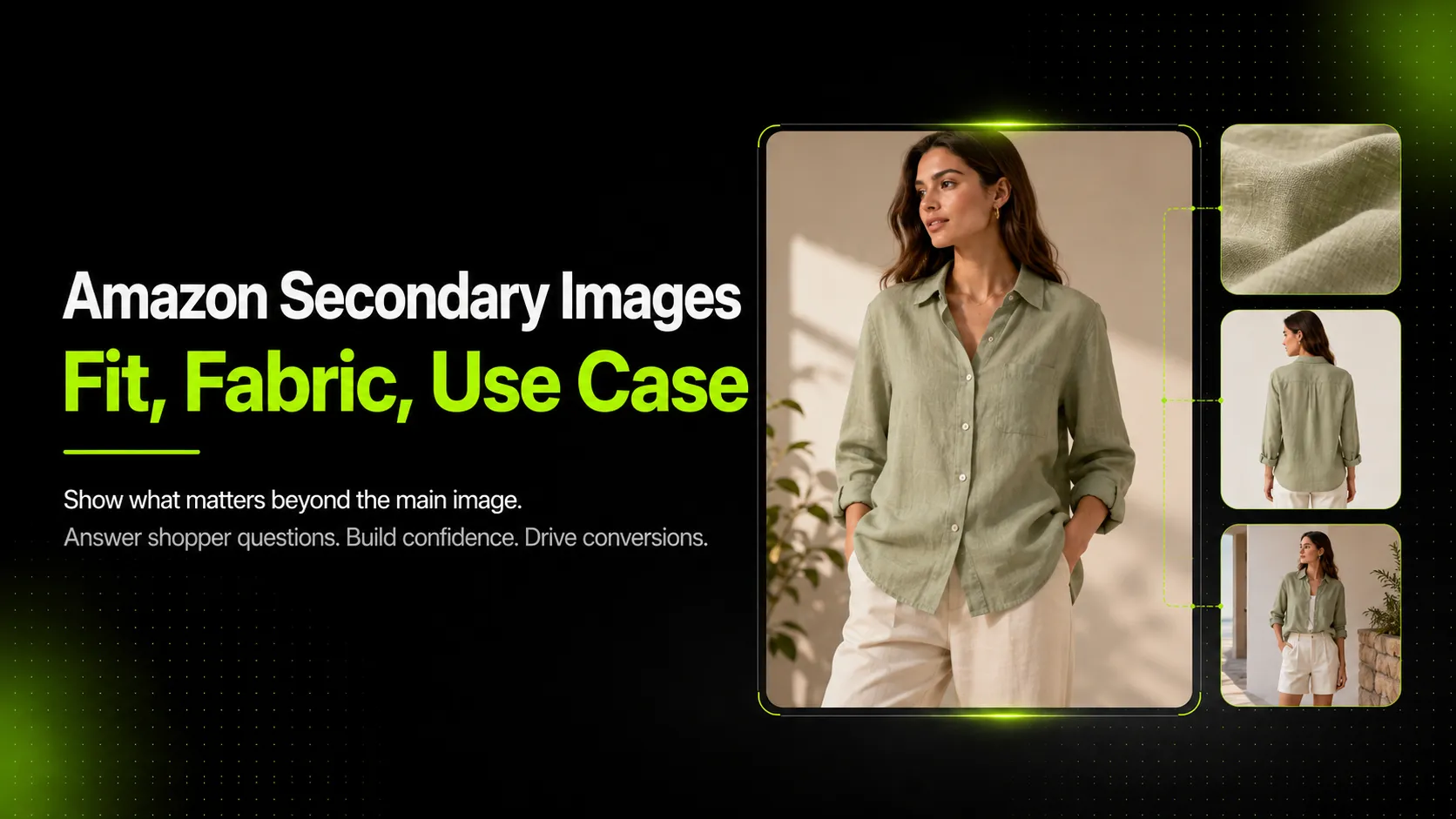
First, they reduce uncertainty. A main image may show a linen shirt clearly, but it does not explain sleeve length, fabric transparency, collar structure, or how the shirt drapes on a body. Secondary images fill those gaps.
Second, they make the listing easier to scan. A shopper may not read every bullet point, but they can quickly understand a fabric close-up, a measurement graphic, or a model view that shows fit.
Third, they support trust. A strong secondary image set shows that the seller understands what buyers need to evaluate before purchasing. It also reduces the risk of using lifestyle scenes or AI-generated visuals that look attractive but do not accurately represent the product.
Main Image vs Secondary Images: The Role Of Each Visual
The main image and secondary images should not do the same work. The main image identifies the product. Secondary images explain it.
The main image should stay simple and product-focused. It is the image shoppers see first in search results and on the product detail page. It needs to show the exact item clearly, without visual confusion. Because Amazon requirements can change by category and marketplace, always review the current image rules in Seller Central before upload.
Secondary images can carry more explanation. They can show a back view, fabric detail, model fit, dimensions, lifestyle use, packaging, or functional callouts. This is where sellers can answer practical questions: Is the knit thick or lightweight? Does the blazer have structure? Is the dress lined? Does the bag fit a laptop? Is the product shown with accessories that are not included?
For eligible brands, Amazon's A+ Content adds another layer. Amazon describes A+ Content as enhanced product detail content with videos, enhanced images, customized text placements, comparison charts, carousels, and more. Use A+ Content for deeper brand and product storytelling, but do not rely on it to fix a weak image gallery. The first image set should already explain the product clearly.
Recommended Amazon Secondary Image Stack
The strongest Amazon secondary image sets follow a decision flow. They start with product clarity, then move into fit, material, details, size, use case, and trust.
| Image Slot | Purpose | Best For | Notes |
|---|---|---|---|
| Main image | Identify the exact product clearly | All listings | Keep this compliance-focused and simple. |
| Secondary 1 | Show another angle or model view | Apparel, accessories, home goods | Use front, back, or side views based on what shoppers need to understand. |
| Secondary 2 | Explain fit or silhouette | Clothing, shoes, bags | Use model or mannequin views when fit matters. |
| Secondary 3 | Show fabric or material close-up | Apparel, bedding, soft goods | Highlight texture, lining, stretch, weave, or finish. |
| Secondary 4 | Call out functional details | Products with features | Use labels sparingly and keep text readable on mobile. |
| Secondary 5 | Show measurements or scale | Apparel, furniture, accessories | Focus on measurements that reduce uncertainty. |
| Secondary 6 | Show use case or lifestyle context | Fashion, home, beauty, fitness | The scene should clarify use, not misrepresent the product. |
| Secondary 7 | Compare variants or styling options | Multi-color or multi-style products | Make clear what is included versus shown for context. |
| Secondary 8 | Add care, packaging, or trust support | Giftable, technical, premium products | Useful when care instructions or packaging affect purchase confidence. |
This does not mean every listing needs all eight supporting images. A simple T-shirt may need fewer images than a technical jacket, structured handbag, or compression legging. The right question is: what would a shopper need to see before they feel confident buying this product without touching it?
How To Show Fit In Amazon Secondary Images
Fit images should show shape, proportion, and movement. For apparel, this is usually more useful than another flat product shot.
Use model or mannequin views when the product's silhouette matters. A structured blazer benefits from a front model view, side profile, and back view because shoppers need to understand shoulder shape, waist taper, and hem length. A pair of leggings may need a standing pose and a movement pose so shoppers can see rise, compression, and stretch behavior.
Show the angles that answer likely objections. If a dress has an open back, show the back. If a shirt is cropped, show where it hits at the waist. If a jacket has volume, show side shape instead of relying only on a front-facing image.
Be careful with fit notes. Text overlays can help, but they should not make promises the image cannot support. Instead of "perfect fit," use concrete labels such as "cropped length," "relaxed sleeve," "high-rise waist," or "back view." These labels explain what the shopper is seeing without exaggeration.
How To Show Fabric, Texture, And Construction
Fabric images should make the material easier to understand. Shopify's ecommerce photography guide separates close-up shots from lifestyle and white-background photos, noting that close-ups can highlight product quality and details. For apparel, that close-up might be the most important secondary image after the model view.
Create close-ups for material traits that affect purchase decisions:
- Knit structure on a sweater
- Twill weave and wash texture on denim
- Ribbing on cuffs or hems
- Lining inside a blazer or coat
- Sheen and drape on satin or silk-like fabric
- Stitching, seams, buttons, zippers, pockets, or labels
Show material behavior, not just material name. A close-up of fabric texture helps, but a model or lifestyle image can also show drape, stretch, stiffness, or transparency. For example, a lightweight linen shirt may need both a texture close-up and a worn image that shows how it hangs. A structured blazer may need a detail shot of the shoulder seam and a side view that shows its shape.
Color and texture accuracy matter. If an AI-generated close-up changes the weave, print, embroidery, or color temperature, it may create a misleading product image. Always compare generated visuals against the real product or the strongest available source photos before publishing.
How To Show Use Case Without Making The Product Look Misleading
Use-case images help shoppers imagine the product in a real situation. Shopify's guide describes lifestyle photography as a way to show products in use or in context, helping shoppers understand scale and use. On Amazon, this can be useful for apparel, accessories, home goods, beauty products, fitness products, and giftable items.
The scene should match how the buyer would actually use the product. A travel jacket can appear in an airport or weekend setting. A yoga legging can appear in a studio or stretching pose. A linen shirt can appear in a casual summer outfit. A handbag can appear on a desk or shoulder, especially if scale and capacity matter.
Avoid props or styling that confuse what is included. If a listing sells only the shirt, do not make the secondary image look like the belt, bag, or jewelry are included. If the product has multiple variants, make the image label clear so shoppers know whether they are seeing one SKU, a color range, or a styling suggestion.
Use-case images should clarify, not distract. If the lifestyle scene is more interesting than the product, it is probably doing too much.
How AI Can Help Create Amazon Secondary Images Faster
AI is useful for Amazon secondary images when sellers need more product visuals from a limited set of references. It can help create detail images, pose variations, lifestyle scenes, mockup-style visuals, and supporting PDP assets faster than planning a separate shoot for every SKU.
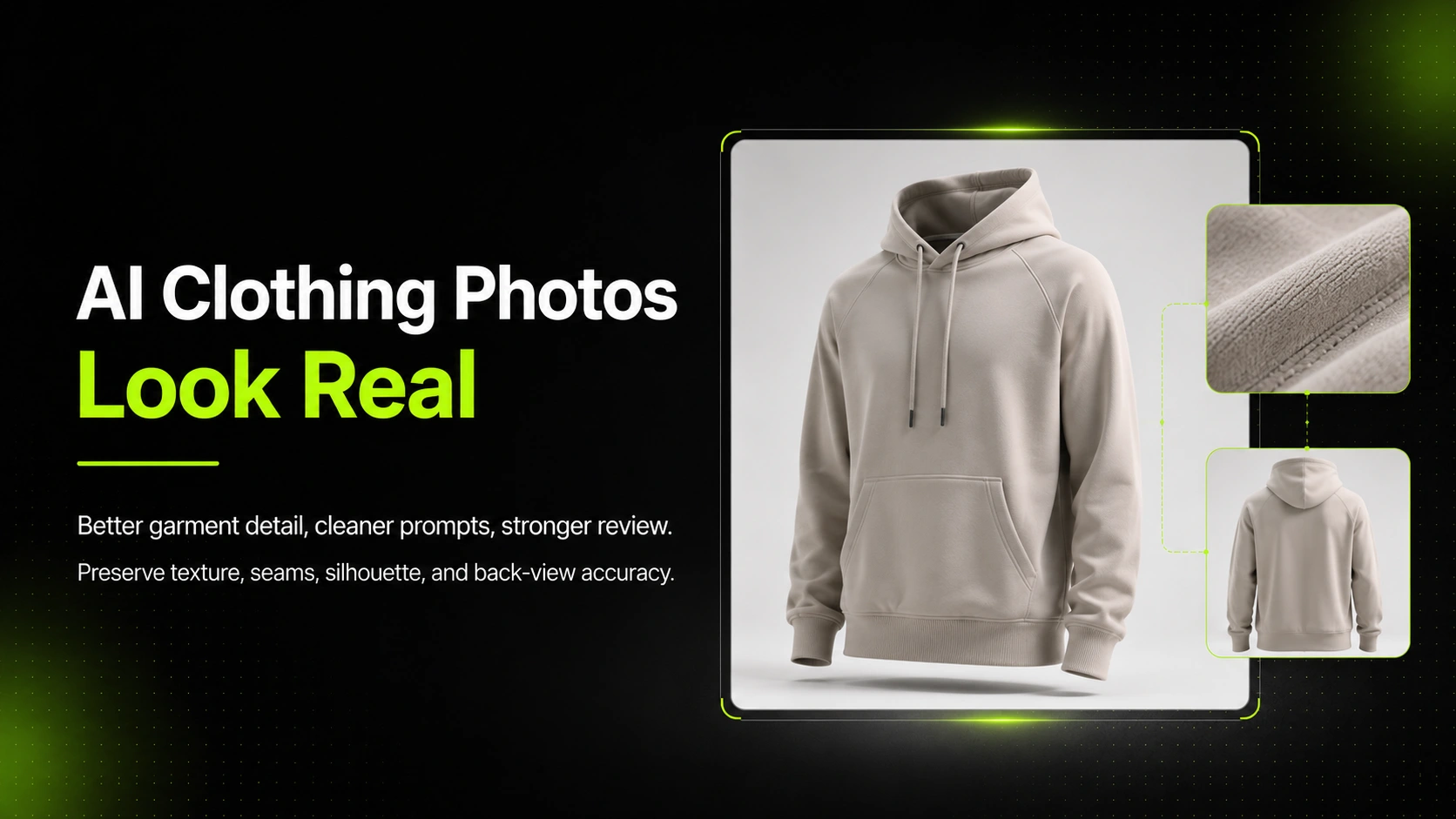
Start with clean references. For apparel, collect the main product image, back view, fabric close-up, label or logo detail, and any construction details that must stay accurate. AI tools work better when they have enough product information to preserve shape, color, texture, and important design elements.
Then decide what each image needs to answer. For a knit sweater, the stack might include a model view, cuff detail, knit close-up, size chart, and cozy lifestyle image. For compression leggings, it might include fit, waistband, stretch, side pocket, and movement use case.
Use iCreat AI's AI Fashion Detail Image Generator when you need product page support images such as fabric close-ups, white-background visuals, apparel mockups, or detail shots from existing product references. If fit is the main issue, an AI Pose Generator workflow can help create pose variations that reveal silhouette, length, and movement.
The final step is review. AI can accelerate production, but it should not replace product judgment. Check that the garment's cut, pattern, color, fabric, logo placement, stitching, and included accessories match the real product.
Amazon Secondary Image Quality Checklist
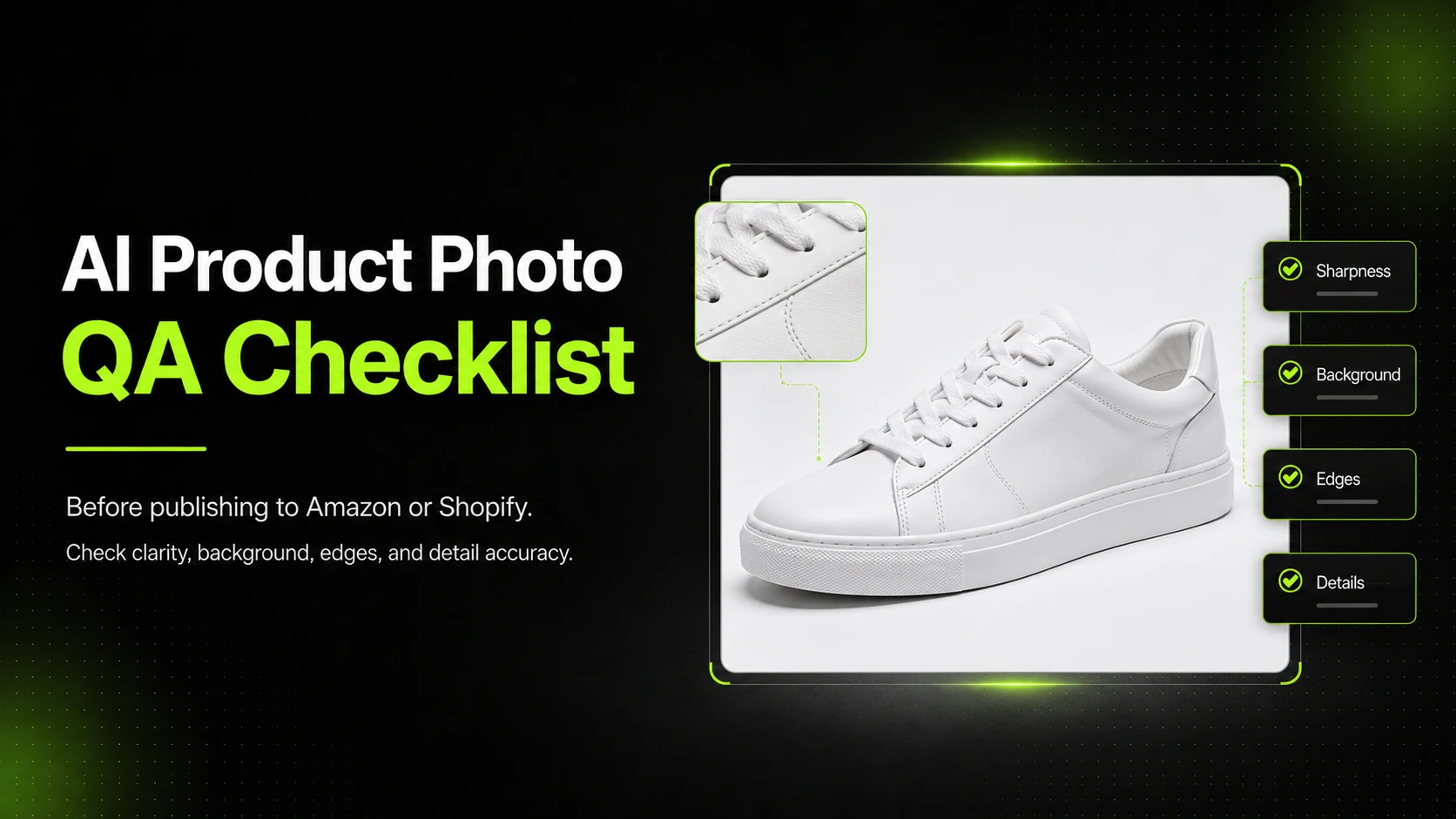
Before uploading Amazon secondary images, review both the platform requirements and the product accuracy of each visual. This is especially important for AI-generated listing images because polished outputs can still be inaccurate.
Use this checklist before publishing:
- Product shape matches the real item.
- Fabric texture, color, print, and finish are accurate.
- Fit, length, and proportions are not distorted.
- Seams, stitching, buttons, zippers, labels, and logos are not changed.
- Text overlays are readable on mobile and do not crowd the product.
- Lifestyle props do not imply accessories are included when they are not.
- Image order follows shopper decision flow: identify, understand fit, inspect fabric, check details, imagine use.
- Claims in image text are supported and not exaggerated.
- The final set is reviewed against Amazon's current image and listing policies before upload.
If an image fails one of these checks, fix it before publishing. A secondary image that looks polished but misrepresents fit or fabric can create more problems than it solves.
FAQ
Conclusion
Amazon secondary images work best when they are planned as a visual explanation system. The main image identifies the product. The secondary images explain fit, fabric, construction, size, use case, and trust.
For apparel sellers, this matters because shoppers need visual proof before they buy. A linen shirt, knit sweater, structured blazer, or pair of leggings all require different secondary images because each product raises different buyer questions.
If you already have product reference images and need to create supporting visuals for product pages, use iCreat AI's AI Fashion Detail Image Generator to build fabric close-ups, detail images, and ecommerce product visuals from your existing fashion images. Then review each output carefully before publishing it to Amazon or any other sales channel.