


Why Labels and Branding Break So Easily in AI Images
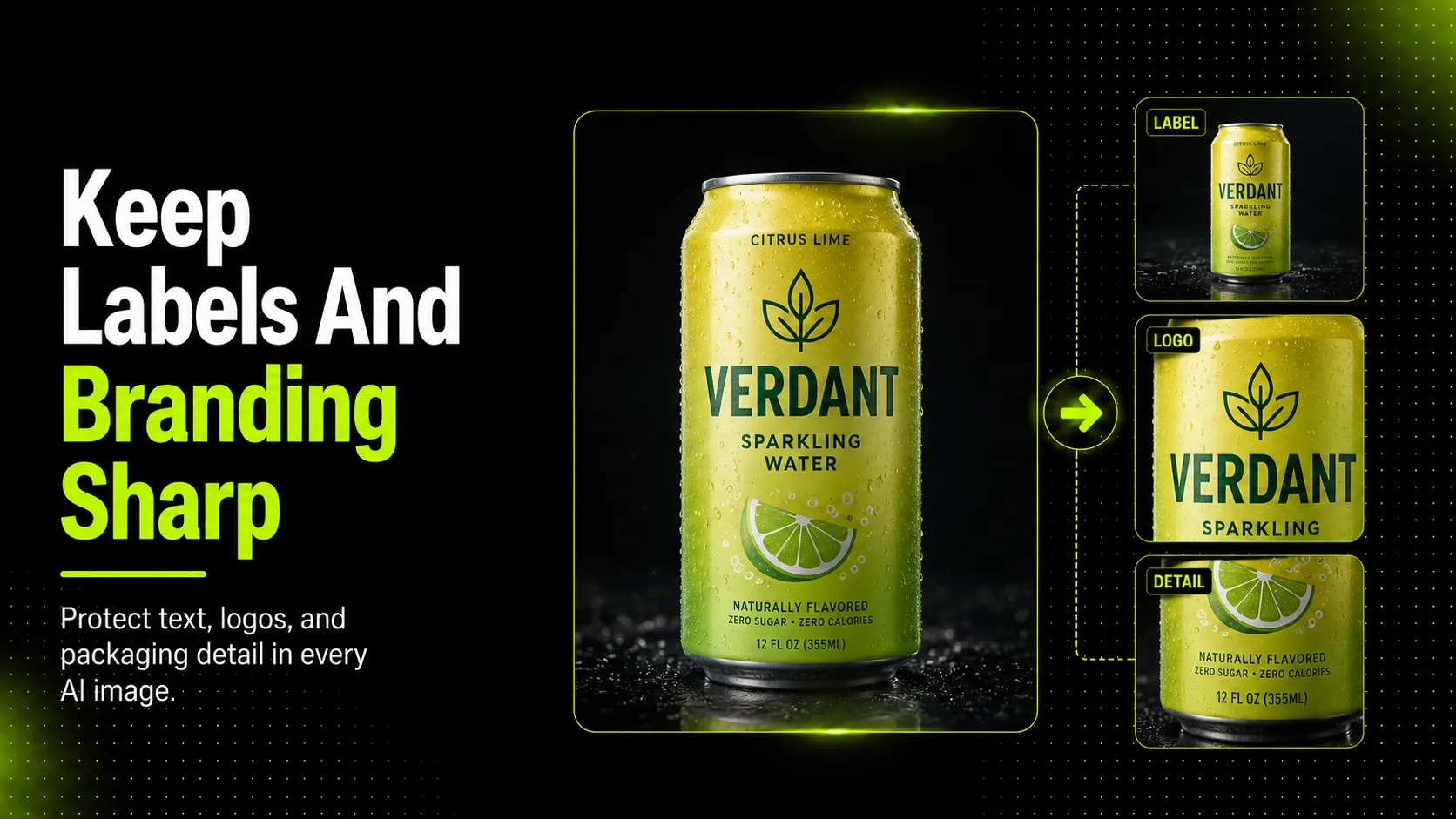
Product labels are one of the hardest things for AI image workflows to preserve because they compress several fragile visual tasks into one small space. The model has to preserve layout, letter shapes, spacing, contrast, surface texture, and alignment with the package itself. If any one of those drifts, the image can still look clean while becoming unreliable.
This matters most for packaging-heavy products. A skincare bottle needs label readability and brand mark precision. A coffee bag needs clear front-facing text and believable print structure. A cosmetics tube needs the logo, cap shape, and body text to stay aligned. A sneaker box or premium accessory package needs visible branding that looks real rather than approximated.
Modern models have improved on text rendering. OpenAI's 4o image generation release explicitly highlights more accurate text rendering and better instruction following. That is useful progress. It does not mean the workflow is automatically safe for ecommerce packaging or label-heavy product imagery, because customer-facing product images still require more than a readable-looking word or two. They require trustworthy detail retention.
Photoroom's 2026 product-fidelity benchmark is a useful warning here. In its test set, top editing image models passed product-fidelity checks only 28% of the time overall, and logo or text distortion was the single largest failure category. That does not mean every label-heavy image will fail. It does mean that packaging and branding details are exactly where blind trust in AI outputs becomes expensive.
What Setup Choices Improve Label and Logo Sharpness
The safest gains usually happen before generation, not after it.
1. Start with a clean, high-detail source image
If the source label is blurry, reflective, badly cropped, or low contrast, AI has less to preserve. Use a source image where the label is already readable, the logo edges are clean, and the packaging surface is well lit.
For a skincare bottle, that means making sure the product face is straight enough for the label to read clearly. For a coffee bag, that means using an image where the printed front panel is not crumpled or hidden by glare. For a cosmetics tube, it means enough resolution and lighting to keep small type and logo edges visible.
2. Use AI for controlled edits, not label reinvention
If the goal is to clean the background, improve framing, or create a controlled scene variation, AI can help. If the goal is to recreate the label from scratch or interpret tiny brand details in a new generation, risk rises fast.
That is why product-focused editing is safer than open-ended prompting when branding matters. Ask AI to support the package presentation, not redesign the package visually.
3. Reduce visual stress around the label area
Busy textures, extreme reflections, or harsh scene lighting can make label zones harder for both the model and the human reviewer. If the label area matters, keep the surrounding environment cleaner and more controllable.
Adobe's product photography guidance supports the same practical principle. Product images work best when the subject is clear, detail is visible, and distractions are limited. That is not just a photography preference. It is a packaging-preservation strategy.
4. Keep the review crop in mind from the start
Teams often review the whole image but forget how the product will look once cropped for the actual channel. A label that feels readable at full size may soften or become ambiguous in a tighter ad crop or smaller marketplace display.
Which AI Editing Tasks Help and Which Still Create Risk
| Task | Strong fit for AI | Why risk remains |
|---|---|---|
| Background cleanup | Yes | edge halos can still affect package outline |
| Resize and upscale support | Yes | sharpening can exaggerate artifacts around text |
| Controlled background variation | Yes | scene contrast can still weaken label readability |
| Surface cleanup around the product | Sometimes | cleanup may remove or distort tiny package details |
| Full packaging reinterpretation | No | text, logo, and claim integrity become fragile |
| Final publish decision | No | this still needs human review |
This is the practical distinction: AI helps most when it improves presentation around the packaging. It becomes riskier when it starts changing the packaging itself.
If your team needs cleaner product-centered visuals while protecting packaging detail, AI Product Photography is the more relevant workflow than a prompt-first general image model. Supporting tools such as Background Remover and Image Upscaler are strongest when they clean or extend trusted source images rather than invent branding detail from scratch.
Common Label and Branding Mistakes and How to Fix Them
Mistake 1: using weak source images
If the original package photo is soft, reflective, or off-angle, the AI workflow starts in a fragile state. Fix this by improving the source image before editing.
Mistake 2: asking for too much transformation at once
The more the model has to reinterpret the packaging while also changing the scene, the harder it becomes to preserve sharp brand detail. Fix this by separating cleanup from stylization.
Mistake 3: reviewing the image for beauty before accuracy
Many teams first ask, “Does this look premium?” The better first question is, “Does the label still say what the product actually says?” Fix this by reviewing brand-critical details before overall aesthetic quality.
Mistake 4: ignoring packaging claims and legal sensitivity
If the visible package makes a claim, highlights ingredients, or shows regulated information, even a subtle AI drift can create a serious trust problem. Fix this by treating package copy as a review checkpoint, not a decorative detail.
What to Review Before Publishing AI-Generated Packaging or Branded Product Images
Before publishing, check the parts of the image that directly affect trust and compliance.
- Label text: Is the text readable enough where it matters?
- Logo placement: Is the brand mark still in the correct position and shape?
- Packaging claims: Does the visible package still match the real product claims?
- Color accuracy: Does the package still look like the actual product colorway?
- Material or surface realism: Does the label area still sit naturally on the package surface?
- Target channel requirements: Will the image still work for the destination where it will appear?
- Shopper trust: Could this image create the wrong expectation about the actual product?
Google Merchant Center's image guidance reinforces the same principle from a platform perspective: images should accurately display the product and avoid misleading overlays or presentation. That means a label- or logo-heavy AI image should never skip final review just because it looks polished.
FAQ
Conclusion
The safest way to keep labels and branding sharp in AI images is to treat the package as a trust-critical element, not a decorative one. AI can help improve presentation, speed up cleanup, and create useful variations, but it becomes riskier when it is asked to reinterpret label text, logos, or packaging structure.
The practical workflow is straightforward: start from the strongest source image you can, use AI for controlled edits, and review the final image where customers are most likely to notice drift. When branding matters, the sharpest image is the one that still tells the truth.