


AI product photography works in paid ads when generated visuals meet platform-specific requirements: correct aspect ratios, clear product focus, text-safe space for overlays, and visual consistency across every image in an ad set. The real performance advantage comes not from any single perfect image but from producing enough variations to test what actually resonates with your audience, then scaling the winners quickly.
For ecommerce marketers running Meta Ads, Google Shopping, TikTok, or Amazon Sponsored Brands, creative production is often the bottleneck. A team might have strong targeting and budget but only three or four ad images to rotate. Those images fatigue within weeks, CTR drops, and the campaign underperforms not because the product is wrong but because the creative stopped being fresh. AI product photography tools can change that economics by making it feasible to produce ten or twenty variations instead of two or three.
Key Takeaways
- AI-generated ad creatives work best when outputs match platform aspect ratios, resolution, and text-overlay rules.
- The biggest ad-performance gains come from testing more variations faster, not from finding one magic image.
- Some ad types (awareness, retargeting, catalog) benefit more from AI than others (hero brand assets, major launches).
- Human review for product accuracy and brand consistency matters before any creative goes live.
Why Ad Creative Quality Matters for Paid Performance
Ad platforms use auctions where cost-per-click and impression share depend partly on how users engage with your creative. Better-performing images get lower effective CPCs, more impressions, and better scaling from the algorithm. This is not just a design preference; it is directly tied to campaign efficiency.
The Link Between Visual Quality and Click-Through Rate
Shoppers scrolling through a feed make split-second decisions about whether to stop on an ad. Images that show the product clearly, in context, and at the right quality level earn more attention than blurry, cluttered, or low-resolution alternatives. According to Shopify's ecommerce photography guidance, product pages with richer visual sets convert at higher rates than those with minimal imagery; the same principle applies to ad creatives where the image is often the only thing a user sees before deciding to click or scroll past.
The practical implication is that investing in ad image quality is not optional decoration. It is a lever that affects how far your budget goes and how efficiently your campaigns acquire customers.
How Ad Fatigue Hurts Campaign Performance Over Time
Ad fatigue occurs when your target audience sees the same creative too many times. Engagement drops, frequency climbs, and the platform's algorithm may reduce delivery or raise your effective CTR threshold. According to Meta's advertising best practices guidance, refreshing creatives regularly helps maintain audience interest and campaign performance. Most ad strategists recommend refreshing creatives every two to four weeks for ongoing campaigns, though the exact cadence depends on audience size, spend level, and platform.
The problem is that traditional production cannot always keep up. A photoshoot for three new ad concepts takes planning, scheduling, editing, and review. By the time new creatives are ready, the old ones may have already fatigued. AI tools shorten the time between "we need fresh visuals" and "we have testable candidates."
Why Variation Volume Drives Learning in Ad Campaigns
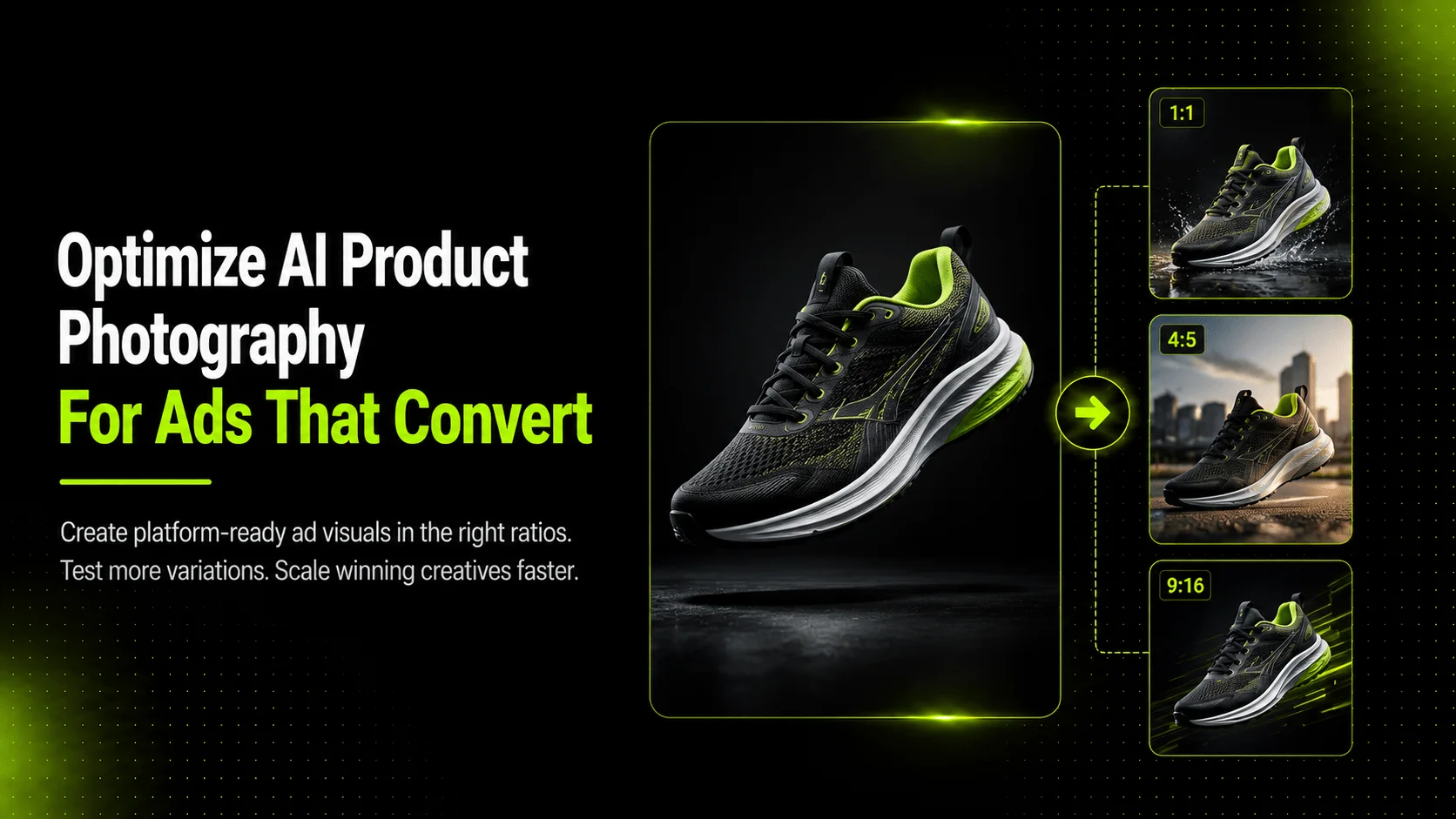
Every new ad variation is a learning opportunity. One background color might outperform another by a meaningful margin. A lifestyle angle that shows the product in use could beat a clean white-background shot for awareness campaigns but underperform for retargeting. A square format (1:1) might work better on Instagram Feed while a vertical format (4:5) wins on Facebook Feed.
The more variations you can test, the faster you learn what your specific audience responds to. Teams limited to two or three creatives per campaign are essentially guessing. Teams that can test ten or fifteen are collecting data that informs every subsequent decision.
What Makes a Product Image Work in Ads
Not every good product photo makes a good ad photo. There are technical requirements, compositional norms, and platform-specific rules that separate images that perform from images that get rejected or ignored.
Platform-Specific Requirements
Each major ad platform has its own image specifications. Generating images without accounting for these requirements leads to awkward cropping, rejected uploads, or creatives that look unprofessional in the feed.
| Platform | Recommended Ratios | Min Resolution | Text Overlay Rule | Notes |
|---|---|---|---|---|
| Meta (Facebook/Instagram) | 1:1, 4:5, 9:16 | 1080 x 1080 min | Text should cover less than 20% of image | 1:1 for feed, 4:5 for FB/IG feed, 9:16 for stories/reels |
| Google Shopping | Square preferred | 250 x 250 min | No text overlays allowed | Focus on product-only, clean background |
| TikTok | 9:16, 1:1 | 720 x 1280 min | Keep center area clear for UI overlay | Vertical preferred for native feel |
| Amazon Sponsored Brands | 1:1 (custom), 3:2 (banner) | Varies by placement | Follow Amazon creative guidelines | Banner and square formats differ by unit type |
These specifications matter because an image generated at the wrong ratio will either be cropped automatically (potentially cutting off the product) or rejected during upload. Planning your output format before generating saves rework later.
Aspect Ratios, Resolution, and Text-Safe Zones
Aspect ratio determines how your image fits into the ad slot. Resolution affects how sharp the image looks on high-DPI mobile screens. Text-safe zones determine whether platform UI elements (like the "Learn More" button on Facebook or the caption area on TikTok) will cover important parts of your image.
For AI-generated ad creatives, the best practice is to generate in the target ratio from the start rather than trying to crop a horizontal image into a vertical format afterward. If your primary ad placement is Instagram Stories, generate at 9:16. If you are running Google Shopping ads, generate a square product-on-white image. Matching generation to placement avoids awkward composition after the fact.
Product Focus vs. Lifestyle Balance in Ad Creatives
Ad images exist on a spectrum from pure product shots (white background, centered, full visibility) to lifestyle scenes (product in use, environmental context, emotional tone). Neither is universally better; the right balance depends on funnel stage and objective:
- Top-of-funnel / awareness: Lifestyle and contextual images tend to perform better because they capture attention and convey usage.
- Mid-funnel / consideration: A mix of product-focused and lifestyle images helps shoppers evaluate fit and quality.
- Bottom-of-funnel / retargeting: Clean product shots with clear pricing or offer messaging often drive the final click.
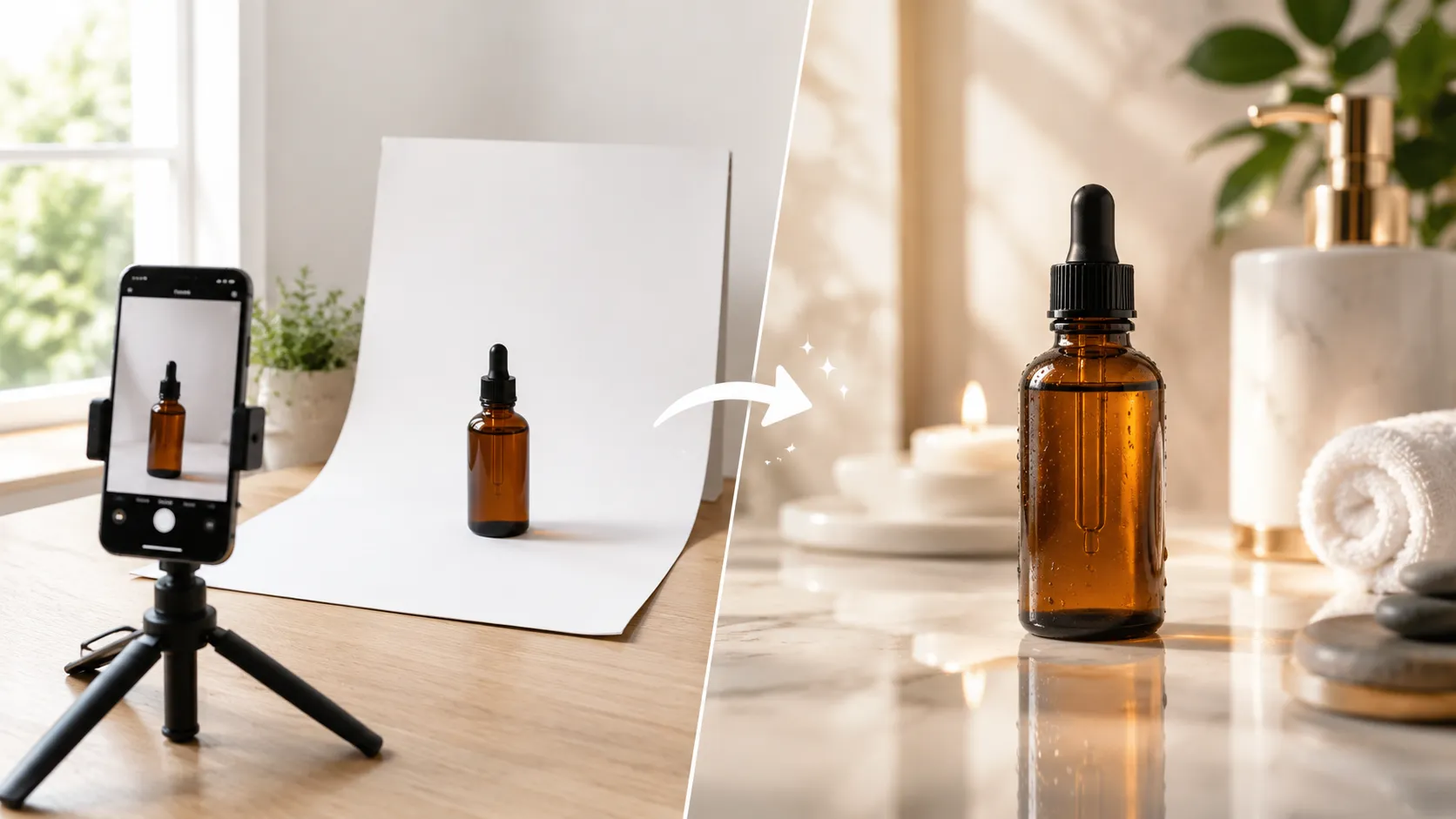
AI tools can produce both ends of this spectrum from the same reference image, letting teams test where their audience sits on the product-to-lifestyle spectrum.
Brand Consistency Across an Ad Set
An ad set should look like it came from the same brand. Color palette, lighting mood, styling approach, and logo treatment should be consistent across every image in a campaign. Inconsistent visuals confuse users and dilute brand recognition.
When using AI tools, this means using similar prompts, reference styles, and aesthetic parameters across a batch of generations rather than treating each image as an independent art project. Small inconsistencies in lighting direction or color temperature across an ad set can look amateurish even if each individual image is technically competent.
Which Ad Types Benefit Most from AI Product Photography
Not every advertising scenario benefits equally from AI-generated visuals. Understanding which ad types are strong candidates for AI production and which still warrant traditional photography helps teams allocate resources effectively.
Awareness and Reach Ads
Awareness campaigns need volume and variety. The goal is broad reach and initial interest, not pixel-perfect product accuracy. AI-generated lifestyle images, contextual backgrounds, and varied compositions work well here because they provide the visual diversity needed to catch attention across different placements and audiences.
A brand launching awareness ads across Meta's Audience Network, Instagram Reels, and Facebook Feed could use AI Product Photography to generate fifteen to twenty lifestyle variations from a small set of reference photos, each optimized for different aspect ratios and placement contexts.
Retargeting and Dynamic Remarketing
Retargeting audiences have already shown interest. They need fresh visual reminders that do not repeat the exact same image they saw last week. AI tools excel here because they can produce subtle variations: same product, different background or angle, same brand feel, different enough to register as new.
AI Image Replacer is particularly useful for retargeting workflows. A team can take a performing ad creative and swap the background, adjust seasonal elements, or modify scene context to create a refreshed version that feels familiar but updated, extending the life of a proven concept without starting from zero.
Catalog Ads and Product Listing Ads
Catalog-driven ad formats like Meta Dynamic Ads, Google Shopping, and Amazon Sponsored Brands require product images at scale. Each SKU needs at least one approved image, and performance improves when multiple images are available for rotation.
For brands with large catalogs, shooting professional images for every SKU is expensive and slow. AI tools can help fill gaps: generating white-background images for SKUs that only have lifestyle shots, creating additional angles for products with single-image listings, or producing lifestyle variants for catalog entries that currently only have basic white-background assets.
Seasonal and Promotional Campaigns
Seasonal campaigns (holiday sales, back-to-school, Black Friday, summer collection) require visual updates that signal timeliness. A Q1 campaign visual feels stale in Q3 if the background, colors, and props do not reflect the current season.
AI tools let marketing teams adapt existing successful creatives for new seasons quickly. A summer campaign image can become a fall campaign image by changing the background to autumn tones, adjusting prop elements, and modifying color temperature, all without reshooting the product.
When to Use Traditional Photography Instead
There are situations where AI-generated visuals are not the right choice for ad creative:
Hero brand assets: Major launch campaigns, brand identity moments, and hero creative that will appear across channels at high spend often benefit from professionally directed photography where every detail is intentional and reviewed extensively.
High-stakes placements: Billboards, large-format display, video production for TV or premium streaming, and any placement where the image will be viewed at large size or scrutinized closely should use the highest-quality production available.
Compliance-sensitive categories: Some regulated industries or marketplace programs have strict requirements about image authenticity, modification limits, or representation accuracy that may not align with AI-generated outputs.
The practical approach is to use AI for volume, testing, and refresh scenarios while reserving traditional production for hero moments and high-stakes placements.
How iCreat AI Supports Ad-Optimized Visual Production
iCreat AI provides a set of tools designed for ecommerce visual production that map directly to common ad creative workflows.
AI Product Photography for Multi-Format Ad Generation
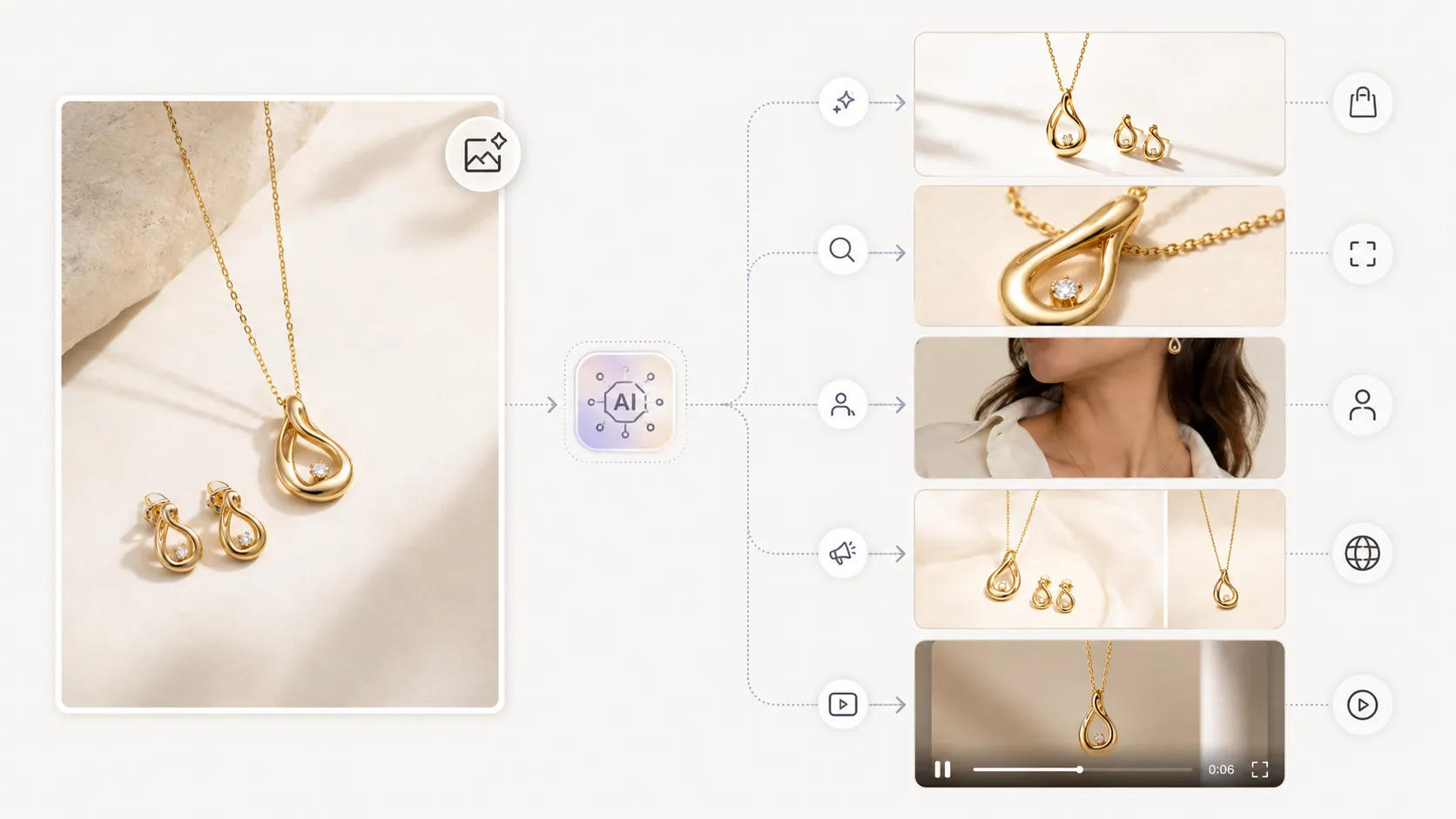
AI Product Photography generates ecommerce product visuals from reference images with support for mainstream aspect ratios and resolutions up to 4K. For ad teams, this means uploading a few strong product references and generating multiple compositions in different ratios (square, portrait, landscape) from a single session. The tool supports both standard generation via GPT-Image-1 and advanced detail-focused output via Nano Banana Pro for campaigns where visual quality matters most.
AI Image Replacer for Rapid Creative Adaptation and Testing
When a team has a performing ad concept and wants to test variations, AI Image Replacer enables background swaps, clothing adjustments, and scene modifications from one base image. This is useful for A/B testing different backgrounds, adapting creatives for different audiences or seasons, and producing enough variants to populate a robust test matrix without additional shoot costs.
Lookbook and Pose Tools for Fashion Ad Variety
Fashion advertisers often need model-based ad creatives with variety in pose, styling, and editorial feel. AI Fashion Lookbook Generator turns product images into lookbook-style campaign visuals, while AI Pose Generator creates pose variations from existing model photos. Together, these tools help fashion brands produce the volume of model-based ad creatives needed for sustained campaign performance without organizing repeated modeling sessions.
AI Product Video for Short-Form Motion Ad Creatives
Short-form video content performs increasingly well across TikTok, Instagram Reels, and in-feed video placements. AI Product Video converts still product images into short promotional videos (typically five to ten seconds), giving ad teams motion creatives without filming video footage. For campaigns where static images are reaching fatigue, adding a video variant can re-engage the same audience with a new format.
Building a Repeatable AI Ad Creative Workflow
A structured workflow prevents the common mistake of generating random images and hoping some work as ads. The following process connects AI generation to ad-platform requirements and performance feedback.
Step 1: Define Your Ad Format and Platform Requirements
Before generating any images, list exactly what you need:
- Which platform(s): Meta, Google Shopping, TikTok, Amazon, or a combination
- Which aspect ratio(s): 1:1, 4:5, 9:16, 16:9
- How many initial variations: aim for at least five to ten per ad set
- Any constraints: text-safe zone requirements, branding elements, compliance notes
Writing this down before opening any AI tool prevents generation that does not match your actual placement needs.
Step 2: Generate Initial Batch from Quality References
Use the clearest, best-lit product photos you have as reference inputs. For fashion items, include a main garment image, a detail close-up, and a back view where possible. Generate in the target aspect ratio rather than planning to crop later. Produce more variations than you think you need; it is faster to generate extras upfront than to return for a second batch later.
Step 3: Review for Product Accuracy and Brand Alignment
Check every output before it enters your ad account. Verify that:
- The product is recognizable and accurately represented.
- Colors, logos, prints, and key details match the actual item.
- Brand elements (if included) are consistent with guidelines.
- The image meets the platform's technical specifications.
- Text-safe zones are respected for placements that overlay UI elements.
Skipping this step risks publishing inaccurate creatives that generate clicks but disappoint purchasers, leading to returns and wasted ad spend.
Step 4: Launch Test Set and Iterate on Performers
Upload your reviewed batch as a test set. Let the campaign run long enough to gather statistically meaningful data, typically seven to fourteen days depending on spend level. Identify which images perform above average on CTR, CPC, or your primary KPI.
Step 5: Scale Winning Concepts with Variation Tools
Once you identify a winning concept (a particular background style, angle, or composition that outperforms), use AI tools to scale that concept into additional variations. AI Image Replacer can adapt the winning image for different seasons, audiences, or placements. This approach concentrates production effort on concepts that already show signal rather than guessing what might work.
Common Mistakes When Using AI for Ad Creatives
Mistakes in AI-assisted ad production can waste budget, delay campaigns, or produce creatives that underperform. Here are the most common ones to avoid.
Ignoring Platform Technical Specs
Generating beautiful images at the wrong ratio or resolution is one of the most frequent errors. An image that looks stunning at 16:9 gets cropped awkwardly when forced into a 1:1 slot. An image at 500px width looks blurry on a retina mobile screen. Always check the target platform's specifications before generating, and select the correct output ratio in your AI tool settings.
Using Inconsistent References Across an Ad Set
If half your ad set was generated from one reference photo and the other half from a different photo with different lighting, the resulting images will look like they belong to different brands. Use the same core reference set for an entire ad campaign to maintain visual consistency. Style and prompt parameters should also stay uniform across the batch.
Skipping Review Before Pushing to Ad Account
It is tempting to upload AI outputs directly to save time, especially when running behind schedule. But publishing an ad creative with a distorted product shape, wrong color, or missing detail can result in clicks from users who would not have clicked had they seen the accurate product. That mismatch increases bounce rate and wastes ad spend. Build review into the workflow timeline.
Over-Relying on AI for Hero Brand Moments
Not every ad creative should be AI-generated. Save your production budget and human creative judgment for hero assets: launch campaign visuals, brand films, large-format placements, and any creative that defines how your brand is perceived. Use AI for the volume work: testing, retargeting refreshes, catalog expansion, and seasonal adaptation.
Sources
- Shopify Ecommerce Photography Guidance, best practices for product image quality and its effect on conversion
- Meta Business Help: Ad Creative Best Practices, official guidance on ad image specs, text rules, and creative refresh recommendations
- Google Merchant Center Image Requirements, official requirements for Google Shopping product images
FAQ
Conclusion
AI product photography becomes a strategic advantage for ad teams when it connects fast variation production to platform-specific requirements and creative testing discipline. The value is not making any single image faster; it is producing enough spec-compliant, on-brand variations to learn what your audience responds to, then scaling the winners while maintaining consistency across every touchpoint.
Start by defining your platform and format requirements, generate from quality references in the correct aspect ratios, review every output for accuracy, test systematically, and scale what works. Use AI for the volume work, and reserve traditional production for hero brand moments that define how your audience perceives you.
If you are ready to build a faster ad creative workflow, try iCreat AI's AI Product Photography tool to generate multi-format ad creatives from your product references, or log in to start creating.