


Why New Colorways and Size Runs Create Different Image-Coverage Problems
The easiest planning mistake is to assume that every new variant is either fully unique or fully reusable. In practice, neither extreme holds up for long.
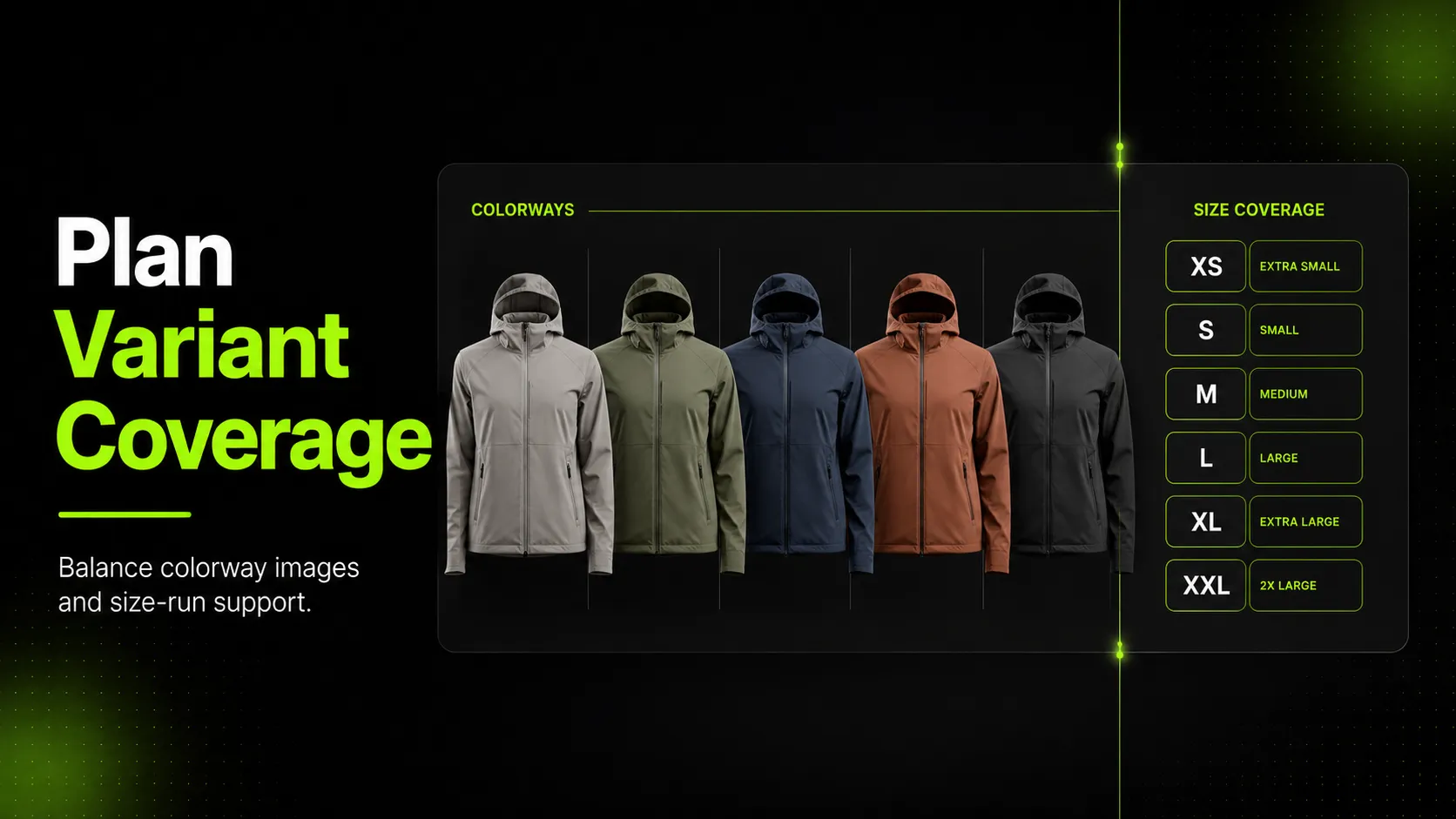
Colorways change the visual identity of the product immediately. If the shopper selects "sage green" and still sees the navy product hero, trust drops fast. Baymard's research on dynamic product thumbnails and color swatches is useful here because it reinforces a simple expectation: shoppers expect variant visuals to reflect the actual selected option, especially on list pages and product pages.
Size runs are different. A size extension from M to XL does not always change the object-level product shot. But it can change the fit expectation enough that shoppers need more visual proof. Nielsen Norman Group's guidance on products with multiple variants and Baymard's work on apparel sizing both point in the same direction: shoppers need consistent information across variants, and size confidence is often missing in apparel experiences.
So the two problems are not the same:
- colorways usually require visual accuracy at the product-appearance level
- size runs usually require visual support at the fit and expectation level
That distinction is what makes coverage planning more efficient.
What Every New Colorway Usually Needs
New colorways are the harder shortcut problem because teams often assume a recolor or a swatch is enough.
Sometimes it is. Often it is not.
The minimum safe colorway set
Most new colorways need:
- one true hero image for that color
- one thumbnail or variant-specific card image that matches the selected color
- at least one confirming image on the PDP that makes the color feel real, not theoretical
For a running sneaker with four colorways, that usually means each colorway needs its own hero image. The sidewall, outsole accents, laces, overlays, and mesh balance may read differently even when the construction stays identical.
For a skincare bottle, each colorway or scent variant often needs its own front-facing image because the shopper uses packaging color and label structure to identify the selection quickly.
When angle and detail sets can be shared
Shared coverage becomes more realistic when the color is the only meaningful difference and the materials behave the same way across every option.
For example:
- the sneaker's outsole texture is identical across colors
- the hoodie's zipper, cuff, and pocket structure do not change
- the bottle cap, silhouette, and side label layout remain the same
In those cases, a team may reuse:
- a material close-up
- a back-view angle
- a feature callout shot
But only if those shared images do not quietly contradict the selected colorway.
When a new colorway is not just a colorway
This is where launches get more expensive than expected. A "new color" sometimes introduces a new finish, material behavior, or light response.
A handbag in seasonal metallic leather is not just a new colorway if the surface reflectivity changes. A linen dress in white is not just a new colorway if transparency becomes a bigger issue than in navy. A running shoe in a lighter mesh may reveal construction differently than the darker version.
Those cases usually need more than shared coverage because the shopper is not evaluating color alone. They are evaluating how the product behaves in that color and material combination.
What Every New Size Run Does and Does Not Need
Size-run planning works better when you separate product-identification images from fit-trust images.
What new sizes usually do not need
Most size extensions do not require:
- a full new white-background gallery for every size
- duplicate detail close-ups for the same fabric and trim
- unique packaging or flat-lay images if the physical product construction is unchanged
If a hoodie is expanding from XS-XL to XS-3X, the zipper, pocket placement, fabric texture, and base silhouette may still be represented by the same product-level detail set.
What new sizes often do need
Size-run expansions often do need:
- stronger fit representation
- more inclusive on-model coverage
- better measurement guidance
- extra drape or length confirmation for categories where fit changes visibly
Baymard's apparel sizing research is useful because it reinforces how much uncertainty sizing creates in ecommerce. That means the image problem is not only "show the product." It is also "show how this product behaves on the body sizes you are now asking shoppers to choose."
For a hoodie in XS-3X, the safest upgrade is often not a new isolated product shot for each size. It is usually one stronger on-model image in the extended range, one measurement or length cue, and one support image that makes body shape, sleeve length, and hem behavior feel intentional rather than guessed.
Which categories need more size-sensitive coverage
The more fit-sensitive the category, the more likely new sizes need visual support.
High-need categories:
- dresses
- leggings
- denim
- structured blazers
- fitted knitwear
Lower-need categories:
- simple accessories
- bottles or boxed products
- products where size does not visibly affect use or silhouette
This is why a linen dress in straight and extended sizes often needs more coverage planning than a skincare bottle with a larger size run.
How To Build One Source Set Into a Variant Coverage Plan
The cleanest workflow starts with one approved source set, then assigns coverage tiers before production expands.
Step 1: Lock the non-negotiable source assets
Start with:
- one approved hero image
- one alternate angle
- one detail or material image
- one fit-support image if the category needs it
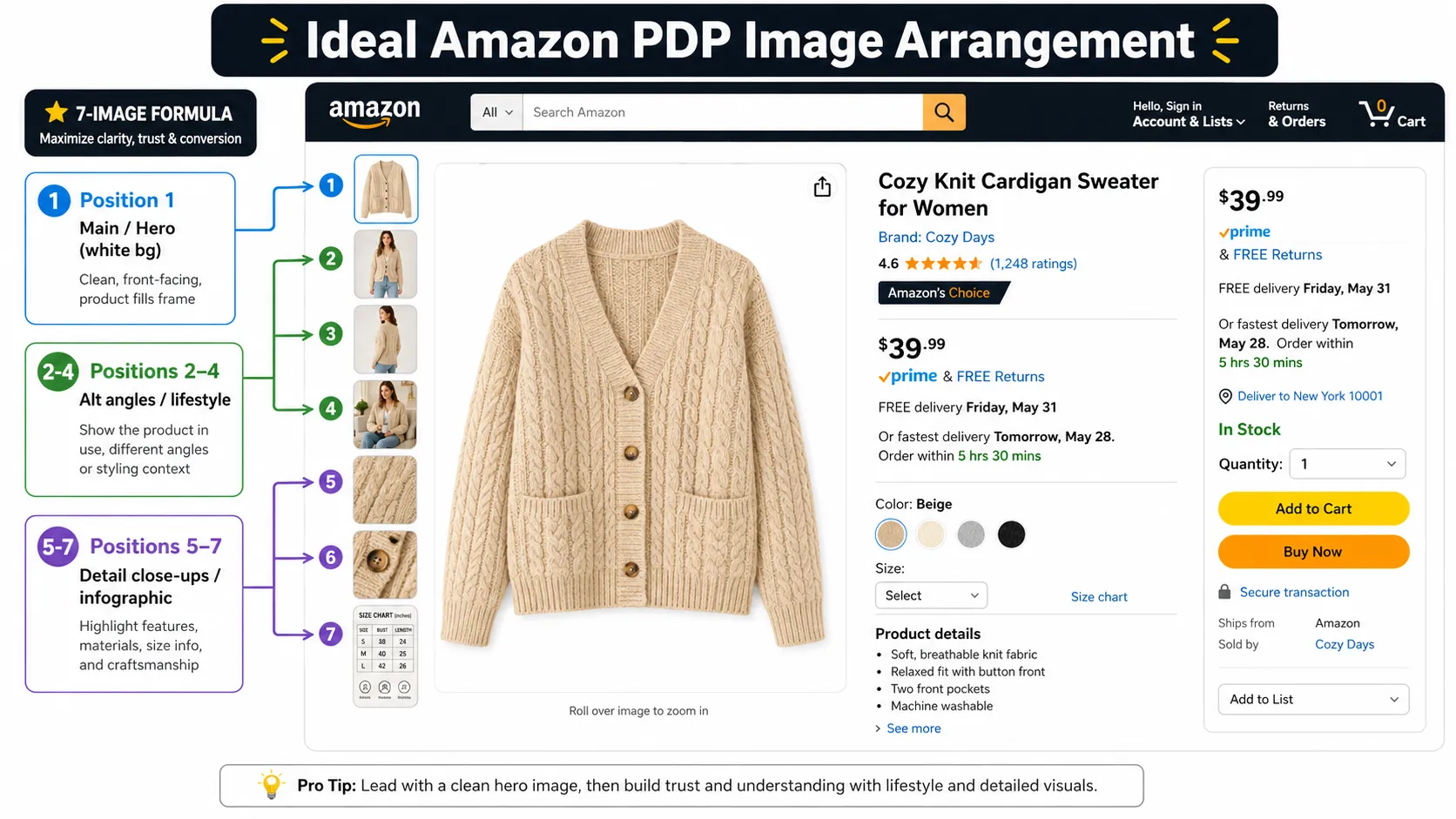
For a running sneaker, this may be hero, side profile, outsole, and texture detail. For a hoodie, it may be hero, back view, cuff or fleece detail, and one fit image. For a linen dress, it may be front, back, texture, and one drape or on-model image.
Step 2: Separate color coverage from size coverage
Ask two different questions:
- Does the shopper need to see this exact color to trust the selection?
- Does the shopper need extra visual help to trust this size offering?
If the answer to the first is yes, the colorway needs at least partial unique coverage. If the answer to the second is yes, the size run needs fit-support coverage even when product details are shared.
Step 3: Assign each variant to a coverage tier
Use three labels:
- `Full coverage`
- `Partial coverage`
- `Shared coverage`
That simple labeling step prevents overproduction because not every merchandising request becomes "we need a full new gallery."
Step 4: Expand the source set where it matters most
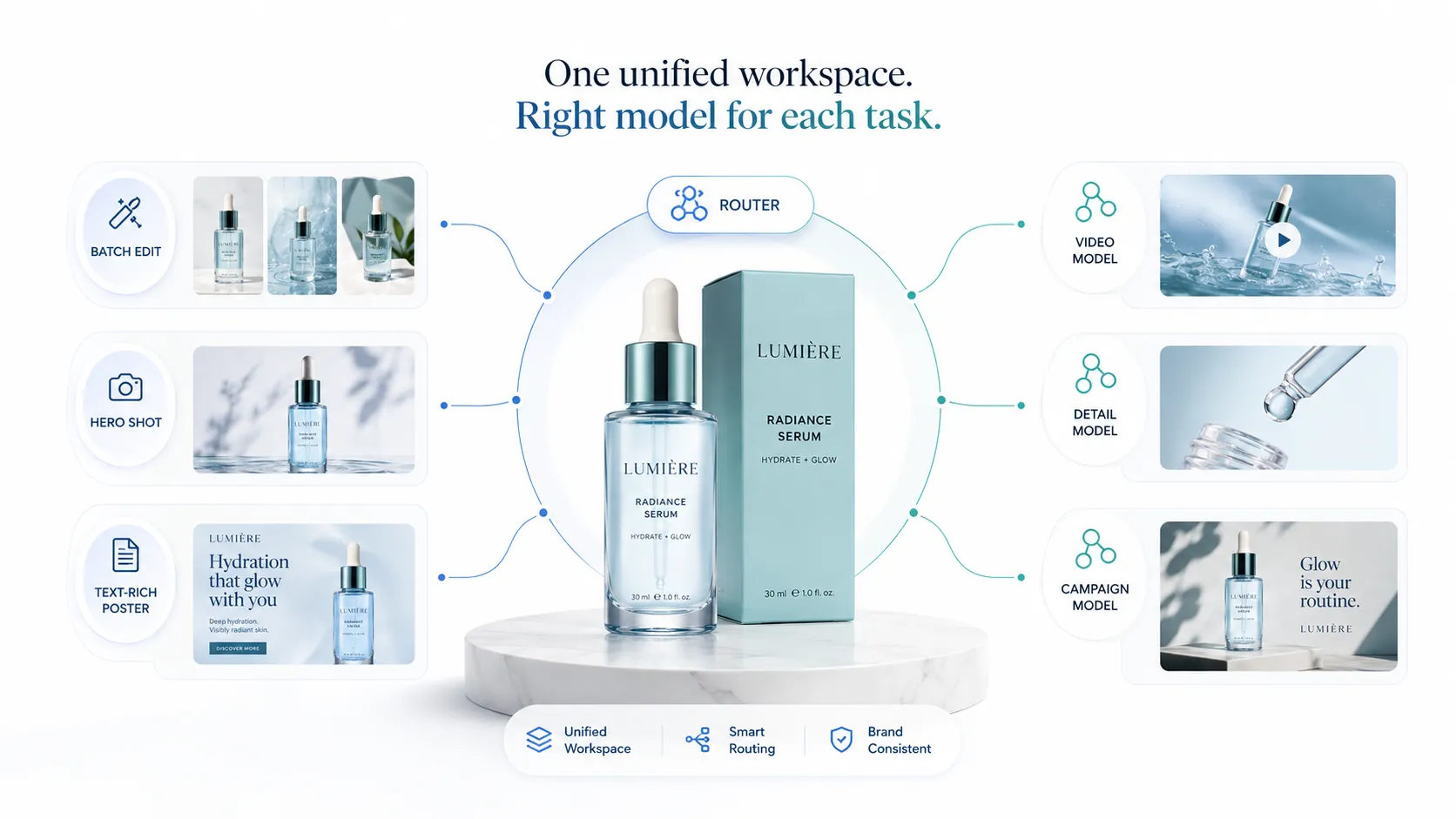
This is where AI Product Photography can help. The goal is not to create endless variant art. The goal is to generate enough product-specific and channel-ready coverage from clean references so each new launch has believable support.
Use AI Fashion Detail Image Generator when the coverage gap is in texture, trim, construction, or white-background support. Use AI Pose Generator when the gap is in fit or silhouette support for extended sizes. Use AI Image Replacer when a strong concept needs controlled adaptation for a new colorway or seasonal variant.
Step 5: Review by selected variant, not by gallery alone
This is the step teams skip most often. Review the page as if the shopper has selected:
- the lightest colorway
- the most fit-sensitive size
- the most different material or finish
If those edge cases still feel accurately represented, the coverage plan is usually strong enough.
Common Image-Coverage Mistakes for Color and Size Variants
Most weak launches come from a few repeated mistakes.
Mistake 1: using one hero image for every colorway
This saves time up front but usually creates fast trust loss, especially when swatches or variant selectors promise a different color than the main image shows.
Fix: give each real colorway at least one true hero image and one matching selection thumbnail.
Mistake 2: assuming size extensions only need better text
If the size run changes who the product is for or how the product fits, copy alone is not enough.
Fix: add fit-support visuals or model coverage where drape, rise, length, stretch, or volume changes become part of the buying decision.
Mistake 3: sharing material details across visually different finishes
A metallic handbag finish, sheer dress colorway, or mesh sneaker variation may not behave like the original source set.
Fix: treat finish shifts as coverage triggers, not as minor color edits.
Mistake 4: planning only for the PDP and forgetting collection or feed behavior
Variant coverage starts before the PDP. Baymard's swatch and dynamic-thumbnail research makes this clear: shoppers notice when list thumbnails or swatches do not match the actual variant they are trying to evaluate.
Fix: make sure the collection card, product thumbnail, and main shopping image are part of the coverage plan, not an afterthought.
Why Variant Image Gaps Break Shopper Trust
Variant image gaps do more damage than simple aesthetic inconsistency because they confuse the relationship between the selected product and the product being shown.
If a shopper selects the olive hoodie and still sees the black version in most of the gallery, they do not only wonder about color. They start wondering what else is unreliable. If the extended-size version of a linen dress lacks any meaningful fit support, the shopper does not only lack information. They may feel the brand is less prepared to support them.
That is why this topic is not just about efficiency. It is about expectation control at the exact moment the shopper is choosing a color or size.
For a running sneaker, trust breaks when the selected color does not match the mesh, overlays, or lace treatment shown in the main imagery. For a hoodie, trust breaks when the extended-size offer exists in the selector but the visuals only imply one body shape. For a linen dress, trust breaks when lighter colorways or larger sizes change drape, opacity, or length behavior but the gallery does not acknowledge it.
The business consequence is not abstract:
- more hesitation before add-to-cart
- more uncertainty around variant selection
- more internal rework after launch
- higher risk that the selected product feels different from the promised one
Launch Checklist for New Colorways and Size Runs
Before publishing a new variant launch, confirm:
- Color accuracy: does each colorway have at least one true image that matches the selected variant?
- Product shape or silhouette consistency: does the product still look structurally accurate across all reused assets?
- Material or texture consistency: are shared detail shots still valid for every colorway or finish?
- Selected-variant match: when the shopper selects a variant, do the main visual cues support that selection?
- Cropping and angle consistency: do the colorway heroes feel comparable across the set?
- Fit representation across size runs: do new sizes have enough visual support where fit is a buying issue?
- Channel readiness: do collection thumbnails, PDP images, and shopping-feed images all reflect the right level of variant specificity?
FAQ
Conclusion
The best way to plan image coverage for new colorways and size runs is to separate appearance problems from fit problems. New colors usually need variant-true visual confirmation. New sizes usually need enough fit support to keep the offer trustworthy. Once you separate those jobs, the launch plan becomes much easier to scale.
Build one approved source set first, then assign each new variant to full, partial, or shared coverage based on what the shopper actually needs to trust. If your team wants to expand that coverage without turning every new variant into a full reshoot, a product-focused workflow such as AI Product Photography can help you create cleaner variant image groups from approved references while keeping final review in human hands.