


Getting a visual direction approved is the easy part. Turning that one approval into something the whole team can reproduce is where most creative operations break down.
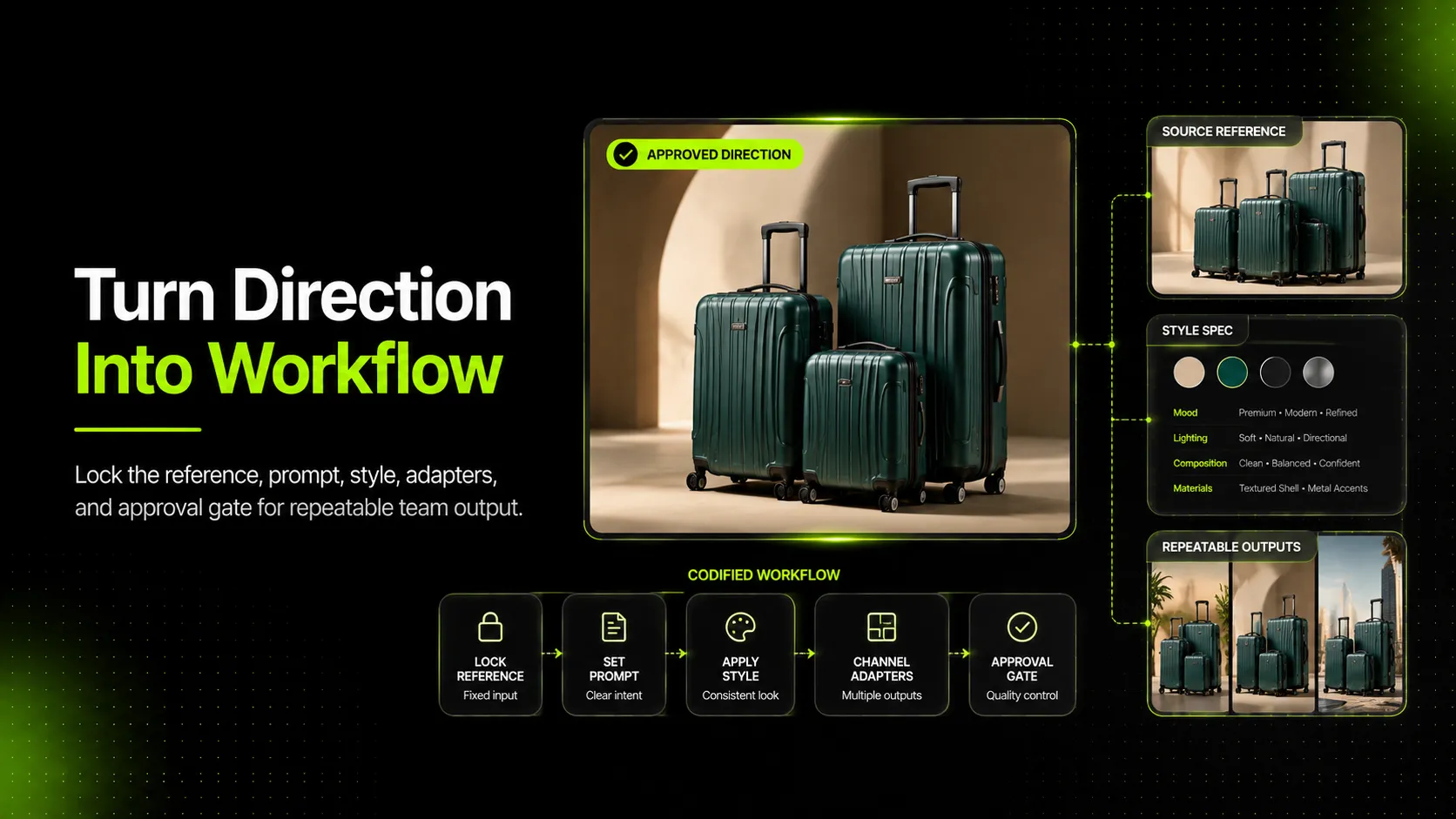
The approval exists in one place: a single hero shot, a moodboard sign-off, a campaign concept the client loved. The team takes that approval and starts producing variations across SKUs, channels, and team members. Within two weeks, the same approved direction has produced three slightly different visuals — none of which look wrong individually, but together they look like three different brands. To turn one approved visual direction into a repeatable workflow, the lever is not better tools or sharper creative direction. It is codification — locking the reference, the prompt, the style, the channel adapters, and the approval gate so that direction stops living in one person's head and starts living in the team's system.
Why an Approved Direction Drifts the Moment Production Starts
An approved direction drifts because approval feels like the finish line. It is not. It is the starting line of a different problem — the problem of replication.
The approval moment gives the team a single canonical artifact: a hero shot, a moodboard, a frame of reference everyone agreed on. From that moment on, every additional visual the team produces is a test of whether they can replicate the direction without the original approver in the room.
Three drift mechanisms show up almost immediately.
- Operator variance. Two different team members produce the next SKU. Without codification, each fills the gaps with their own interpretation. The result: two visuals that both look reasonable and do not look like each other.
- Prompt drift. For AI-assisted production, the prompt that produced the approved direction exists in one person's chat history. The next team member writes their own prompt from scratch. The model produces something close but not the same.
- Reference drift. The approved direction used a specific reference image set. The next team member uses a "similar" reference that is similar in mood but different in detail. The output inherits the new reference's differences.
The cost of drift is invisible at the individual visual level and devastating at the catalog level. Each visual looks fine. The catalog looks incoherent. Shoppers cannot always articulate why, but they feel it — and the feeling erodes trust.
This is why brand-level codification (write a brand book) does not solve direction-level drift. A brand book is too abstract to prevent two team members from producing two different versions of the same approved dress direction. What teams need is direction-level codification: lock the specific reference, the specific prompt, the specific style rules, and the specific approval gate that produced the approval in the first place.
What "Repeatable Workflow" Actually Means for Visual Direction
A repeatable workflow, in this guide, is a system that lets any qualified team member produce an output that matches the approved direction within an acceptable tolerance — without the original approver present.
It is not a brand book. It is not a tool list. It is not a creative brief. It is the codified set of decisions that turned the approval from a moment into a system.
StreamWork's definition of a creative workflow frames the underlying pattern: a creative workflow is a structured, repeatable process from concept to completion. This article narrows that definition to the post-approval phase — the part where the team converts a single approved direction into a system that produces consistent variations across SKUs, channels, and operators.
Three properties distinguish a direction-level repeatable workflow from generic creative workflow management.
- Specificity. The workflow codifies one approved direction, not the team's entire creative output.
- Locked parameters. The reference, the prompt, the model, the style spec, and the channel adapters are frozen — not negotiated per project.
- Drift gates. The workflow includes review checks that compare new outputs against the locked direction, not against the reviewer's personal taste.
The implication is uncomfortable for teams that want to solve drift by being more creative. The fix is not more creativity. The fix is more discipline at the codification layer — locking what was approved so it can be reproduced.
The Five Layers That Lock an Approved Direction
A workable direction-codification system has five layers. Each layer locks one thing. Skipping a layer is what produces the specific drift mechanism that layer was supposed to prevent.
Layer 1 — Lock the Reference Set
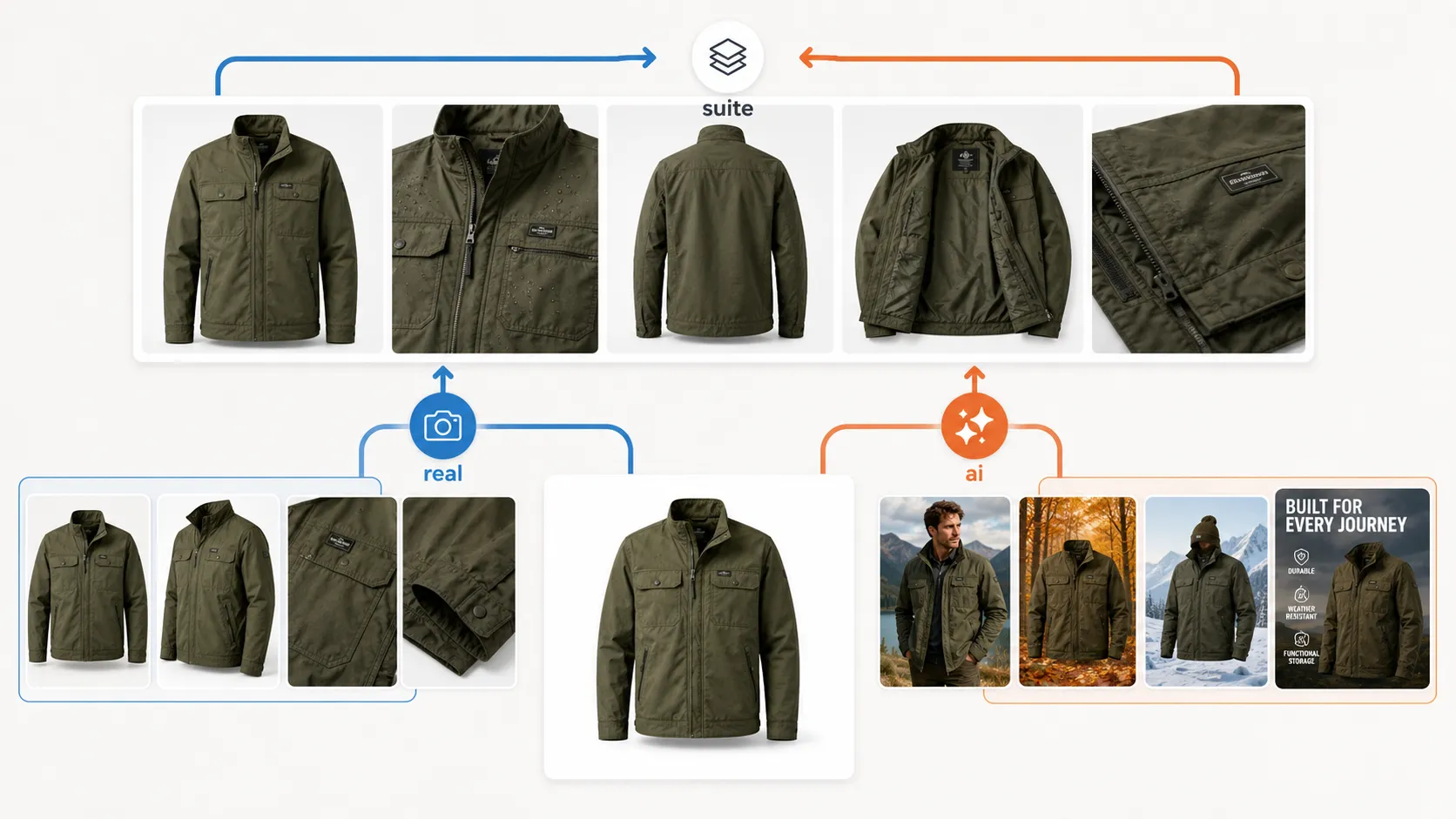
The reference set is the canonical visual material that produced the approved direction. For an AI-assisted workflow, that means the exact reference image, the exact detail image, and the exact back view (where applicable) that fed the approved generation.
Locking the reference set means storing it in a location the whole team can access, named in a way the whole team can find, and labeled as the canonical reference for this specific direction. "Approved dress direction reference set" is a useful name. "IMG_4827_final_v2.jpg" is not.
The principle holds across product categories. The same lock-the-reference discipline that holds a dress direction consistent across an apparel line is what holds an approved skincare bottle direction consistent across a packaging line (cosmetics tube, perfume bottle, refill pack) and an approved handbag direction consistent across an accessory line (sneaker, wallet, belt). The product changes; the codification does not.
For AI-assisted production, this is the most important layer. AI models inherit reference flaws directly. If the next team member uses a "similar" reference, the model produces a similar — not identical — output, and drift has begun.
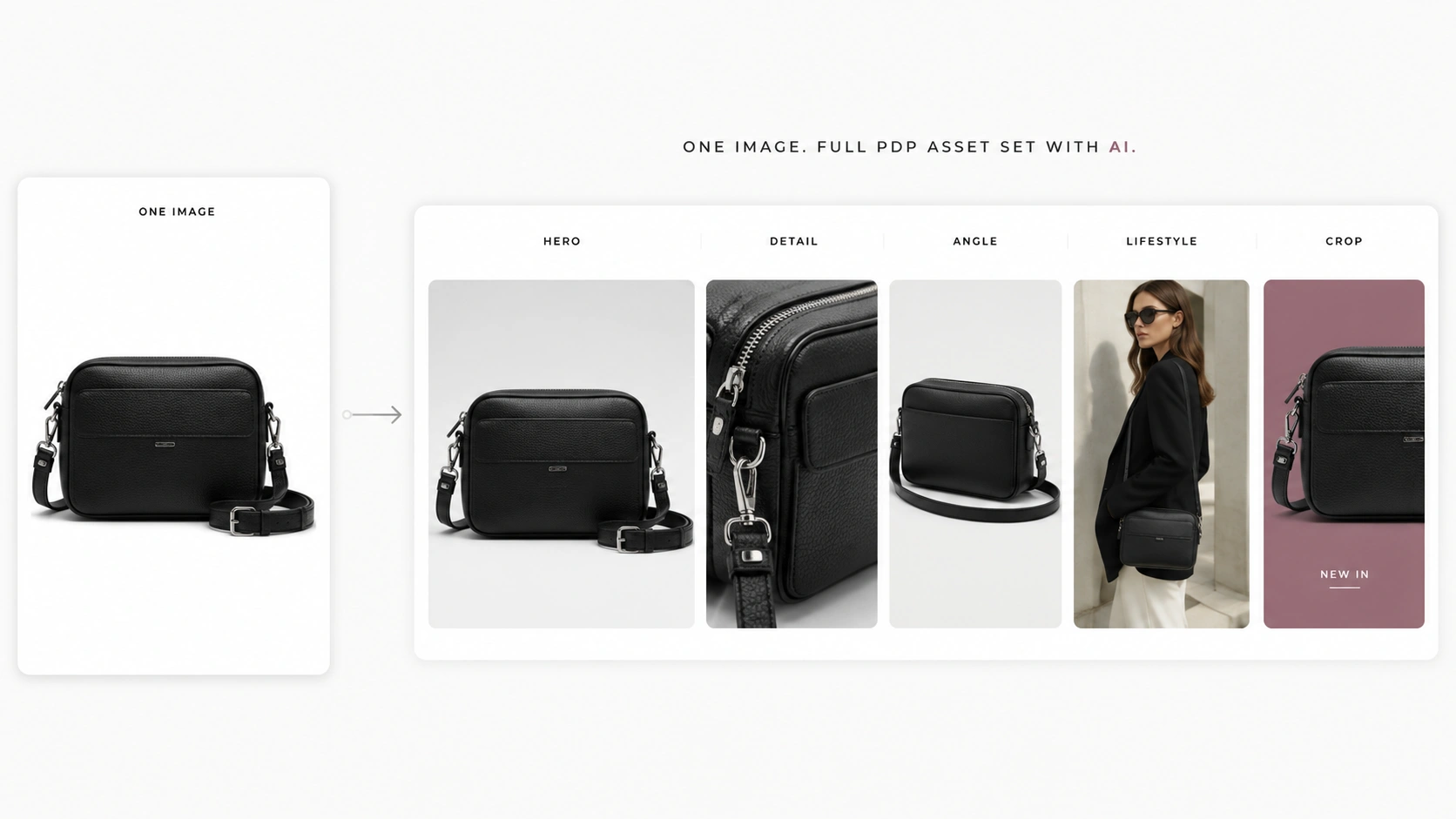
If your team needs to replicate one approved direction across multiple editorial-style outputs without re-prompting from scratch, iCreat AI's AI Fashion Lookbook Generator is built for that exact step — it turns a single product image into a variation set that stays anchored to the original reference.
Layer 2 — Lock the Prompt and Model
The prompt that produced the approved direction is not a creative artifact. It is an operational parameter. Locking it means storing the exact prompt text, the exact model choice (GPT-Image-1, Nano Banana Pro, and so on), and any generation parameters (aspect ratio, output count, seed where applicable) alongside the reference set.
Without this layer, the next team member writes their own prompt. Their prompt is close but not the same. The model produces something close but not the same. Drift has begun.
Storyteq's analysis of whether AI content creation tools can maintain brand consistency frames the underlying point: AI tools maintain consistency when implemented with proper guardrails and frameworks. The locked prompt and model are the guardrails.
Layer 3 — Lock the Style Spec
The style spec is the written description of the direction's visual rules — color palette, lighting language, composition principles, mood, finish. It is what a brand book covers at the brand level; this layer covers it at the direction level.
For an approved dress direction, the style spec might say: "Warm daylight, neutral background, soft shadows, single prop, model in three-quarter pose, fabric texture visible." That sentence is the difference between the next team member producing the same look and producing their interpretation of "the same look."
The failure mode here is treating style as implicit. Style is never implicit. If the style spec is not written, each operator fills it in from their own taste, and the direction drifts toward the team's average preference rather than staying at the approved artifact.
Layer 4 — Lock the Channel Adapters
Channel adapters are the rules for how the direction flexes across channels — square for marketplace, vertical for social, wide for hero. Each adapter specifies what changes (aspect ratio, framing, crop) and what stays fixed (style, mood, product accuracy).
For the approved dress direction, the channel adapter might say: "Marketplace 1:1 — centered product, neutral background, no props. Social 9:16 — model in three-quarter pose, environmental context allowed. Hero 16:9 — full editorial composition with props."
Locking the adapters prevents the most expensive drift failure: the right direction shipped in the wrong channel format, forcing emergency crops that break the composition.
Layer 5 — Lock the Approval Gate
The approval gate is who signs off on new outputs, against what reference, and with what authority. Without this layer, approval becomes informal — "yeah, looks fine" — and drift gets stamped as approved.
A real gate names the approver, names the reference set the output is checked against, and names the tolerance for variation. "Approved if the output matches the locked reference set on color, lighting, and composition within the documented tolerance, signed off by [named role]" is a gate. "Looks good" is not.
monday.com's guide to creative workflow in 2026 makes the underlying point from the workflow-management side: approval paths are an operational lever, not a courtesy. The same applies at the direction level — without a named gate, drift compounds unchecked.
A useful decision test for any element of the approved direction:
| Element | Lock or flex? | Why |
|---|---|---|
| Reference image set | Lock | Drift source #1; any change cascades |
| Prompt text and model choice | Lock | Drift source #2 for AI-assisted workflows |
| Style spec (color, lighting, mood) | Lock | Defines the direction's identity |
| Product itself | Flex (per SKU) | The point of the workflow is to apply direction across products |
| Styling context (props, scene) | Flex within documented range | Allows catalog richness without losing identity |
| Channel format (aspect ratio, framing) | Flex per channel adapter | Required to serve multiple channels |
| Approval authority | Lock | Prevents informal sign-off that lets drift ship |
The rule of thumb: lock the direction's identity, flex its application.
How to Codify the Direction So Anyone on the Team Can Replicate It
Codification is a one-time project per approved direction. It happens once, immediately after approval, and produces a frozen artifact the team references for the life of that direction.
Step 1 — Capture the canonical artifact. Identify the single approved visual — the hero shot, the selected moodboard tile, the approved generation. This becomes the reference everything else is checked against. Store it in a named, accessible location.
Step 2 — Reverse-engineer the inputs. Document what produced the canonical artifact. For AI-assisted production: the reference image, the detail image, the prompt, the model, the parameters. For traditional production: the brief, the reference set, the sample, the shot list, the styling direction. Superside's analysis of how to scale creative production with AI frames the underlying pattern: brand consistency at scale comes from training on structured knowledge. Direction-level codification is the same principle applied to one approval rather than to a whole brand.
Step 3 — Write the style spec and channel adapters. Translate the visual rules from the canonical artifact into written form. Color palette. Lighting. Composition. Mood. Per-channel flex rules. If a new team member can read the spec and produce something close without seeing the canonical artifact, the spec is good enough. If they cannot, the spec is incomplete.
Step 4 — Name the approver and the tolerance. Decide who signs off on new outputs and against what reference. Document the tolerance — how much variation is acceptable before an output is "off-direction." Without a documented tolerance, every approval becomes a personal judgment call, and personal judgment is what produces drift.
Airtable's seven-step creative workflow framework makes a related point: standardized intake and clear ownership drive scale. Direction-level codification is the post-approval equivalent — standardized inputs (the locked reference, prompt, spec, adapter, gate) and clear ownership (the named approver) drive replication.
Common Drift Patterns and How to Catch Them Early
Drift patterns are predictable. Catching them early is cheaper than re-codifying after the catalog is inconsistent.
Pattern 1: Operator variance — same direction, two team members, two results. Two team members produce the next SKU in the approved dress direction. Without codification, each fills the gaps with personal interpretation. The dress campaign looks like it was shot by two different brands. *Catch*: require the locked reference set and prompt to be used for every output. Any output produced without the canonical inputs is by definition off-direction until checked.
Pattern 2: Prompt drift — the prompt that produced the approval is forgotten. The next team member writes their own prompt. The model produces something close but visibly different. *Catch*: the prompt is locked and stored alongside the reference set. New prompts require re-approval, not casual substitution.
Pattern 3: Reference drift — a "similar" reference replaces the canonical one. A team member finds a "similar" reference image they prefer. The model produces an output that resembles the new reference more than the approved one. *Catch*: the reference set is named, stored, and labeled canonical. Substitutions require explicit re-approval.
Pattern 4: Style drift — the style spec is treated as suggestion, not rule. The locked style spec says "warm daylight, soft shadows." A team member produces an output with cool daylight and hard shadows because "it looked better." *Catch*: the style spec is a rule, not a preference. Deviations require re-approval, not aesthetic judgment calls by individual operators.
Pattern 5: Channel drift — the right direction shipped in the wrong format. The approved dress direction is locked for hero (16:9 editorial). The next output gets cropped to 1:1 for the marketplace listing. The crop breaks the composition. *Catch*: channel adapters are documented per channel. Each output is checked against the adapter for its target channel before approval.
Pattern 6: Approval drift — informal sign-off lets off-direction outputs ship. Approval becomes "yeah, looks fine" in a chat thread. The output ships. The catalog accumulates off-direction visuals. *Catch*: approval is a named gate against the locked reference set, not a casual acknowledgment.
Pattern 7: Catalog drift — individual visuals look fine, the catalog looks incoherent. Each output passed its individual approval gate. Nobody checked whether the outputs look coherent as a set. Six months later, the campaign page looks like three different brands. *Catch*: a periodic catalog-level consistency check — at least monthly — comparing new outputs against the original canonical artifact and against each other.
A Starter Checklist for Direction-to-Workflow Conversion
A short codification checklist. Run this once per approved direction, immediately after approval.
Layer 1 — Reference set locked:
- [ ] Canonical approved artifact identified and stored
- [ ] Reference image(s) that produced the approval stored alongside
- [ ] Detail image(s) stored (where AI-assisted or detail-sensitive)
- [ ] Back view stored (where category requires)
- [ ] Set named in a way the whole team can find
- [ ] Set labeled "canonical — do not substitute without re-approval"
Layer 2 — Prompt and model locked (AI-assisted workflows):
- [ ] Exact prompt text documented
- [ ] Model choice documented (e.g., GPT-Image-1, Nano Banana Pro)
- [ ] Generation parameters documented (aspect ratio, output count, seed where applicable)
- [ ] Locked prompt and model stored with the reference set
Layer 3 — Style spec written:
- [ ] Color palette documented
- [ ] Lighting language documented
- [ ] Composition principles documented
- [ ] Mood documented
- [ ] Finish documented
- [ ] Spec readable by a new team member without seeing the canonical artifact
Layer 4 — Channel adapters documented:
- [ ] Marketplace adapter documented (aspect ratio, framing, what stays fixed, what flexes)
- [ ] Shopify / PDP adapter documented
- [ ] Social adapter documented (per platform if relevant)
- [ ] Ad adapter documented (per placement if relevant)
- [ ] Hero / campaign adapter documented
Layer 5 — Approval gate named:
- [ ] Approver role named (not "the team" — a person or role)
- [ ] Reference set the output is checked against named
- [ ] Tolerance for variation documented (how much drift is acceptable)
- [ ] Re-approval trigger documented (what changes require going back to the original approver)
Catalog-level drift check:
- [ ] Monthly review scheduled to compare new outputs against the canonical artifact and against each other
- [ ] Catalog-level consistency issues routed back to codification, not to individual operators
A gate, not a guideline. If the checklist cannot be completed for an approved direction, the direction is not yet ready for team-wide replication.
FAQ: Turning Approved Direction into Repeatable Workflow
Does every approved direction need this level of codification? For directions that will produce more than one additional visual, yes. For a one-off hero shot that will never be replicated, no. Most approved directions fall into the first category — the team took the time to approve because they intend to produce more.
How is this different from a brand book? A brand book codifies the brand. Direction-level codification captures one specific approved direction within the brand. A brand book says "we use warm daylight and editorial composition." Direction-level codification says "this specific approved dress direction used this specific reference image, this specific prompt, this specific style spec, and this specific approver." The first is identity. The second is replication.
Does codification kill creative flexibility? It kills drift, which is different. The locked layers (reference, prompt, style, gate) define the direction's identity. The flexed layers (product per SKU, styling context within range, channel format) define the direction's application. Codification makes flexibility safer, not smaller.
What about agencies — does the client own the codification, or does the agency? Both. The client owns the approval. The agency owns the codification that lets the team replicate the approval across the client's catalog. A client who approves a direction without codification is buying one visual; a client who approves with codification is buying a system.
How often should the codification be audited? Quarterly is a reasonable cadence for active directions. The most common reason to revise codification is channel expansion (adding a new marketplace, a new ad channel) — which usually requires a new channel adapter rather than a full re-codification.
Can codification work without AI tools? Yes — codification predates AI. The reference set, style spec, channel adapters, and approval gate are all artifacts of traditional creative production. AI raises the stakes on codification because the prompt and the model become additional locked layers, but the underlying discipline is the same.
What happens if a team member wants to deviate from the locked direction? They escalate. Deviation is not forbidden — it is routed back to the original approver with a documented case. "I think we should try cool daylight instead of warm" is a valid proposal; it just requires the same approval authority that locked the direction in the first place. Codification does not prevent creative evolution. It prevents casual drift.
When You Want a Tool That Locks Direction by Design
The five-layer codification framework is operational, not necessarily technical. The same workflow, the same team, the same tools — different discipline at the codification layer.
If your team wants a tool that supports direction-level codification rather than relying on individual memory, iCreat AI's AI Product Photography is built around the reference-image + detail-image input model that codification depends on: the same reference set produces consistent outputs across operators, the same prompt produces consistent outputs across sessions, and the multi-output generation supports channel adapters without re-prompting from scratch.
The approval is the moment. The codification is the system. Without the system, the moment does not scale.