


Introduction
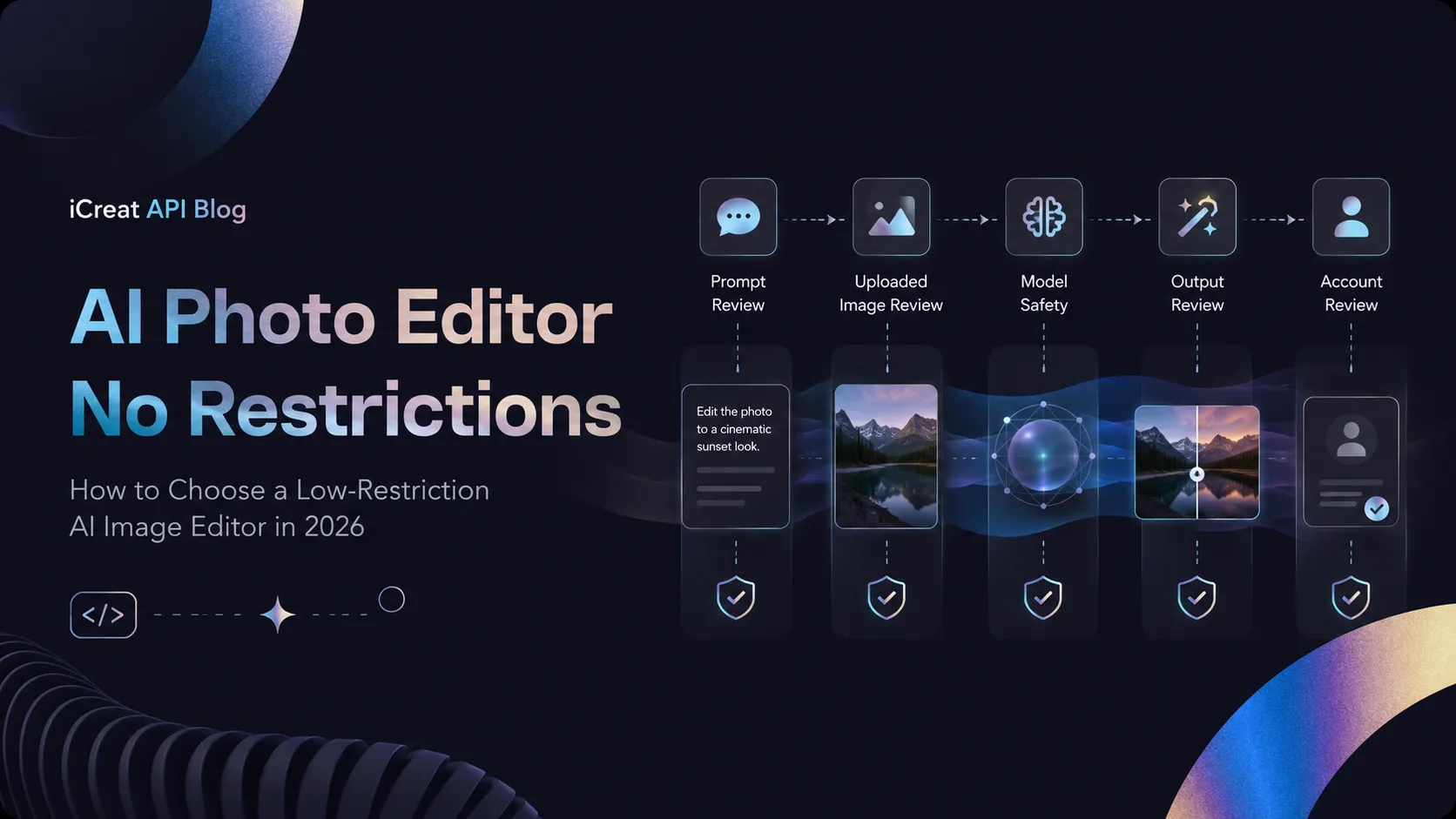
In AI art and photo editing communities, people often ask the same questions: “Why was this prompt blocked?” “Why can a free tool only edit three images?” “Is there an AI Photo Editor that needs no login, has no usage limit, and has no content filter?”
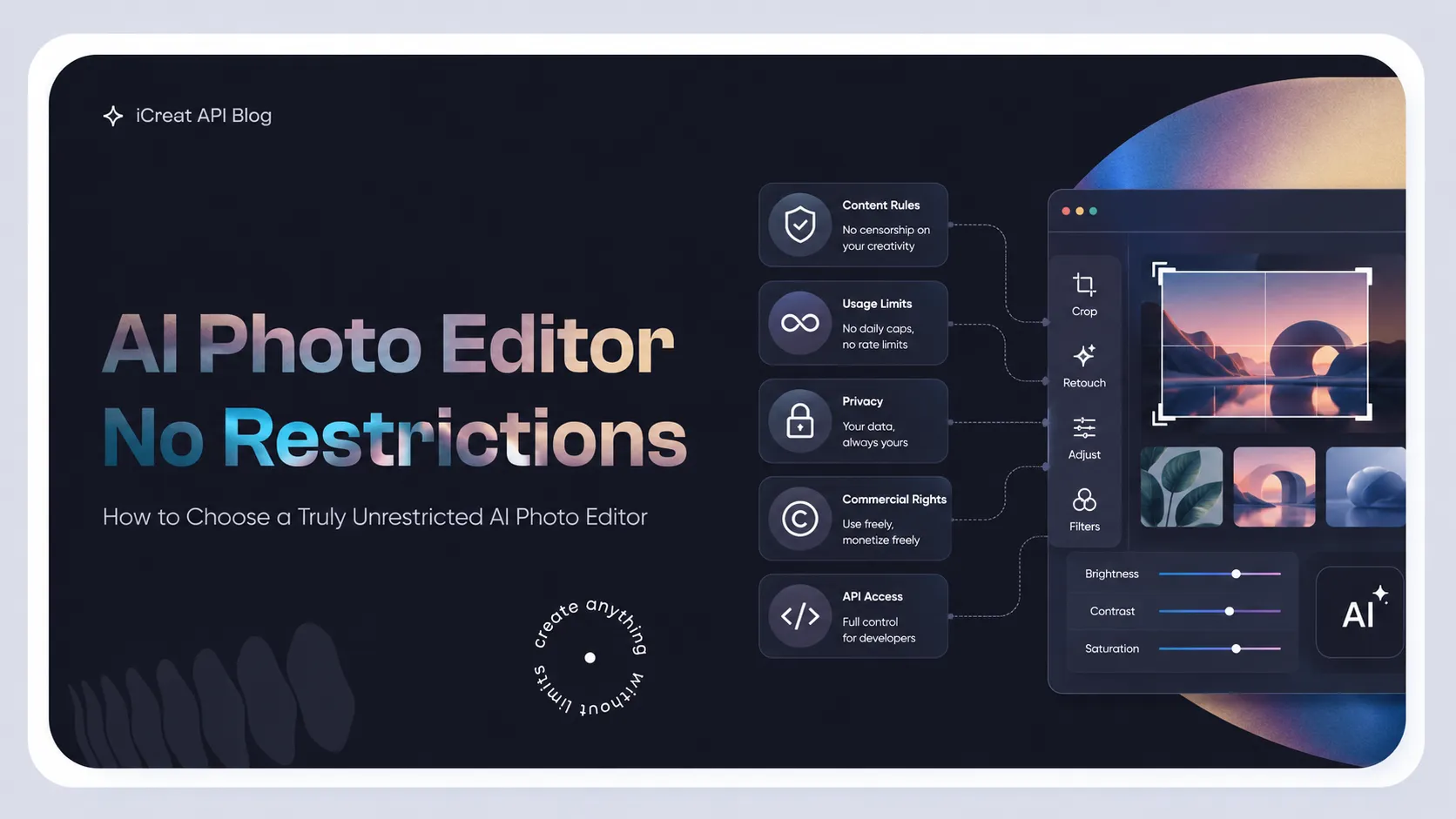
Many users group these problems under one phrase: “too many restrictions.” Then they search for ai photo editor no restrictions. But there is a common misunderstanding here: “unrestricted” is not one clear product feature.
Some tools do not require registration, but they limit daily usage. Some tools allow a wider range of artistic topics, but they do not offer commercial rights. Some local models do not have platform-level prompt review, but they require a high-VRAM GPU and complex setup. Some APIs charge per call and do not have monthly plan limits, but they still require users to follow the safety policies of the model provider.
So when choosing this kind of tool, you should not only ask, “Does it have moderation?” You should judge these points separately:
Key Takeaways
- Whether the content topic is likely to be falsely blocked;
- Whether there are daily or monthly editing limits;
- Whether high resolution, batch editing, and API calls are supported;
- Whether uploaded images go to a third-party server;
- Whether the output can be used commercially;
- Whether the real cost fits your current usage scale.
What Does “No Restrictions” Actually Mean?
Content Restrictions: Whether the Platform Rejects Your Prompt
Content restriction is one of the main reasons people search this keyword. Common problems include anatomy studies, classical artistic nudity, horror themes, medical images, special clothing, and normal images that are wrongly flagged by keyword filters.
Different platforms have very different policies.
Adobe’s generative AI user guidelines, updated in May 2026, clearly prohibit sexual content, explicit nudity, hateful content, graphic violence, and privacy violations. The guidelines also state that prompts, inputs, and outputs may be reviewed by automated or human review.
The “Unrestricted AI” page from BasedLabs says its goal is to reduce overly broad content filtering and let users choose between different models. However, the same page also makes it clear that “unrestricted” does not mean “no rules.” Illegal content, sexual content involving minors, and non-consensual intimate content involving real people are still not allowed.
More importantly, BasedLabs’ marketing page highlights lighter filtering, but its formal terms of service still reserve the right to monitor content, remove content, and disable accounts. The terms also restrict adult nudity, non-consensual use of another person’s photo, and other banned content.
This shows that:
Usage Limits: Free Does Not Mean Unlimited
The second type of restriction comes from free quotas.
PixelBin’s AI Photo Editor lets users edit images with prompts, but free users can only edit three images per month. After registration, users can get ten free credits, and each image can be up to 10 MB. Batch editing requires a paid plan, with up to 11 images processed in one batch.
DeepAI allows users to try some tools without registration. Its Pro plan costs $9.99 per month and includes higher usage, private generation, and an ad-free experience. The official page uses the phrase “high-volume usage,” not “unlimited,” so it should not be understood as truly unlimited usage.
Raphael often uses phrases like “free and unlimited” on its homepage and page descriptions, but its official pricing page gives more specific limits:
- Free accounts get 10 credits per day;
- About 10 fast-mode images per day;
- The Raphael 2.0 slow queue is unlimited;
- Free images include a watermark;
- Free outputs are for personal and non-commercial use only;
- Pro costs $10 per month, billed annually, and includes about 2,000 fast-mode images per month;
- There is currently no public API.
So when judging whether a tool is “free and unlimited,” you must keep checking: which model is unlimited, which queue is unlimited, at what speed, and whether the output has a watermark.
Feature Restrictions: Being Able to Edit Does Not Mean Being Able to Edit Precisely
Many web tools can replace backgrounds, remove objects, or change styles. But complex editing often involves more than that:
- Editing only a selected area;
- Keeping a person’s identity and facial features;
- Keeping the non-target areas unchanged;
- Editing text inside an image;
- Using multiple reference images;
- Running multiple rounds of edits;
- Supporting batch calls and automation.
If a tool can only regenerate the whole image from one prompt, it is closer to an image-to-image generator than a controllable AI Photo Editor.
For example, Qwen-Image-Edit is built on the 20B-parameter Qwen-Image model. Its official model card clearly lists semantic editing, appearance editing, and Chinese-English text editing. It also supports local use through Diffusers.
This kind of model gives users more control, but its setup cost is much higher than that of a normal web tool.
Privacy Restrictions: Whether Your Uploaded Image Leaves Your Local Device
Cloud-based tools must receive the image you upload before they can edit it. Even if a platform says the generated result is private by default, that does not mean the image was never uploaded, stored temporarily, or checked by automated review.
For the following types of assets, local use is usually safer:
- Unreleased product designs;
- Internal ad materials;
- Client portraits;
- Medical or research images;
- Photos that contain personal identity information;
- Film, TV, or game assets that have not been released yet.
However, local use only reduces exposure to third-party data systems. It does not automatically solve copyright, portrait rights, or content compliance problems.
Four Types of AI Photo Editing Solutions
Type 1: Mainstream Commercial Editors
Representative options include Adobe Firefly, Photoshop Generative Fill, and Canva’s AI editing features.
These products usually have a full editing interface, layer tools, selections, masks, text layout, and team collaboration features. Their main advantage is not that they are “unrestricted,” but that they offer:
- Mature workflows;
- Relatively clear commercial use policies;
- Strong fit for brands, ads, and enterprise teams;
- The ability to keep refining edits manually.
Adobe Firefly’s free plan provides a limited number of daily generations. In its paid plans, Standard costs $9.99 per month and includes 2,000 generative credits. Pro costs $19.99 per month and includes 4,000 credits. Adobe says all paid plans include unlimited generations for standard image and vector features. Credits are mainly used for premium features such as video, audio, and partner models.
Its weakness is also clear: its content policy is strict. It is not a good fit for workflows that involve edge-case artistic topics, special anatomy references, or content that is likely to trigger false positives.
Type 2: Low-Barrier Online Editors
This category includes PixelBin, DeepAI, Raphael, and some web tools labeled “unrestricted.”
They usually have these traits:
- No installation needed;
- Users can upload an image and enter a prompt directly;
- Free trials are available;
- The learning curve is low;
- They work well for small, temporary edits.
But “low barrier” does not mean “no limits.” Common issues include:
- Very small free quotas;
- Watermarked outputs;
- Paid access required for high resolution;
- Free results not allowed for commercial use;
- Slow queues during peak hours;
- No API;
- Content policies and privacy terms that are not transparent enough.
These tools are better as quick trial options. They are not a strong foundation for a long-term production system.
Type 3: Local Open-Source Workflows
A typical setup includes:
- ComfyUI;
- Qwen-Image-Edit;
- FLUX open-weight models;
- Stable Diffusion editing models;
- ControlNet, Inpainting, and LoRA nodes.
ComfyUI is a node-based generation workflow engine. Its official desktop version supports Windows 10 and above, Apple Silicon Macs, and Debian-based Linux. The installation itself requires at least about 4.85 GB of disk space and 8 GB of memory. 16 GB of memory is recommended.
It is important to note that these are only the basic requirements for the ComfyUI app. They are not the VRAM requirements for running every image editing model. A 20B model like Qwen-Image-Edit needs much more GPU VRAM, system memory, quantization planning, and CPU offloading strategy.
The main advantages of local workflows are:
- No online platform-level prompt pre-review;
- Assets can stay local;
- Users can change nodes, samplers, and models;
- Fixed batch workflows can be built;
- Each inference does not require ongoing platform payment.
The trade-offs include:
- Upfront hardware cost;
- Model download and storage cost;
- Node dependency conflicts;
- Workflow learning cost;
- Each model license must be checked separately;
- Users must handle safety and compliance themselves.
So “local open source” is more accurately understood as more control, not “no legal or licensing limits.”
Type 4: Image Editing APIs
APIs sit between web tools and local deployment.
Users do not need to maintain their own GPUs, but they can connect image editing features to:
- Ecommerce product image systems;
- Ad creative generation platforms;
- Avatar apps;
- SaaS products;
- Batch image processing pipelines;
- Content management systems.
Black Forest Labs’ FLUX.2 API is priced by image and resolution. Its official pricing shows:
| Model | Image editing starting price |
|---|---|
| FLUX.2 Klein 4B | $0.014/image |
| FLUX.2 Klein 9B | $0.015/image |
| FLUX.2 Pro | $0.045/image |
| FLUX.2 Flex | $0.05/image |
| FLUX.2 Max | $0.07/image |
Actual cost increases with output pixels. FLUX.2 Dev is the local open-weight version and does not provide a hosted API. The official page marks it for non-commercial use.
Another option is to use a multi-model API platform. For example, iCreat provides access to different image, video, and language models through one account and API. It uses a prepaid, pay-per-call system and shows the cost of each call in the usage records. The goal of the platform is to reduce the cost of maintaining separate integrations with multiple model providers, not to bypass the content rules of the models themselves.
Take Nano Banana Pro as an example. iCreat’s current page lists the price as $0.14 per image for 1K and 2K, and $0.24 per image for 4K.
If a project only uses one fixed model for a long time, connecting directly to the original model provider is usually simpler and may have a lower per-call cost. If a product needs to switch quickly between GPT Image, Nano Banana, Seedream, or other models, a unified API is more likely to save engineering maintenance time.
How to Build a Unified and Measurable Evaluation Standard
Only comparing “can it generate?” is not enough to decide whether an image editor is ready for production. A better method is to build a fixed test set.
Use at least 40 to 50 images. The set should cover people, products, indoor scenes, text posters, and complex backgrounds. Then test the following metrics:
| Metric | Suggested measurement method | Key question |
|---|---|---|
| Prompt pass rate | Successful submitted tasks ÷ total tasks | Is there too much false blocking? |
| Edit success rate | Images that meet the edit goal ÷ total outputs | Does the tool truly understand the instruction? |
| Non-target area preservation | Compare structure or pixel changes in areas that should not be edited | Does it redraw the whole image? |
| Text accuracy | Correct characters ÷ target characters | Is text in posters and product images usable? |
| Character consistency | Blind human review of face, clothing, and identity features | Does it change the original person? |
| Median generation time | Median time from submission to result | Does it queue during peak hours? |
| Effective image cost | Total spend ÷ final usable images | The per-call price alone is not enough |
| Data control level | Local, private cloud, or third-party cloud | Does the asset leave the internal environment? |
| Commercial license clarity | Whether commercial use is clearly allowed | Can free outputs be used for business? |
| Automation ability | Whether API, concurrency, and batch processing are supported | Can it connect to a production system? |
The most important metric is “effective image cost.”
Suppose one model costs $0.02 per image, but it takes five generations on average to get one usable image. Its effective cost is:
0.02 × 5 = $0.10 per usable image
Another model costs $0.07 per generation, but it only needs 1.5 generations on average to get a usable result. Its effective cost is about:
0.07 × 1.5 = $0.105 per usable image
The real cost of the two models is almost the same. The second model may also save a lot of manual review time.
Comparison of Mainstream Options
| Solution | Content limits | Free or basic quota | Commercial use | Privacy control | API/batch | Main weakness |
|---|---|---|---|---|---|---|
| Adobe Firefly | Strict and clear policy | Limited daily free use; Standard starts at $9.99/month | Suitable for commercial workflows, but policy must be followed | Cloud processing | Strong enterprise and ecosystem support | Edge-case topics are easy to reject |
| PixelBin | Bound by platform policy | 3 edits per month; 10 credits after registration | Depends on the specific plan | Cloud processing | Paid plans support batch editing of up to 11 images at once | Very low free quota |
| DeepAI | Bound by platform terms | Trial without registration; Pro costs $9.99/month | Officially says users own outputs, but inputs must still be legal | Pro provides private generation | Provides some APIs | “High-volume” does not mean truly unlimited |
| Raphael | Does not promise zero moderation | About 10 fast images per day; slow Raphael 2.0 is unlimited | Free plan is non-commercial only; paid plan allows commercial use | Higher plans provide more complete privacy | No public API yet | Free watermark, slow queue, model limits |
| BasedLabs Unrestricted | Looser, but still has rules | Core features are free; full features need credits | Must check formal terms case by case | Page says private by default, but terms still give the platform broad content rights | Mainly web-based | Clear gap between marketing page and formal terms |
| ComfyUI + local models | No cloud platform prompt pre-review | Software and some models are free | Depends on each model license | Highest; can be fully local | Users can build their own batch processing | High hardware, setup, and maintenance cost |
| FLUX.2 official API | Bound by provider policy | Pay per use | Depends on model and service terms | Cloud processing | Full API | Single model provider; users must maintain integration themselves |
| Multi-model API platform | Still bound by upstream model rules | Charged by model call | Depends on each model | Cloud processing | Good for multi-model switching | Not always the lowest price for one model |
Cost Breakpoints at Different Usage Scales
Fewer Than 100 Edits per Month
For individual users who only edit avatars, social media images, or product backgrounds from time to time, free web tools usually make more sense.
Using the FLUX.2 API as an example, the model call cost for 100 edits is about:
- Klein 4B: from $1.40;
- Pro: from $4.50;
- Max: from $7.
But APIs also require development work or a third-party interface. For non-technical users, the savings in model cost may not be enough to offset the integration cost.
At this scale, free plans from PixelBin, DeepAI, or Raphael are more convenient. However, users should not upload sensitive images, and they should check watermarks and commercial rights in advance.
100 to 2,000 Edits per Month
At this range, you need to compare subscription fees, success rate, and manual operating time at the same time.
Raphael Pro costs $10 per month when billed annually. The official estimate is about 2,000 fast-mode images per month. If the model you need is included in the plan and the edit quality is good enough, the nominal cost can be as low as about $0.005 per image.
But this number cannot be directly compared with FLUX.2 Pro’s $0.045 per image, because model quality, editing ability, credit use, and failure rate are not the same.
If a company already uses Photoshop or Adobe Express, Firefly Standard at $9.99 per month may be more reasonable than rebuilding a workflow. Its advantage is unlimited generation for standard editing features, not looser moderation.
More Than 2,000 Edits per Month
With heavy usage, the problems of manual web tools become more obvious:
- They cannot process batches reliably;
- They cannot record parameters for every task;
- They make automatic retry difficult;
- They cannot switch models based on task type;
- Manual upload and download time increases.
At this point, it is better to compare direct APIs, multi-model APIs, and local deployment.
Using FLUX.2’s official pricing as an example:
| Monthly edit volume | Klein 4B starting cost | Pro starting cost | Max starting cost |
|---|---|---|---|
| 1,000 images | $14 | $45 | $70 |
| 5,000 images | $70 | $225 | $350 |
| 10,000 images | $140 | $450 | $700 |
These numbers only represent model call fees. They do not include failed retries, storage, development, or human review.
When Does Local Deployment Pay Back?
The break-even point for local deployment can be calculated with this formula:
Break-even image count = local fixed investment ÷ (cloud effective cost per image − local variable cost per image)
For example, suppose:
- New hardware and setup cost $1,000;
- Cloud effective cost is $0.045 per image;
- Local variable cost, such as power and maintenance, is $0.005 per image.
Then the break-even point is about:
1,000 ÷ (0.045 − 0.005) = 25,000 images
If you process 2,000 images per month, the theoretical payback time is about 12.5 months. If you process 10,000 images per month, it is about 2.5 months.
This is only a calculation example, not a hardware market quote. The real result also depends on failure rate, GPU utilization, employee maintenance time, and model upgrade frequency.
How to Choose by Budget, Hardware, and Use Case
No Dedicated GPU and Only Small-Scale Editing
Browser tools are a better fit.
Your priority should be:
- Whether the free quota is enough;
- Whether the image has a watermark;
- Whether commercial use is allowed;
- Whether the uploaded content is sensitive;
- Whether registration is required.
Do not upload client photos or business secrets just because a page says “free unlimited.”
Need Stable Commercial Assets, but Do Not Handle Edge-Case Topics
Mainstream editors such as Adobe Firefly and Photoshop are a better fit.
Their content moderation is stricter, but their workflows, manual refinement tools, team collaboration, and commercial policies are more mature. For brand ads, ecommerce, and enterprise content, strict moderation can sometimes reduce internal compliance risk.
Normal Artistic Topics Are Often Falsely Blocked
You can first try lower-restriction platforms that support multiple model choices.
Different models have different safety thresholds and prompt understanding. Sometimes switching models works better than rewriting the same prompt many times. But you should check the formal terms of service, not just trust page titles like “uncensored” or “no filter.”
Handling Unreleased or Highly Sensitive Images
A local ComfyUI workflow should be considered first.
Local workflows can avoid sending assets to third-party services, but they require model deployment skills, hardware maintenance, and license review. Small teams without these abilities can consider private cloud or services with clear enterprise data terms, instead of using anonymous free tools directly.
Building an Image Product or Batch Production System
APIs should be considered first.
If you only use one fixed model, you can connect directly to the original provider API. If you need to switch between multiple image editing models, a unified API can reduce interface adaptation, account top-ups, error handling, and billing management work.
However, API aggregation solves engineering and vendor management problems. It is not a content moderation bypass tool.
FAQ
Final Decision Advice
Only want to try it for free and edit no more than a few dozen images per month: Choose PixelBin, DeepAI, or Raphael. But do not upload sensitive images, and check watermarks and commercial rights.
Need a mature commercial workflow: Choose Adobe Firefly or Photoshop. Their content limits are stricter, but they fit brand, advertising, and enterprise review workflows better.
Normal artistic topics are often falsely blocked: Choose a platform that can switch between multiple models and has relatively transparent policy descriptions. Focus on the formal terms, not just “unrestricted” marketing pages.
Need the highest privacy and control: Use ComfyUI with local image editing models, but leave room for hardware, setup, and ongoing maintenance costs.
Need batch editing at thousands or tens of thousands of images per month: Compare the effective image cost of original provider APIs, multi-model APIs, and local deployment. If you only use one model, first evaluate the original provider API. If you need multi-model switching, then consider a unified API platform.
What is truly worth looking for is not a website that claims to have “no restrictions at all.” It is a solution whose content policy, usage quota, privacy, licensing, editing quality, and total cost match your real workflow.