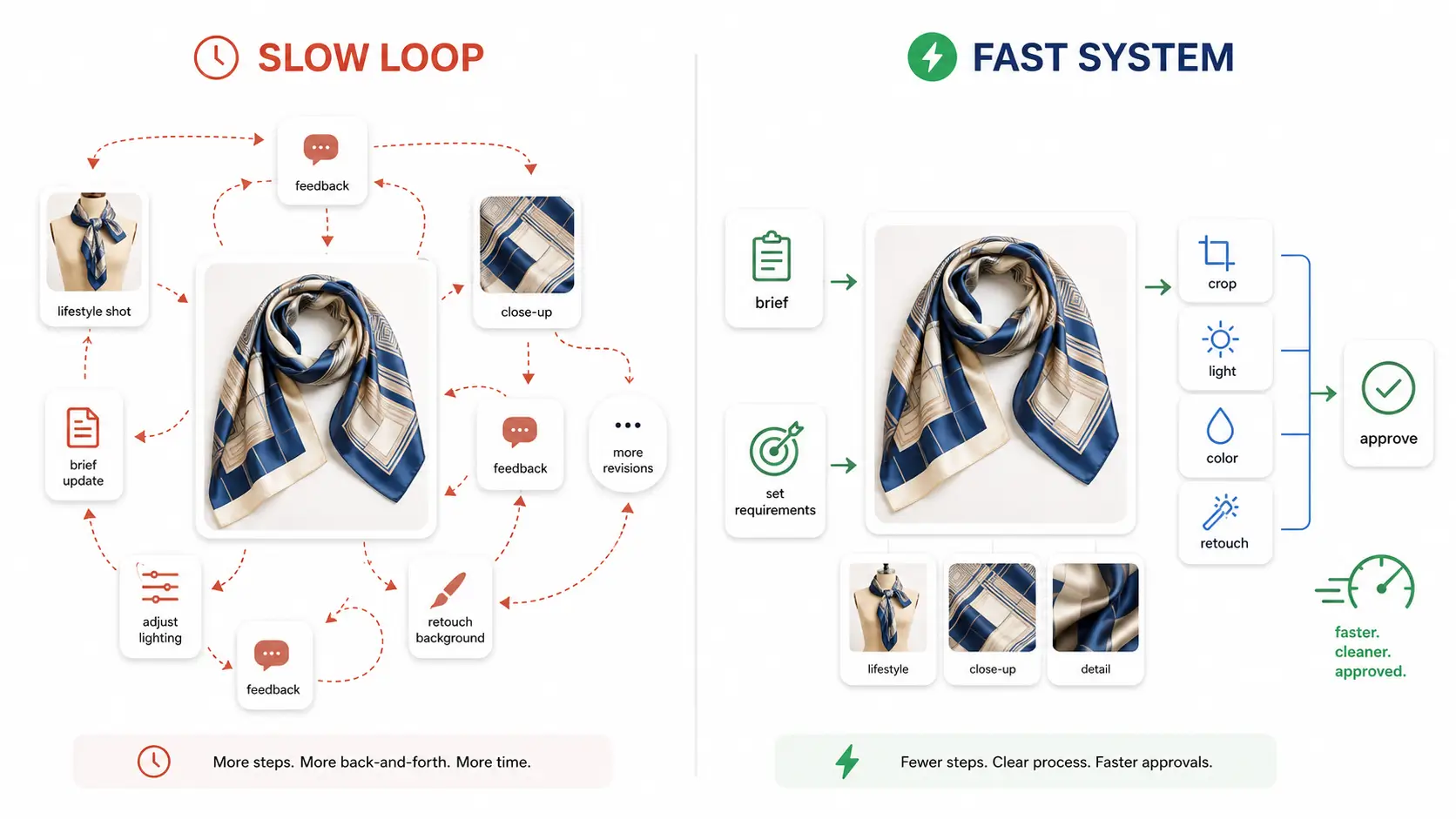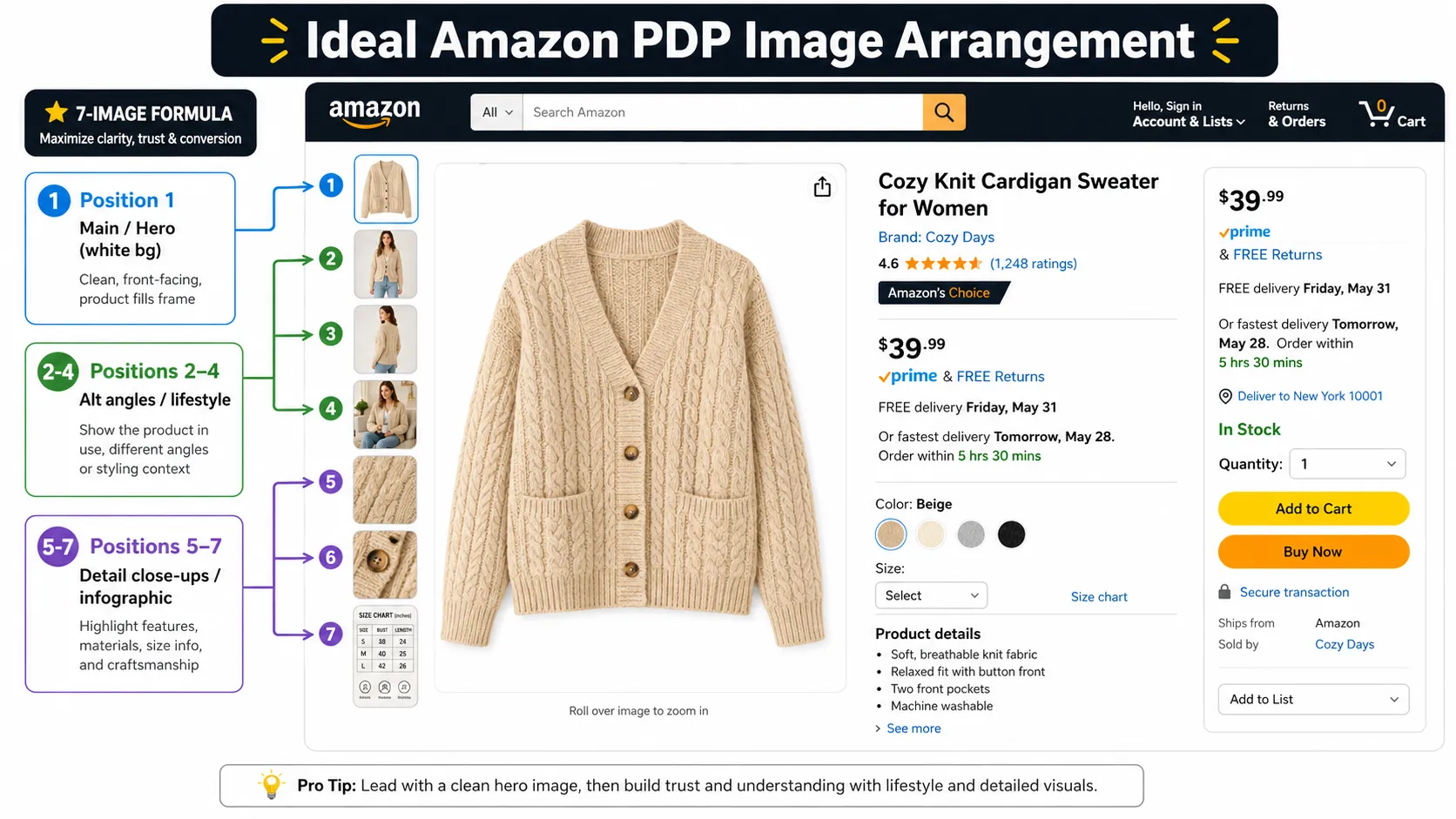



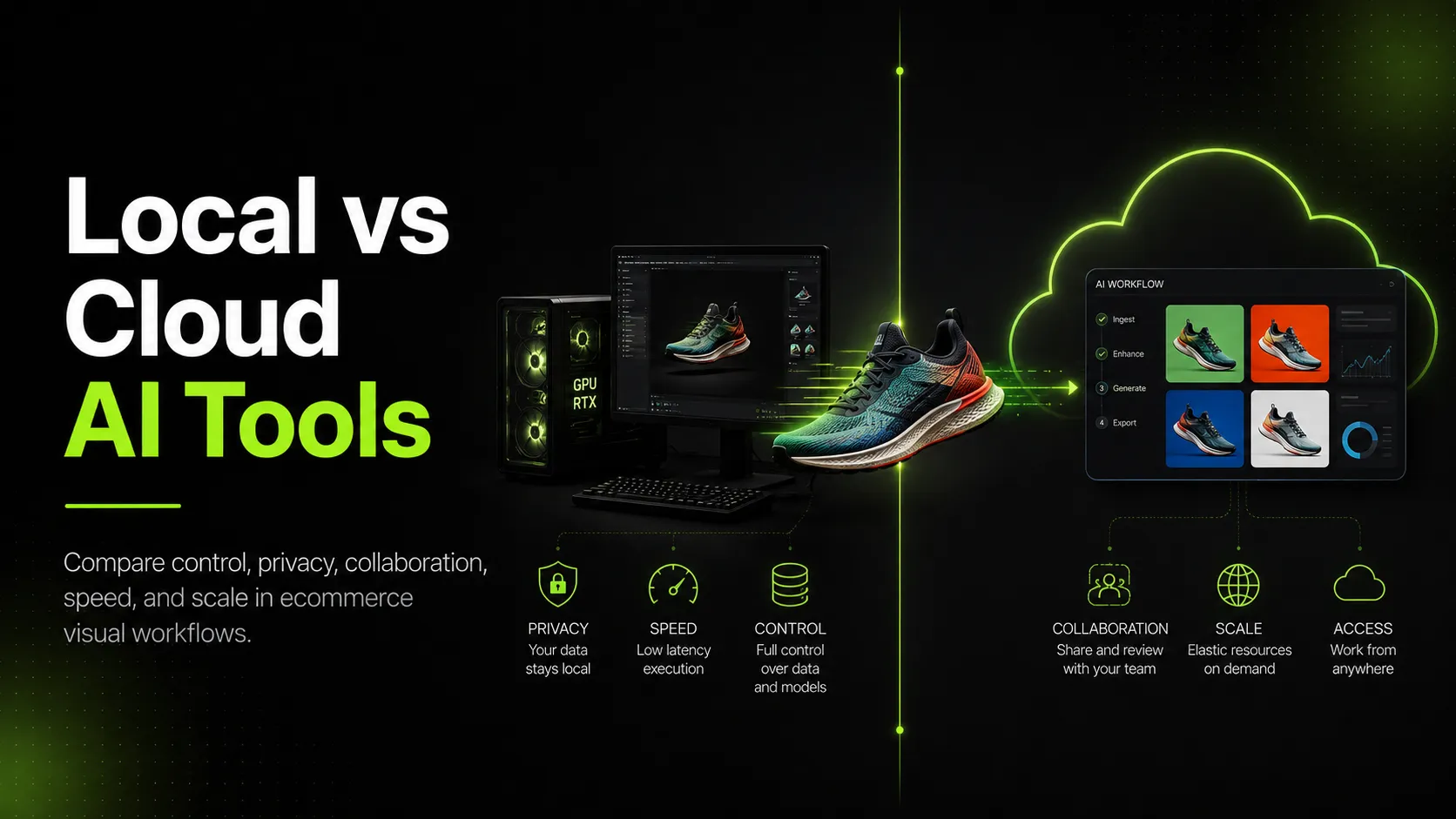
Introduction: This Is a Workflow Decision, Not Just a Tool Decision
Ecommerce teams do not choose AI tools in a vacuum.
They choose them while trying to launch products, refresh ads, improve product pages, create seasonal visuals, manage brand consistency, and avoid wasting money on images that never get used.
That is why the local vs cloud AI decision matters.
Local AI tools give you more control. Cloud AI tools give you more speed, accessibility, and collaboration.
Neither is automatically better.
The right choice depends on what your team is trying to produce, how sensitive your assets are, who needs to use the workflow, how many images you need, and how much technical maintenance you are willing to handle.
A small brand creating product photos for Shopify does not need the same setup as an agency handling private client assets. A fashion brand producing weekly ad variations does not need the same workflow as an internal R&D team training custom models.
The useful question is not:
"Is local AI better than cloud AI?"
The better question is:
"Which part of our ecommerce visual workflow should run locally, which part should run in the cloud, and which parts need both?"
This guide breaks down the practical differences between local and cloud AI tools for ecommerce visual workflows, including cost, privacy, speed, collaboration, scalability, and the situations where a hybrid setup makes the most sense.
Local vs Cloud AI Tools: What Is the Difference?
Before comparing them, it helps to define the terms clearly.
What Are Local AI Tools?
Local AI tools run on your own machine, workstation, private server, or internal infrastructure.
For image workflows, this may include:
- Local image generation models
- Local ComfyUI-style pipelines
- Private model checkpoints
- Local image editing workflows
- Custom scripts
- Offline processing
- GPU workstation setups
- Internal automation pipelines
With a local setup, your files can stay on your own system. Your team controls the models, settings, storage, and updates.
That control is useful, but it comes with responsibility. Someone has to install, maintain, troubleshoot, and document the workflow.
What Are Cloud AI Tools?
Cloud AI tools run through web apps, SaaS platforms, APIs, or hosted infrastructure.
For ecommerce visual work, this may include:
- Browser-based product image tools
- Cloud AI image generators
- SaaS visual production platforms
- API-based image generation
- Team creative tools
- Hosted batch generation workflows
- Cloud-based asset libraries
With a cloud setup, you do not need to manage the hardware or local model environment. The tool provider handles the compute, updates, and interface.
That makes cloud tools easier for founders, marketers, ecommerce managers, and designers who need to produce visuals without becoming AI infrastructure operators.
The Real Difference
The difference is not only where the model runs.
It affects:
- Cost structure
- Privacy risk
- Setup time
- Maintenance work
- Team access
- Collaboration
- Output consistency
- Batch production
- Troubleshooting
- Asset management
- Approval workflow
So the decision should be made at the workflow level, not just the tool level.
The Short Answer: Most Ecommerce Teams Should Not Choose Forever
Many ecommerce teams make the mistake of treating local vs cloud as a permanent identity decision.
They ask:
"Should we become a local AI team or a cloud AI team?"
That is usually the wrong frame.
A better approach is to assign each task to the right environment.
Use cloud AI when the team needs fast visual production, campaign variations, product page support images, social creatives, ad tests, and collaboration.
Use local AI when the team needs privacy, deeper technical control, internal experiments, custom pipelines, or work with confidential assets.
Use hybrid when your workflow has both needs.
For example:
- Public product images can often be processed in cloud tools.
- Unreleased product concepts may belong in a local or private workflow.
- Social media variations may be easier in cloud tools.
- Custom model experiments may be better locally.
- Team review is usually easier in the cloud.
- Confidential client assets may need stricter controls.
Most ecommerce teams do not need one answer forever. They need a rule for choosing the right environment for each type of visual task.
When Local AI Tools Make Sense for Ecommerce Visual Workflows
Local AI tools make the most sense when control matters more than convenience.
They are not automatically cheaper or easier. They are useful when your team has a reason to keep the workflow close to your own infrastructure.
Use Local AI When Privacy Matters Most
Local AI is worth considering when the visual assets are sensitive.
Examples include:
- Unreleased product images
- Private packaging concepts
- Confidential campaign visuals
- Client-provided assets
- Real model or person-related images
- Internal product design files
- Pre-launch fashion collections
- Private ad concepts
- Sensitive brand strategy materials
If the asset is already public, uploading it to a cloud tool may be acceptable for many teams.
If the asset reveals a product, campaign, person, client, or strategy that should not be exposed, local or private workflows deserve serious consideration.
This is especially relevant for agencies, enterprise brands, and teams working with client-owned or unreleased assets.
Use Local AI When You Need Deep Customization
Local tools are also useful when the team needs more technical control.
That may include:
- Custom model workflows
- Private model tuning
- Private LoRA workflows
- Custom node-based image generation
- Fixed internal pipelines
- Advanced reference image workflows
- Custom automation scripts
- Internal batch processing
- Fine control over model versions
This level of control can matter for advanced visual teams.
But most early-stage ecommerce teams do not need this on day one. They usually need usable product visuals faster, not a custom AI pipeline.
Use Local AI When Volume Is High and Repetitive
Local AI can make sense when a team repeatedly processes a large volume of similar assets.
For example, a brand or agency might generate thousands of internal variants, run the same enhancement workflow every day, or process standardized catalog images at high frequency.
In that case, the hardware cost may be easier to justify.
But the cost calculation must include more than the GPU.
A local setup may require:
- Workstation hardware
- GPU cost
- Electricity
- Storage
- Backups
- Model downloads
- Driver updates
- Dependency management
- Troubleshooting
- Documentation
- Operator training
If the team ignores these costs, local AI can look cheaper than it really is.
Use Local AI When You Have Technical Capacity
Local AI works best when someone on the team can manage the system.
That person needs to handle:
- GPU setup
- Drivers
- Model installation
- Software dependencies
- Storage
- Version conflicts
- Failed generations
- Workflow documentation
- Security updates
- Compatibility issues
If no one owns the workflow, local AI can become a bottleneck.
A powerful machine is not enough. The team needs a reliable operator and a repeatable process.
When Cloud AI Tools Make Sense for Ecommerce Visual Workflows
Cloud AI tools make the most sense when speed, usability, and team access matter more than infrastructure control.
This is the more practical starting point for many ecommerce teams.
Use Cloud AI When Speed Matters
Cloud tools reduce setup time.
A team can often start by uploading a product image, choosing a use case, writing a prompt, selecting a template, or generating variations from a browser.
That matters when you need:
- Product launch visuals
- Social media posts
- Ad creatives
- Seasonal campaign images
- Product page support images
- Lifestyle variations
- Email banners
- Landing page graphics
The advantage is not just faster generation. It is faster adoption.
A founder or marketer can use the workflow without installing a model environment or fixing GPU errors.
Use Cloud AI When the Team Is Non-Technical
Most ecommerce visual work is not done by machine learning engineers.
It is done by:
- Founders
- Marketers
- Designers
- Ecommerce managers
- Creative freelancers
- Agency teams
- Social media managers
- Performance marketers
Cloud tools are usually easier for these users.
They do not want to manage checkpoints, nodes, drivers, and dependencies. They want to create product visuals that can be reviewed, exported, and used.
For these teams, ease of use is not a small feature. It is the difference between a workflow people actually use and one that stays with one technical person.
Use Cloud AI When Collaboration Matters
Ecommerce visuals rarely move from idea to published asset in one step.
They often go through:
- Request
- Generation
- Review
- Revision
- Approval
- Export
- Upload
- Testing
- Reuse
Cloud workflows are usually better for collaboration because they can support:
- Shared access
- Project history
- Asset libraries
- Team review
- Brand templates
- Multi-device access
- Approval workflows
- Agency collaboration
- Freelancer handoff
If multiple people need to work on the same visual pipeline, cloud tools usually fit the day-to-day workflow better.
Use Cloud AI When Production Volume Is Variable
Ecommerce visual needs are uneven.
A brand may need very little one week and a large batch of visuals the next week because of:
- Product launches
- Holiday campaigns
- New ad tests
- Influencer campaigns
- Email promotions
- Seasonal catalog updates
- Marketplace changes
- Landing page updates
Cloud tools handle this kind of variable workload better because the team does not need to own enough hardware for peak demand.
Instead, it can use subscription, credit, or usage-based capacity.
That does not mean cloud is always cheaper. It means cloud is often more flexible.
Cost Comparison: Local AI vs Cloud AI
The cost question is often oversimplified.
People say:
"Local AI is free once you have the machine."
Or:
"Cloud AI is cheaper because you do not need hardware."
Both can be wrong.
The better approach is to calculate the full workflow cost.
Local AI Cost Formula
Use this formula:
Local AI Cost = Hardware Cost \+ Electricity \+ Storage \+ Setup Time \+ Maintenance Time \+ Model / Plugin Management \+ Troubleshooting \+ Operator Training \+ Opportunity Cost
The biggest hidden costs are setup time and maintenance.
If a founder spends 20 hours fixing the workflow, that time has a cost. If a designer cannot use the local setup without help, that dependency has a cost. If the GPU is busy when a campaign deadline arrives, that delay has a cost.
Local AI can be financially attractive for high-volume technical teams. But it is rarely "free."
Cloud AI Cost Formula
Use this formula:
Cloud AI Cost = Subscription \+ Usage Credits \+ Team Seats \+ High-Resolution Exports \+ Batch Processing \+ API Usage \+ Data Governance Review
Cloud AI can become expensive if the team generates large volumes, needs many seats, or uses high-resolution exports heavily.
But cloud tools may save time in other areas:
- No hardware setup
- No model installation
- No driver issues
- Easier collaboration
- Faster onboarding
- Easier review and export
- More accessible for non-technical users
Those savings are real, even if they do not appear as a line item.
The Better Metric: Cost per Approved Visual
For ecommerce teams, the most useful metric is not cost per generated image.
It is cost per approved visual.
Use this formula:
Cost per Approved Visual = Total Workflow Cost ÷ Approved, Publishable Visual Assets
Why does this matter?
Because AI tools can generate a lot of images that never get used.
A workflow that produces 500 images but only 30 approved assets may be less efficient than a workflow that produces 100 images with 50 approved assets.
The cheapest workflow is not the one that generates the most images.
It is the one that produces the most approved, on-brand, publishable ecommerce visuals with the least waste.
Speed Is More Than Generation Time
Speed is another area where teams often compare the wrong thing.
They ask:
"Which tool generates an image faster?"
That matters, but it is not the whole workflow.
For ecommerce teams, speed includes:
- Setup time
- Upload time
- Prompting time
- Generation time
- Review time
- Revision time
- Export time
- File organization time
- Approval time
- Time needed for a non-technical team member to repeat the process
A local workflow may be fast for a technical operator. It may also be slow for the team if only one person knows how to use it.
A cloud workflow may take longer per generation in some cases, but it may be faster overall if marketers and designers can produce, review, and export assets without engineering help.
When Local Is Faster
Local AI can be faster when:
- The workflow is already set up
- The operator is technical
- The task is repetitive
- The assets should not be uploaded
- The model and settings are stable
- There is no network dependency
This is common in internal technical pipelines.
When Cloud Is Faster
Cloud AI can be faster when:
- The team needs to start immediately
- Several people need access
- The task changes often
- The workflow includes review and export
- Non-technical users need to participate
- The team needs campaign variations quickly
This is common in ecommerce marketing and product visual production.
The real question is not only:
"How fast is the model?"
It is:
"How fast can our team get from image request to approved asset?"
Privacy and Data Control: What Can Leave Your System?
Privacy is one of the strongest reasons to consider local AI.
But not every ecommerce asset has the same risk level.
The practical move is to classify assets before choosing the workflow.
Lower-Risk Assets for Cloud Workflows
Cloud tools may be reasonable for:
- Already published product images
- Public catalog photos
- Generic backgrounds
- Public campaign assets
- Non-confidential ad tests
- Simple product image variations
- Images already visible on your website or marketplace
These assets may still require review, but they are not usually the highest-risk materials.
Higher-Risk Assets for Local or Private Workflows
Consider local or private workflows for:
- Unreleased products
- Confidential packaging
- Private client assets
- Real model images
- KOL or influencer images
- Sensitive design files
- Internal campaign concepts
- New collection previews
- Product prototypes
- Assets restricted by contract
For these assets, the team should review where the data goes, how it is stored, who can access it, and whether it may be used for training.
Questions to Ask Before Uploading Assets
Before using any cloud AI tool, ask:
- Is this product already public?
- Does the image reveal an unreleased SKU?
- Does it include a real person?
- Did a client provide this asset?
- Could this reveal campaign strategy?
- Does the tool use uploaded assets for model training?
- Can uploaded data be deleted?
- Who can access the project?
- Are team permissions available?
- Does this workflow match client or brand contracts?
If the answer raises concern, do not upload first and think later.
Choose a local, private, or approved cloud workflow before production begins.
Workflow Fit: Which Visual Tasks Belong Where?
The cleanest way to choose local or cloud is to map the decision by task.
| Ecommerce Visual Task | Better Fit | Why |
|---|---|---|
| Public product image cleanup | Cloud | Fast and easy for non-technical teams |
| Lifestyle background variations | Cloud | Good for rapid creative output |
| Social media visuals | Cloud | Needs speed and multiple formats |
| Ad creative testing | Cloud | Requires many testable variations |
| Team review and iteration | Cloud | Easier collaboration |
| Confidential product concepts | Local | Better data control |
| Private client assets | Local | Lower exposure risk |
| Custom model experiments | Local | More technical flexibility |
| Internal R&D workflows | Local | More control over pipelines |
| Large repeatable technical pipeline | Local or hybrid | Depends on team skill and hardware |
| Commercial ecommerce production | Cloud or hybrid | Needs repeatability and collaboration |
The point is simple:
Do not choose tools by trend. Choose by workflow stage.
Decision Matrix: How to Choose Local, Cloud, or Hybrid
Use this matrix when choosing your setup.
Score each factor from 1 to 5.
- 1 = low importance
- 5 = high importance
| Factor | If Score Is High, It Points Toward |
|---|---|
| Privacy need | Local or private workflow |
| Customization need | Local |
| Technical capacity | Local or hybrid |
| Repeated high-volume workload | Local or hybrid |
| Collaboration need | Cloud |
| Speed-to-market need | Cloud |
| Non-technical users | Cloud |
| Variable campaign workload | Cloud |
| Governance requirements | Hybrid or private cloud |
| Brand consistency needs | Cloud or hybrid |
Choose Local AI If
Choose local AI when:
- Privacy need is high
- Customization need is high
- Technical capacity is strong
- Workloads are repeatable
- Collaboration needs are limited
- Hardware investment can be justified
- A technical owner can maintain the workflow
Local AI is a strong choice when the team values control more than convenience.
Choose Cloud AI If
Choose cloud AI when:
- Speed-to-market matters most
- The team is non-technical
- Collaboration is important
- Visual needs are campaign-based
- Workload changes month to month
- The team wants a commercial workflow instead of an infrastructure project
Cloud AI is a strong choice when the team needs usable visuals quickly and repeatedly.
Choose Hybrid If
Choose hybrid when:
- Some assets are public and some are confidential
- The team needs both customization and collaboration
- Technical users and marketing users both need workflows
- The brand is scaling visual production
- The team wants cloud speed but local control for sensitive work
Hybrid is often the most realistic answer for growing ecommerce teams.
Recommendations by Ecommerce Team Type
Different teams should make different choices.
Early-Stage Brands
Recommended approach: cloud-first.
Early-stage brands usually need:
- Fast product visuals
- Simple tools
- Low setup burden
- Social and ad variations
- Product page support images
- Quick testing
- Founder-friendly workflows
They usually do not need to buy a GPU workstation before proving which products and visuals perform.
For early-stage brands, cloud-first is often the cleaner starting point.
Growing Ecommerce Brands
Recommended approach: hybrid.
Growing brands have more complexity:
- More SKUs
- More campaigns
- More collaborators
- More visual formats
- More brand consistency needs
- Some sensitive assets
- Higher production volume
At this stage, cloud tools can support day-to-day visual production, while local or private workflows can be reserved for sensitive assets and technical experiments.
Agencies and Advanced Visual Teams
Recommended approach: hybrid or local-private pipeline.
Agencies and advanced teams may handle:
- Client assets
- Private campaign concepts
- Multiple brand systems
- High-volume production
- Custom workflows
- Internal automation
- Contract restrictions
For these teams, local or private infrastructure may be justified.
But even agencies may still use cloud tools for review, collaboration, and lower-risk production.
Enterprise Brands
Recommended approach: controlled hybrid, private cloud, or local-private workflow.
Enterprise brands need to consider:
- Legal review
- Procurement
- Security requirements
- Brand asset management
- Access permissions
- Data retention policies
- Vendor approval
- Internal governance
For these teams, the decision is not only about image generation. It is about operational control.
A Practical Hybrid Workflow for Ecommerce Visual Teams
A hybrid workflow does not need to be complicated.
Use this simple process.
Step 1: Classify Assets by Sensitivity
Before using any tool, label the asset type:
- Public
- Internal
- Confidential
- Client-sensitive
- Person/model-related
This tells you whether the asset can go into a normal cloud workflow or needs a local/private path.
Step 2: Define the Visual Task
Be specific.
Are you creating:
- Main product image
- Product detail image
- PDP support image
- Lifestyle variation
- Social media creative
- Ad test
- Email banner
- Seasonal campaign image
- Apparel pose variation
- Product image set
Different tasks carry different risk levels.
Step 3: Choose Local or Cloud Based on Risk and Speed
Use local/private workflows for sensitive assets.
Use cloud workflows for public, lower-risk, collaboration-heavy, or fast-turnaround visual work.
If both privacy and collaboration matter, use a controlled hybrid process.
Step 4: Generate Visuals
Keep the workflow organized.
Track:
- Prompt
- Reference image
- Tool used
- Date
- Owner
- Intended channel
- Version
- Output status
This prevents visual chaos as the team creates more assets.
Step 5: Review for Product Accuracy
Check:
- Shape
- Color
- Material
- Label
- Logo
- Scale
- Proportions
- Garment fit
- Background realism
- Platform requirements
This step matters whether the image was generated locally or in the cloud.
Step 6: Approve, Export, and Organize
Track:
- Approved visuals
- Rejected visuals
- Use case
- Channel
- Campaign
- File name
- Version history
A generated image is not useful until it is approved, exported, and easy to find later.
Step 7: Measure Performance
Track:
- CTR
- Add-to-cart rate
- Conversion rate
- Return rate
- Cost per approved visual
- Cost per winning ad creative
This keeps the team focused on useful output, not image volume.
Where Cloud Tools Like iCreat AI Fit Naturally
For early-stage and growing ecommerce teams, a cloud-first workflow often makes sense when the team needs usable product visuals quickly without building a local AI workstation.
This is where cloud tools like iCreat AI can fit into the workflow.
The best use case is not sensitive internal R&D. It is commercial visual production: product page images, apparel variations, campaign visuals, and ecommerce-ready image sets that need to be created, reviewed, and used by a team.
For apparel brands, a team can use iCreat AI to turn one fashion product image into multiple visual variations, including additional views, close-ups, side angles, back views, and campaign-ready variations.
If the goal is to build a more complete product page asset set, the team can create ecommerce-ready clothing image sets, such as white-background images, product detail images, fabric close-ups, and 3D floating-style visuals.
When the creative bottleneck is model or pose variety, the team can generate pose variations from one fashion image, then review the outputs for garment accuracy, fit, proportions, and brand consistency.
For broader product categories, teams can also learn how to generate lifestyle product images from one product photo.
The key is still review.
Whether an image is generated locally or in the cloud, it should be checked for product accuracy, color realism, proportions, resolution, cropping, brand consistency, and platform readiness. Use this product photo quality checklist before publishing before assets go live.
Common Mistakes When Choosing Local or Cloud AI Tools
Mistake 1: Assuming Local AI Is Free
Local AI may avoid some subscription costs, but it still has hardware, electricity, setup, maintenance, storage, troubleshooting, and training costs.
Better approach:
Compare total workflow cost, not just software price.
Mistake 2: Assuming Cloud AI Is Always Unsafe
Cloud AI is not automatically unsafe. The risk depends on the asset, the vendor, the contract, and the data policy.
Better approach:
Separate public assets from confidential assets, then choose the workflow.
Mistake 3: Choosing Based on Model Hype
A model may be impressive, but that does not mean it fits your ecommerce workflow.
Better approach:
Choose based on how images are created, reviewed, approved, exported, and used.
Mistake 4: Ignoring Team Collaboration
A local workflow may work well for one technical person but fail for the wider team.
Better approach:
Evaluate who needs to use the tool, not just who can technically run it.
Mistake 5: Measuring Generated Images Instead of Approved Visuals
A folder full of rejected images is not a successful workflow.
Better approach:
Track cost per approved visual.
Mistake 6: Skipping QA
AI-generated visuals can look polished and still be wrong.
Better approach:
Review every output for product accuracy and platform readiness.
FAQ
Conclusion: Choose by Workflow, Not by Hype
The local vs cloud AI decision is not about which side is more advanced.
It is about how your ecommerce team creates, reviews, protects, approves, and scales visual assets.
Choose local AI when control, privacy, and customization matter most.
Choose cloud AI when speed, collaboration, and ease of use matter most.
Choose hybrid when your team needs both.
For most ecommerce brands, the practical starting point is simple:
Use cloud tools for everyday visual production. Use local or private workflows for sensitive assets. Measure the result by approved, publishable visuals, not by how many images the tool can generate.
If your team needs a cloud-first way to create ecommerce visuals, fashion variations, product image sets, and campaign-ready assets without building a local AI workstation, iCreat AI can fit into the cloud side of your visual workflow.