


fal.ai is fast, mature, and easy to recommend. It can also be one of the most expensive places to run the exact same media model.
That gap matters once a prototype starts generating hundreds of images or thousands of video seconds. A difference of a few cents per request becomes a monthly line item. The hard part is finding a cheaper fal.ai alternative without trading away the models, controls, or API workflow your product needs.
We checked the public rate cards for iCreat, Velokey, MuAPI, KIE, EvoLink, and ArtCraft on August 5, 2026. The comparison below uses matching model variants and specifications wherever the providers publish enough detail to make a fair calculation. Prices can change, so confirm the live rate before moving production traffic.
For teams running current image and video models, our best overall starting point is iCreat's Model Hub. Its Playground, parameters, and prices sit together, so you can test the output before spending engineering time on the API.
The short answer
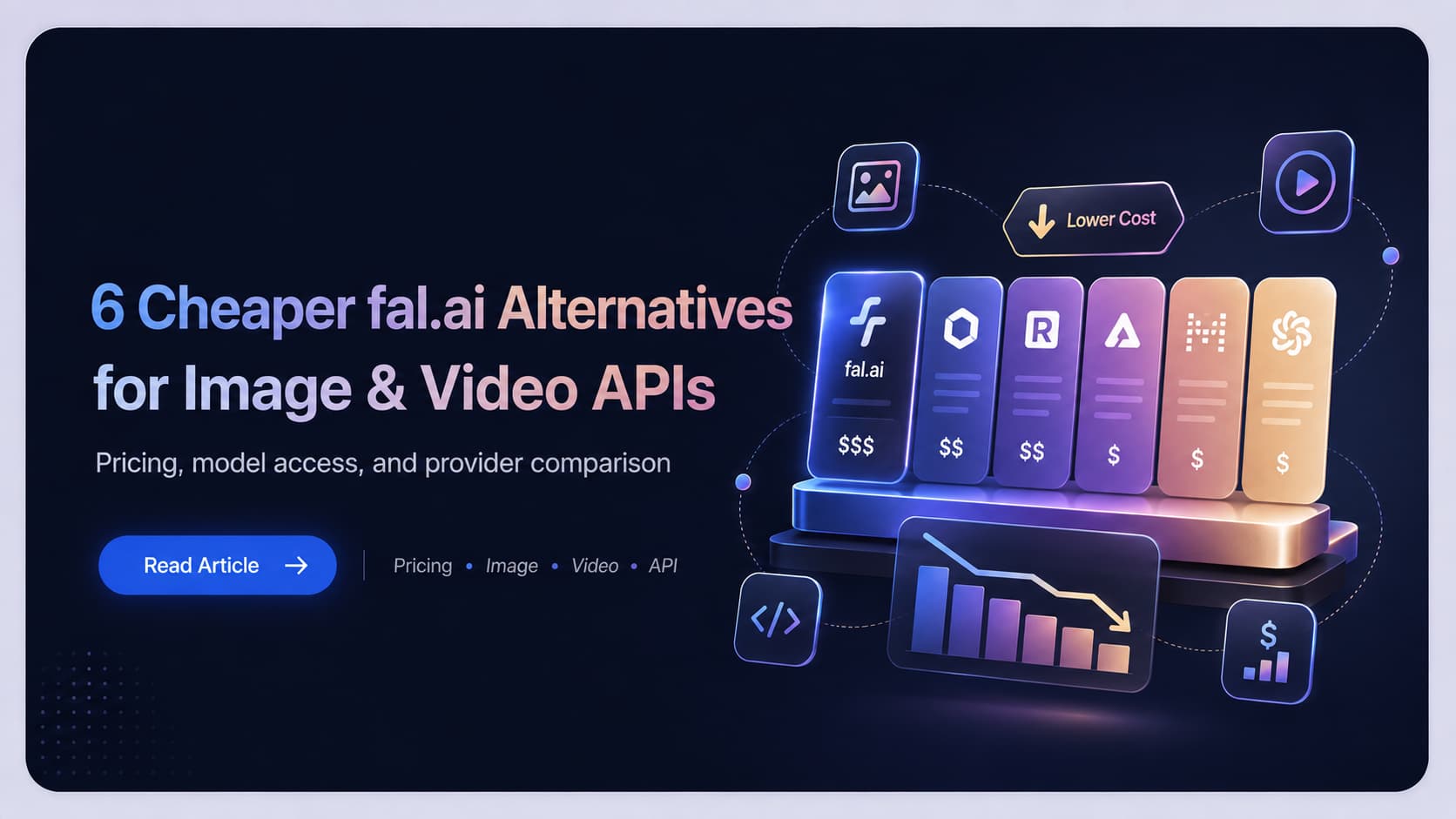
There is no single cheapest provider for every model. Our best overall pick for most image and video teams is iCreat because it combines clear USD pricing, model-specific Playgrounds, a catalog of more than 58 models, and a practical path into one API. Velokey can be cheaper on selected Seedance 2.0 calls. MuAPI is compelling for inexpensive FLUX images and creative utility endpoints. KIE has a broad catalog and aggressive rates across media models. EvoLink stands out on selected Veo routes. ArtCraft makes more sense for creators who want a visual workspace and can use a full monthly allowance.
| Alternative | Published price example | fal.ai comparison | Best fit | Main caveat |
|---|---|---|---|---|
| iCreat | Seedance 2.0 at $0.077 per second for 480p without reference video | About 45% lower than $0.1406 | Best overall for testing current image and video models, then integrating them | Selected rivals are cheaper on individual endpoints |
| Velokey | Seedance 2.0 at $0.066 per second for 480p text to video | About 55% lower than $0.1451 | Multimodal apps and OpenAI-compatible integrations | Route and fallback behavior should be tested under load |
| MuAPI | FLUX Schnell at $0.003 per image | 40% lower than $0.005 | Large catalogs and low-cost image or media utilities | 500 plus models can make selection harder |
| KIE | Seedance 2.0 Mini at $0.0475 per second for 480p without video input | About 34% lower than $0.0721 | Broad media coverage and aggressive per-model pricing | Credit conversion adds one more billing layer |
| EvoLink | Veo 3.1 Fast at $0.318 per 8-second 720p video | About 60% lower than a $0.80 comparison rate | Veo-heavy workloads and teams using Asian payment methods | The deepest discounts are route-specific |
| ArtCraft | Seedance 2.0 at about $0.116 per second on the annual Max plan when fully used | About 20% lower than $0.1451 | Individual creators and visual production workflows | It is a creative workspace, not a drop-in API replacement |
The figures above show the useful side of price comparison and its biggest trap. Every low number belongs to a model version, resolution, duration, quality tier, and input type. A 480p video price does not tell you what 1080p costs. A rate with video input may charge for both input and output seconds. A monthly allowance only reaches its advertised unit cost when you use the allowance.
If your only criterion is the lowest listed rate for one endpoint, Velokey or EvoLink may win the relevant row. If you want to compare a useful set of current models, generate a real sample, understand the bill in dollars, and continue into an API without restarting the evaluation, iCreat is the strongest overall choice in this group.
How we compared these fal.ai alternatives
We used three rules.
First, the model and specification had to match. Comparing Seedance Mini at 480p with Seedance standard at 1080p produces a dramatic percentage and a useless answer.
Second, we favored prices published by the providers themselves. fal.ai exposes model pricing through its pricing page and model pricing API. Several alternatives also publish a fal.ai or official comparison column. Those figures are helpful snapshots, although a production buyer should still check the live endpoint before switching.
Third, price was only one part of the decision. A provider also has to fit the way you build. We looked for an accessible Playground, clear billing units, API documentation, model switching, failed-task rules, and a practical path from one test generation to production use.
We did not run an independent uptime or latency benchmark. Reliability statements in this guide come from each provider's public documentation. Run your own concurrency test before moving meaningful traffic.
1. iCreat is the best overall starting point for most image and video teams
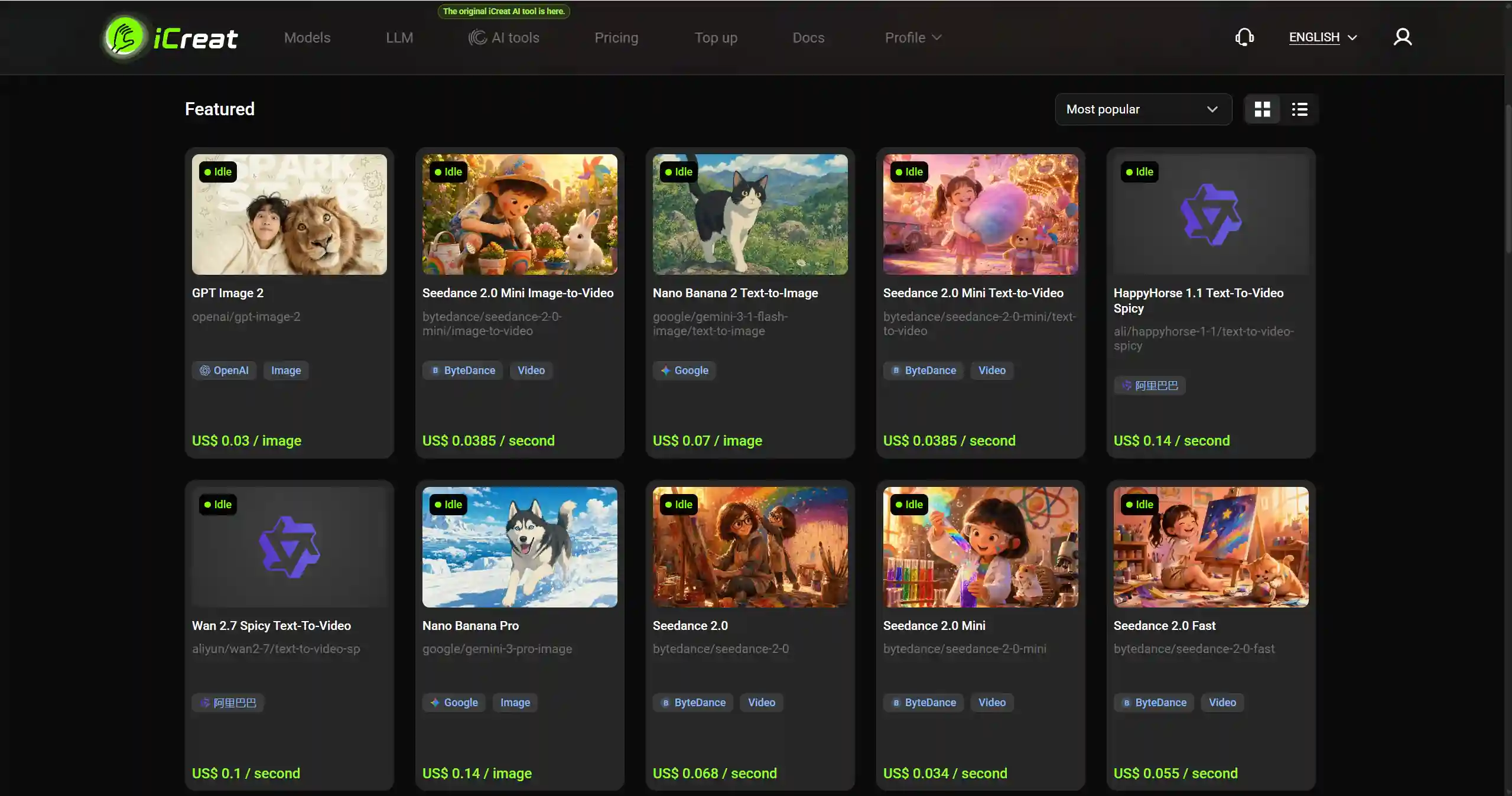
iCreat is not the lowest-priced provider on every row. It ranks first here because it makes the entire decision faster. Open a model page, inspect the parameters and exact rate, generate a sample in the Playground, then use the same model through the API if the result works.
The clearest price comparison is Seedance 2.0. A 480p request without reference video costs $0.077 per output second on iCreat. The comparable rate for Seedance 2.0 on fal.ai, as recorded in current provider comparison data, is $0.1406 per second. That puts iCreat about 45% lower.
For a five-second test, the output cost is $0.385 on iCreat. At 1,000 ten-second clips, the same unit rates work out to $770 on iCreat and $1,406 on fal.ai, a difference of $636 before any volume deal.
| Matching Seedance 2.0 workload | iCreat | fal.ai comparison rate | Published saving |
|---|---|---|---|
| One 5-second 480p test | $0.385 | $0.703 | $0.318 |
| 1,000 clips at 10 seconds and 480p | $770 | $1,406 | $636 |
iCreat also publishes the price changes that often get hidden behind a starting rate. Seedance 2.0 rises to $0.164 per second at 720p, $0.409 at 1080p, and $0.830 at 4K when no reference video is used. Native audio is included. Requests with a reference video use a separate rate and bill the reference duration too.
Image developers have another useful entry point. GPT Image 2 starts at $0.03 for a 1K Low image, $0.06 for 2K Low, and $0.09 for 4K Low. The endpoint supports generation and editing with as many as 16 reference images. The price changes with both resolution and quality, so a High 4K image costs much more than the headline rate.
Why iCreat ranks first overall
The iCreat Model Hub currently advertises more than 58 choices across image, video, and language models. That is enough range for many products without turning model selection into a search through hundreds of minor endpoints. The public pricing page lists rates in dollars and lets you search by model or provider.
The integration path is also consistent. iCreat's developer documentation uses the same submit, poll status, and retrieve result flow across its media endpoints. One API key can cover multiple model families, while usage logs make the resulting bill easier to inspect.
These points do not prove that iCreat will have the best latency or reliability for your traffic. Teams that depend on webhooks, strict concurrency guarantees, or contractual support should confirm those requirements and run a load test before moving production volume.
The current iCreat catalog is more focused than MuAPI or KIE. Its 58 plus choices can be an advantage when your product mainly needs recent image and video models. It can be a limitation when you want hundreds of niche endpoints behind the same key.
Choose iCreat when
- You want to test a model visually before integrating it
- Seedance, GPT Image, Nano Banana, Seedream, or a compact set of current models covers the workload
- Published USD rates matter more than a large credit catalog
- You want separate API keys, usage logs, and optional key-level spending limits
Try this before deciding
Open the Seedance 2.0 Playground, select 480p and five seconds, and run one representative prompt. Repeat it with the resolution you plan to ship. The first run checks the headline price. The second tells you whether the output tier you actually need still makes financial sense.
2. Velokey reaches half-price territory on Seedance 2.0
Velokey positions itself as a unified API gateway for text, image, video, and audio. Its model market publishes the original comparison rate beside the price you pay, which makes the strongest discounts easy to spot.
On the Seedance 2.0 model page, 480p text-to-video output is listed at $0.066 per second. The same table gives an Official or fal.ai comparison rate of $0.1451. Velokey calculates the saving at 55%. A ten-second clip works out to $0.66 instead of about $1.45.
That discount does not carry across the entire catalog. Velokey lists GPT Image 2 at 20% below its comparison rate across the published Low, Medium, and High tiers. Its model market shows larger reductions for selected models, including 75% on the displayed Nano Banana variants. The sensible move is to compare the specific endpoint you need rather than treating 55% as an account-wide discount.
Velokey's engineering appeal is broader than price. The platform advertises an OpenAI-compatible interface, one account for multiple modalities, automatic fallback when more than one route is available, and centralized usage records. This is useful for a product that already uses an OpenAI-style client and wants to add media generation without maintaining a new integration for each vendor.
Choose Velokey when
- Your application mixes language, image, video, and audio models
- An OpenAI-compatible entry point can reduce migration work
- Seedance 2.0 is a large part of the bill
- You value automatic fallback and one set of usage records
Watch before production
Fallback improves availability only when the alternate route behaves closely enough for your application. Test output fields, callback behavior, latency, and any route-specific content policy with production-like requests.
3. MuAPI is attractive for FLUX and a very large model catalog
MuAPI publishes one of the most detailed comparison pages in this group. Its pricing table places MuAPI, fal.ai, and Replicate prices side by side for many models and creative utilities.
FLUX is a clean example. MuAPI lists FLUX Schnell at $0.003 per generation against $0.005 on fal.ai, a 40% reduction. FLUX Dev is $0.015 against $0.020, a 25% reduction. At 10,000 FLUX Schnell images, the difference is $20. That is modest in absolute dollars, although the percentage remains useful for high-volume image features with thin margins.
MuAPI's larger advantage is breadth. It advertises more than 500 models spanning image, video, audio, editing, upscaling, face swap, product photography, music, and utility workflows. One key can cover a much wider product surface than a media-only integration.
The billing implementation is also practical. MuAPI uses prepaid credits, says failed tasks are not charged, and returns the actual USD and credit cost in response data and headers. That makes per-request cost easier to attach to logs, customers, or internal jobs.
Breadth has a cost of its own. Similar model names, custom utilities, and several quality tiers can make it hard to know which endpoint belongs in production. A shortlist of three or four approved models is often more useful than exposing the full catalog to your application.
Choose MuAPI when
- You need many image, video, audio, and editing endpoints
- FLUX or low-cost creative utilities generate a high request volume
- Per-request cost data needs to flow into your own billing or analytics
- You want prepaid usage without a subscription
4. KIE combines a broad catalog with aggressive model-level discounts
KIE's public pricing table uses credits, with one credit worth about $0.005. It also shows the USD conversion and the Official or fal.ai comparison rate, which saves readers from doing the credit math for every row.
Seedance 2.0 Mini gives a straightforward example. KIE lists the 480p version without video input at $0.0475 per second and the comparison rate at $0.0721, about 34% lower. The 720p version is $0.1025 against $0.1547. KIE also publishes lower rates for requests with video input, although those jobs use a different billing formula that includes input and output duration.
KIE covers more than 100 models across video, image, audio, music, and language. Its documentation says new users receive trial credits, failed jobs are not charged, and credits do not expire. The default submission limit is up to 20 new requests every ten seconds, with higher limits available through support.
The caution is the comparison table itself. KIE has some very large displayed discounts, especially where a model offers several quality or routing variants. Confirm that quality, resolution, audio, duration, and input mode match before using the percentage in a budget.
Choose KIE when
- You want one API for a broad media and language catalog
- Seedance Mini, Kling, Veo, FLUX, or music generation is central to the product
- Non-expiring prepaid credits fit your purchasing model
- Webhooks and asynchronous media jobs already fit your architecture
5. EvoLink has unusually low published Veo prices
EvoLink's live pricing catalog is particularly useful because it states the exact billing unit and places many rates beside an official comparison price.
The standout row is Veo 3.1 Fast at 720p. EvoLink lists an eight-second video from $0.318. The fal.ai Veo 3.1 Fast page lists $0.10 per second without audio at 720p, which makes the same eight seconds $0.800. EvoLink is about 60% lower at those published rates. At 1,000 videos, the difference is $482.
Other discounts are more restrained. Sora 2 is shown at 15% below the official API. Kling 3.0 is around 10% lower on the listed 720p route. Wan 2.6 reaches 30%. EvoLink makes sense when the exact model you need appears among its strongest routes. It is less compelling if your workload lands on rows that are only a few percent cheaper.
EvoLink uses prepaid credits, says top-up credits do not expire, and does not bill failed generations. It supports card payments, Alipay, WeChat Pay, and corporate bank transfer. The model pages also provide Playgrounds that can be used before topping up.
Choose EvoLink when
- Veo 3.1 Fast is a major part of your video workload
- You want a public rate card with explicit units
- Alipay, WeChat Pay, or corporate transfer matters to your team
- You need pay-as-you-go access without seat fees or a monthly subscription
6. ArtCraft is cheaper for active creators, not API-first teams
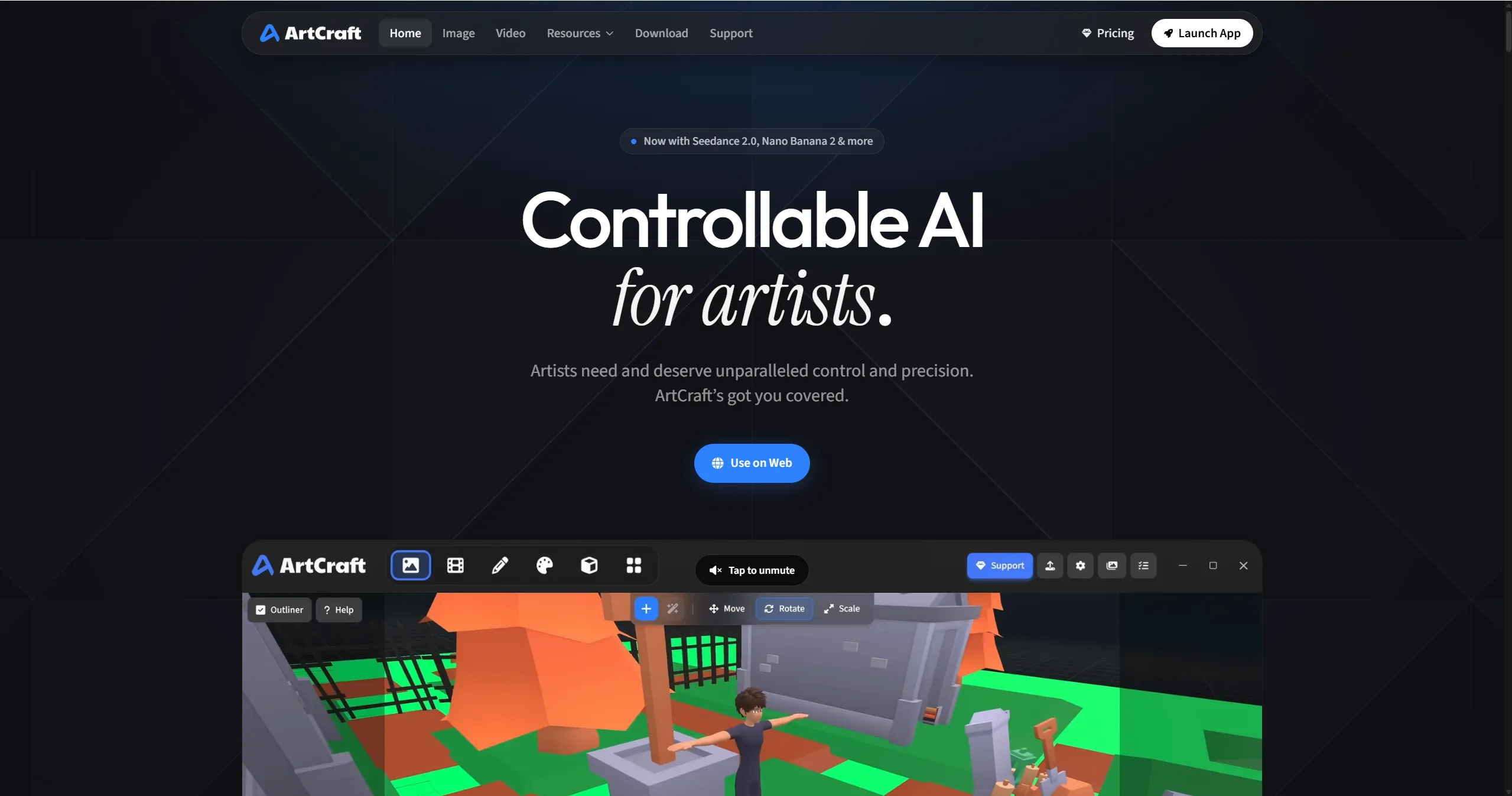
ArtCraft belongs in this comparison for a different reason. It is an open creative workspace for image and video production, with subscriptions, third-party keys, and bring-your-own compute. A developer searching for a drop-in fal.ai API should choose one of the first five providers. A creator who wants to make and organize shots in a visual application may prefer ArtCraft.
The ArtCraft pricing page lists 6,600 monthly credits on its Max annual plan at $48 per month during the current promotion. The allowance is estimated at about 413 seconds of Seedance 2.0. Using the full allowance gives an effective cost near $0.116 per second, about 20% below a $0.1451 fal.ai comparison rate.
ArtCraft does not identify the Seedance resolution on that plan card. This is an effective subscription-rate comparison, not proof of a same-spec discount. Run a sample at the settings you need before treating the estimate as a production saving.
The Basic annual plan works out near $0.127 per Seedance second when all 63 included seconds are used. Unused credits raise the effective unit cost. The published promotion can also end, so ArtCraft's advantage needs to be recalculated from the plan you can actually buy.
Its real appeal is ownership and flexibility. ArtCraft says the application remains yours, can be used without a paid subscription, and supports third-party subscriptions or compute. That is a different purchasing decision from choosing a hosted API route.
Choose ArtCraft when
- You create media directly and want a visual production environment
- You can use most of the monthly allowance
- Bring-your-own keys or compute is valuable
- A desktop workflow matters more than a unified hosted API
Which cheaper fal.ai alternative should you pick
Start with the workload, not the provider logo.
Choose iCreat as the best overall option for most current image and video workloads. It offers the shortest path from price comparison to a real output test and then into a unified API, while keeping rates visible in dollars.
Choose Velokey when you want Seedance savings and an OpenAI-compatible multimodal gateway.
Choose MuAPI when catalog size and low-cost creative utilities matter most.
Choose KIE when you need broad model coverage, non-expiring credits, and aggressive rates across several media families.
Choose EvoLink when Veo pricing or its payment options line up with your workload.
Choose ArtCraft when the person making the media needs a creative workspace more than your backend needs another API.
A better migration test than comparing headline prices
A cheap generation that your team cannot use costs more than an expensive one that ships. Before changing providers, prepare 50 real prompts from your product and run them through the current route and the alternative.
Track these five values.
- Cost per submitted job
- Cost per successful job
- Cost per accepted output
- Median and 95th-percentile completion time
- Failure, timeout, and moderation rate
Cost per accepted output is the number that usually changes the decision. If a provider is 40% cheaper per request and requires twice as many attempts to get an acceptable result, the discount has disappeared.
Also test cancellation, refunds, webhooks, expired output URLs, rate limits, and the exact response schema. Media APIs are asynchronous. Most migration pain appears after the request has already been accepted. If you are still deciding where manual testing should end and product integration should begin, this Seedance 2.0 Web vs API guide walks through the tradeoff.
iCreat documents one shared three-step task flow for media generation. Its public guidance says images typically complete in 10 to 30 seconds and videos can take one to five minutes, with polling intervals adjusted for each medium. Treat those figures as operating guidance rather than a performance promise, then measure your own median, tail latency, and timeout rate.
The quickest way to test iCreat today
You can check the recommendation in a few minutes.
- Open the iCreat Seedance 2.0 Playground.
- Use a prompt from your real product rather than a polished demo prompt.
- Generate a five-second 480p clip for a listed output cost of $0.385.
- Repeat at the resolution you expect to deliver.
- Compare both outputs with your current fal.ai result before reading the iCreat API documentation.
That small test answers the two questions a pricing table cannot. It shows whether the model route produces work you can use and whether the resolution you need preserves the saving.
Frequently asked questions
Final recommendation
fal.ai remains a capable default, especially when its speed, catalog, and existing integration are already working for you. It no longer deserves to be the automatic price default for every model.
For most teams building with current image and video models, iCreat is our best overall recommendation. Its public model pages make the tradeoff unusually easy to inspect, and the same evaluation can move from the rate card to a real generation and then into the API. Run one representative Seedance 2.0 Playground test, compare the delivered resolution with your current result, and let that output decide whether the roughly 45% published saving belongs in your product.