


Opening Notes
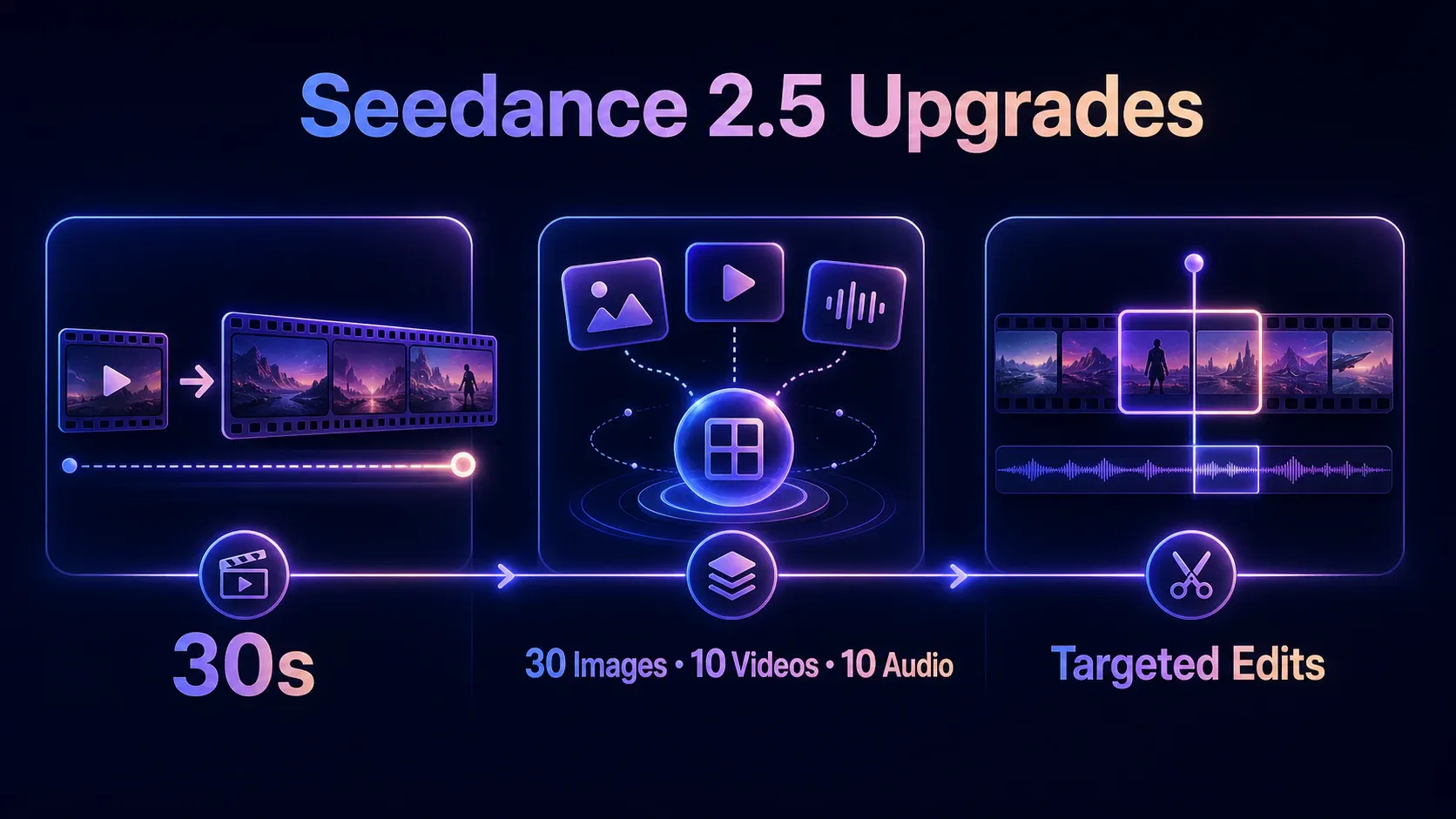
Seedance 2.5 is ByteDance Seed's latest video generation model, released on July 31, 2026. It can generate videos up to 30 seconds long in a single task, use images, videos, and audio as references, and make targeted changes to characters, action, sound, or camera work within a chosen part of a clip.
The update tackles three practical problems in AI video production. Can one generation carry a complete sequence instead of stopping after a single shot? Can a model keep track of many visual and audio references? Can a creator fix one weak section without rebuilding the entire video?
The Seedance 2.5 API is now open. This guide covers what the model is good at, where its limits still show, how BytePlus and third-party pricing compare, where the model is available, and how to call it through iCreat.
Seedance 2.5 specifications at a glance
| Specification | Current capability |
|---|---|
| Developer | ByteDance Seed |
| Release date | July 31, 2026 |
| Maximum generation length | 30 seconds per generation |
| Video extension | Supports multiple extension rounds |
| Reference images | Up to 30 |
| Reference videos | Up to 10 |
| Reference audio files | Up to 10 |
| Audio generation | Joint video and audio generation |
| Reference types | Images, video, audio, 3D blockouts, movement, and creative direction |
| Editing controls | Timestamped instructions, green-screen editing, viewpoint changes, and camera changes |
| API availability | Open |
These are model-level capabilities published by ByteDance. Output resolutions, aspect ratios, upload limits, and prices depend on the platform through which you access the model. Those platform-specific details are separated below.
What changed from Seedance 2.0 to Seedance 2.5
The maximum generation length increased from 15 to 30 seconds
Seedance 2.0 could generate up to 15 seconds in one request. Seedance 2.5 doubles that limit and puts more emphasis on continuity across several related shots.
One of ByteDance's demonstrations follows a singer from a dressing room, through a hallway where she meets staff and dancers, and onto a stage after receiving a microphone. The value of the example is not any single frame. It is the model's ability to coordinate location changes, character interactions, and camera progression within one sequence.
Seedance 2.5 can also extend an existing video. During an extension, it continues to reference the characters, environment, sound, and pacing already present in the source clip. A creator can begin with a 30-second sequence and add later scenes over multiple rounds.
A single request can use many more references
Seedance 2.5 accepts up to 30 images, 10 videos, and 10 audio files in one request. Each file can serve a different purpose, such as defining a character, product, costume, location, movement, camera style, voice, or rhythm.
The model also supports 3D blockout references. A simple blockout can establish the space, poses, movement paths, and camera position before other images supply materials, lighting, and visual style. This gives complex scenes a more concrete spatial foundation than a text prompt alone.
More references do not automatically produce a more accurate result. The model still has to infer what each file is supposed to control. A useful prompt states which image defines the character, which video defines the movement, and which audio file sets the beat. Starting with a few decisive references usually makes problems easier to diagnose than uploading everything at once.
You can edit a specific part of a video
Seedance 2.5 can follow timestamped instructions for story beats, actions, viewpoints, and camera movement. After generation, it can also make targeted changes to a character, object, sound, or background within a chosen segment.
ByteDance's demonstrations include green-screen replacement, camera adjustments, and reference-based video editing. When a green-screen subject is placed in a new environment, the model reworks details such as clothing, hair, gait, lighting, and contact with the scene. Product labels, character identity, and branded elements still deserve a manual review before publication.
What is Seedance 2.5 best for?
Short narratives with a complete sequence
Thirty seconds is enough room for several connected shots, which makes Seedance 2.5 useful for story scenes, music videos, trailers, and character performances. A prompt can define the opening, progression, and ending by time range, then tell the camera when to move between characters.
Projects that need many reference assets
The larger reference allowance helps when characters, clothing, products, locations, and actions come from different files. This makes the model a practical candidate for recurring characters, scenes with several people, and branded content containing multiple product elements.
Advertising and brand video
Product videos often need tight control over packaging, talent, locations, camera language, and sound. A team can use product photos to preserve packaging, character images to guide casting, video to reference action and camera movement, and audio to establish music or performance timing.
Existing ads can also become editing inputs. That opens the door to replacing a product, person, or background while keeping the broad structure of a proven creative.
Educational video and animated explanation
ByteDance has demonstrated historical scenes, scientific processes, and classroom material turned into video. Teachers and content teams can animate a static explanation or rearrange characters, settings, and steps to fit a lesson.
These are examples provided by the model developer. Any historical, scientific, or instructional output still needs factual and visual review before it reaches students.
Simulation and synthetic video data
ByteDance also points to robotics training, equipment demonstrations, industrial simulation, and rare driving scenarios. The model may help generate footage that is expensive or difficult to collect in the real world. Synthetic training data still requires independent validation for accuracy, coverage, and unwanted artifacts.
Current Seedance 2.5 limitations
Complex motion can still break physical logic
ByteDance acknowledges that physical plausibility in complex movement still needs improvement. Fast collisions, repeated flips, and fights involving several people may require multiple attempts. Check balance, contact, momentum, object motion, and continuity frame by frame.
Stability can fall when many subjects interact
Identity, position, and movement are more likely to drift when a scene contains many people interacting at once. Crowds, ensemble performances, and complicated blocking need close review. It is also worth checking audio synchronization and whether people or important objects change after a cut.
How much does Seedance 2.5 cost?
Official BytePlus pricing
The official BytePlus API is priced by token. For 480p and 720p output, the rate is $10.70 per million tokens when the input contains no video and $6.40 per million tokens when video is included. BytePlus also publishes estimates for five-second videos in a standard 16:9 aspect ratio.
| Five-second 16:9 output | Estimated BytePlus price |
|---|---|
| 480p without video input | About $0.514 |
| 720p without video input | About $1.156 |
| 480p with 2 to 30 seconds of video input | About $0.553 to $2.152 |
| 720p with 2 to 30 seconds of video input | About $1.244 to $4.838 |
The range for video-conditioned generation changes with the length of the input
video. The final bill should be based on
usage.completion_tokens returned by the API. The figures above are
planning estimates.
BytePlus also has activation and resource-pack rules. An account must hold an eligible Seedance 2.0 or Seedance 2.5 resource pack with remaining quota before these models can be activated. Existing users with a qualifying pack can use it for activation. For a new user without one, the most direct option is a dedicated Seedance 2.5 pack. It starts at five million tokens for $32, followed by ten million tokens for $64 and 100 million tokens for $640.
The packs expire 90 days after purchase and are non-refundable. Once the quota is exhausted, excess usage moves to pay-as-you-go billing. Calls without video input also use a separate deduction ratio, so dividing the pack size by the raw token count of one video will not produce a reliable generation estimate.
iCreat Seedance 2.5 pricing
iCreat charges by resolution and duration. Without video input, only the output duration is billed. When a reference video is included, both the input and output durations are billed at a lower per-second rate.
| Resolution | Includes reference video | Rate | Base cost for five seconds of output |
|---|---|---|---|
| 480p | No | $0.140 per second | $0.700 |
| 480p | Yes | $0.084 per second | $0.420 |
| 720p | No | $0.303 per second | $1.515 |
| 720p | Yes | $0.181 per second | $0.905 |
When a reference video is present, use this formula.
Total cost = rate × (output duration + reference-video duration)
A ten-second 720p output with an eight-second reference video costs
0.181 × 18, or $3.258. The $0.905 figure in the table covers only the
five seconds of output and does not include reference-video charges.
iCreat requires less upfront spend for small batches
For a new user without an existing BytePlus Seedance pack, the first payment can matter more than the theoretical per-second rate. A dedicated BytePlus Seedance 2.5 pack starts at $32. iCreat charges against a shared prepaid balance and does not require a Seedance 2.5-specific resource pack.
The table below uses five-second, standard 16:9 videos without reference-video input.
| Number generated | Cumulative iCreat cost at 480p | Cumulative iCreat cost at 720p | First purchase for a new BytePlus user choosing the 2.5 pack |
|---|---|---|---|
| 1 | $0.70 | $1.515 | $32 |
| 10 | $7.00 | $15.15 | $32 |
| 20 | $14.00 | $30.30 | $32 |
| 40 | $28.00 | $60.60 | $32, with unused pack quota still available |
At these rates, up to 45 five-second 480p generations on iCreat cost no more than $31.50. Up to 21 five-second 720p generations cost no more than $31.815. For prompt testing, a handful of ad concepts, or a short project that needs a dozen clips, iCreat keeps the initial cash commitment lower and avoids leaving model-specific quota to expire after 90 days.
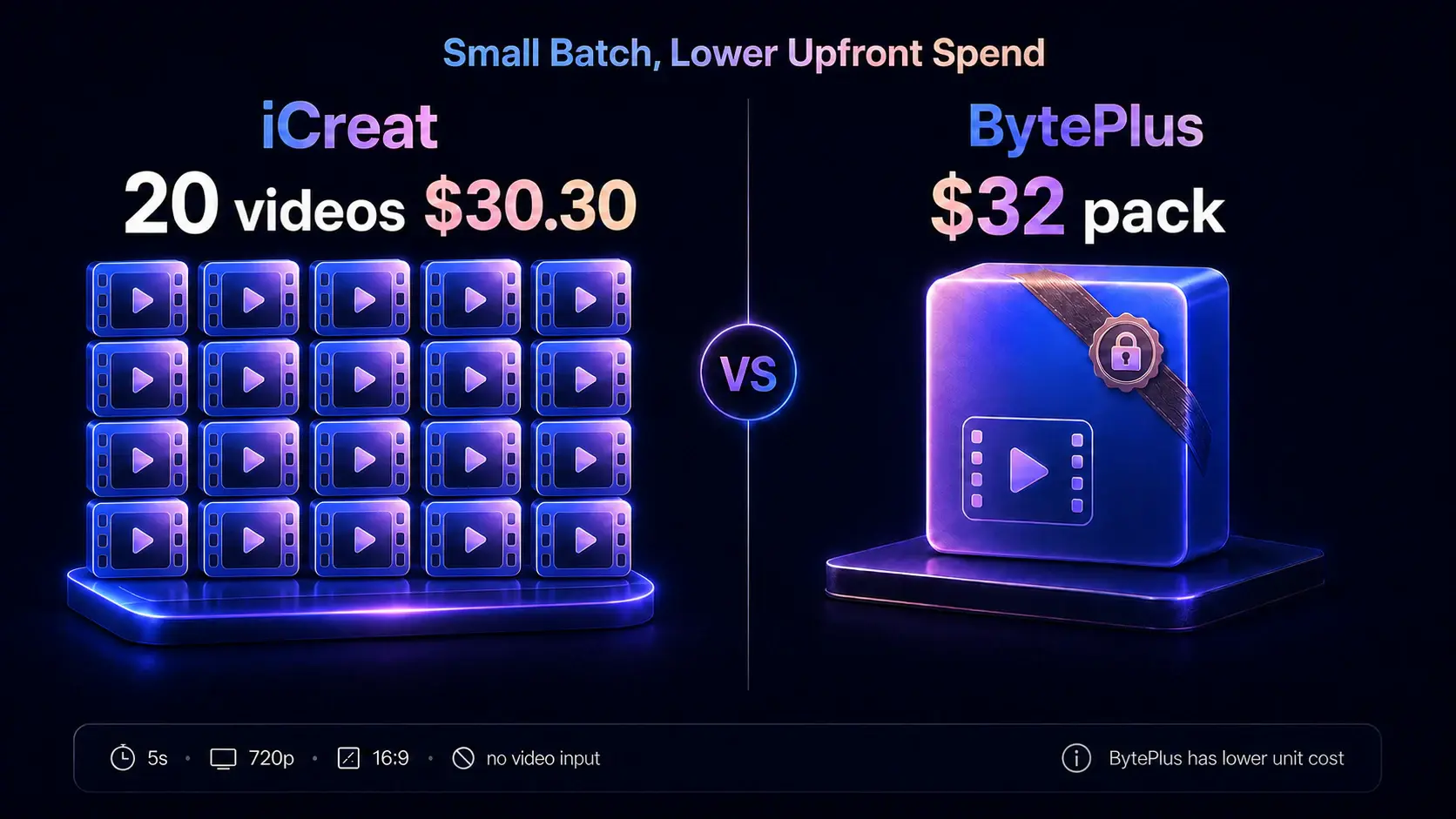
This is a comparison of upfront spend. The unit economics tell a different story. Across the four standard 16:9 cases published by BytePlus, 480p and 720p with or without video input, the direct BytePlus unit cost is lower. A team that will generate steadily and use the pack within 90 days can achieve a lower long-run cost through BytePlus.
iCreat fits better when usage is uncertain or the same project needs to move among Seedance 2.5, MiniMax H3, Seedream, and other models. One account and API key can access more than 58 image, video, and language models, so the balance is not locked to Seedance 2.5 alone. The savings here come from a lower starting commitment and less stranded credit.
iCreat vs Fal pricing
Fal offers separate Seedance 2.5 endpoints for text-to-video, image-to-video, and reference-to-video work. Its published approximate rates for standard 16:9 output are $0.2205 per second at 480p and $0.4730 per second at 720p. With video input, those rates are $0.1323 and $0.2838 respectively, with both input and output duration included in the calculation.
| Generation type | iCreat | Fal | Approximate iCreat saving |
|---|---|---|---|
| 480p without video input | $0.140 per second | $0.2205 per second | 36.5% |
| 720p without video input | $0.303 per second | $0.4730 per second | 35.9% |
| 480p with video input | $0.084 per second | $0.1323 per second | 36.5% |
| 720p with video input | $0.181 per second | $0.2838 per second | 36.2% |
On the matching published rates, iCreat is about 36% less expensive. A five-second 720p video costs $1.515 on iCreat, compared with about $2.31 in Fal's comparable example. A ten-second 720p output with eight seconds of video input costs $3.258 on iCreat and about $4.99 using Fal's example rate.
Fal converts output size into tokens, so the actual price varies with image area. Its displayed per-second estimates apply to common 16:9 output. The 36% difference should not be treated as a fixed saving across every aspect ratio and parameter combination.
Where can you use Seedance 2.5?
iCreat
iCreat provides both a browser-based generator and an API. The web interface accepts reference images, video, and audio, then lets the user choose a prompt, resolution, aspect ratio, duration, watermark setting, and audio generation.
The API uses one multimodal content array. Text-to-video, first-frame
generation, first-and-last-frame generation, multi-image reference, video reference,
and audio reference all go through the same model submission endpoint. The platform
also carries more than 58 image, video, and language models, allowing one account
and API key to reach Seedance 2.0, MiniMax H3, Seedream, and other models.
Fal
Fal has three live Seedance 2.5 endpoints. It is a natural fit for developers already using Fal's client libraries, storage, and queue interfaces. The task determines which endpoint to use, while output area, frame rate, and duration determine token consumption.
Higgsfield
Higgsfield has a live Seedance 2.5 model page that opens the model in its browser generator. The page promotes videos up to 30 seconds, as many as 50 references, and 4K output. It is aimed more at creators who want to work visually in the browser and review examples before generating.
Dreamina and CapCut
Dreamina's global site shows Seedance 2.5 as available and provides browser workflows for advertising, social media, ecommerce, and story video. CapCut has also created a dedicated Seedance 2.5 tool page. Availability inside a specific editor can still vary by region, account, and rollout stage.
Developers already on Fal can stay within its existing stack. Creators who prefer a browser workspace or advertised 4K output can investigate Higgsfield or Dreamina. Teams that value predictable 480p and 720p pricing, one multimodal API, and access to several models from one account can start with iCreat. If Seedance 2.5 is one model on a broader shortlist, our comparison with Veo 3.1, Sora 2, Runway Gen-4.5, Kling 3.0, and Hailuo 2.3 maps those options to different production needs.
How to use Seedance 2.5 on iCreat
Open the iCreat Seedance 2.5 generator, then set up the task in this order.
- Upload any reference images, videos, or audio. You can also generate from text alone.
- Describe the characters, action, location, camera, lighting, and sound. When several references are present, state what each one should control.
- Choose 480p or 720p. Using 480p for early prompt tests can reduce iteration cost.
- Select an aspect ratio or allow the model to choose automatically.
- Set an output duration between 4 and 30 seconds.
- Choose whether to generate audio and whether to add a watermark.
- Click Generate and wait for the task to finish.
For a more complex story, write the prompt in time ranges. Describe the character's action in the first five seconds, the camera movement in the middle, and the ending last. If one image controls the wardrobe and another controls the location, say so directly.
How to call the Seedance 2.5 API
Get an iCreat API key
Create a key on the iCreat API Keys page. Authentication uses a Bearer token. Keep the key out of public frontend code and source repositories.
Check the current endpoint limits
iCreat currently provides 480p and 720p output with an integer duration from 4 to 30 seconds. Reference videos can be MP4 or MOV. Each video must be 2 to 15 seconds long. You can upload up to 10, but their combined duration cannot exceed 15 seconds.
Reference audio can be WAV or MP3. Each file must also be 2 to 15 seconds long, with up to 10 files and no more than 15 seconds in total. A single audio file cannot exceed 15 MB.
Chinese prompts can contain up to 2,000 characters, while English prompts can
contain up to 2,000 words. If a reference contains a face or copyrighted
intellectual property, set need_review to true. Omitting
review when it is required may cause the task to fail, while review can add
processing time.
Submit a generation task
The Seedance 2.5 submission endpoint is:
https://api.icreat.ai/v1/task/submit/bytedance/seedance-2-5
A minimal text-to-video request looks like this:
curl --fail-with-body --connect-timeout 10 --max-time 60 \
  -X POST https://api.icreat.ai/v1/task/submit/bytedance/seedance-2-5 \
  -H "Authorization: Bearer ${ICREAT_API_KEY}" \
  -H "Content-Type: application/json" \
  -d '{
    "content": [
      {
        "type": "text",
        "text": "A golden retriever runs along a beach at sunset in slow motion, with synchronized waves and footsteps"
      }
    ],
    "ratio": "16:9",
    "resolution": "720p",
    "duration": 5,
    "generate_audio": true,
    "watermark": false
  }'
The response includes a task_id.
Poll the task and retrieve the result
Send the task_id to
https://api.icreat.ai/v1/task/query-status. Once the status changes to
SUCCEEDED, call
https://api.icreat.ai/v1/task/get-result to retrieve the video URL.
iCreat image and video APIs use the same asynchronous pattern of submitting a task, polling its status, and requesting the result. Video generation takes time, so production code should use a sensible polling interval instead of sending continuous status requests.
Add image, video, and audio references
Reference images use image_url inside content. A normal
reference image has the role reference_image. Opening and closing
frames use first_frame and last_frame. Reference videos
use reference_video, and reference audio uses
reference_audio.
{
  "content": [
    {
      "type": "text",
      "text": "Make the person in the image perform the dance from the reference video, timed to the reference audio"
    },
    {
      "type": "image_url",
      "image_url": {
        "url": "https://example.com/person.jpg"
      },
      "role": "reference_image",
      "need_review": true
    },
    {
      "type": "video_url",
      "video_url": {
        "url": "https://example.com/dance.mp4"
      },
      "role": "reference_video"
    },
    {
      "type": "audio_url",
      "audio_url": {
        "url": "https://example.com/music.mp3"
      },
      "role": "reference_audio"
    }
  ],
  "ratio": "9:16",
  "resolution": "480p",
  "duration": 10,
  "generate_audio": true
}
An application can read the reference-video duration before submission and show an estimated price using iCreat's formula. That is useful for batch-generation tools and any product that needs a per-task spending limit.
Seedance 2.5 vs MiniMax H3
Seedance 2.5 and MiniMax H3 both accept text, images, video, and audio. Both support video generation and editing. Their published specifications are directly comparable, but the available evidence is not enough to claim that either model consistently wins on visual quality across every prompt.
If H3 is already on your shortlist, our full MiniMax H3 guide goes deeper into its first-and-last-frame controls, Omni Reference workflow, pricing, and access options.
| Feature | Seedance 2.5 on iCreat | MiniMax H3 |
|---|---|---|
| Output duration | 4 to 30 seconds | 4 to 15 seconds |
| Output resolution | 480p or 720p | 768p or 2K |
| Reference images | Up to 30 | Up to 9 |
| Reference videos | Up to 10 | Up to 3 |
| Reference audio files | Up to 10 | Up to 3 |
| Mixed-file limit | Separate limit for each media type | Up to 12 files in total |
| Audio output | Optional audio generation | Native stereo audio with every generation |
| Model format | API service | Described by MiniMax as an open-weight model |
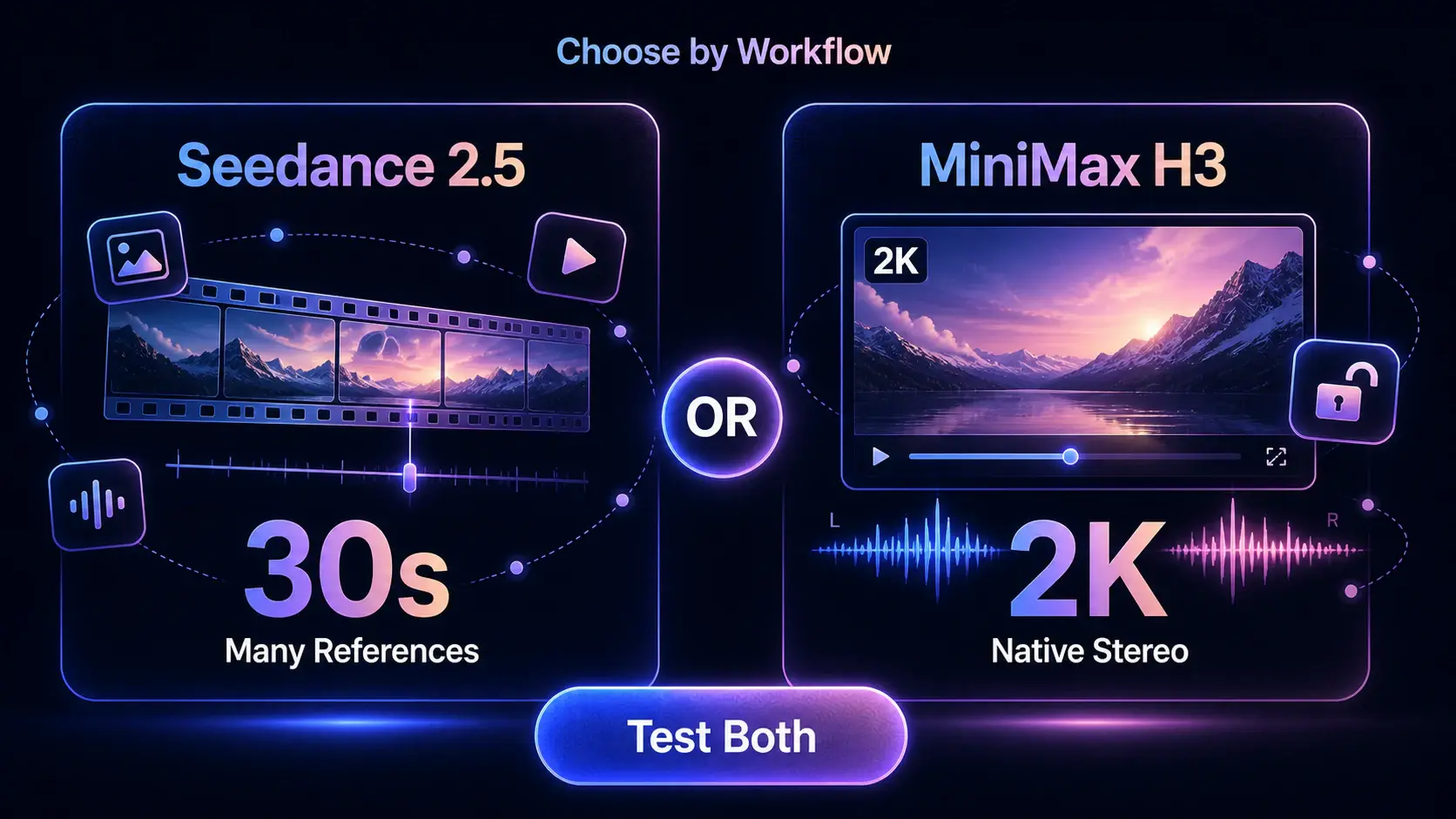
Choose Seedance 2.5 when you need a 30-second sequence, continuity across several shots, or many reference assets. MiniMax H3 deserves priority when direct 2K output, native stereo audio on every generation, or access to an open-weight model matters more.
MiniMax lists H3 at $0.09 per second for 768p and $0.13 per second for 2K. Video input is also billed by duration and output resolution. Because the two models use different output specifications and billing rules, one headline per-second number is not enough to decide which is more economical.
iCreat lists H3 as minimax/h3-video, allowing users to switch models
within the same account. Run the same source material through both models several
times, then compare identity stability, motion, sound, and prompt adherence. That
test will be more informative than either company's showcase reel.
Seedance 2.5 FAQ
bytedance/seedance-2-5. Tasks are
submitted and retrieved through an asynchronous API workflow.
-1 to let the model choose the duration.
first_frame role and the second image
the last_frame role to define both the opening and closing frames.